Decision tables
Creating a decision table
We create multidimensional tables for two purposes:
- Arranging data in tabular form facilitates the construction of the algorithm and allows to minimize the number of logical conditions in the algorithm itself.
- The table can be directly queried to show the result from the level of other system components (similarly to the algorithm).
An example of a table structure and its use is presented below, illustrating how you can efficiently map table definitions from Excel type tools into the Algorithms.
Sample input data for the table:
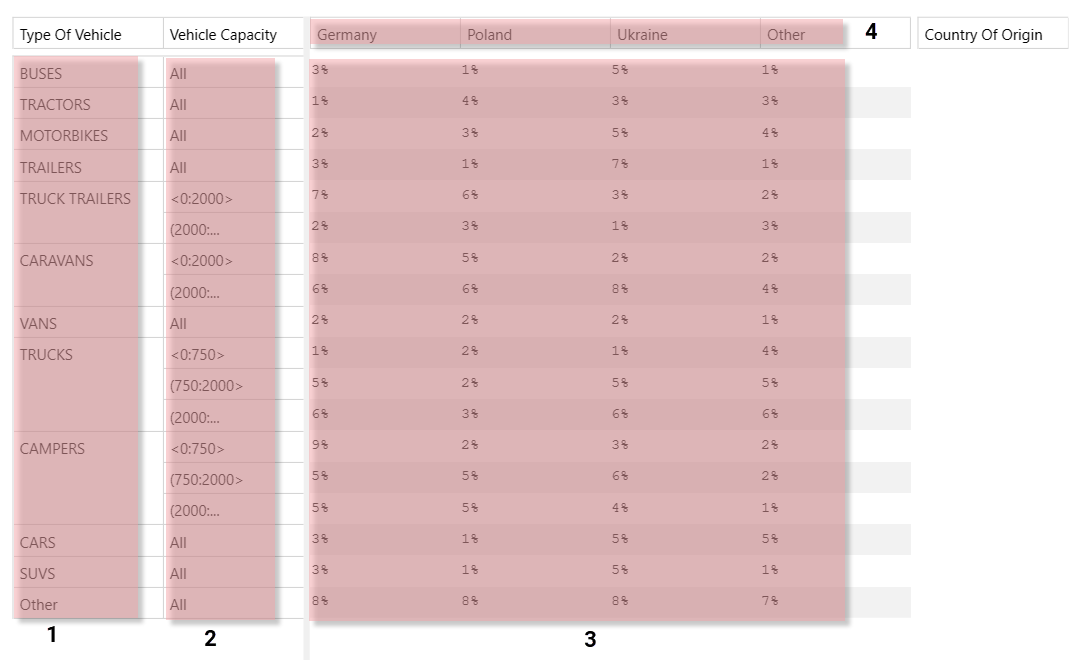
1. Vertical key names
2. Vertical key names
3. Table values
4. Horizontal key names
The keys are defined in the rows and columns of the table, i.e. vertical and horizontal keys.
Note that on the basis of the values of the three keys (Type Of Vehicle, Vehicle Capacity, Country Of Origin), a clear result is obtained from the table for further use, e.g. as part of an algorithm. Below is a diagram of the Algorithm operation while retrieving data from the table.
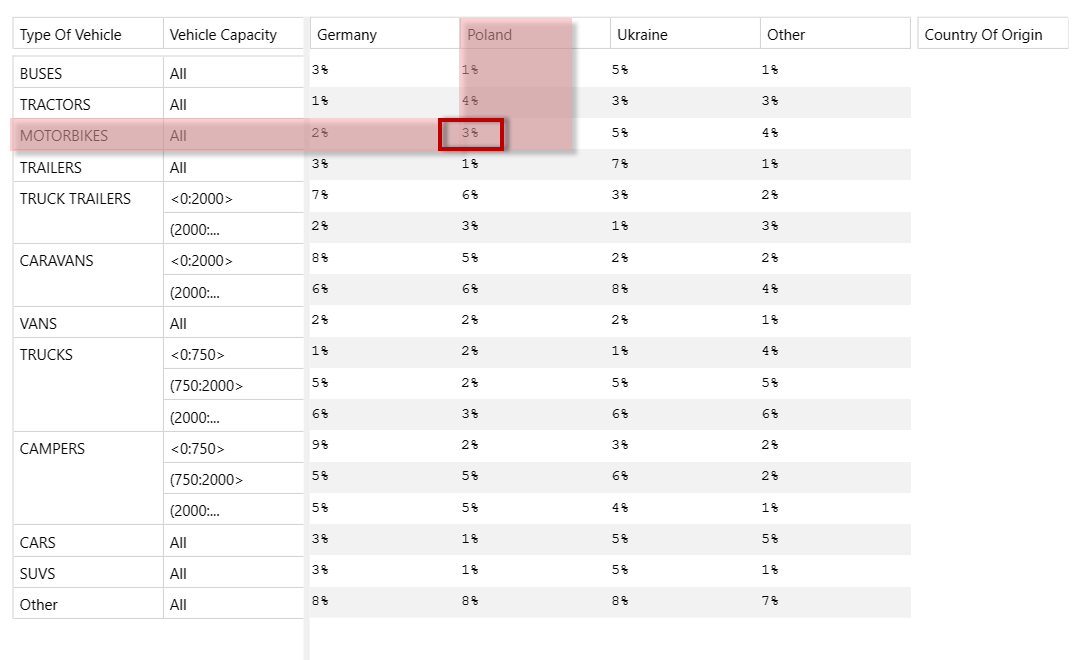
For example: passing the following data when calling the table:
Vertical keys
Type Of Vehicle: MOTORBIKES
Vehicle Capacity: All (any value entered into the table)
Horizontal key
Country Of Origin: Poland
We get the resulting value of 3%.
To define the table correctly, do the following:
- create a table and specify the type of data contained in the table,
- add table records,
- fill in the table with data,
- save the table.
The archITekt platform offers the possibility of providing access via API to business elements such as tables. This operation is performed by publishing the element in the version server, see: Publishing versions.