Creating a single- and multidimensional table
You can create a multidimensional table, that means one that takes into account several keys, or several parameters, and also a one-dimensional table that takes into account only one parameter.
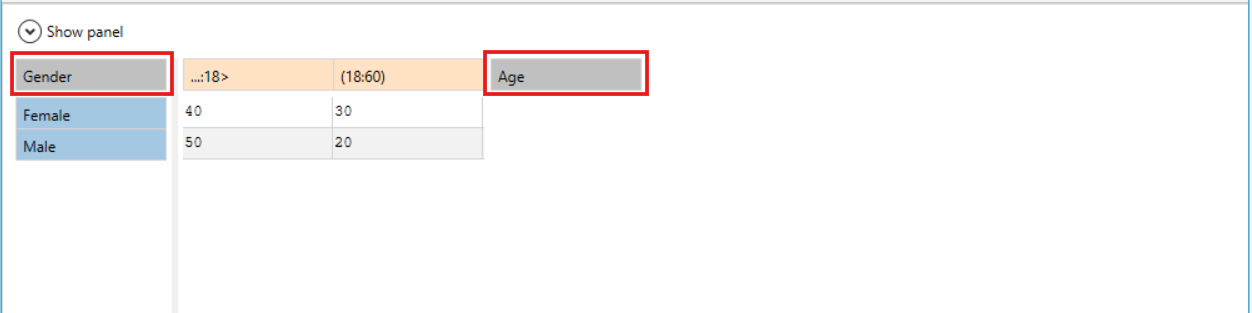
Typically, tables are two-dimensional or multi-dimensional. As in the example below, we have a two-dimensional table that has the Gender and Age keys defined. In this case, depending on the gender (female or male) and at the same time from the age range, i.e. the range up to 18 and the other from 18 to 60 years old, appropriate points will be awarded.
- If you want to create a one-dimensional table, i.e. with only one parameter, create a two-dimensional table and select All in one key option, as in the example below:
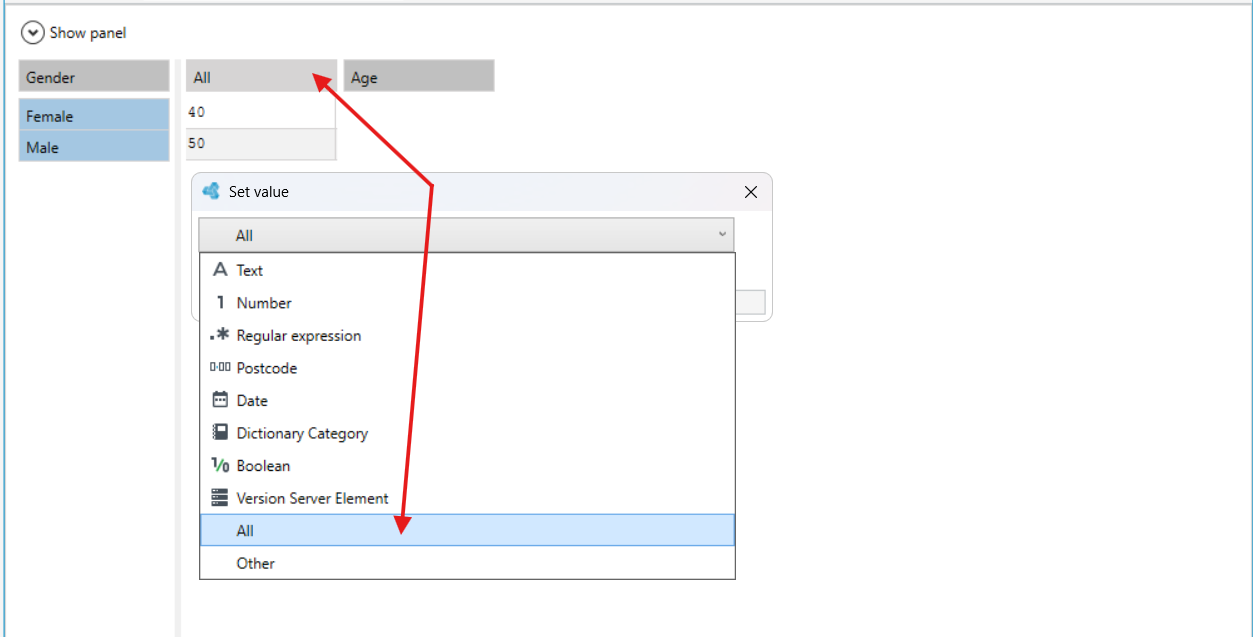
In this case, although two keys have been specified, only one parameter, i.e. Gender, will be taken into account. The second key in which the value All is selected will be skipped and thus the table becomes one-dimensional.