Entering the result data into the table
After specifying the data type of the table and defining the table keys, you can enter data into the generated cells.
- All data entered into table cells should be compatible with the specified data type.
- You can modify the data entered in a table cell directly in the selected cell by placing the cursor over it and entering new data in it. Double-click with the left mouse button to enter data.
- You can also paste data copied from an external data source (e.g. MS Word, MS Excel) into table cells and set or delete values for one or more selected cells.
- Copy the data from the external data source.
- Select the cell - select the place from which you will copy the data. You only need to select one cell, even if you want to paste several lines. All data selected for copying will be pasted.
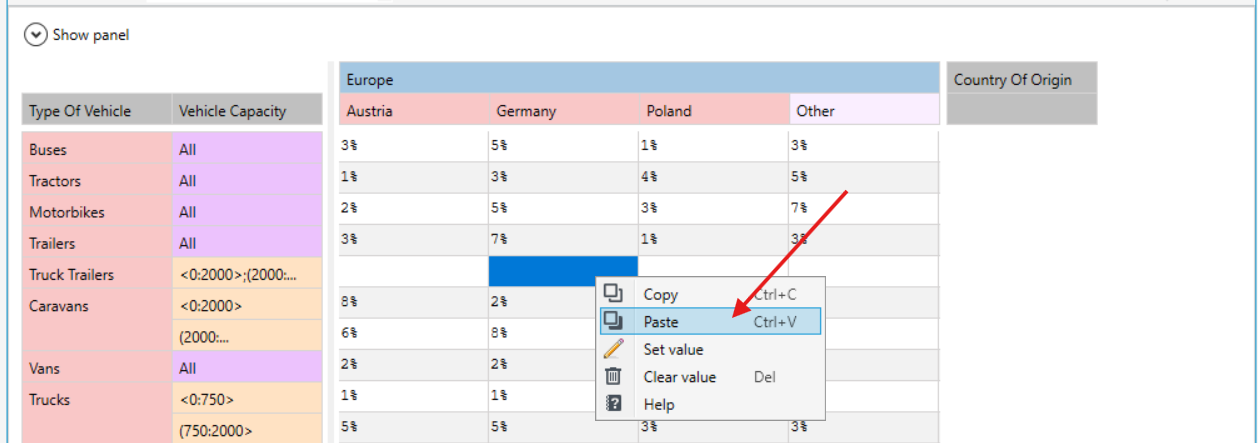
- Right-click and select Paste from the context menu.
- The data is pasted into the selected table cell and in the cells below the selected cell (for columns) or in the cells to the right of the selected cell (for rows).
tip
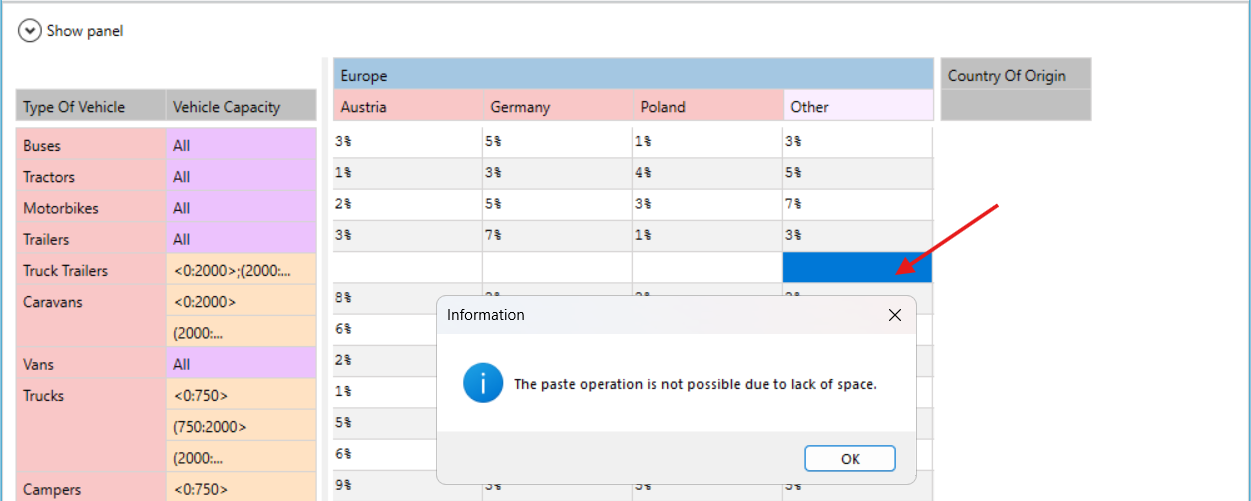
If there are not enough cells in the destination table, add the table rows or columns before you paste the data, otherwise the data will not be pasted.