Storing keys and values in the database
When you create decision tables, only the header names and types of keys (axes) are stored in the XML file, but without the values of individual elements (comparisons) or cell values.
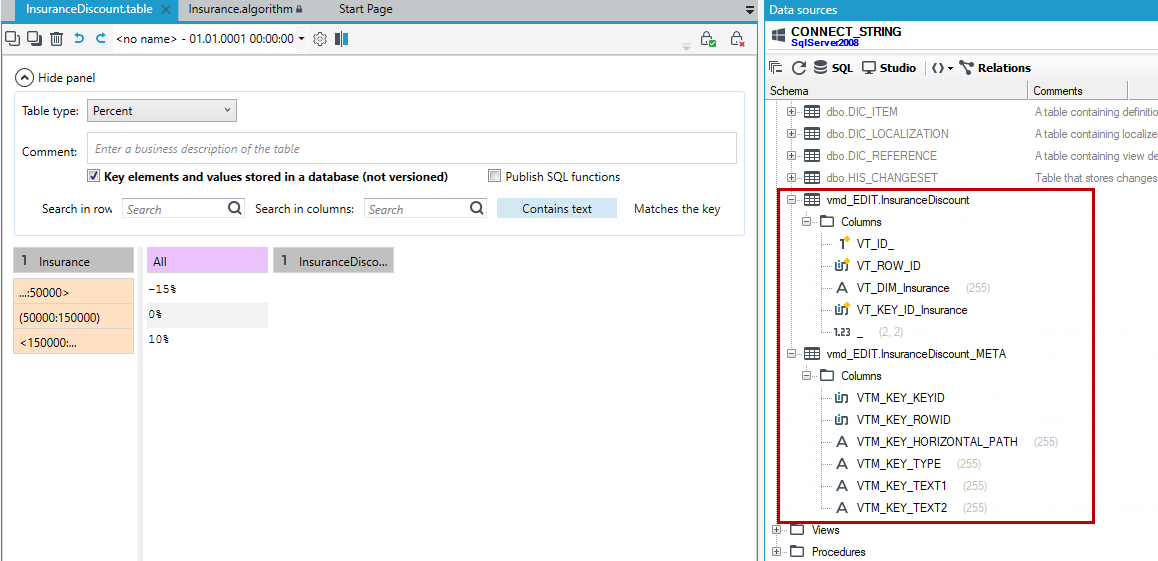
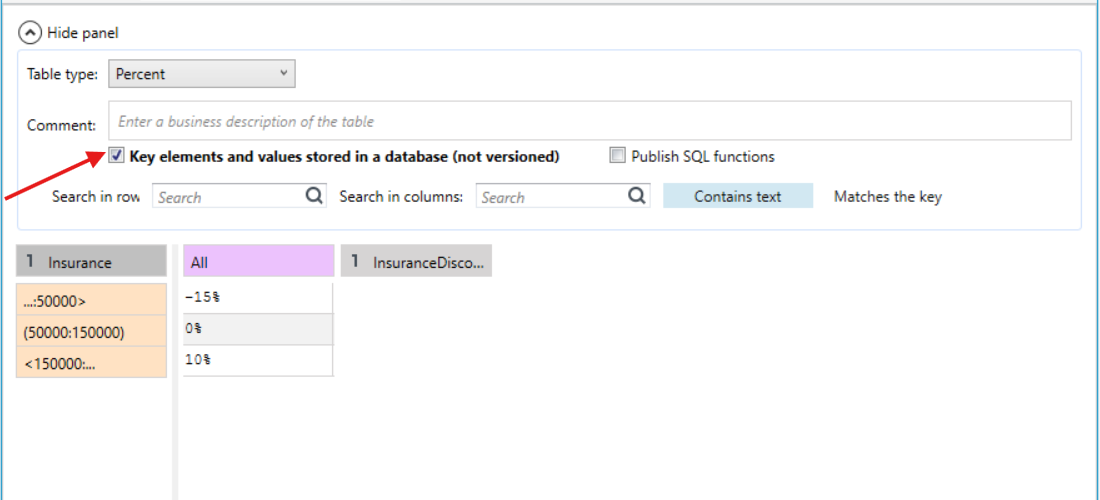
If you check the Key elements and values stored in a database (not versioned) option, then the values of the elements and cells are saved in a pair of tables in the database.
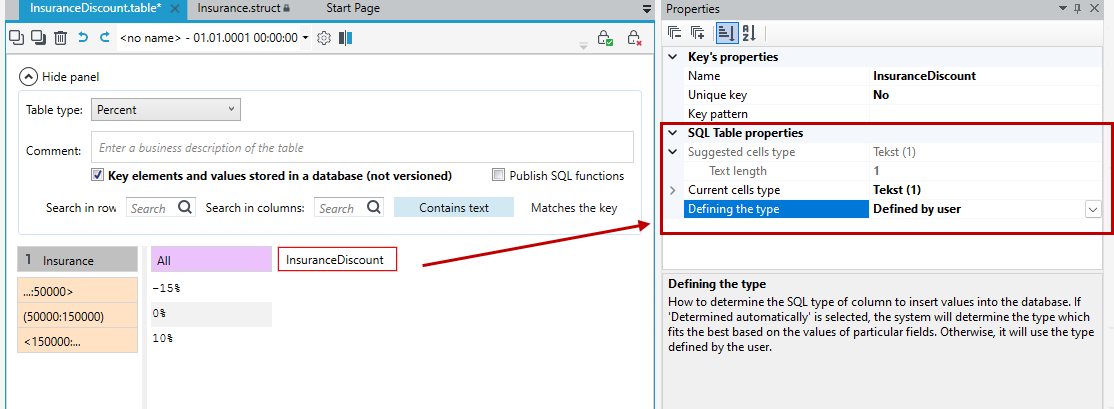
On the Properties panel, you have the option to specify SQL table properties for horizontal and vertical keys:
- Defining the type - specify how to determine the SQL type of column to insert values into the database. If you select Determined automatically, the system will determine the type which fits the best based on the values of particular fields. Otherwise, it will use the type defined by the user.
- Data is stored in 2 tables, one containing table values and the other storing horizontal and vertical keys.
- Activate the Data sources panel to access the table preview.
- From now on, the data is stored in the database and you can also access it from outside the decision table.