Use of parameters
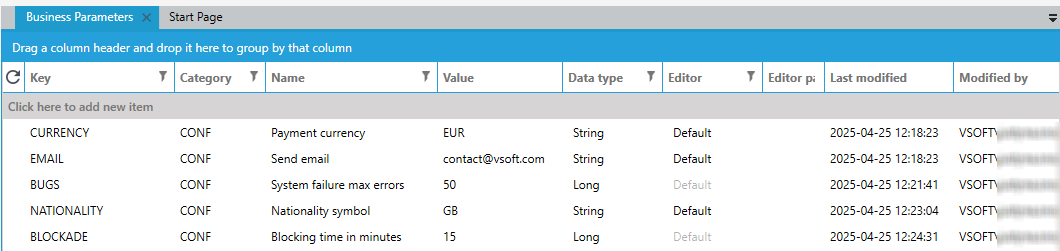
Below is a list of sample business parameters.
Using parameters when defining an expression
All parameters defined in archITekt can be used in the expression editor when creating an expression.
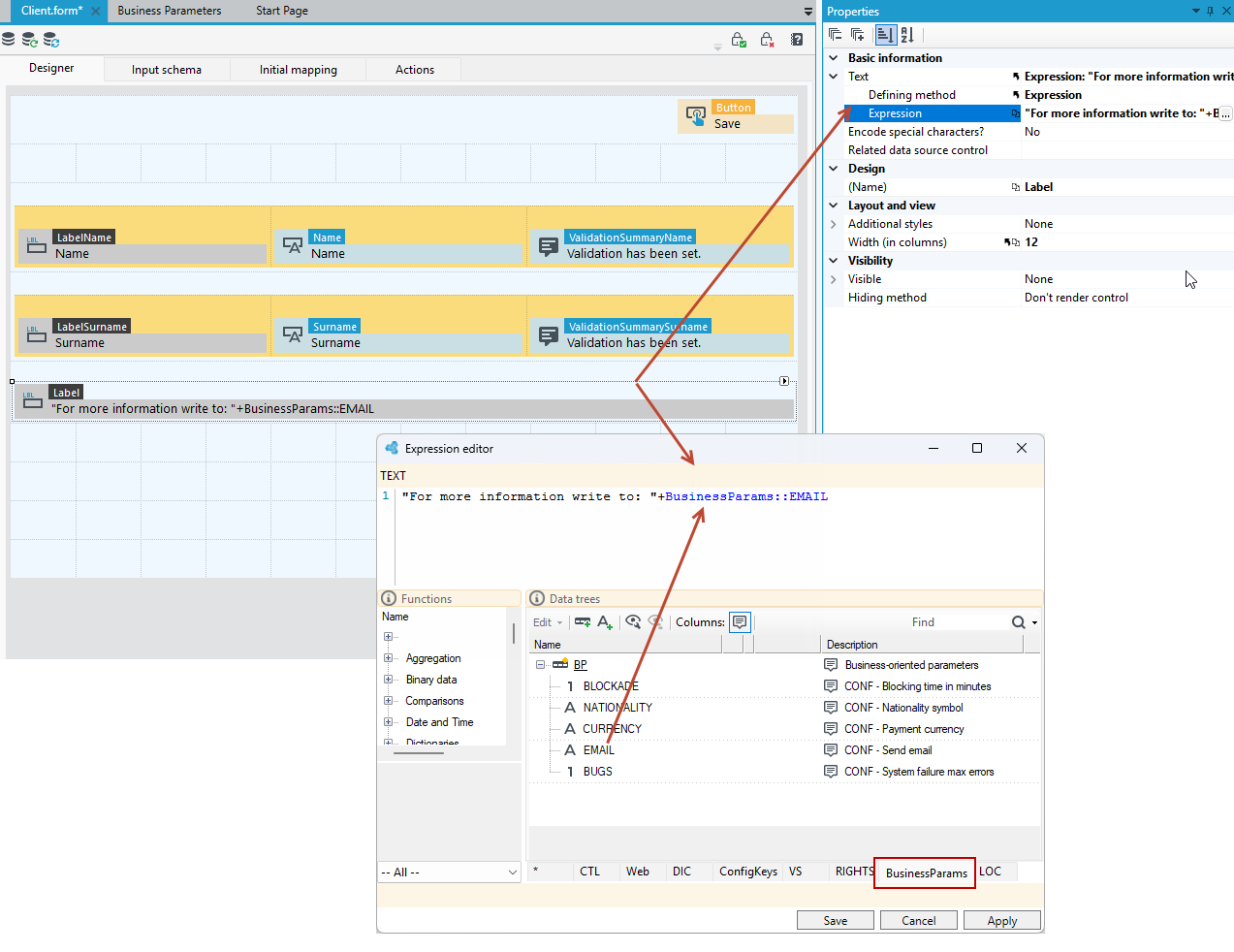
For example: on the form which we are creating, we want to display the contact details of the person to whom to write in the event of a system failure.
- The Send email business parameter has been defined.
- Create a new form and add a Label control to it (the control displays read-only data on the form).
- Go to the Properties panel and in the Text section, select expression as the Defining method, then click in the Expression field to switch to the expression editor.
- Define the expression, i.e. the text that will be displayed. The expression editor on the BusinessParams tab contains all defined business parameters.
- Position the mouse cursor in the Expression editor and double-click on the parameter to insert it into the expression.
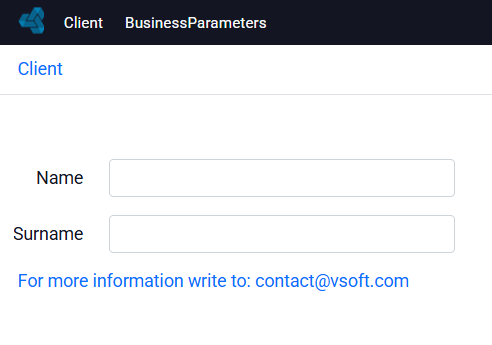
- Save the data and check how the label is displayed on the form.
Display of a list of all parameters for a given system
When creating a given system, you can display the business parameters as a list and put it on the GUI of the created system (for example in the Administration section, etc.). Defined business parameters are an integral part of the created system.
- Create a new list (select File and New or the option to add a new item from the context menu on the version server).
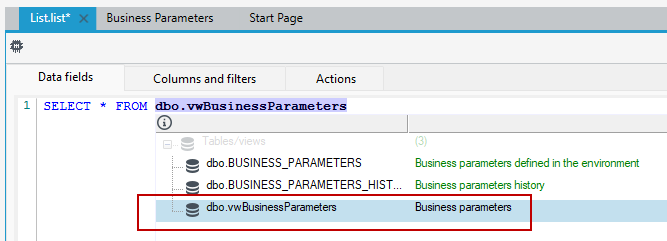
- In the Data fields window, use the SQL query language and type
SELECT * fromand start typing Business, and press Ctrl+Space to display syntax prompts. - From the syntax prompt, select
dbo.vwBusinessParametersSee the figure below.
- Having defined your query, scroll down to the Data fields section and select the Get all columns option.
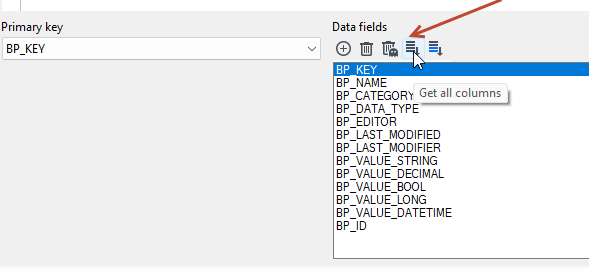
- In the Columns and filters window, select which columns are to be displayed on the list, save the data and open the list in the browser.
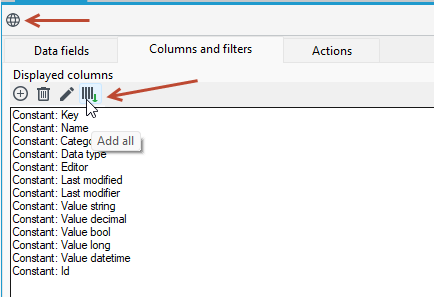
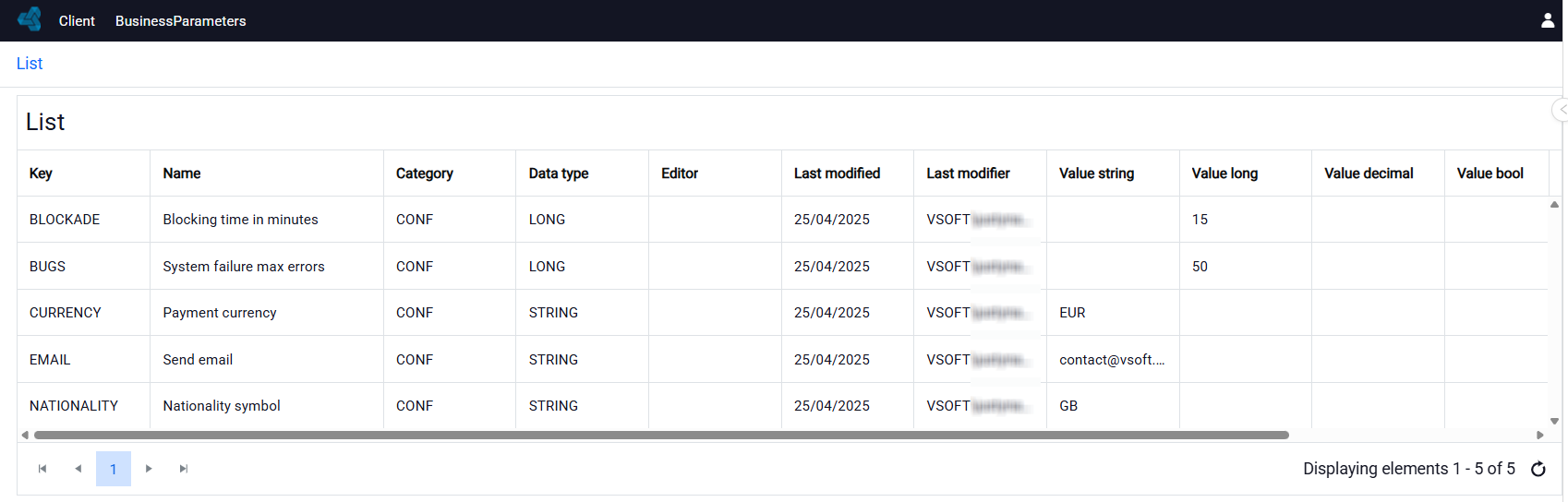
Created list view:
See also
User management