Access to a database
When creating a data structure, you can have access to a database and preview the structure entry into the database.
- Select the database display option
 on the lower panel.
 - After performing the action on the Data sources panel, you will be able to access all databases configured in
connectionStrings.config - The database of the created application is
CONNECT_STRING - After performing the action on the Databases panel, access to all databases configured in connectionStrings.config will be granted.
- The SQL button allows you to open the SQL query editor, while if you select the Studio button, Sql Server Management Studio will be launched - immediately connected to the chosen server and database.
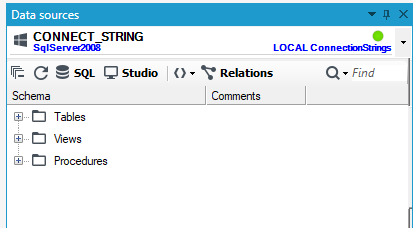
Database configuration
- On the Databases panel, expand the window that allows you to select a given database,
- Select the Manage option,
- A window will open allowing you to add a new data source or remove an existing one, and to view the connection string.
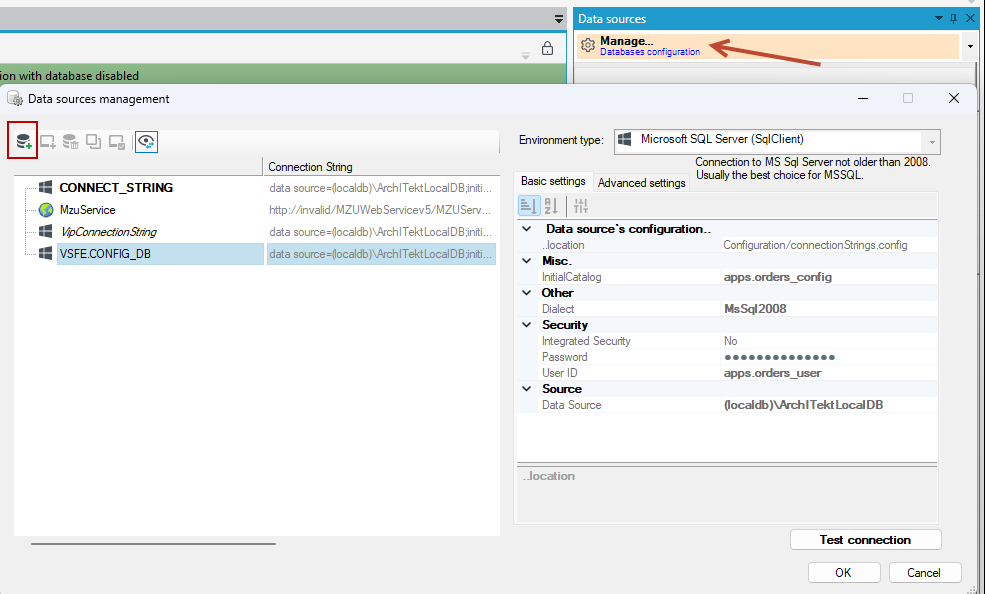
Procedures
In archITekt Studio, procedures are sets of SQL queries that are stored in the database under specific names.
All functions and stored procedures are compatible with SQL Server 2008 and are created under the default dbo schema. A naming convention has been applied to help identify specific functions and stored procedures. The prefix dm indicates that the item is a function or procedure related to the data structure (DataModule).
Functions and stored procedures are divided into public and helper (private) procedures. The helper procedures include the word helper in their name.
You can find the Procedures folder in the Data sources panel.
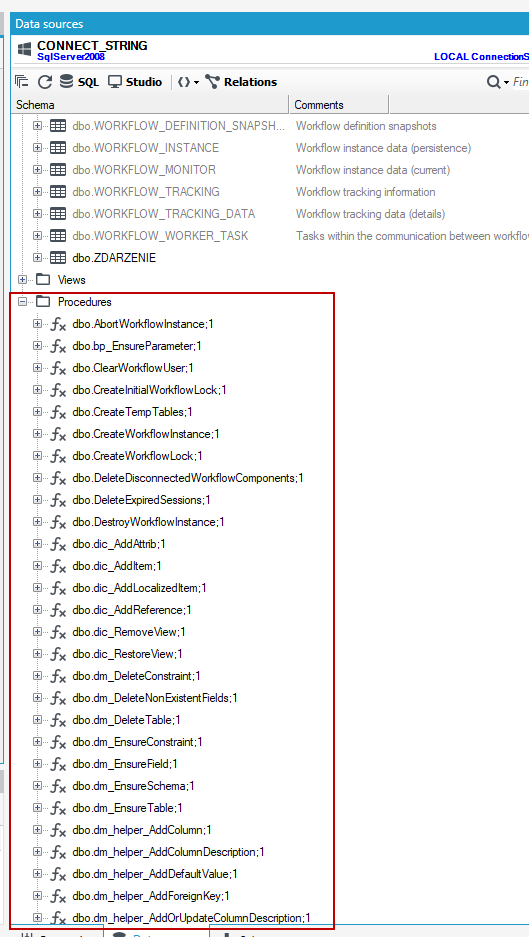
You may use public procedures, but it's recommended to avoid using helper functions and procedures, as they may change over time.
For example:
The stored procedure for deleting a table is named dm_DeleteTable
The one for adding a default value is named dm_helper_AddDefaultValue
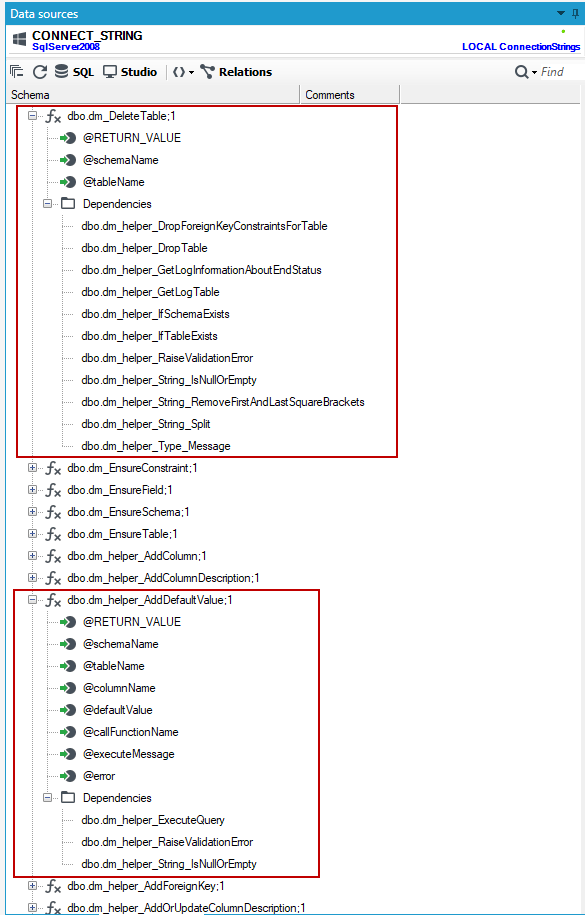
You can execute a procedure in the SQL query editor available in the Data sources panel. After entering the parameters, click Run to execute the command.
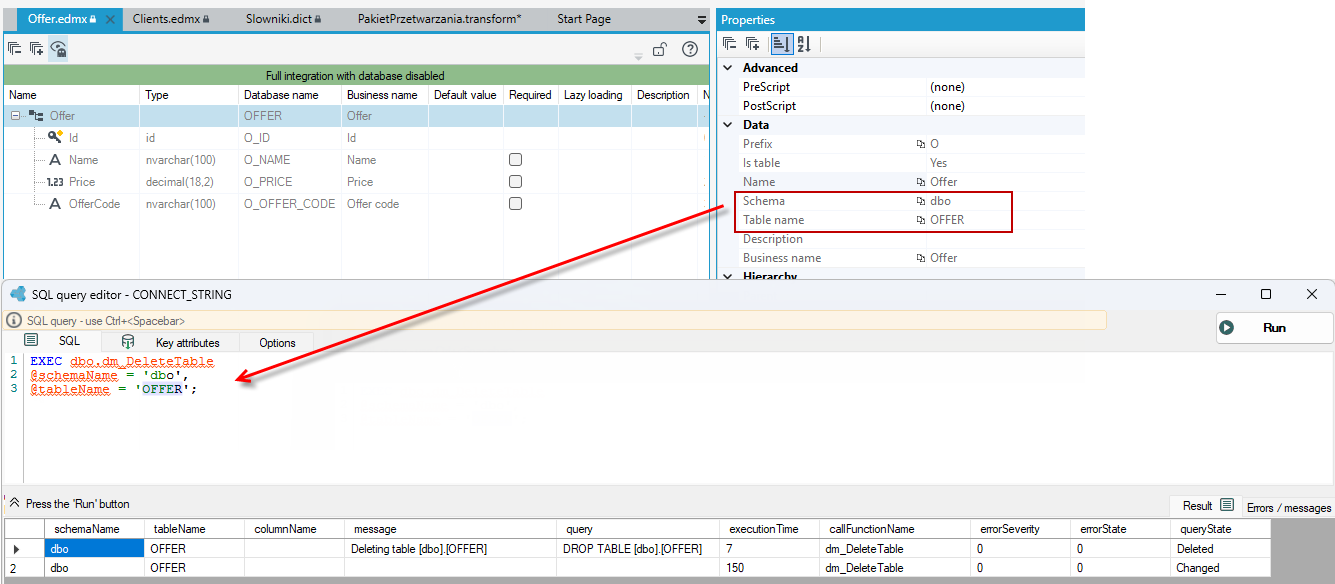
For public functions, parameters related to schema, table, or column names can include square brackets.
So table1 and [table1] are treated the same way.
However, for helper functions, the name must be passed without square brackets.
Some procedures add keys and indexes to tables or remove them, so we recommend exercising particular caution when using the ready-made procedures.
Scripts generated in archITekt Studio
Each of the main stored procedures executes a SELECT query returning a table with logs. It can cooperate with a temporary table, as is the case when generating an update script.
During the update of data structures, you can save the executed script.
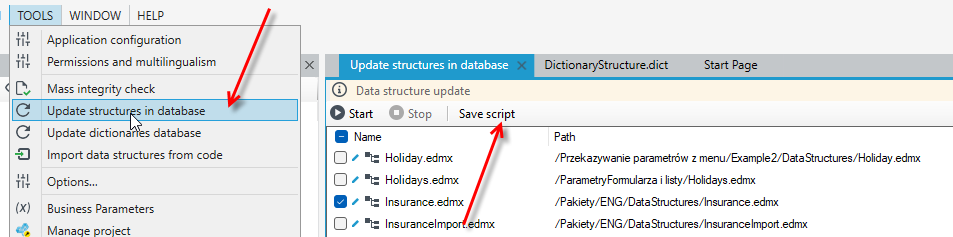
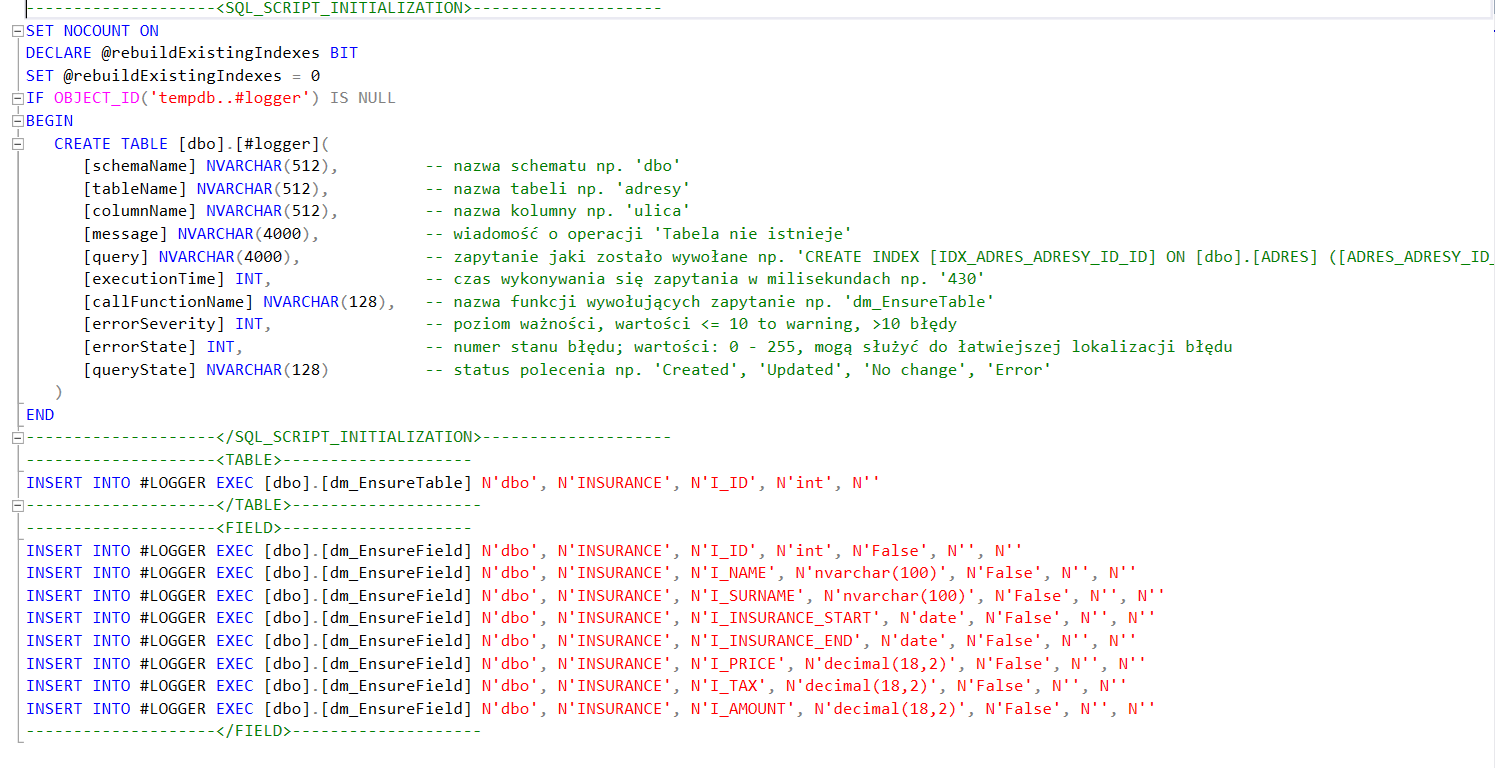
The script consists of an initialization part and a part that performs changes in the database. In the first part, for optimization purposes, the display of the number of affected rows is turned off:
SET NOCOUNT ON
Also, a variable named rebuildExistingIndexes is initialized to handle index rebuilding. If this variable is set to 1, the procedures dm_DeleteConstraint and dm_EnsureConstraint will drop and recreate the index. Then, a temporary table is created to store logs passed from the later part of the script.
The second part of the generated script contains procedure calls. Each call is preceded by an INSERT command, which inserts information about the operations performed into the log table to easily track what actions were taken on the database.
Example script generated in archITekt Studio
Main procedures:
dm_EnsureSchema– creates a schema. If the schema specified as a parameter does not exist, it will be created.dm_EnsureTable– creates or updates a table. You must provide the schema name, table name, column that will be the primary key, and the type of that column. The table description parameter is optional. The column type can beINTorUNIQUEIDENTIFIER(in archITekt Studio this is theGUIDtype).dm_EnsureField– creates or updates columns. The procedure requires schema name, table name where the column should be added or updated, field name, and field type. If the field can have aNULLvalue, pass 1; otherwise, pass 0. By default, the field isnullable(can containNULLvalues). The default value and description of the field are optional parameters.dm_EnsureConstraint– creates foreign keys and indexes. Parameters include schema name, related schema, table name, related table name, column, and related column. The second column is optional and is used to create an index on two columns. Another parameter defines behavior on deletion. The last parameter is used for rebuilding indexes.dm_DeleteTable– deletes a table. You must provide schema and table names as parameters. The procedure removes foreign keys associated with the table and then deletes the table itself. An example below shows creating and deleting a table.dm_DeleteConstraint– deletes foreign keys and indexes. Parameters include schema name, table name, column, related table, whether the foreign key should be deleted cascade, and whether indexes should be rebuilt. The last two parameters default to 0.dm_DeleteNonExistentFields– keeps specific columns in a table. This procedure removes all columns except those passed as parameters. It can be used to synchronize columns stored in the archITekt Studio structure with columns stored in the database. The procedure only deletes columns; it does not create them if missing in the database. You must provide the schema name, table name, and the column names to keep, separated by semicolons.