Data structure objects
Integer number
A field that stores integer numeric data.
Specific field properties:
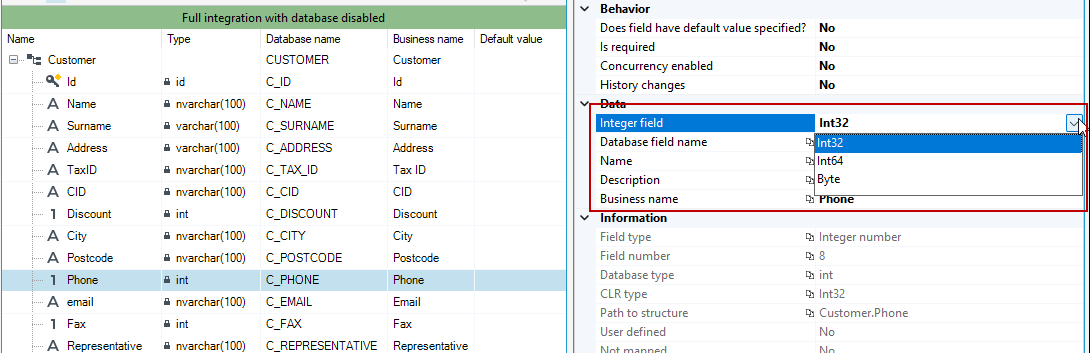
- Integer field type - a property that specifies the format in which integer numbers will be stored:
- Int32 - 4 bytes integer (from - 2 147 483 648 to 2 147 483 647),
- Int64 - 8 bytes integer (from - 9 223 372 036 854 775 808 to 9 223 372 036 854 775 807)
- Byte - (1-byte) integers from the range of values from 0 to 255.
Default values:
@ME - setting the value as the default means that when the data is saved in the structure, the ID of the writing person will be entered into the field.
Changing the type of a numeric field is not possible after saving the field in the structure.
Decimal number
A fixed-point number is used to store numbers in decimal notation with a limited number of digits before and after the decimal point. It is suitable for storing monetary amounts, percentages, and other similar values.
Specific field properties:
- Range- precision - total number of significant digits used to express the number (before and after the decimal point).
- Range-scale - number of digits after comma.
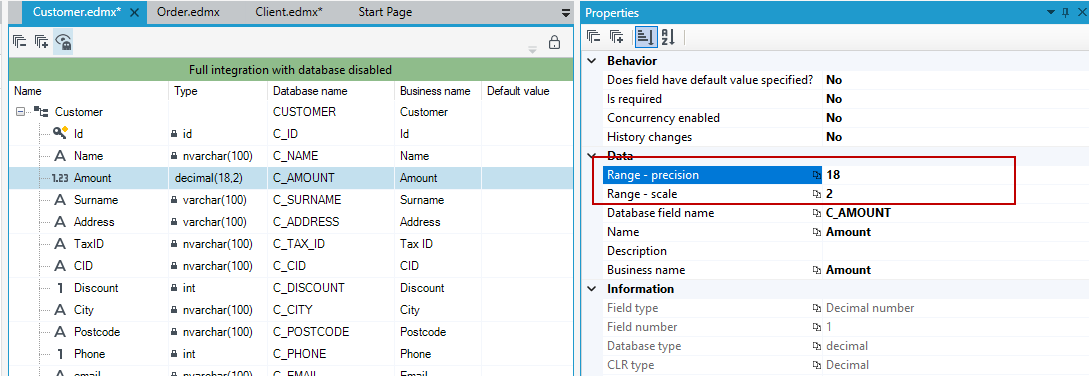
Changing the precision and scale in structure field in which the data is stored may result in the loss of some saved data.
Text
A field that stores a text type data.
Specific field properties:
- Length - the number of characters that can be written in a given field.
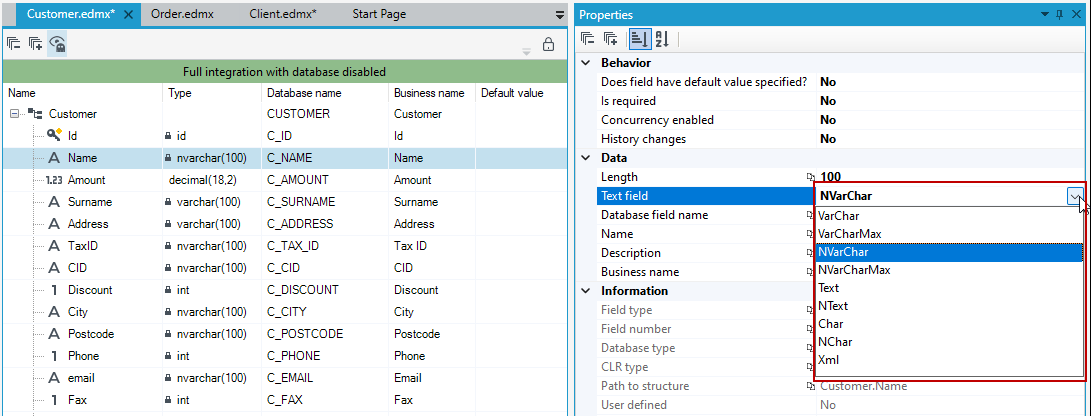
- Text field type - The property that specifies the type of the text field. Depending on the value selected, the text data can be saved in different formats. When choosing a text box type, consider the expected amount of stored data and the encoding method. In the case of fields in which the text will contain Polish characters (or characters specific for other languages), the types preceded by the letter "N" should be selected, which ensure data saving in the UNICODE standard:
- VarChar, Char – saving text in the ANSI standard with a maximum number of characters equal to 4000 (the length of the text stored in the field can be configure in the Length property),
- VarCharMax – saving text in the ANSI standard, where the maximum size of data in this field is 2.1 GB (exactly 2^31-1b),
- NVarChar, NChar – saving the text in the UNICODE standard with a maximum number of characters equal to 4000 (the length of the text stored can be configure in the Length property),
- NVarCharMax – saving the text in the UNICODE standard with the maximum number of characters equal to 1073741822,
- Text – saving text in the ANSI standard with the maximum number of characters equal to 2147483646,
- "NText" – saving text in UNICODE standard with a maximum number of characters equal to 1073741823,
- Xml - saving in XML format.
Detailed technical information on the individual field formats is available in the documentation of the database engine used.
Date and time
A field that stores date and time data.
Types of a field:
- Datetime2 - the data type combines the range and precision of date and time into one data type, additionally, the user can specify the range of decimal precision from 0 to 7
- Date - date in YYYY-MM-DD format,
- Datetime - standard date and time format for example: 1900-01-01 00:00:00,
- Time - the data type only stores time values based on a 24-hour clock. The data time type has the range 00: 00: 00.0000000 to 23: 59: 59.9999999 with an accuracy of 100 nanoseconds. The data time type supports user-defined decimal precision, its range is 0 through 7.
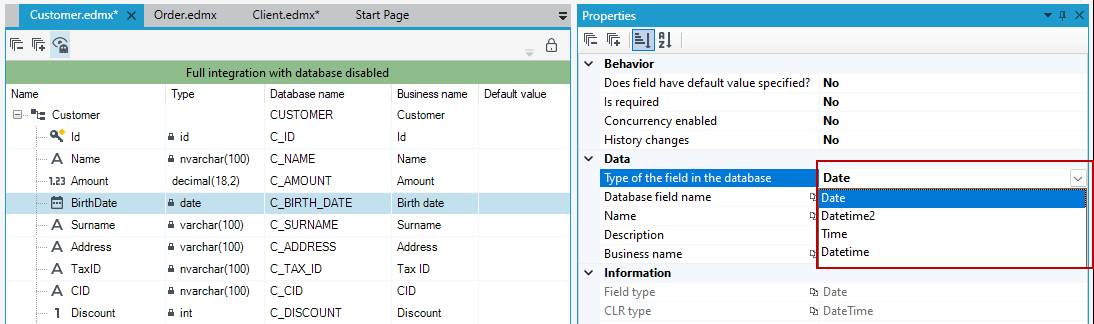
Important: On forms, you can only use a data structure that contains date fields of a certain type. These fields can be only of type Datetime2 or Datetime.
Default values - in addition to the standard date format, the following values can be specified:
- @NOW – by setting the value as the default value, when the data is saved in the structure, the current date and time will be entered into the field (with an accuracy to the second).
- @TODAY – by setting a value as the default value, the current date will be entered into the field when the data is saved in the structure.
Logical field
A field that stores data of a logical type (true / false).
GUID
A field that stores GUID data (Globally Unique Identifier).
Dictionary field
A field that holds the values defined in the selected dictionary.
Specific field properties:
- Dictionary - structure - a property that specifies the structure and dictionary collection from which the values will be stored in a given data structure field.
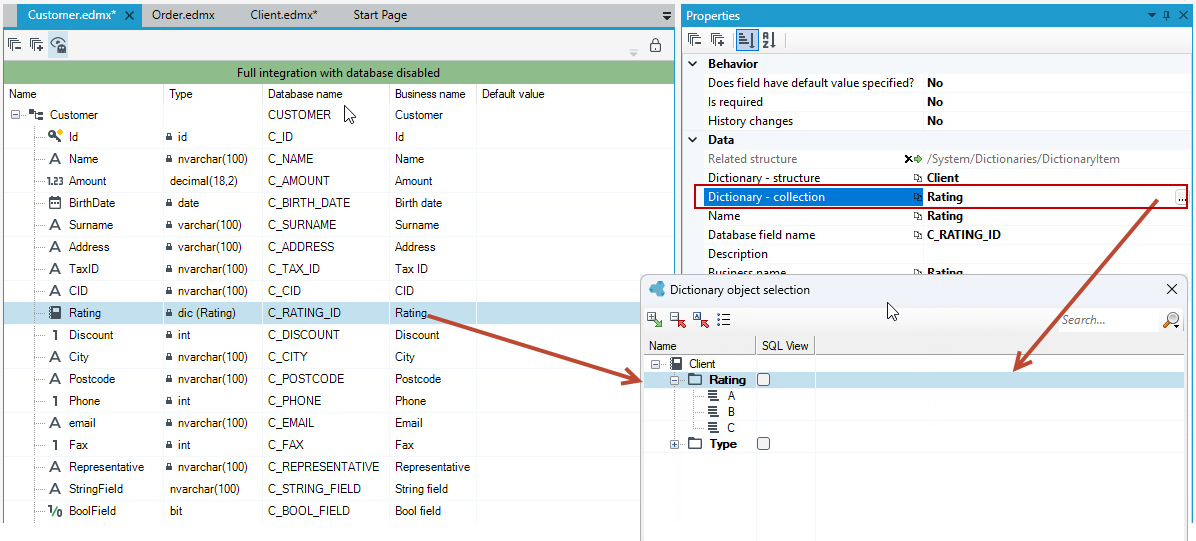
Complete the Dictionary - structure field, i.e. indicate the dictionary structure the field refers to.
The Dictionary - Collection property will be displayed successively, in which you should specify the dictionary collection to which the items stored in the given dictionary field should belong. The collection selection window will be displayed automatically after selecting the dictionary structure.
ID field
Each object in the database (within the table) is assigned a unique identifier. The ID field enables easy access to this identifier, e.g. in lists or forms, when there is a need to display it in the application. As in databases, it is possible to use only one ID field for one table.
Relational field
The field enables creating a relationship to a structure version already saved in the server.
Modified date
A field that enables storing the date and time (with an accuracy of a second) of the last modification of the object stored in a data structure.
Created date
A field that enables storing the date and time (accurate to the second) of the creation (saving) of the object in the data structure.
Modified by
A field for storing the identifier of the user who last modified the object.
Created by
A field for storing the identifier of the user who last modified the object.
Rowversion
The task of Rowversion (timestamp) is to version records (rows) and control the order in which records were added and/or modified within a table or the entire database.
Change the field type of a data structure
You can change the field type after clicking in the Type column, or right-click a given field and select Change data type from the context menu.
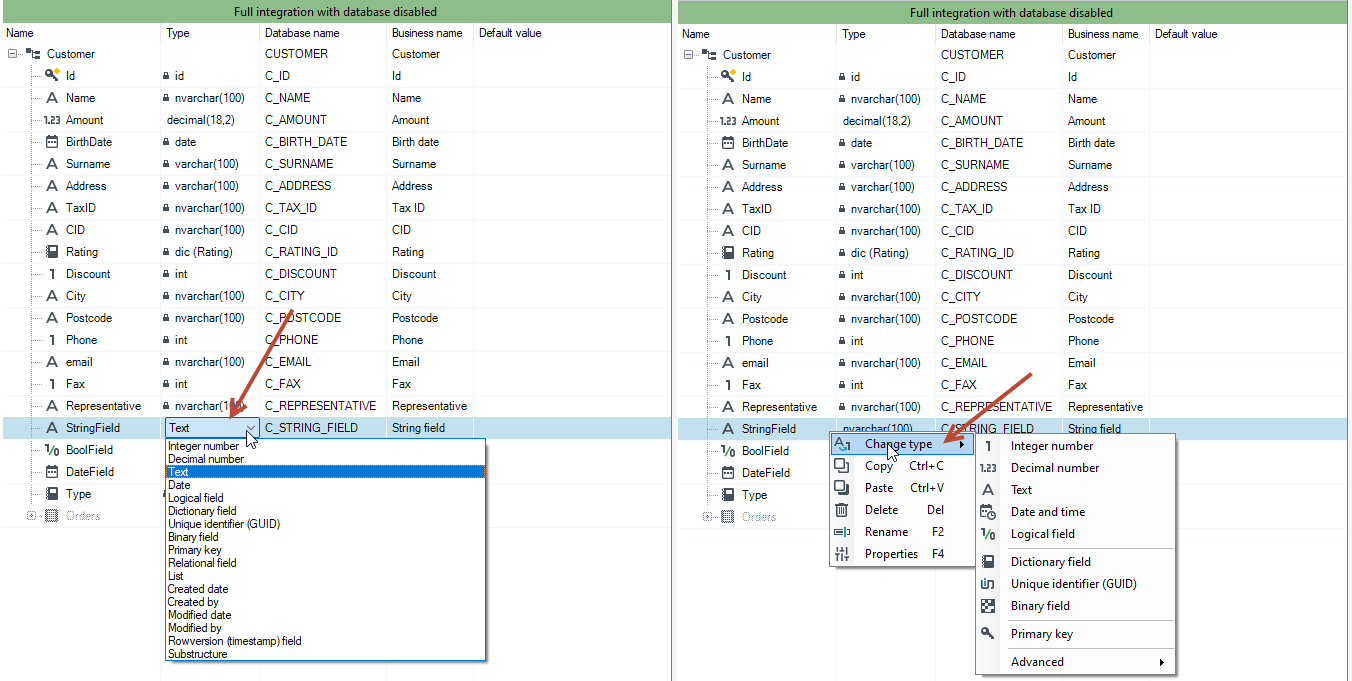
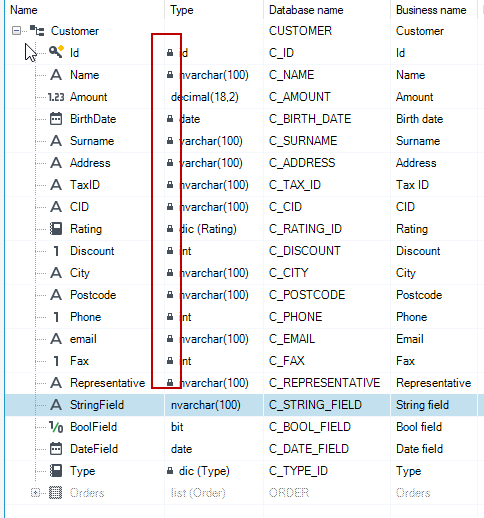
The field type cannot be changed once the structure has been saved to the database. Then a padlock icon will be displayed next to the given field type, informing that the possibility of changing the field type is blocked.