Structure relations
Data structures can be logically related to each other. Specific types of fields that can be part of a data structure is the Relation to another structure field. The element of the data structure that enables the appropriate reading of the data related is the List.
Relation to another structure
The field enables creating a relation to the structure version already saved in the server. To indicate the structure that the relational field will point to, add the structure field Relation to other structure and in the properties specify Related Structure in the relational field properties window.
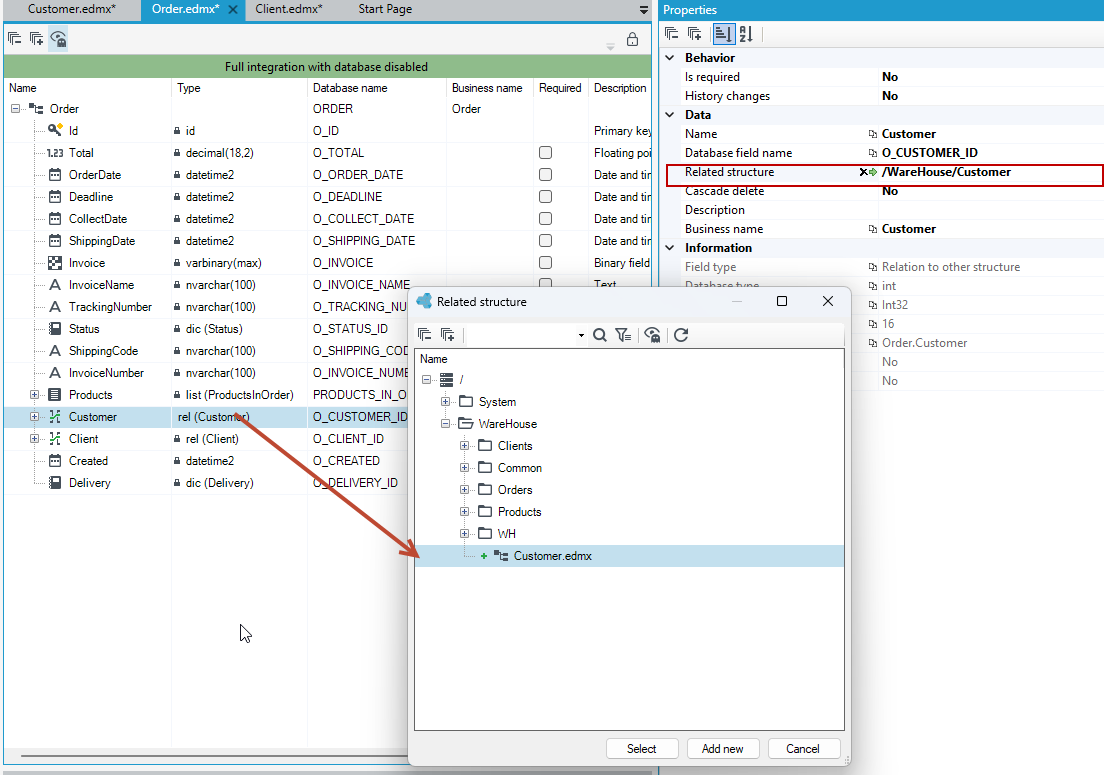
By creating a relationship, the corresponding foreign keys and indexes in the tables are created in the database. It is possible to create a relationship of a structure to itself. An example may be the hierarchy of employees in which each employee has his / her principal whose data is stored in the same structure.
Cascade delete - an option that specifies whether to delete this element as well when deleting the object to which the relation refers.
You can also use the Drag & Drop option and drag a data structure to the workspace from the Version Server pad.
Substructures
The element that enables business grouping of data in the structure is the sub-structure. To add a substructure to a data structure, select the substructure option from the context menu available from the main structure element. Adding a substructure does not create a new table in the database. The fields that are in the substructure are saved in the database in a table that maps the entire data structure.
The substructure can include all types of fields, except those related to relations (lists, virtual fields, relations to another structure).The substructure must contain at least one field.
An example of a sub-structure may be the separation of address data as a sub-structure in the customer data.
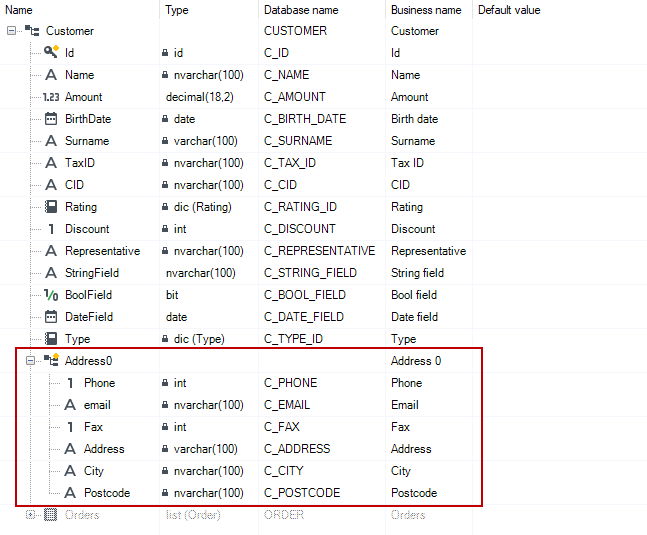
Substructures are represented in the data structure file (EDMX) as a complex type.
Lists
Lists are structure elements that enable appropriate reading of related data and access to relational data from the level of the parent structure to the elements of the sub- structure and vice versa. Additionally, the use of lists enables the editing of sub-structure data. To add a List field to a data structure, select the List option from the context menu available from the main structure element.
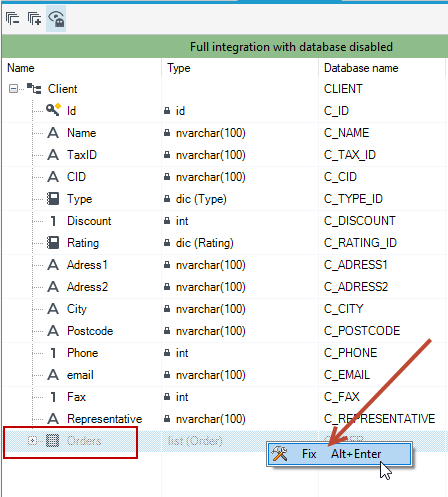
In order to define the list correctly, you must first create a relationship on the structure to which the list is to refer. Whether or not a given structure has a relationship is indicated by a message after hovering over the list name.
Example
On the Client structure, we want to create a list with data elements from the Order structure.
- Go to the
Orderstructure and create a relation to theClientstructure. - In the properties, indicate the related structure.
- You can also drag the
Clientstructure directly from the Version Server and drop it on theOrderstructure.
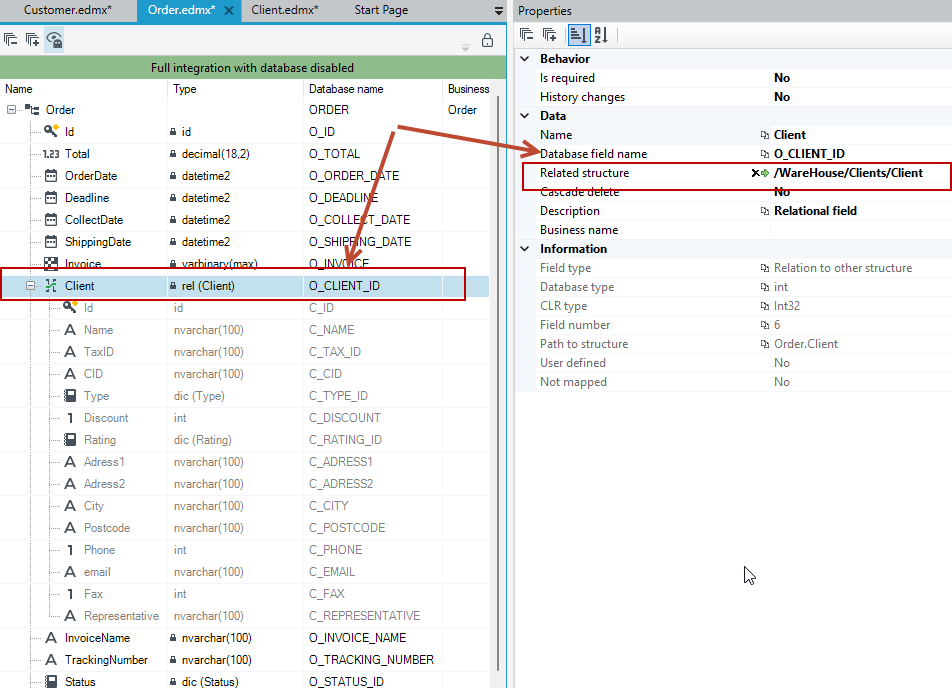
- Once the relationship from the
Orderstructure to theClientstructure is defined, go to theClientstructure. - Add the List field to the structure.
- In the properties indicate the related structure and the relational field.
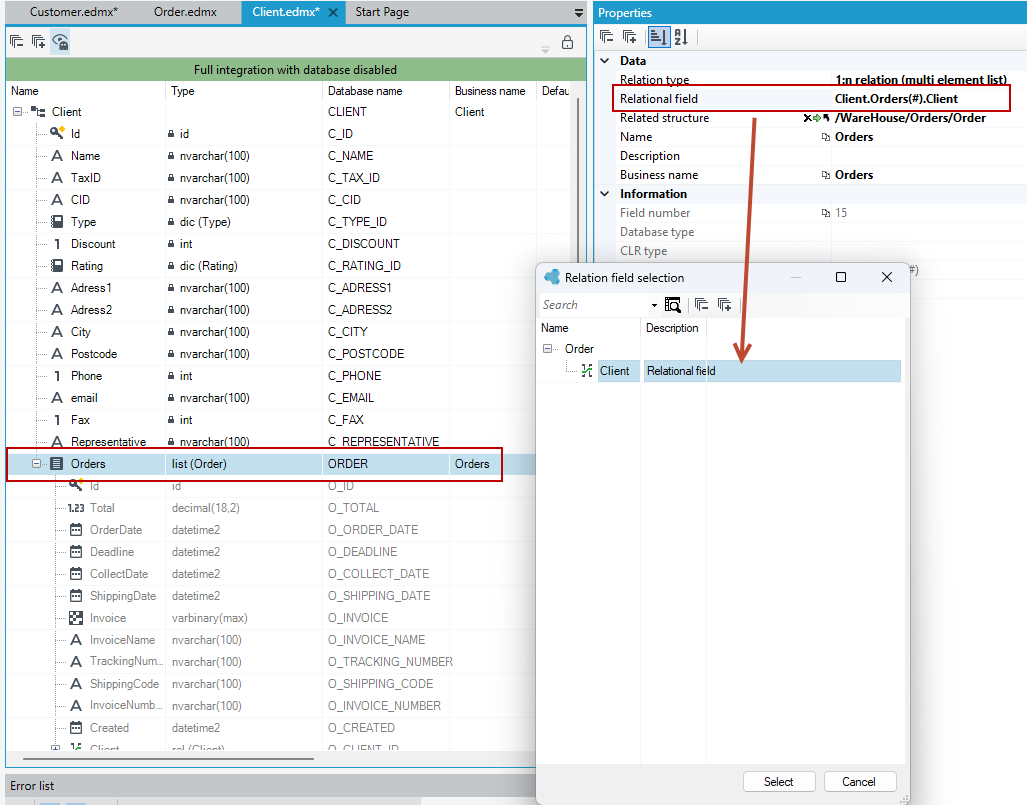
- If you close the structure and open it again then you will immediately see a list in the form of a ghost, which you can add to the structure by selecting the option from the context menu.