Creating dictionaries
Creating a dictionary structure
How to create a new dictionary structure
To create a new dictionary structure:
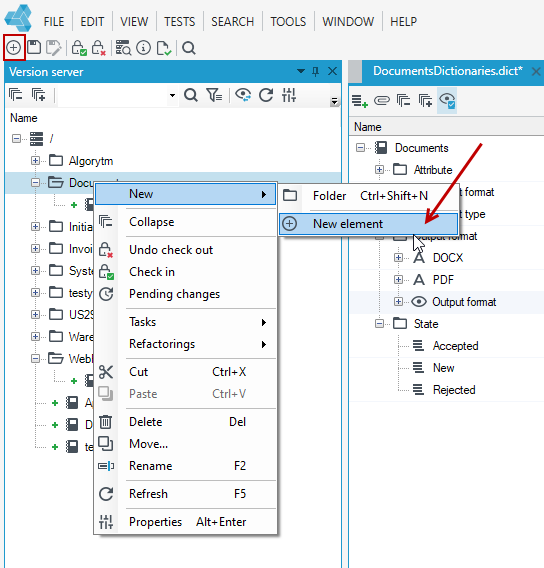
- In the main window select the add icon or File>New or the New item icon. You can also add a new dictionary from a Version server panel. Right-click in the version server where the new dictionary structure is to be created and select New> New elementfrom the context menu.
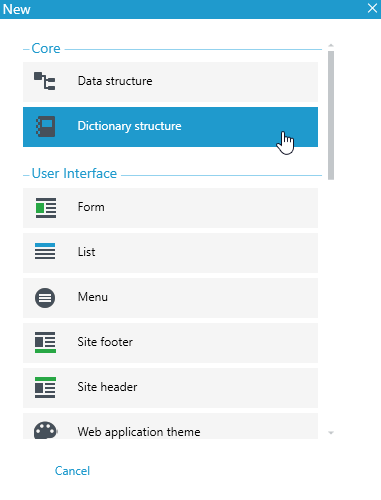
- Next, select Dictionary structure in the popup window.
Adding more items to the dictionary
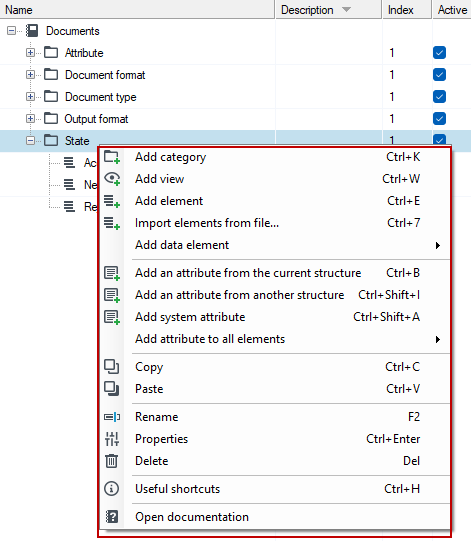
If you have created a new dictionary structure, you can add categories, data elements, define views and attributes in it.
The parent element is the dictionary category and within it you can add the following elements:
tip
For more information on categories, see: Categories.
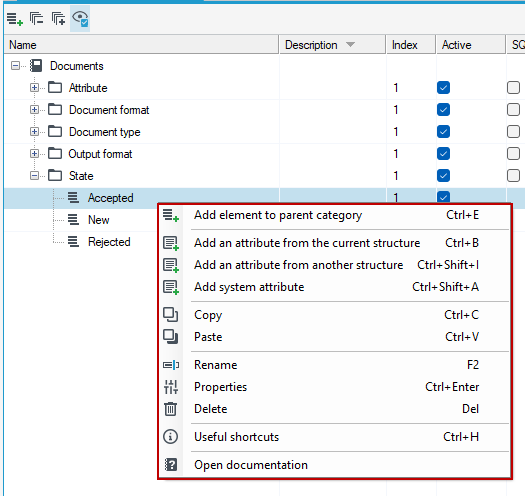
For an item and a view, you can add attributes or an item to the parent category, which is the same category as the selected item.
tip
For more information on adding views and attributes, see: Attributes.