Importing the structure from the text file
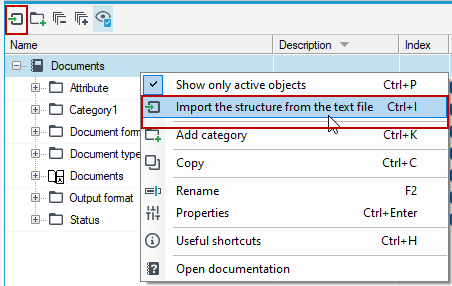
- Select the structure and select Import the structure from text file from the context menu.
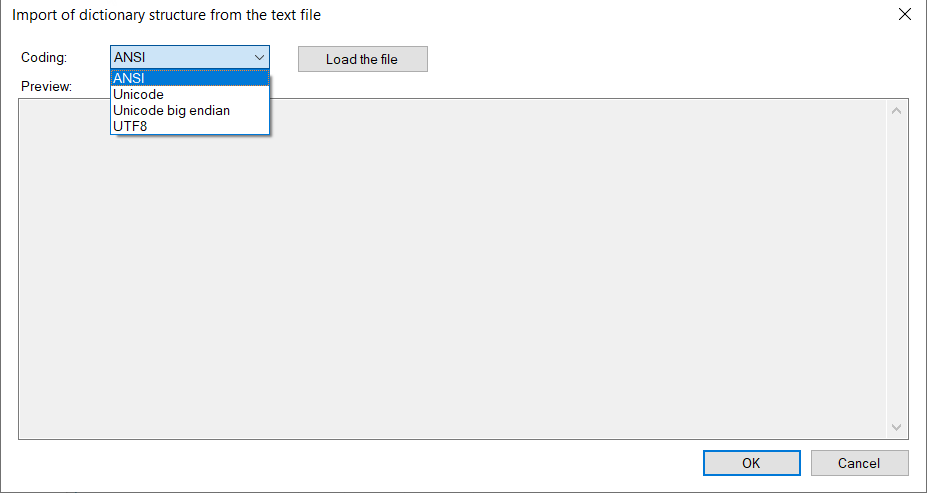
- In the next window select the file to be imported and check the encoding.
- If the encoding does not match what the file was saved in, the content of the file will be misinterpreted and an incomprehensible set of characters will be visible in the Preview section.
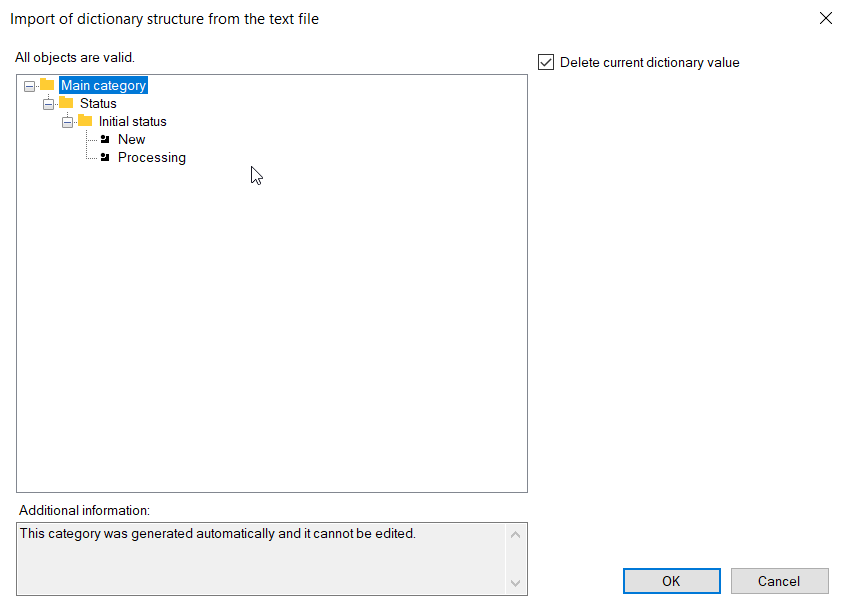
- If the file is defined correctly, the structure will be imported.
Remember to properly encode and define the text file.
You can prepare the file in an ordinary notepad - format .* txt and choose the encoding method when saving. Then, when importing the file, select the encoding that was used when saving the file.
Notation - example:

Defining categories:
:category name; description of the category; index (enter a digit); attribute value
Defining subcategories:
:category name: subcategory name; description of the subcategories; index (enter a digit); attribute value
Defining an element:
name of the element; description; index (enter a digit); attribute value
If you are creating a subcategory, then the name of the subcategory is given after the name of the category appended to the main category. The difference is separating names with a colon, not a semicolon.
If you do not enter any item, leave it blank and add only a punctuation mark. The fields category name, subcategory name, and the item name are required, other fields are not required.