Updating dictionaries in the database
archITekt Studio offers the database update function for dictionary structures, which will transfer the changes made in the designer to the database.
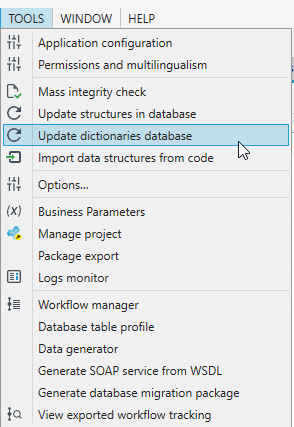
- From the Tools menu, select Update dictionaries database.
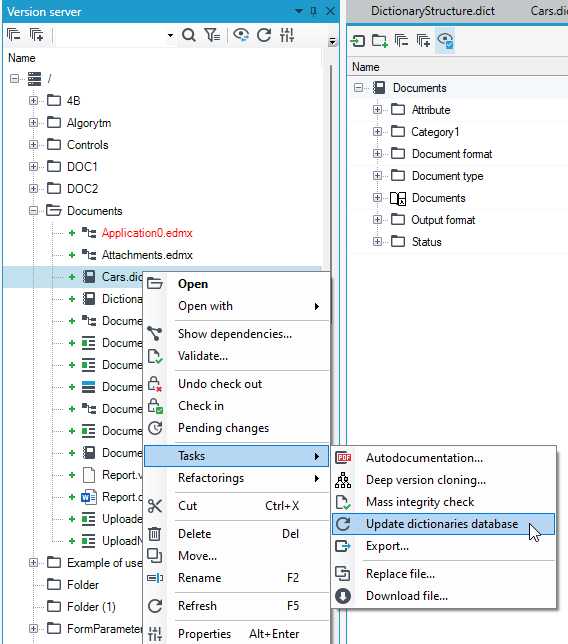
- You can also select the directory containing dictionary structures in the version server tree and from the context menu Tasks>Update dictionaries database.
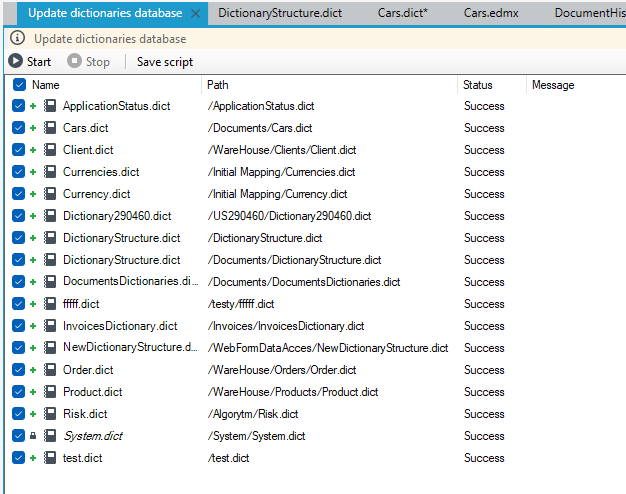
- In the next step, select the dictionary structures that should be updated. The database update will start after clicking the Start button. After performing all the operations, the Status column will be filled with information about the process progress for individual structures. The message "Success" means a correct update in the database. "Warning" - An update was performed, however, pay attention to the messages in the error list. "Error" - update has not been performed, information about errors is included in the error list.
warning
The update scripts remove elements from the dictionaries in the database tables DIC_ATTRIB, DIC_ITEM, DIC_LOCALIZATION, DIC_REFERENCE and recreate them. Therefore, no relationships should be made to these tables.