Introduction
VSoft archITekt is an integrated software development platform. It consists of a set of tools that allow you to build a business application from start to finish (starting with the data model and ending with the user interface). The environment allows you to build multiple applications in parallel (a separate project is created for each application), as well as their launch and monitor during operation.
Working on a single project
The following elements of the archITekt platform are used to create the application
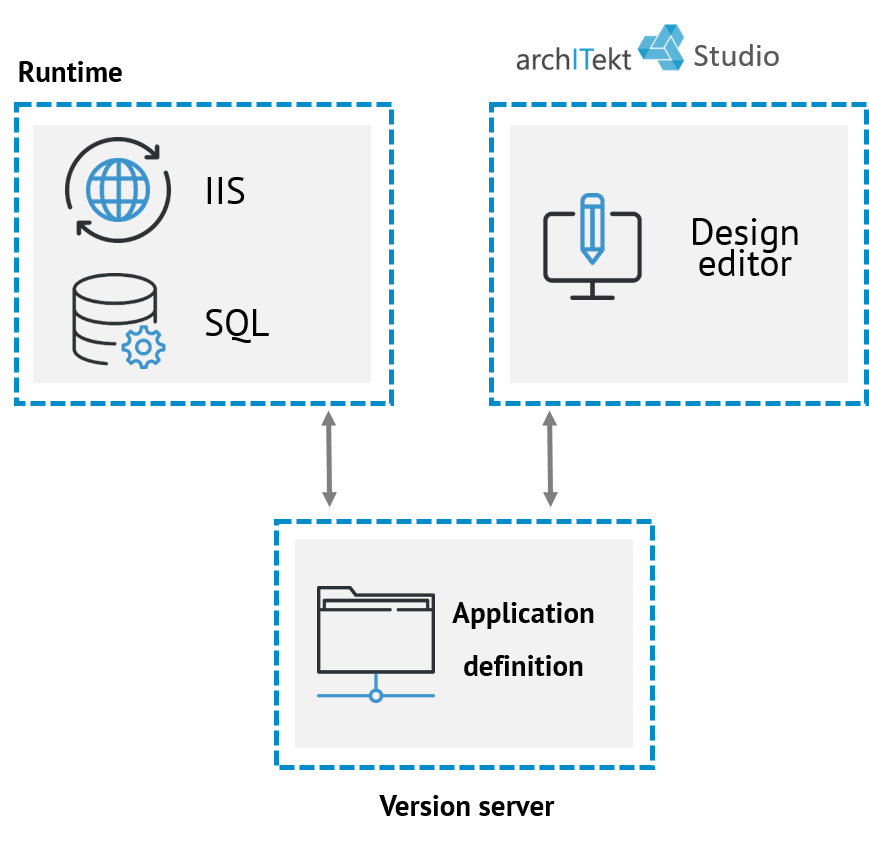
- Version server - stores all the files describing the application being built (definitions of the data model, algorithms, forms, etc.). Keeps the historical versions of the files, which allows you to restore earlier versions of the application. It also provides mechanisms that allow several people to work safely on one application. More information about the version server in chapter: What is the Version server.
- archITekt Studio is a designer, running locally on your computer, that allows you to build applications. Here you will create and configure all its elements, which are automatically saved in the version server and used by the runtime components of the environment to run. Thanks to archITekt Studio, you can also get to the database of applications or data sources with which you want to integrate. More information about archITekt Studio in the What is archITekt Studio chapter.
- Thanks to the Runtime on the local computer, we can run and test the application we are creating. Before starting, runtime reads the latest application definition, saved in the version server. While testing the application, we can still modify it using archITekt Studio. All made and saved changes will be automatically loaded into Runtime.
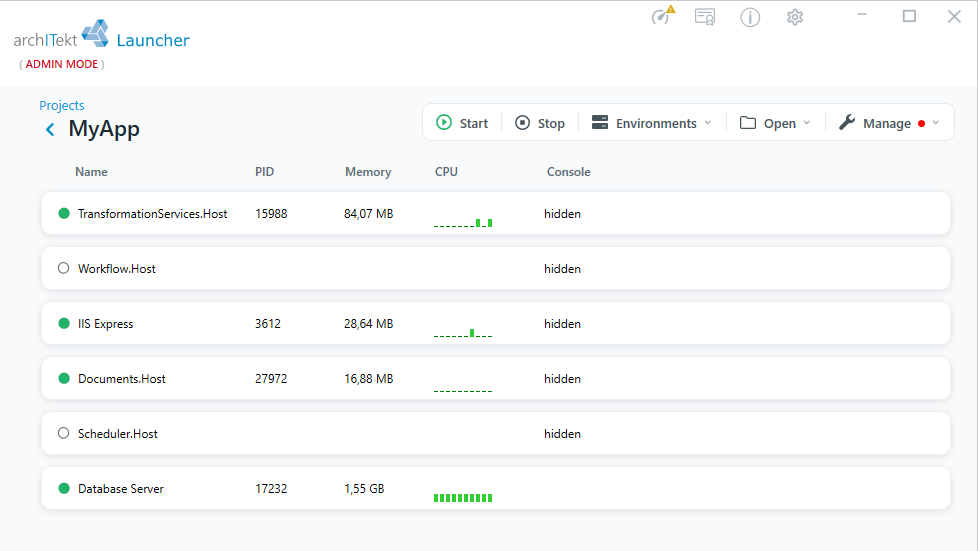
Runtime is a complete server environment running on your computer. It consists of the following components:
- Database server - an SQL Server; a lighter version of SQL Server Express Local DB used for the local environment
- IIS - web application server; lighter version of IIS Express used for the local environment
- TransformationServices.Host - the component on which the built WebService/REST services are run
- Workflow.Host - the engine on which Workflow processes are run
- Services.Host - a router that synchronizes the work of many Workflow.Host components and provides services that enable Studio operation in a remote mode
- DocumentServices.Host - allows you to generate documents and convert documents
- Scheduler.Host - a scheduling application that enables cyclical execution of processes according to defined rules
For more information on organizing a project, see: Specifying Project Parameters and Accessing Project Location.
Working with multiple projects
In order to make the development of applications convenient, together with ArchITekt, we provide the VSoft Launcher tool, which enables convenient, automatic management of projects (and their runtime environments) - with a user-friendly interface. For more information on creating, organizing and managing projects, see:VSoft Launcher.
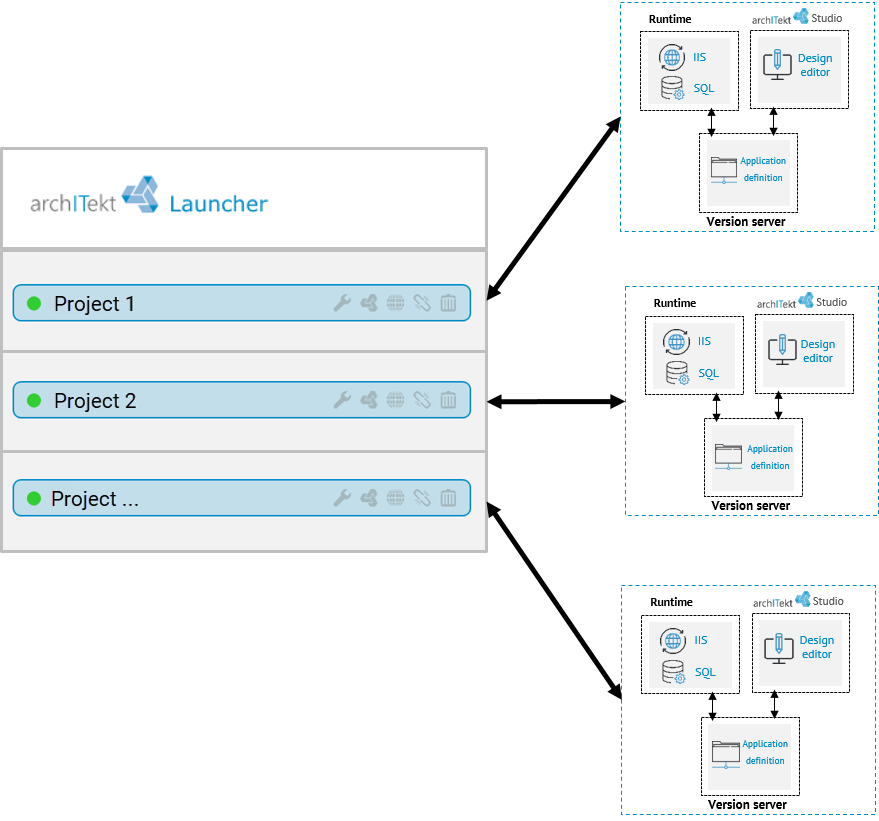
VSoft Launcher allows you to:
- Create a project, reconfigure and remove it*
- Establish a local environment for the project and update it*
- Launch the archITekt Studio
- Start and restart components of the local environment
* - these operations are performed using PowerShell scripts, VSoft Launcher allows you to conveniently run them automatically.
Organization of projects
When creating a project, we create a directory in which all information related to its configuration and content will be saved, enabling its automatic installation and updates. If you do not choose the directory yourself, the projects will be saved in a default location.
The project catalogue includes:
- JSON files with project configuration, including environment type - local (developer, server, cloud), database addresses, server location
- Application (version server content) *
- Optional additional project files (changed configuration files, additional libraries)
- Optional SQL scripts to be executed on the database
* - if you use the database version server, the application is automatically saved in it while creating the project
After creating a project, with a single command, the project's runtime is automatically created (or updated) - no matter if we create the runtime environment locally on a laptop, server or server cluster, or in the cloud.
Running the application on a dedicated server
If you have finished working on the application and want to start using it, it is possible to run it on a dedicated production environment. This environment consists of components analogous to those on the local computer, excluding archITekt Studio and archived application definitions.
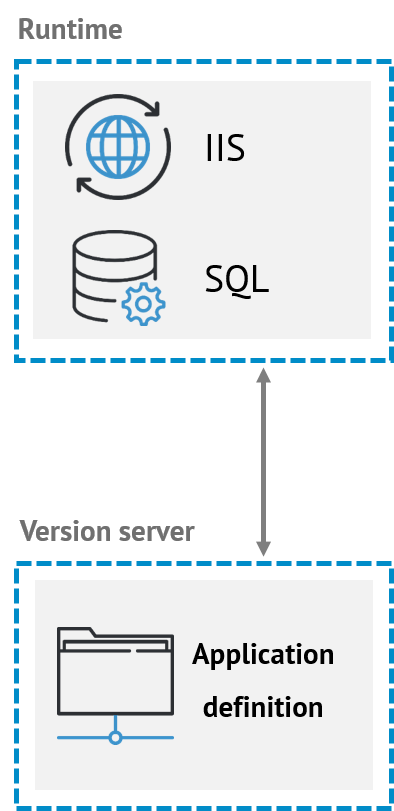
- Runtime contains the same components as for the local environment.
- The version server contains the definition of the running application. It does not keep any previous versions in the production environment.
The transfer of the application definition and management of the production environment is carried out using appropriate scripts.
Organization of the license
A local license is required to run the environment. This license is valid for a specific computer (environment) and covers all projects running on it.
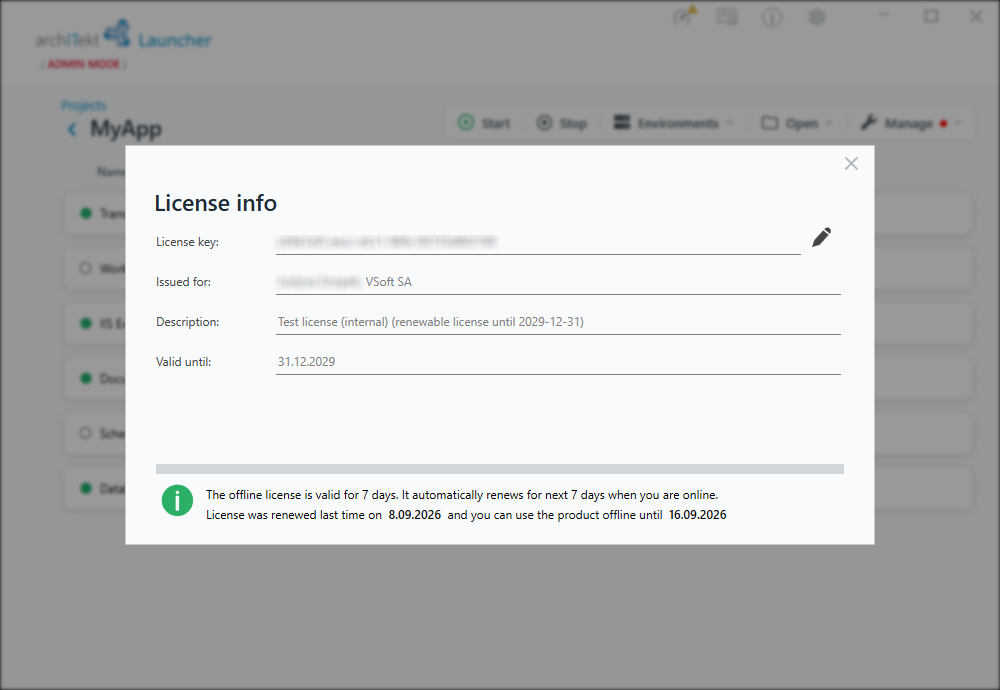
If you manage your development applications with VSoft Launcher, you can easily enable the automatic license update mechanism. After entering the license key that you will receive from VSoft, Launcher will automatically connect to VSoft servers (Internet access is required), verify if your license key is active and update the local license. If information about the expiration of the key is displayed, please contact VSoft.