AI Assistant configuration
AI Assistant is a VSoft archITekt Studio extension that uses mechanisms of artificial intelligence to support the user's work during application development. The solution uses the language model mechanism provided by OpenAI.
The user building the application has the possibility to use this functionality:
- Using VSoft intermediary (default option).
- Using their own account with OpenAI.
By default, AI Assistant connects to OpenAI models via VSoft. Using this option does not require any additional configuration. Only an active developer license is required.
This way of access is limited: each user has a limited (renewable) number of tokens to use in a period of time.
It is possible to use the functionality of GPT language models with your own OpenAI account. VSoft archITekt Studio then connects directly to the API provided by OpenAI. Using this mode removes the restriction on the number of queries, and also gives the user the ability to choose the model they want to use.
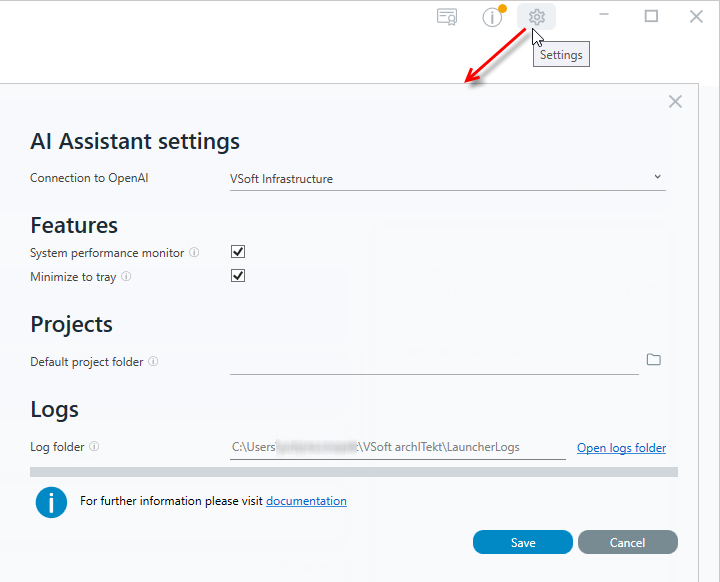
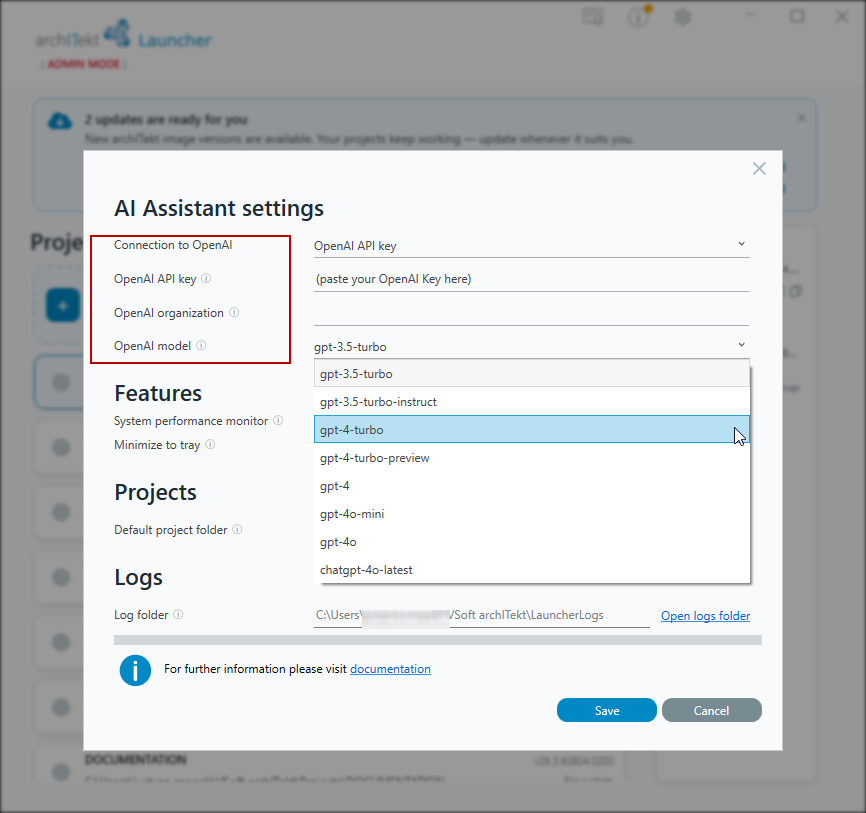
Configuration of the connection used by AI Assistant can be done in the VSoft archITekt Launcher application. After selecting the OpenAI API key connection method, the user can provide the API key and select the language model that will be used to generate responses.
After selecting the OpenAI API key option, you need to configure the connection to OpenAI services yourself by filling in the following fields:
- OpenAI API key – the API key used to authenticate requests sent to OpenAI services.
- OpenAI organization – the OpenAI organization identifier. If your account is assigned to multiple organizations, you can specify the organization to be used for handling requests. Leave the field empty to use the default organization.
- OpenAI model – the language model used by AI Assistant to generate responses to the user's commands.
After changing the connection method, a restart of VSoft archITekt Studio is required for the new configuration to be taken into account. The information on how to connect to OpenAI is displayed on the AI Assistant details window.