Attaching and removing a project
You can detach a project from the project list at any time, and then reattach it to the list. You can also completely delete the project with all its local files and folders, or partially delete only the runtime folder.
Detaching the project
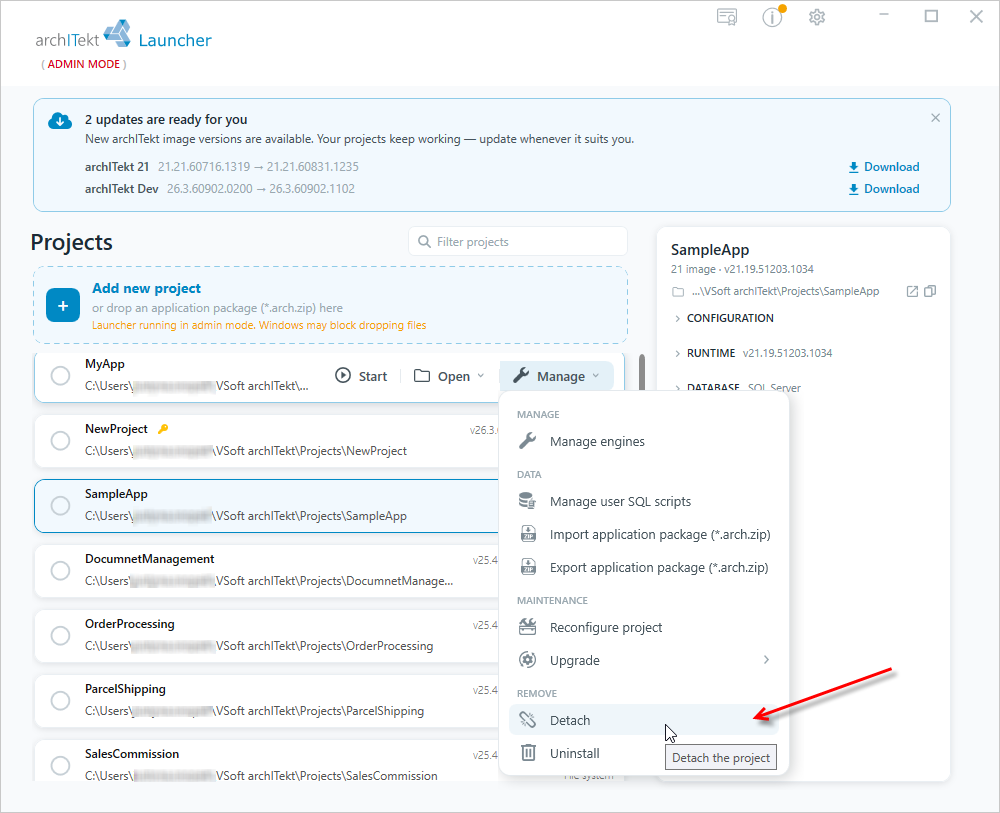
- Hover over a given project, select the Manage button, and then in the REMOVE section select the Detach option. The project is only removed from the list of projects in Launcher, but it is still stored on the disk, where the location was originally indicated when creating it.
Attaching a project
A project that has been detached can be attached back to the project list at any time.
We do not use the project attachment option if we want to create a project based on the initial package.
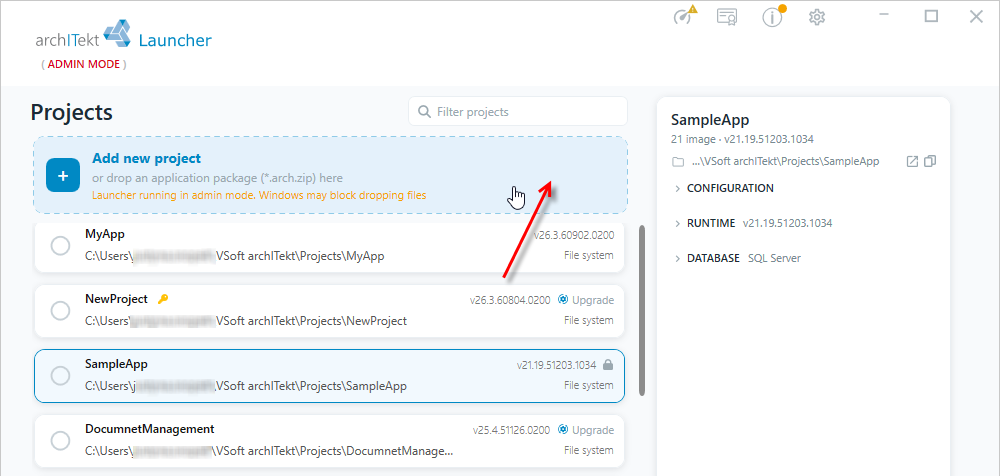
- In the main window of VSoft archITekt Launcher, select the Add new project button.
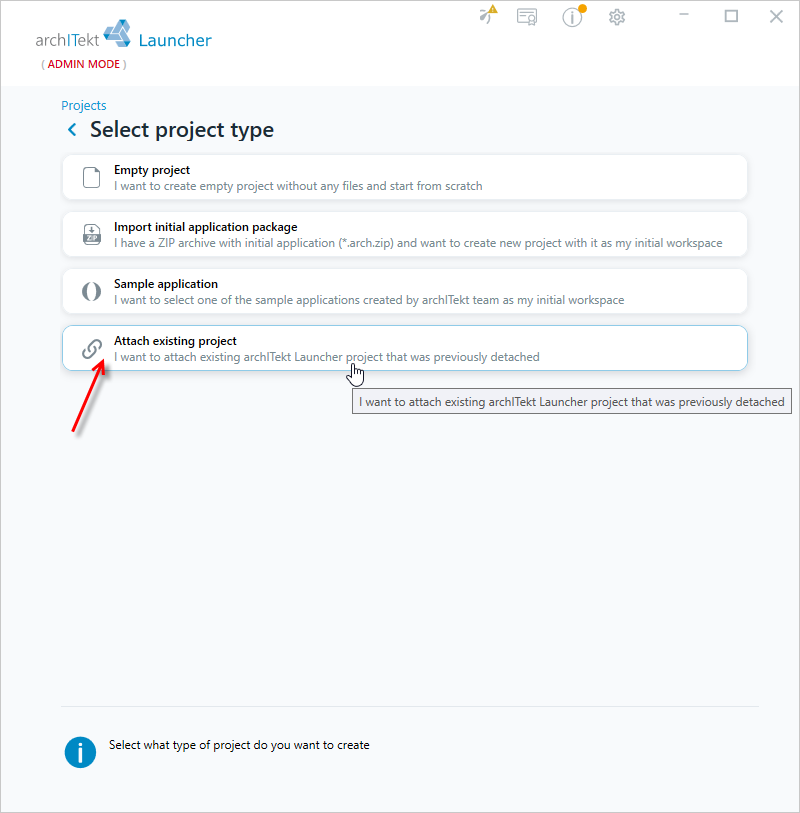
- Select Attach existing project - this option allows you to add a project that was previously detached.
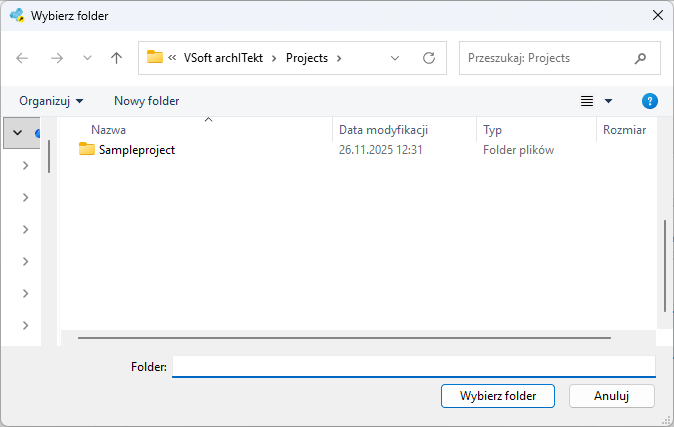
- Specify the location from which the project is to be loaded and select the folder with the project files.
Deleting a project
You can permanently delete a project along with all the project files.
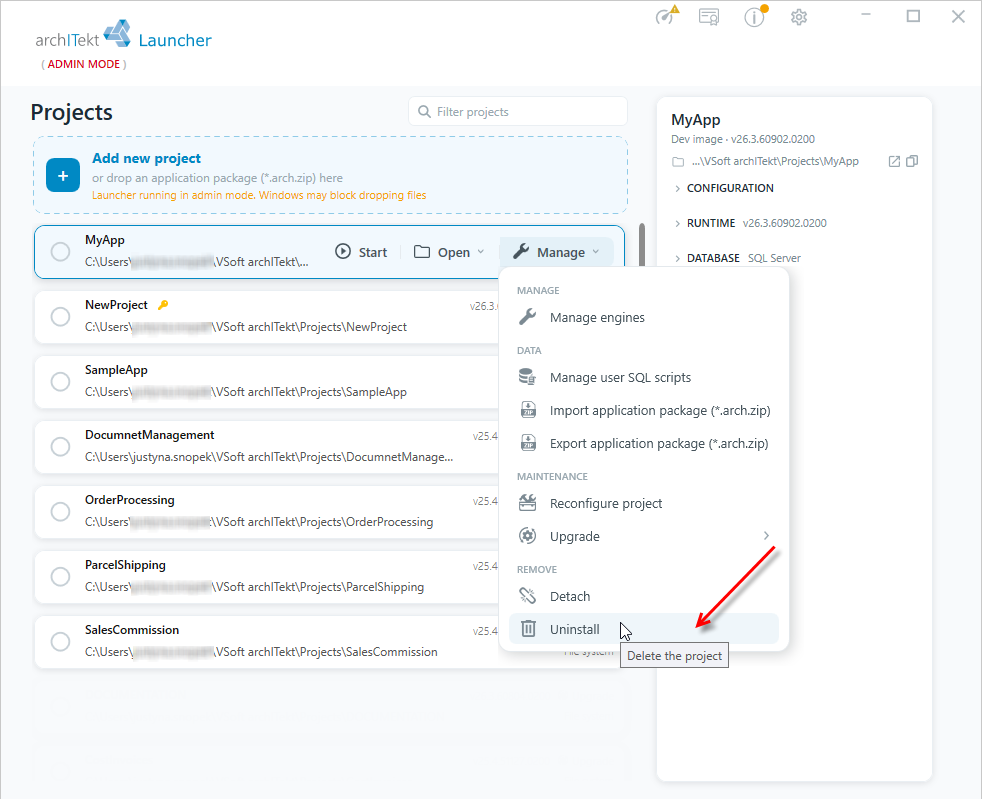
- Hover over a given project, select the Manage button, and then in the REMOVE section select the Uninstall option.
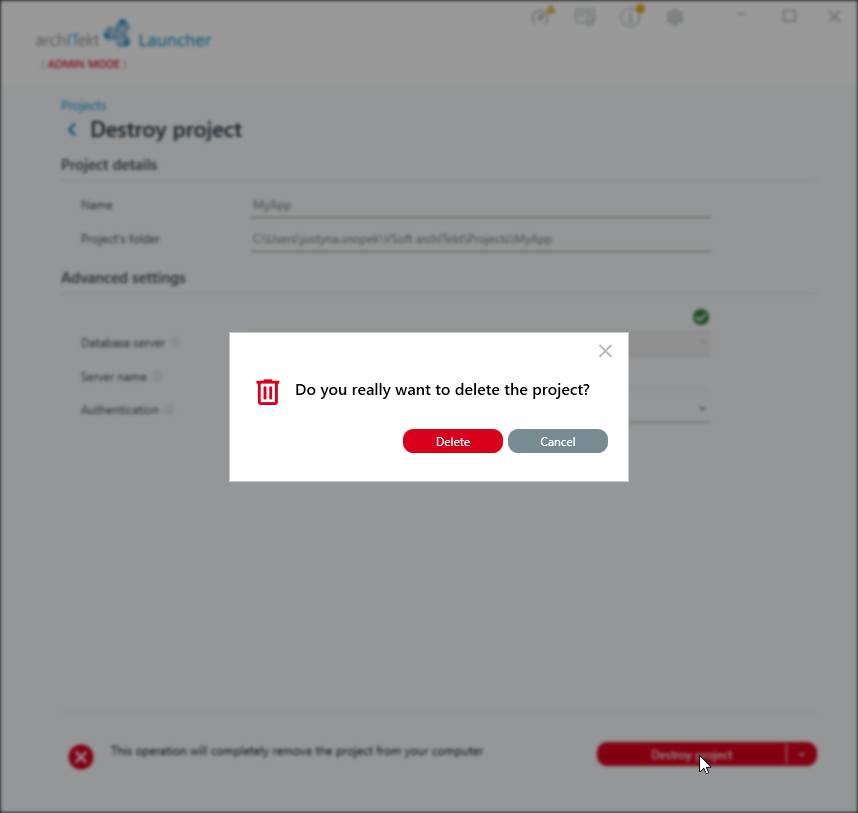
- In the next window, enter the data and select Destroy project.
- Server name - The name of the computer and SQL server instance. For PostgreSQL, it should be
{computername};Port={portname} - For SQL authentication, you must also provide the login and password for the database to delete the project.
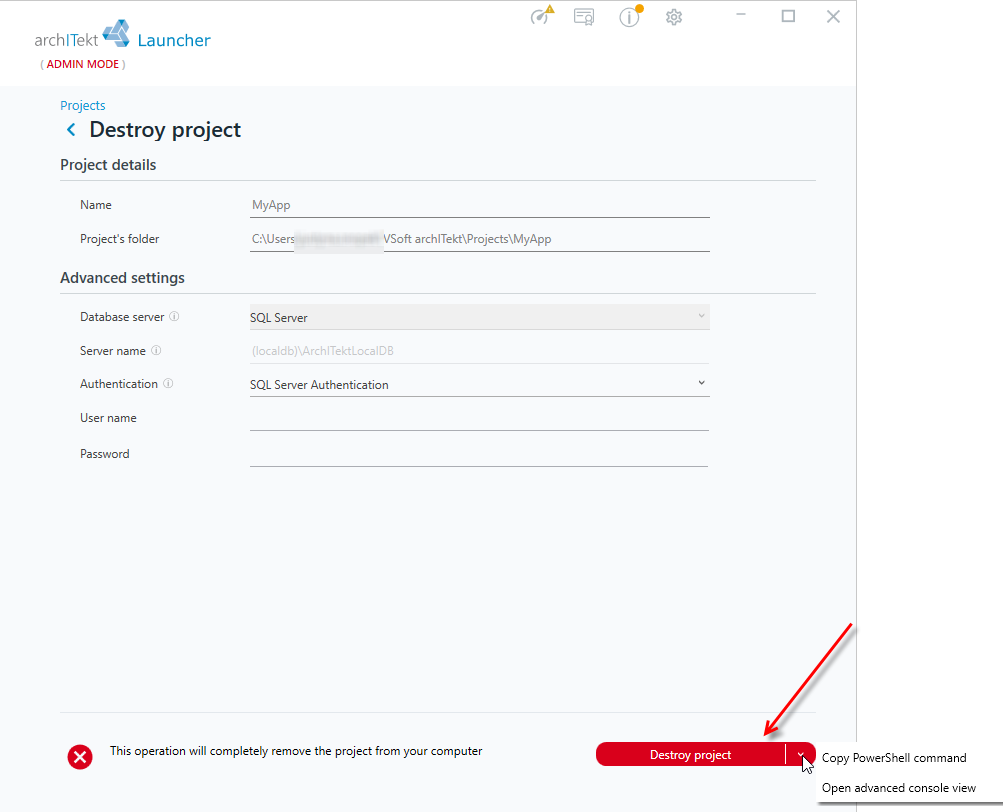
- Confirm action.