Creating a project based on an initial package
If you exported your application in archITekt Studio using the Exporting a package option, you can use it when creating a project in VSoft archITekt Launcher.
danger
The initial package must always have the extension *arch.zip
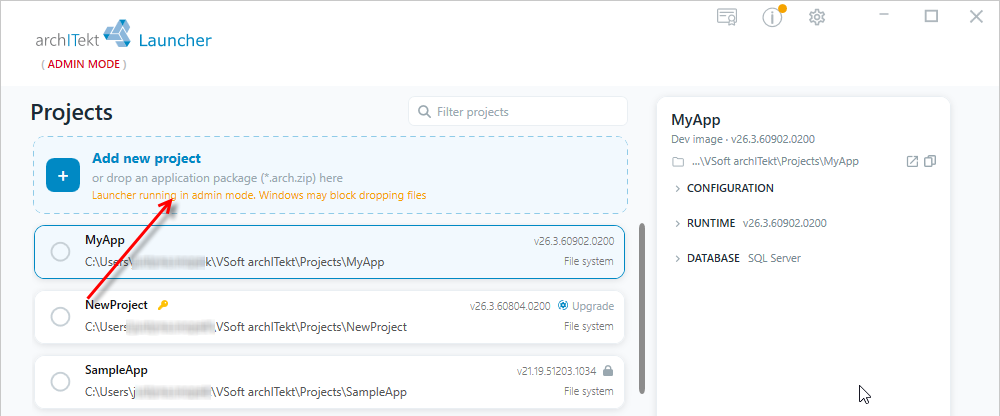
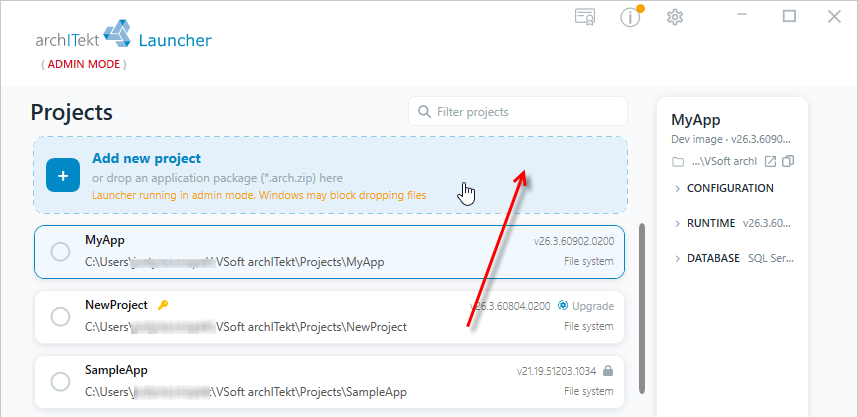
- Select the Add new project option.
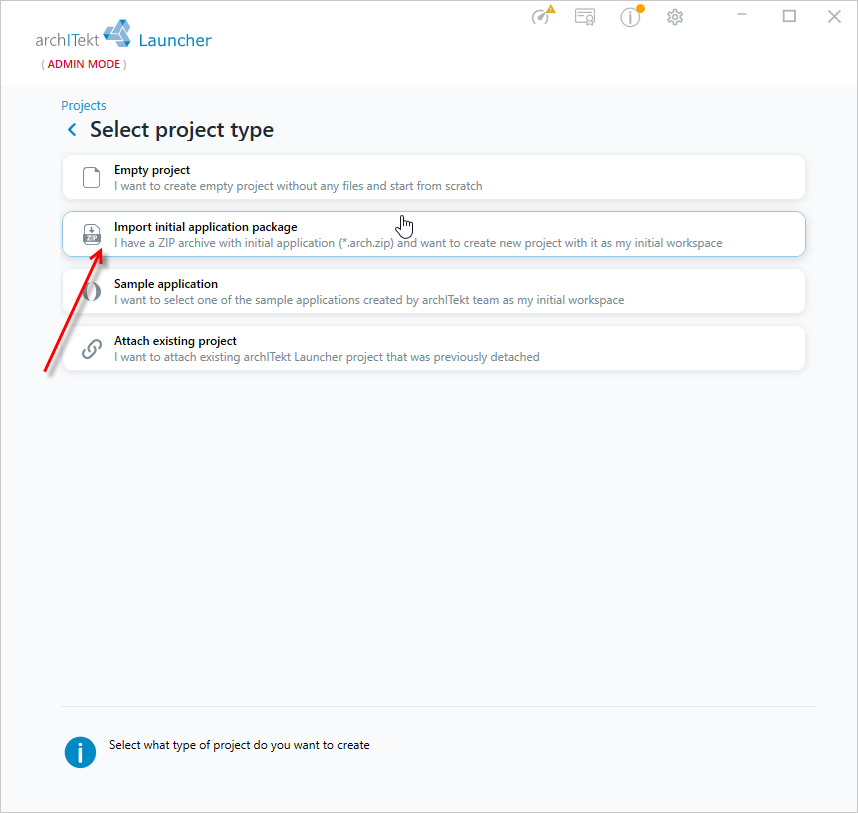
- Select Import initial application package, and then Next.
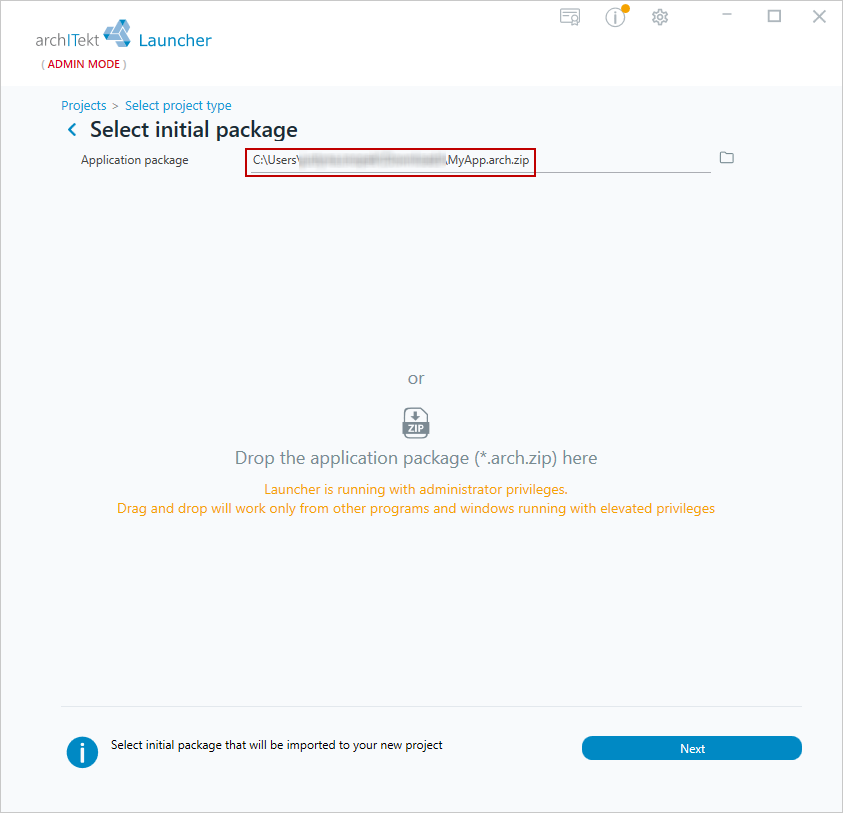
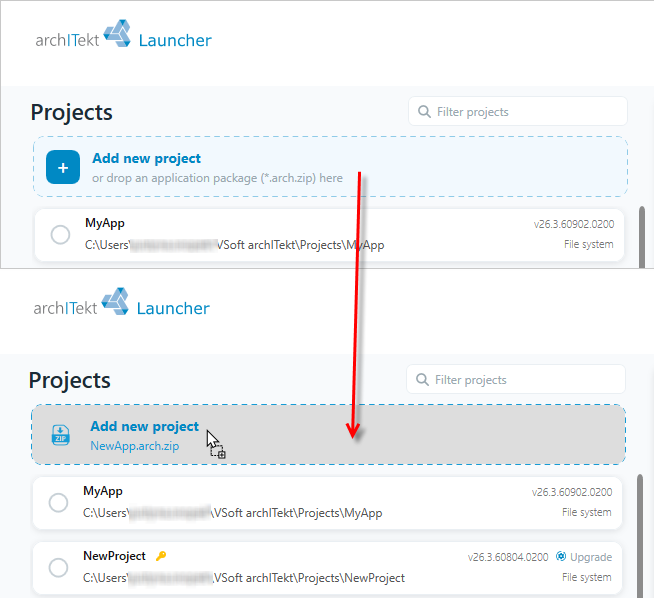
- In the next window, specify the path to the initial package or drag and drop the package directly onto the VSoft archITekt Launcher window and select Next.
- If VSoft archITekt Launcher is open in administrator mode, you may encounter problems with drag&drop.
tip
Remember that the initial package must have the appropriate extension `*arch.zip. Only such a package can be loaded.
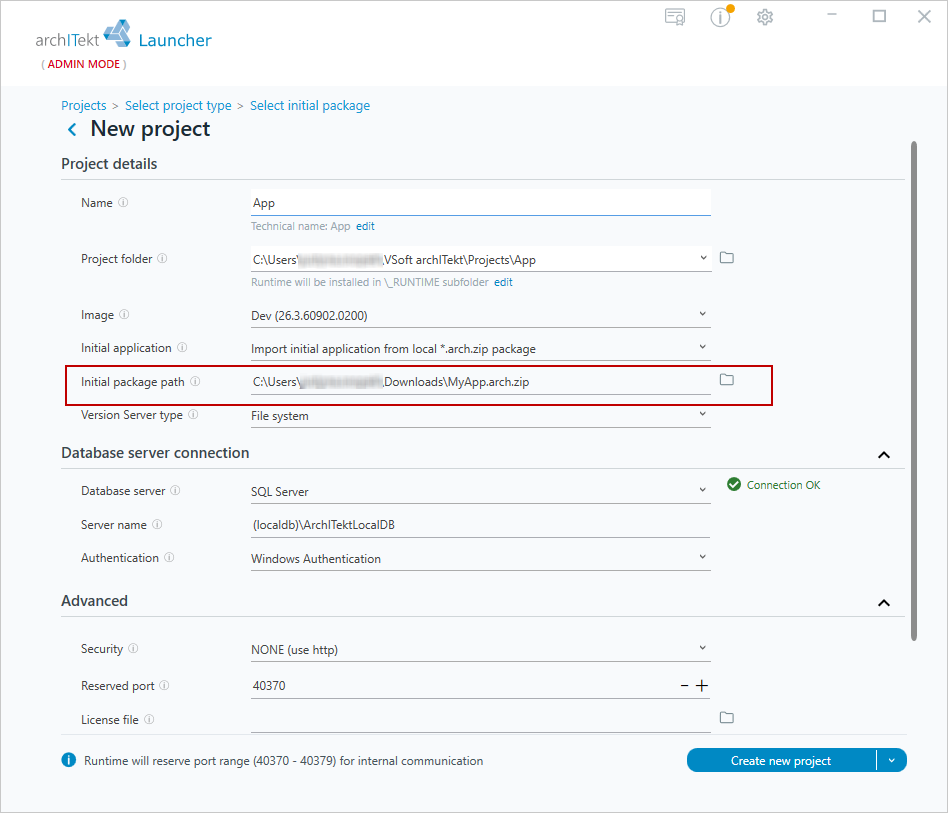
- You will then be redirected to the new project creation window, and the process is the same as when creating an empty project.
- The Initial package path field is filled with the previously specified package.
You can also drop the package directly into VSoft archITekt Launcher in the project list.
If VSoft archITekt Launcher is opened in administrator mode, problems with drag&drop may occur.