Environment update
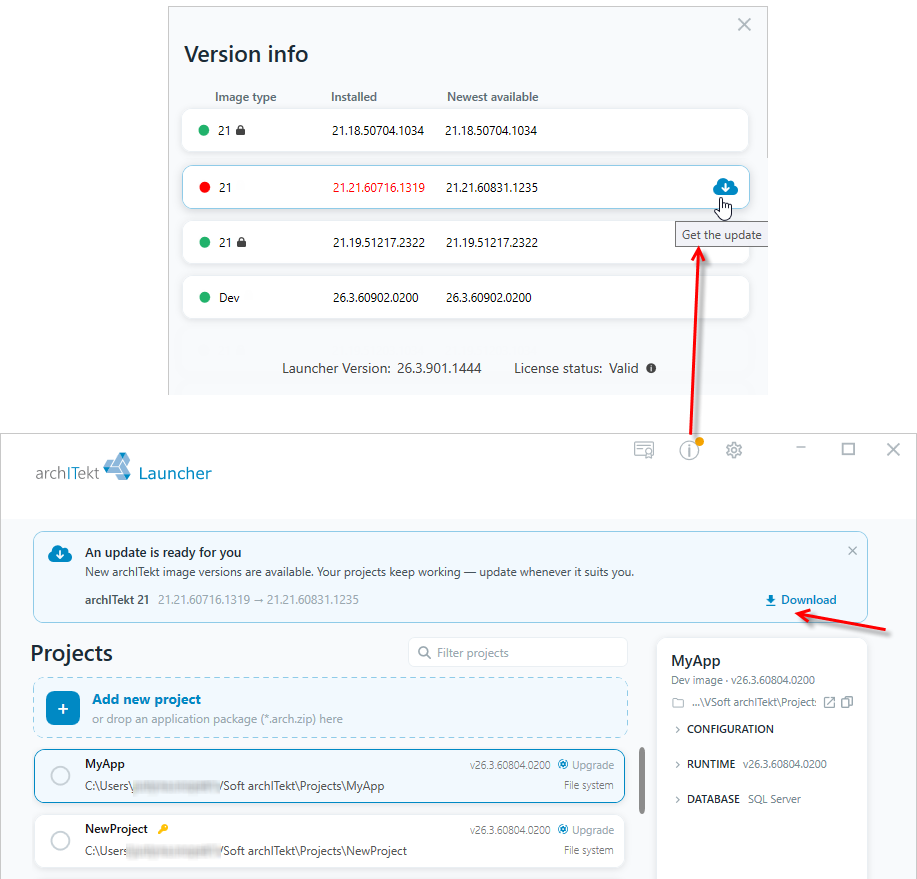
When a newer VSoft archITekt image version is available than the one your project is running on, a banner with information about the available update appears on the main page of the Launcher, and the Info icon in the top-right corner is graphically highlighted.
- Click the Info icon to open the Version info window.
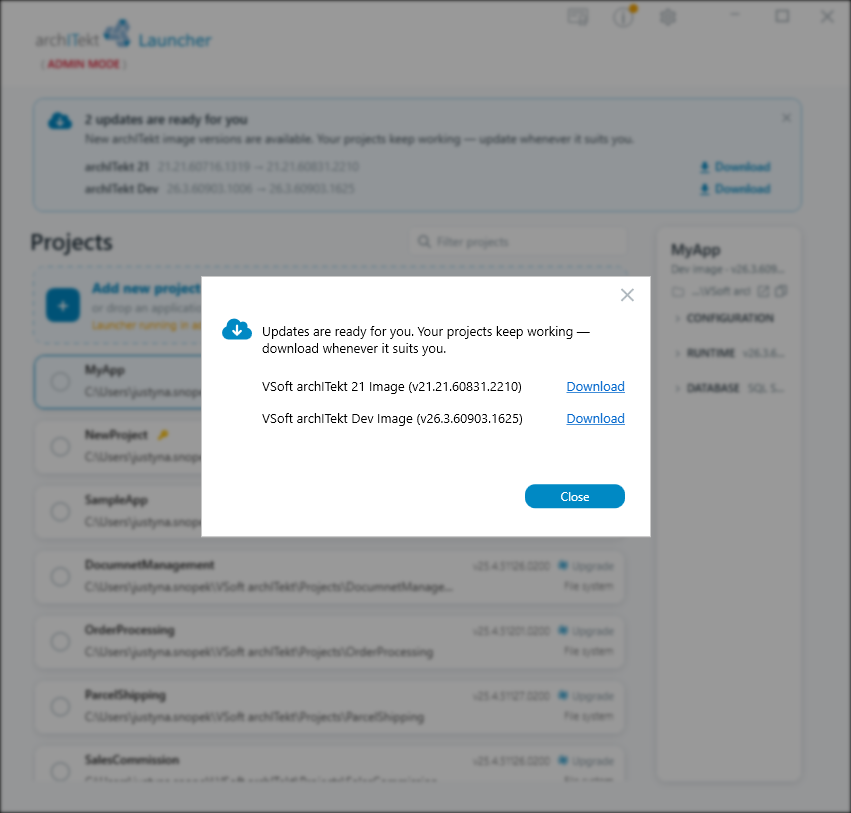
- The Version info window shows a list of image versions along with the installed and the newest available version. For a version an update is available for, select the cloud icon (Get the update) to download it.
You can also download the new version directly from the banner displayed on the main page by selecting the Download link.
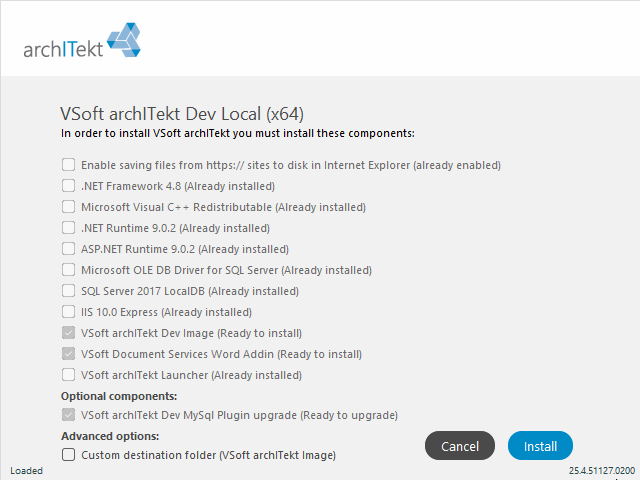
- The web-installer of the updated version of VSoft archITekt image will be automatically downloaded.
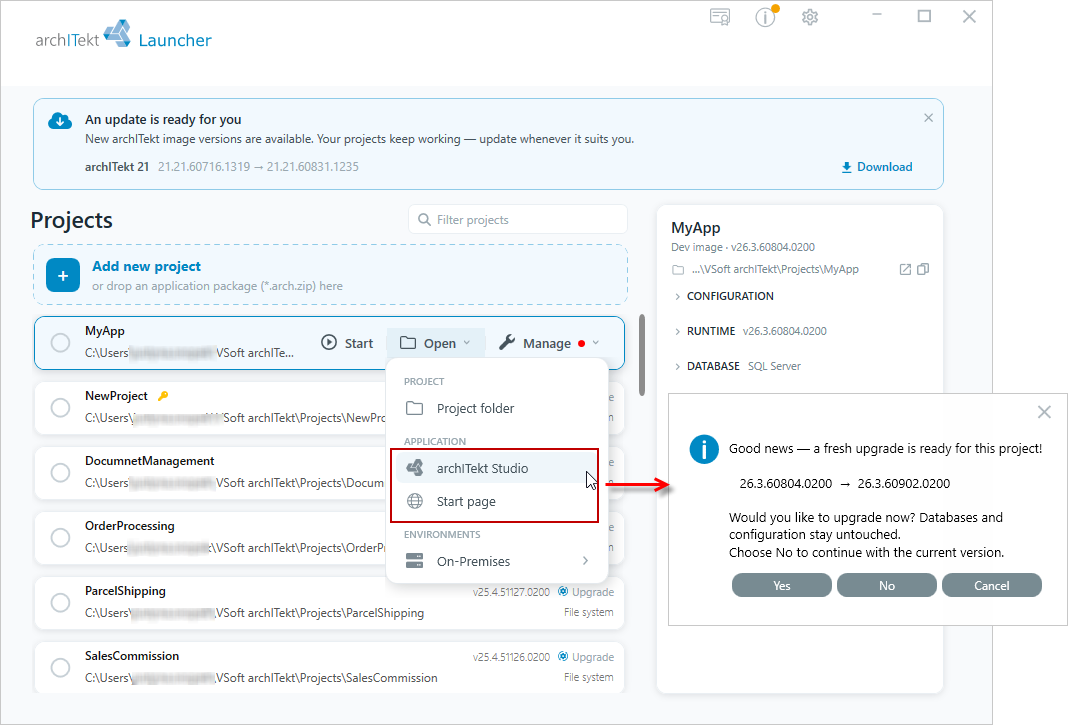
- Update the project environment successively to continue working on the project. For each project an update is available for, a graphical indicator is shown next to the Manage button.
- A message with the option to choose an update option will be displayed after selecting the archITekt Studio or Start page option from the Open menu.
You can also perform an update on the component management page of a given project.
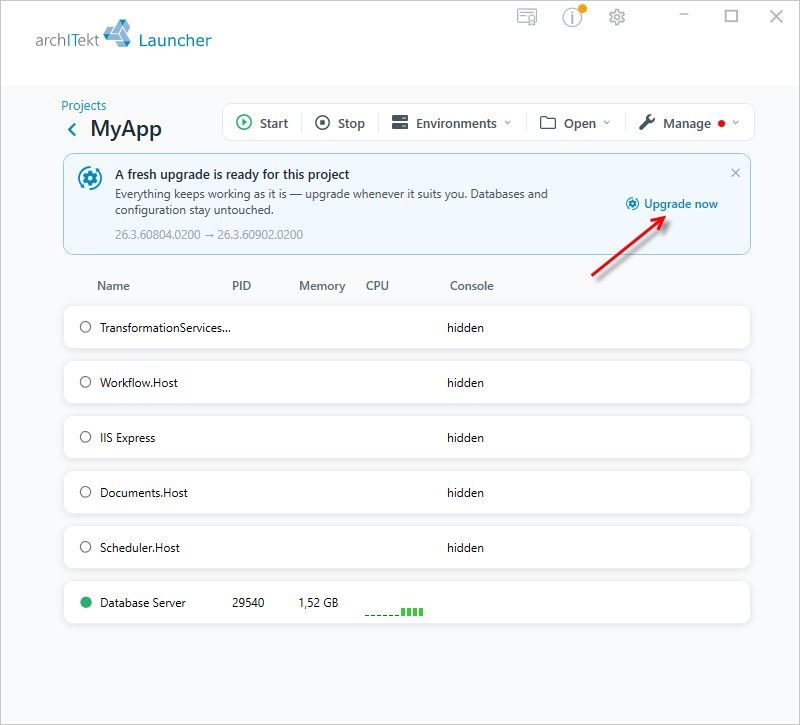
- If an image update is available for the project, a banner with the A fresh upgrade is ready for this project! message is displayed on the component management page.
- Select the Upgrade now link to start the update process.
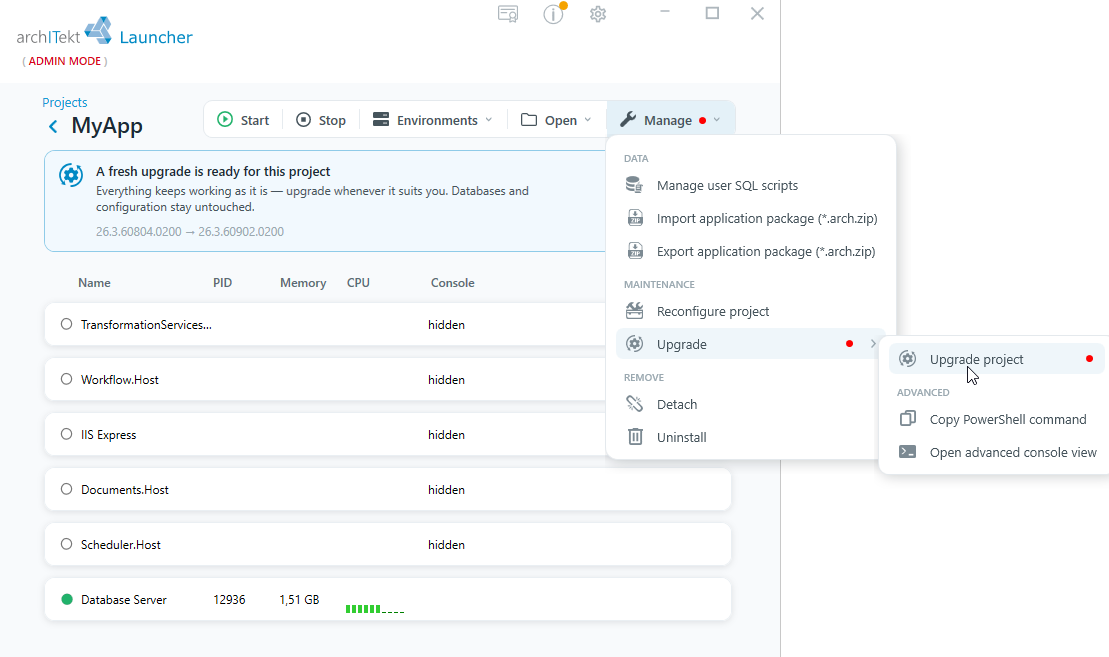
- You can also start the update from the Manage menu, by selecting the Upgrade option in the MAINTENANCE section, and then Upgrade project.
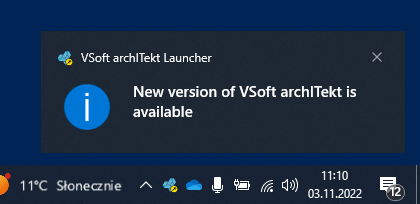
- You will also receive a notification if VSoft archITekt Launcher is minimized, then the information will be displayed on the notification bar.
- After clicking on the notification you will be redirected to VSoft archITekt Launcher, where you can download the new version.
Update in archITekt Studio
You can also find information on whether updates are available in archITekt Studio.
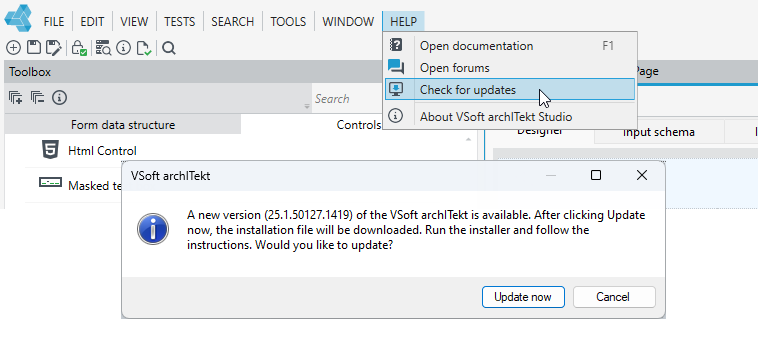
- Go to the Help tab and Check for updates.
- If a new version is available, a message will be displayed with an option to download the installation file and install the latest version.