Project locking
Project locking, is a functionality that allows you to install an image with a frozen version.
The functionality is useful if you want a given project to be on the same version on which the environment was deployed without performing project updates in case a new version of VSoft archITekt image is released. By installing the image with a frozen version and performing regonfiguration the given project can be locked. At the same time, you can download new versions of the image and update other projects to the latest versions.
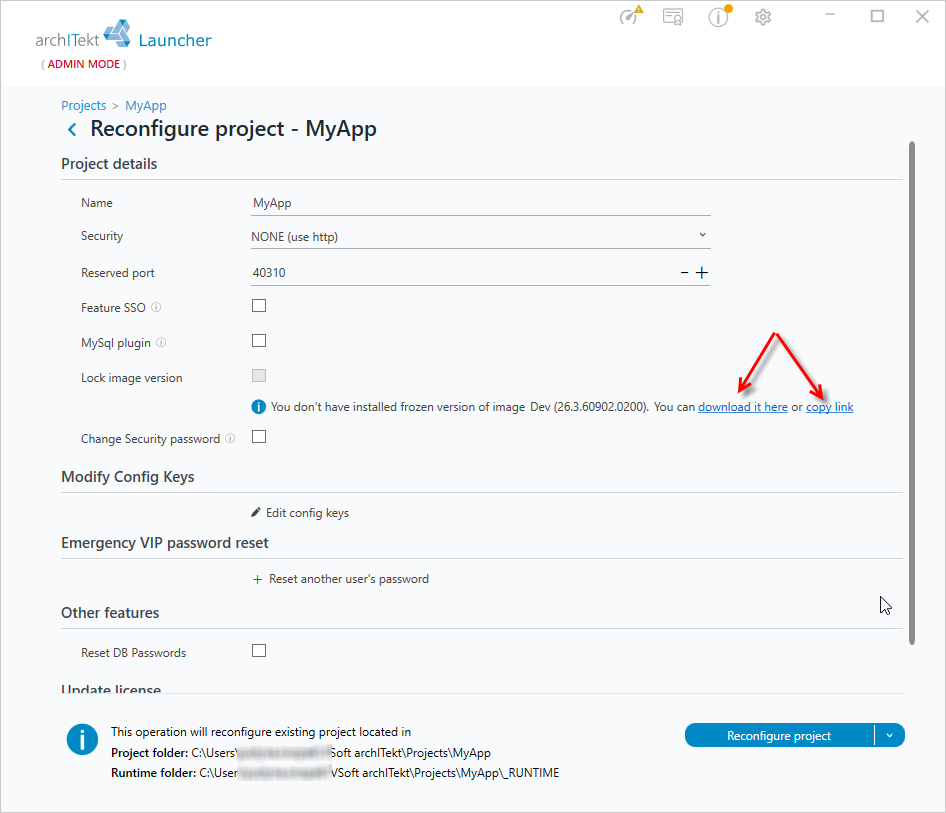
- Go to project reconfiguration.
- If you want to lock a given project for which you do not yet have a frozen version image installed, then click on the link , which will allow you to download the image.
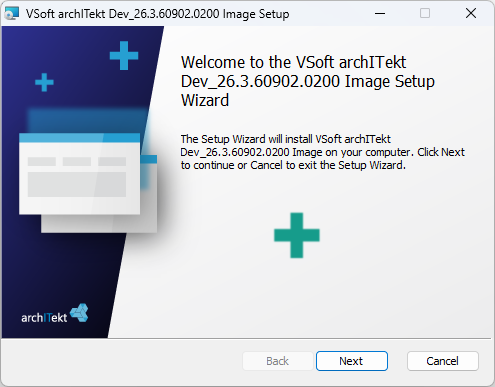
- Start the installation of the frozen image.
- Restart VSoft archITekt Launcher and go to reconfigure the given project again.
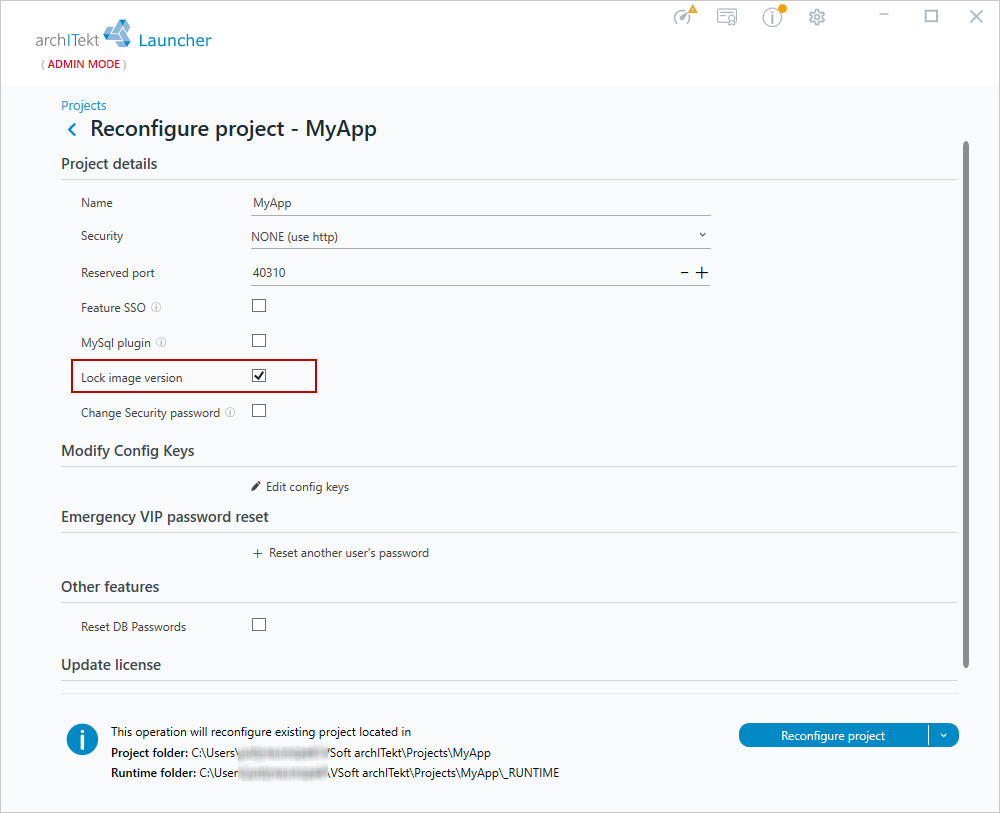
- Now you can check the option to lock the project and perform the reconfiguration.
Creating a project on a frozen version
If you already have frozen versions of the image installed, then you can point to them when creating a new project.
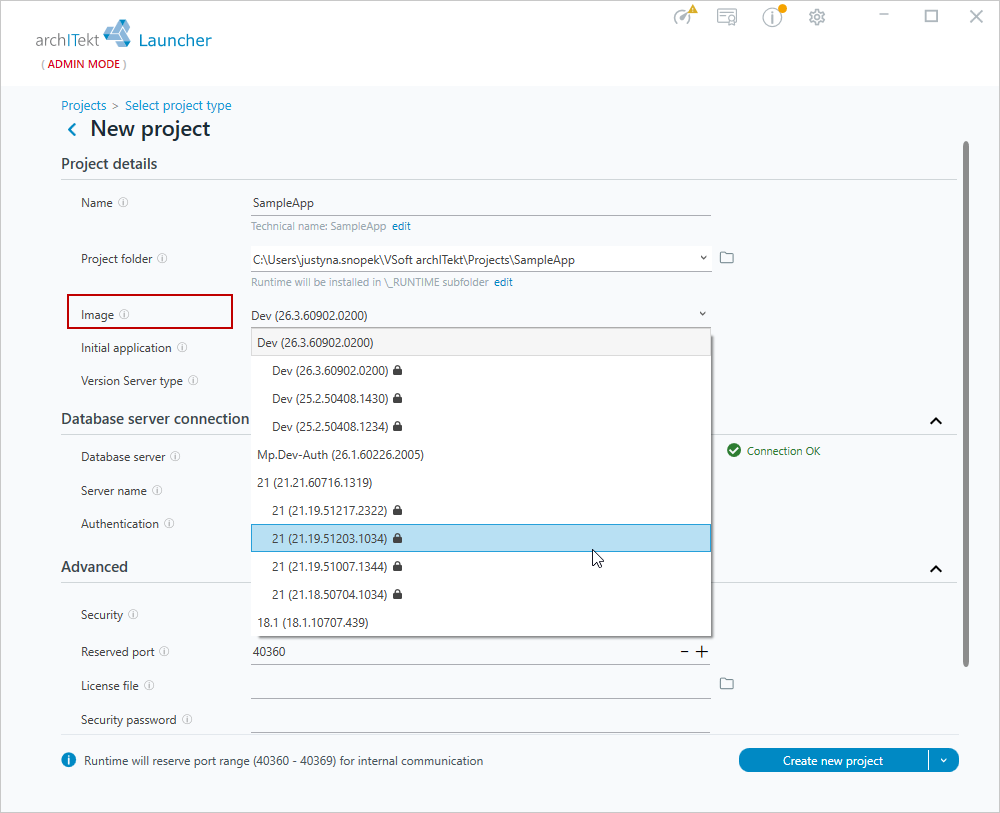
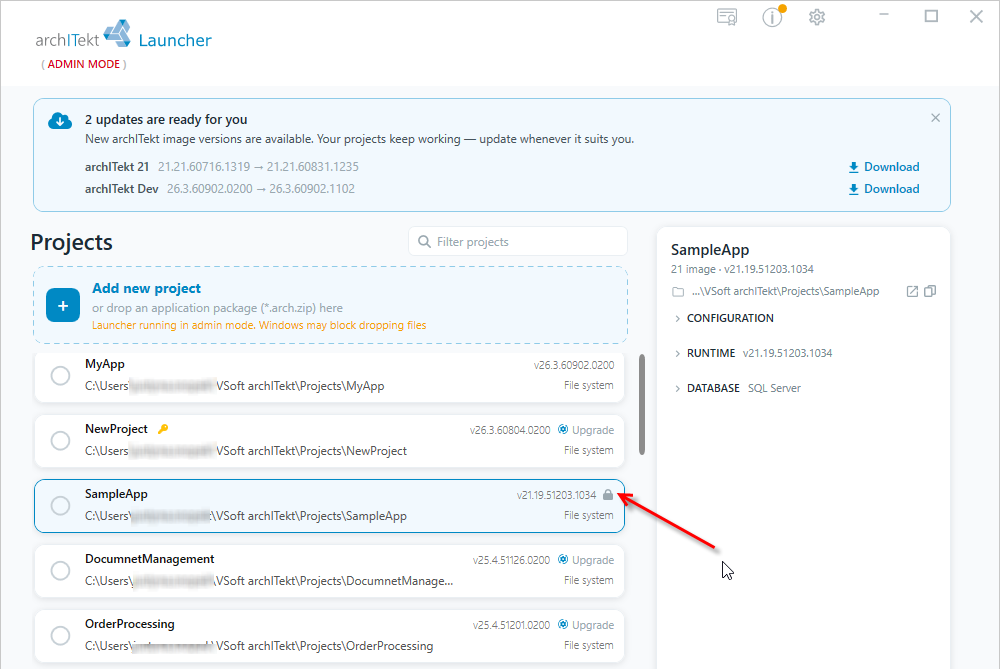
The list of projects will indicate that the project is locked with a padlock icon displayed next to the version number.