Annotations
Annotations are additional elements attached to a record or a field which describe the element behavior, e.g. in the following contexts: mapping one schema to another, saving a record to a database, a text description, a method of calculating values from other fields, minimum and maximum length, type, precision, etc.
The operations available may be divided into the ones which change a schema only (and do not take up time while processing!) and the ones which change data records content.
- Right-click on a record or field in the data schema and select one of the available options from the context menu: Compute value, Use value or Annotations.
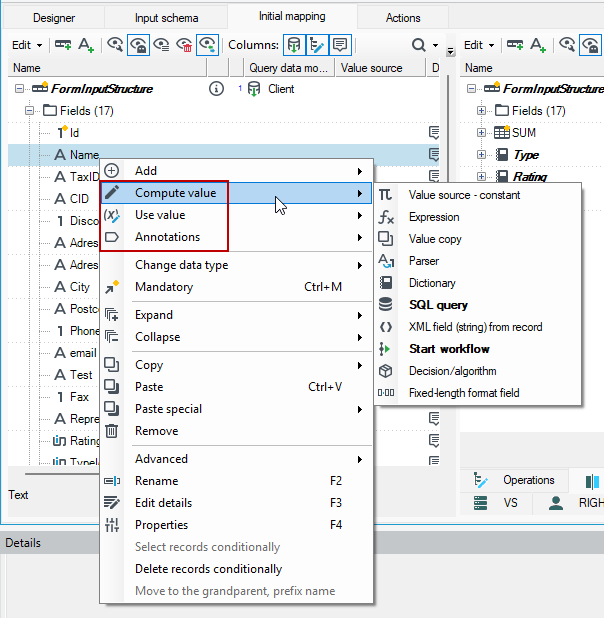
The type of annotations available is different for fields and for records. For a record, the available options are: Fill record content, Change/use record, Annotations.
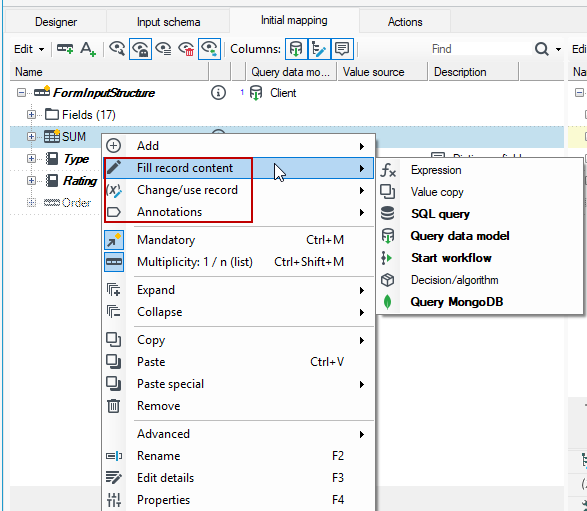
If you use most annotations, an additional Details panel at the bottom of the screen is activated, where you should specify additional parameters for the operation to be performed. See: Panel Details.
Annotations not interpreted, available practically everywhere:
- comment, long comment,
- technical element (e.g. excluded from saving and from previewing by default).
Description - the function of entering a short description/information about the element.
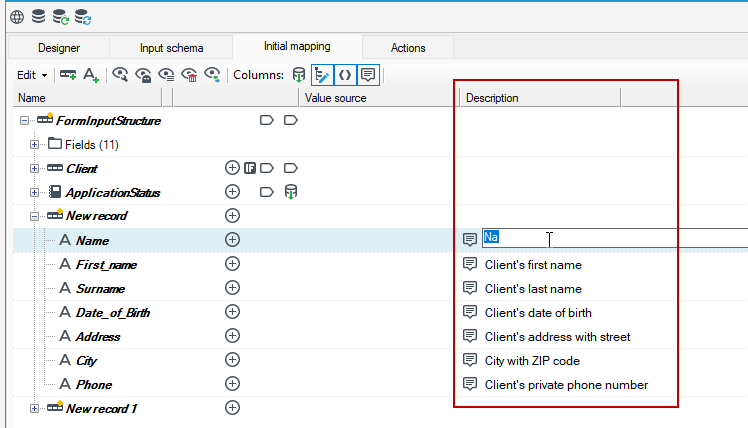
Technical data - option to enter relevant technical data characterizing the element.
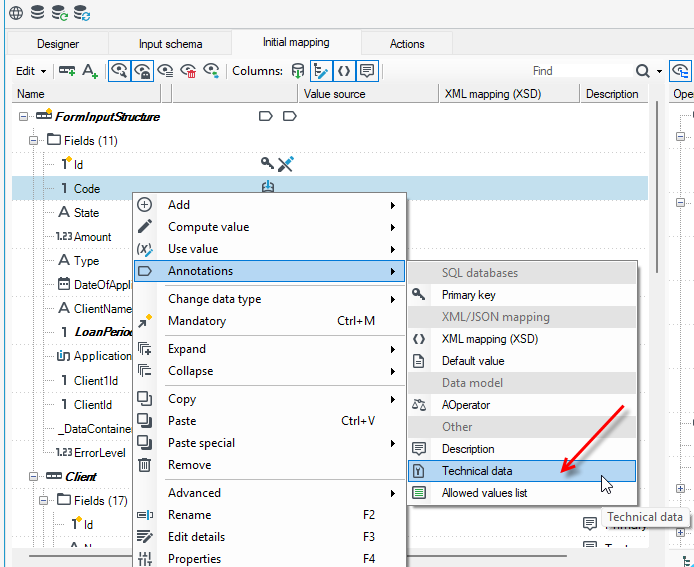
Annotations interpreted, available depending on the situation:
- mapping - value source,
- constant value,
- copy of an element indicated by the path,
- expression for calculating contents,
- mapping - auxiliary
- dictionary mapping (indicates a dictionary, key and value columns, error handling method, etc.),
- parser - directly selects and configures an element changing data character,
- database action
- database record - indicates that a record should be interpreted as a database table - controls performed operations (
INSERT,UPDATE,Dynamic, etc.) - condition of attaching a field to an
Insert/UPDATEcommand (2 separate annotations), - database object name - it does not have to be the same as the field name,
- a script run before action execution, e.g. controlling session flags –
SET IDENTITY INSERT table ON
- mapping to XML - element name, namespace, representation kind (element, attribute, list in attribute, list in element, Choice, etc.), included elements (not all children have to be in a target XML), etc.
- record normalization rule (which fields are keys, which records/fields should be attached to normalized elements, etc).
- rules for random data generator - range of values (of any type).
- regular expressions - used in several ways; depending on the location, it can mean:
- a rule for dividing a text field into subfields/subrecords,
- a method of parsing content from a file record (see input block - regular expression parser),
- a rule for randomizing strings - YES, random strings based on the regular expression frame may be generated - see a random data generator block.
Value source
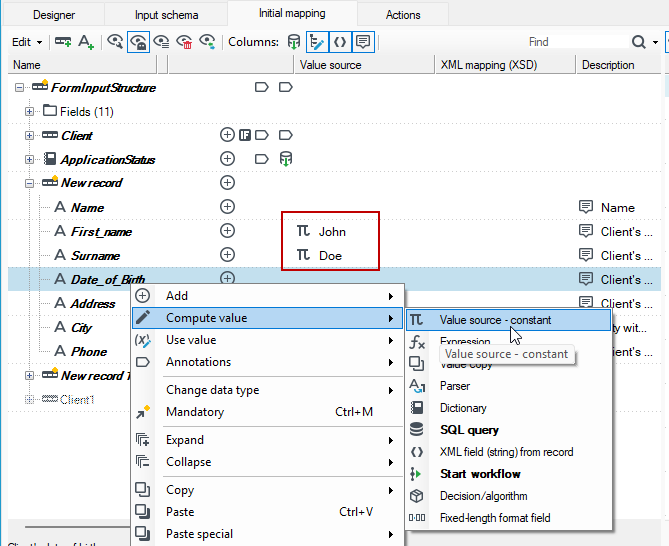
One of the most basic and commonly used annotations are annotations, which allow to specify the source of values for a field.
Constant value – when this annotation is selected, an annotated element will always contain a constant value. A constant should be entered to the field next to the element which is to be changed.
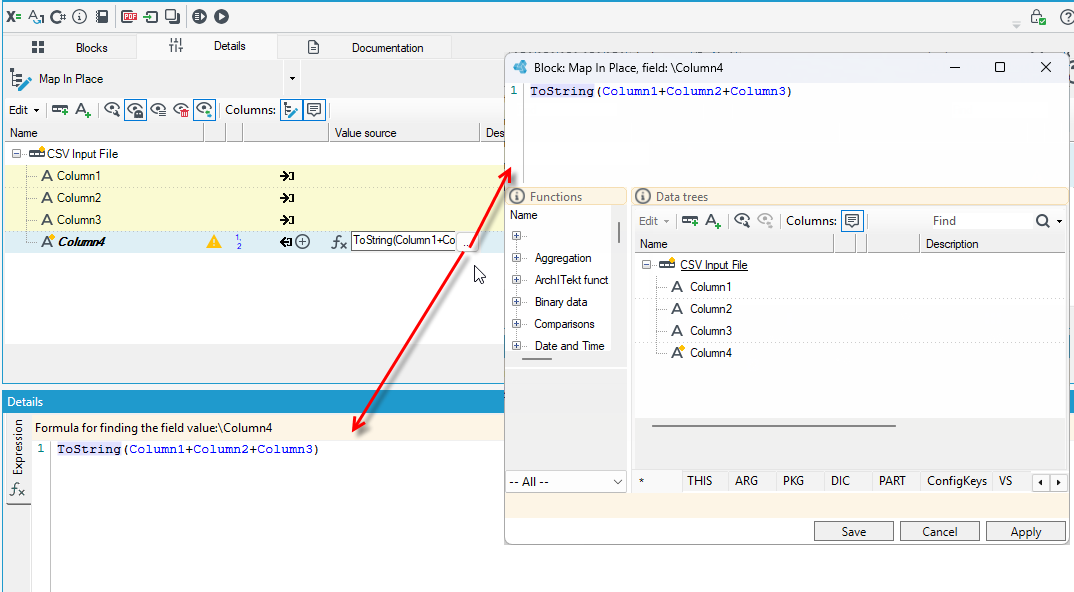
Expression– the option enables setting the element value as an expression in a simple programming language. Such expression may contain String concatenation and various Boolean expressions (see: Programming language). Expressions are defined on the tab Details editor or after going to the Expression editor.
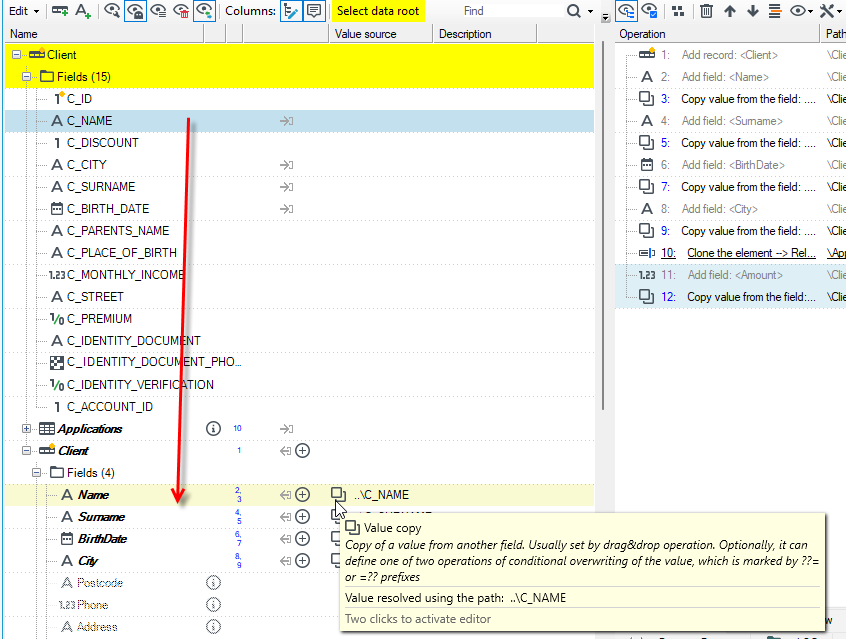
Value copy - the option enables setting the element value as a copy of another element value, a path to which may be configured freely. This annotation is usually set using drag&drop operations.
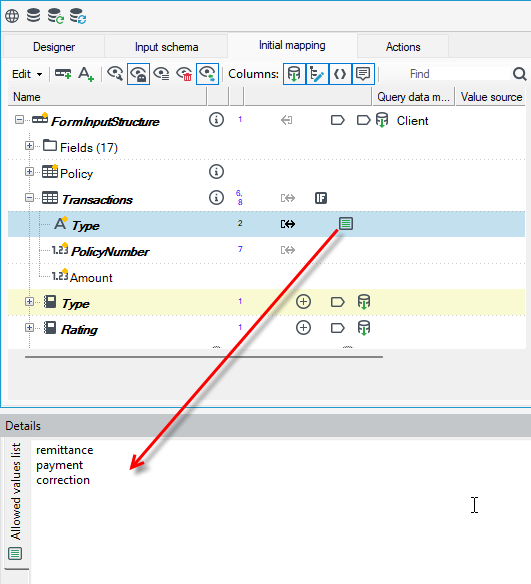
Allowed values list - the User may enter a list of allowed values which the edited tree element may contain. Enter the values in the Details panel.
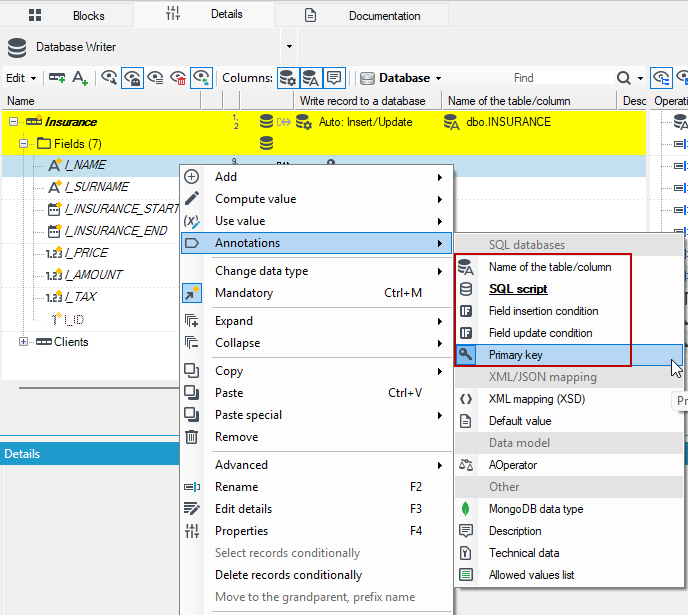
Annotations available for databases only
Annotations that are available only for databases are operations that you can perform on a data record or field.
These annotations are mainly available for the Database Writer block in processing packages—see: Output Blocks>Database Writer.
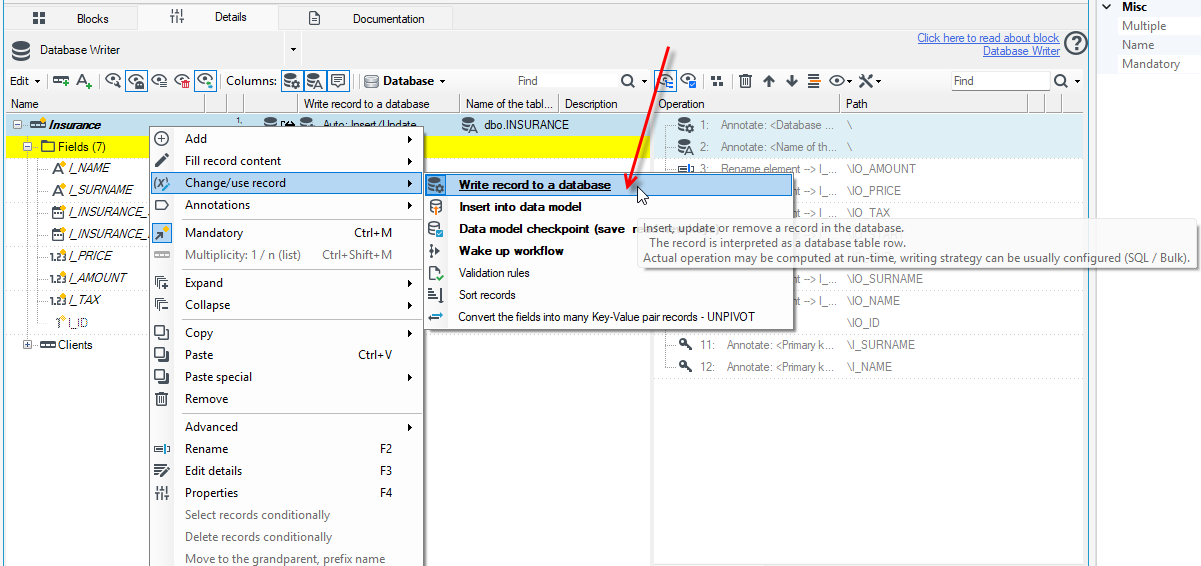
- Write record to a database – an annotation is used for records which should be saved to a database. It represents the kind of operation which should be performed for the record marked with this annotation. Possible options are:
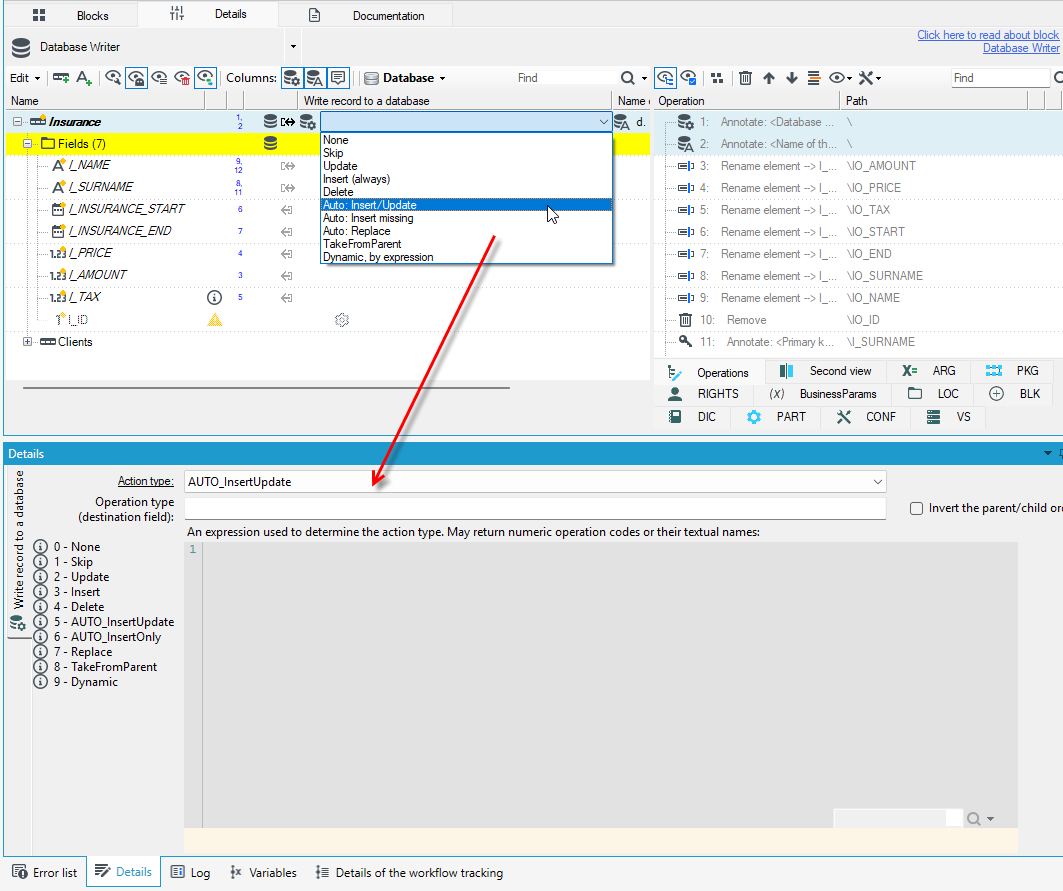
NoneSkipUpdateInsertDeleteAUTO_Insert/Update– before writing to the database, a query is executed to check whether the record already exists in the database; if so, anUPDATEquery is executed; otherwise, anINSERTquery is executed,AUTO_InsertOnly– before writing to the database, a query is executed to check if the record already exists in the database. If not, anINSERToperation is performedReplaceDynamic– this annotation allows you to define expressions that will determine one of several values representing one of the following operations:Insert,Update,Skip,None,AUTO_InsertUpdate.
The operation may be defined by a record field (a field Operation type) or by an expression. Settings are displayed on the Details editor tab.
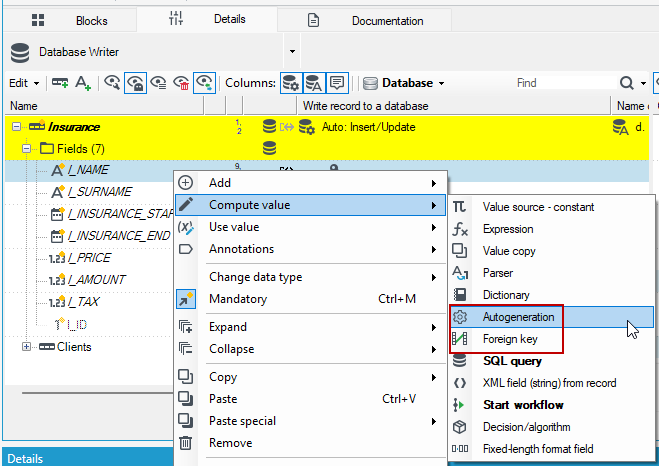
- Autogeneration - marked elements are automatically generated by a database.
- Foreign key - an element marked with this annotation represents a foreign key in a database - the value for an element marked with this annotation will be calculated based on the configured path to the relationship parent.
- Name of table/column - an element marked with this annotation will retrieve from a database an object name which corresponds with it.
- SQL script - an SQL script, which will be run while inserting a record to a base, is inserted in an annotation.
- Field insertion condition - an expression which is evaluated - if an expression is true, the field is inserted to a base, if it is not, NULL value is inserted.
- Field update condition - an expression which is evaluated - if an expression is true, the field is updated in a database.
- Primary key - an element marked with this annotation represents a primary key in a database.