Inserting a record into a data model
You can use the Insert record operation to insert a record into the data model, which can then be physically written to the database during the final write or manually by inserting a CheckPoint operation.
You can perform the Insert data model operation in several ways:
From the version server:
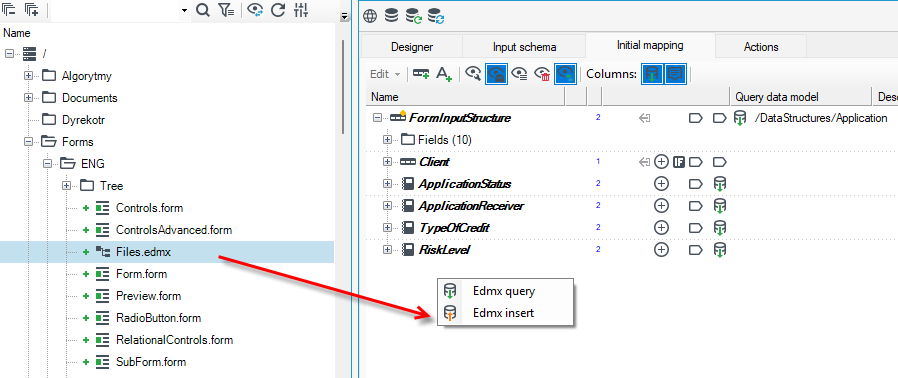
- Select a data structure from the version server and drag it onto a empty space in the data schema.
- Select Edmx insert from the context menu.
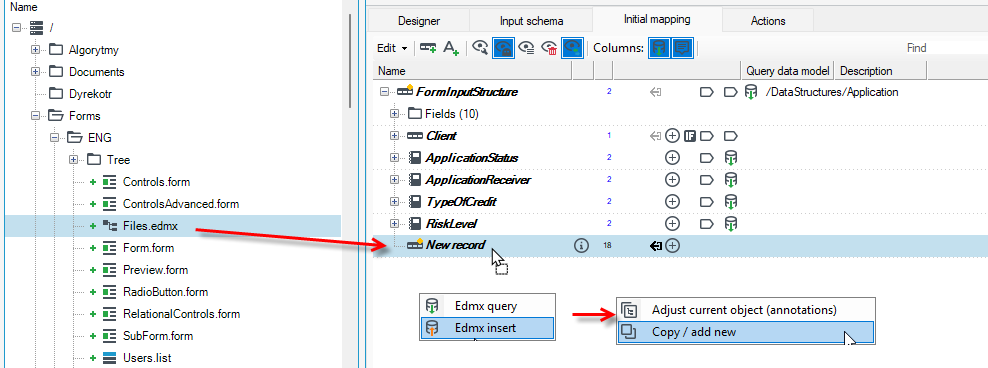
- You can also add a new record and drag the structure onto the data record.
- If you created a new record and draged the data structure onto a record, then in the next command select one of the options:
- Adjust current object (annotations) - Changes only the annotations (or adds new operation), keeping the original name and type.
tip
Allows simultaneous adjustment of several elements by a 'reserved' operation: drag the elements you want to change onto a template element (it can be either a real element or a 'ghost').
- Copy/add new - make a simple copy of one element and insert to another tree.
By Annotation:
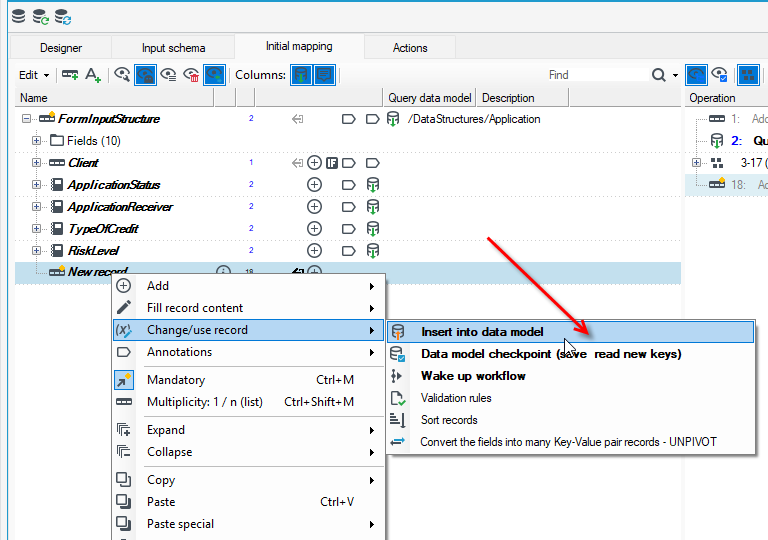
- Go to the data schema and create a new record.
- Right click and from the context menu, select Change/Use Record>Insert into data model.
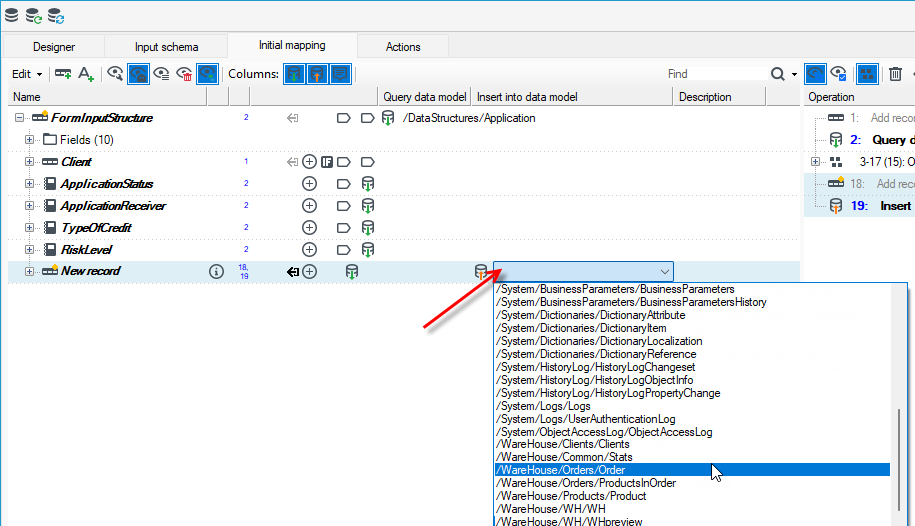
- Then indicate the data structure in the drop-down box.