Cloning lists
The Clone option available from the context menu makes an identical copy of an item by cloning. It can also be used to clone lists.
For example:
There are several lists in the data structure that we want to link together according to a certain key and with additional conditions.
- In the data structure, there is a Policy list and a Transactions list.
- In both lists, there is a PolicyNumber field, and in addition, the Transactions list contains an Amount field and a Type field, in which values are taken from a narrow set defined by applying the Allowed values list annotation. For more see: Annotations.
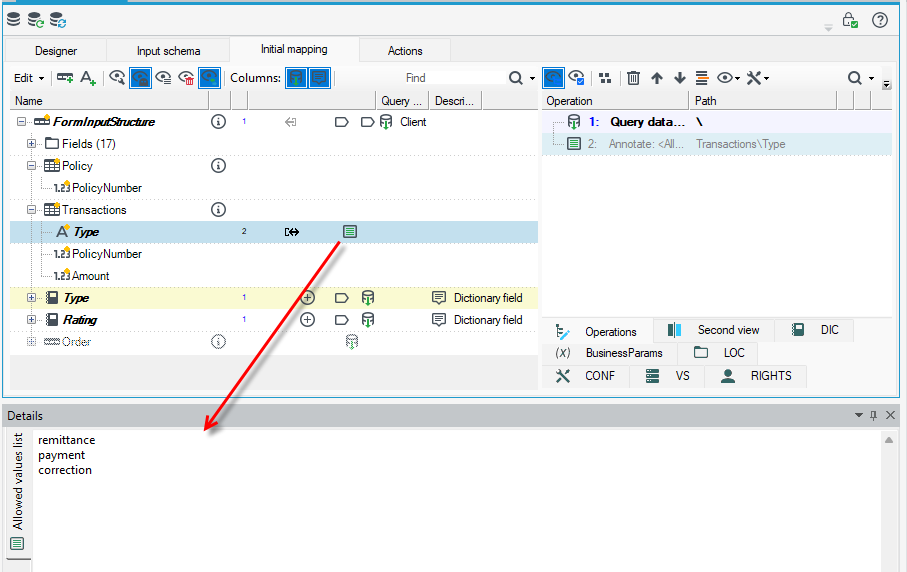
The goal is to get a tree of policies with deposits (Amount) for the given policies according to their number (PolicyNumber), where the policy type (Type) is also restricted accordingly.
- Select the Transactions record and move it to the Policy record.
- From the context menu, select Clone.
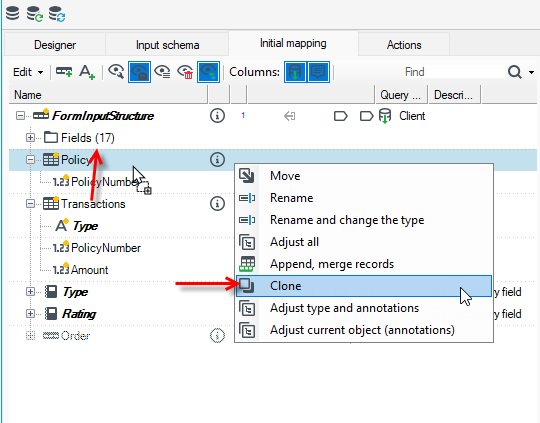
- The entire Transactions record has been moved to Policy.
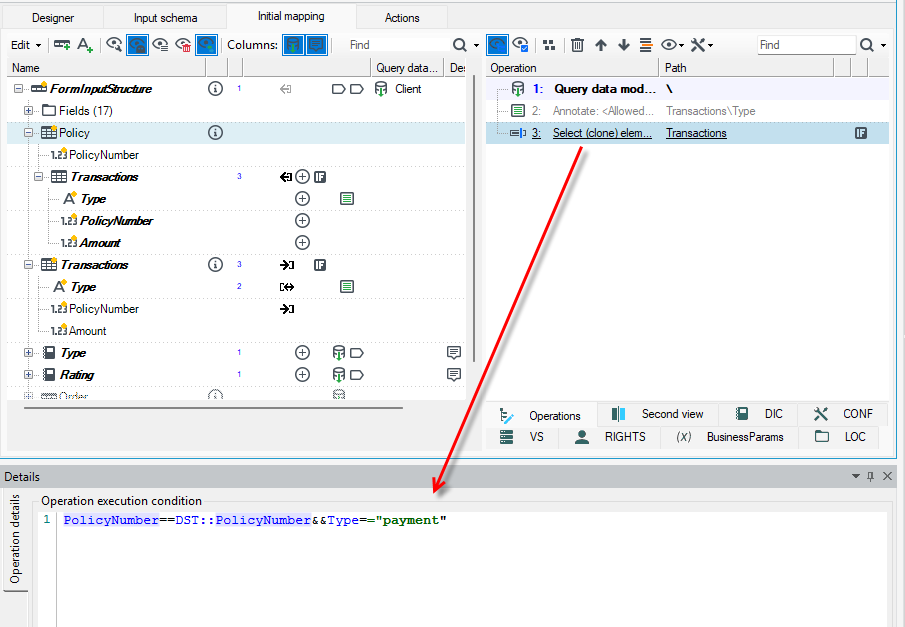
- Select the Clone operation and on the Details panel enter the Condition for the operation.
- Enter the condition using an expression. Press Ctrl+Space then a window will be displayed with syntax prompts for the expression and a list of available fields for the record, etc. For more on defining expressions, see Expressions..
- In the following example, the expression is defined as follows:
PolicyNumber==DST::PolicyNumber&&Type=="payment"
9. We specify that it is to match PolicyNumber == with the clone target record, which is located in the DST::PolicyNumber tree, and further specify that the transaction type is to be equal to the payment value - &&Type=="payment"