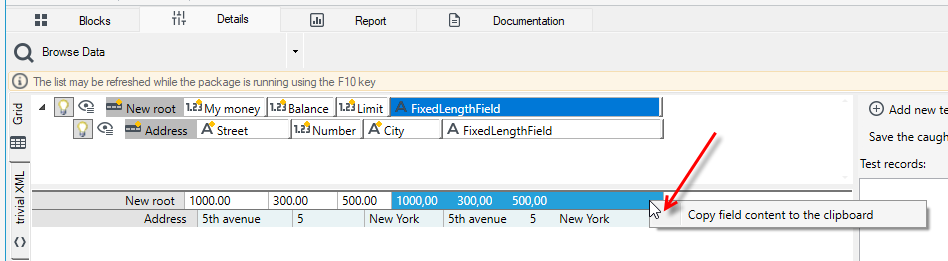
Fixed-length format field
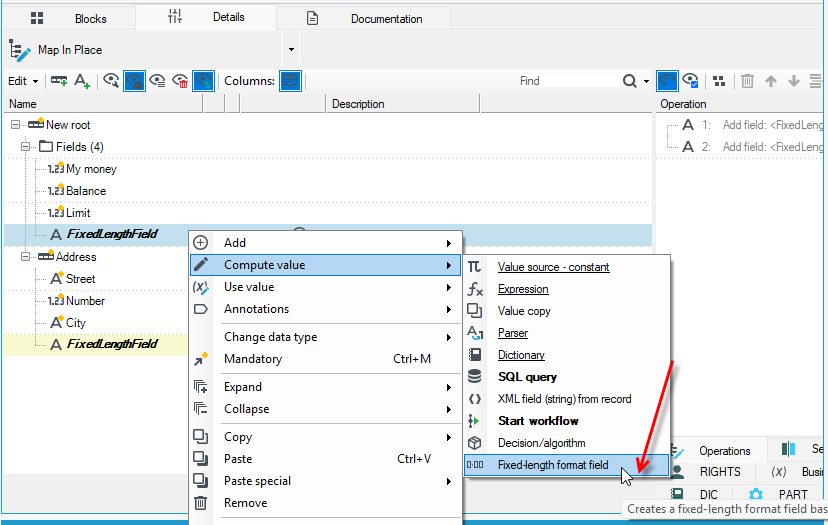
Fixed-length format field creates a fixed-position format field based on the selected record.
- The field into which the resulting fixed-position record will be inserted must be of type String.
- The path to the record that is to be used to format the fixed-position field must be relative (cannot start with a character
\).
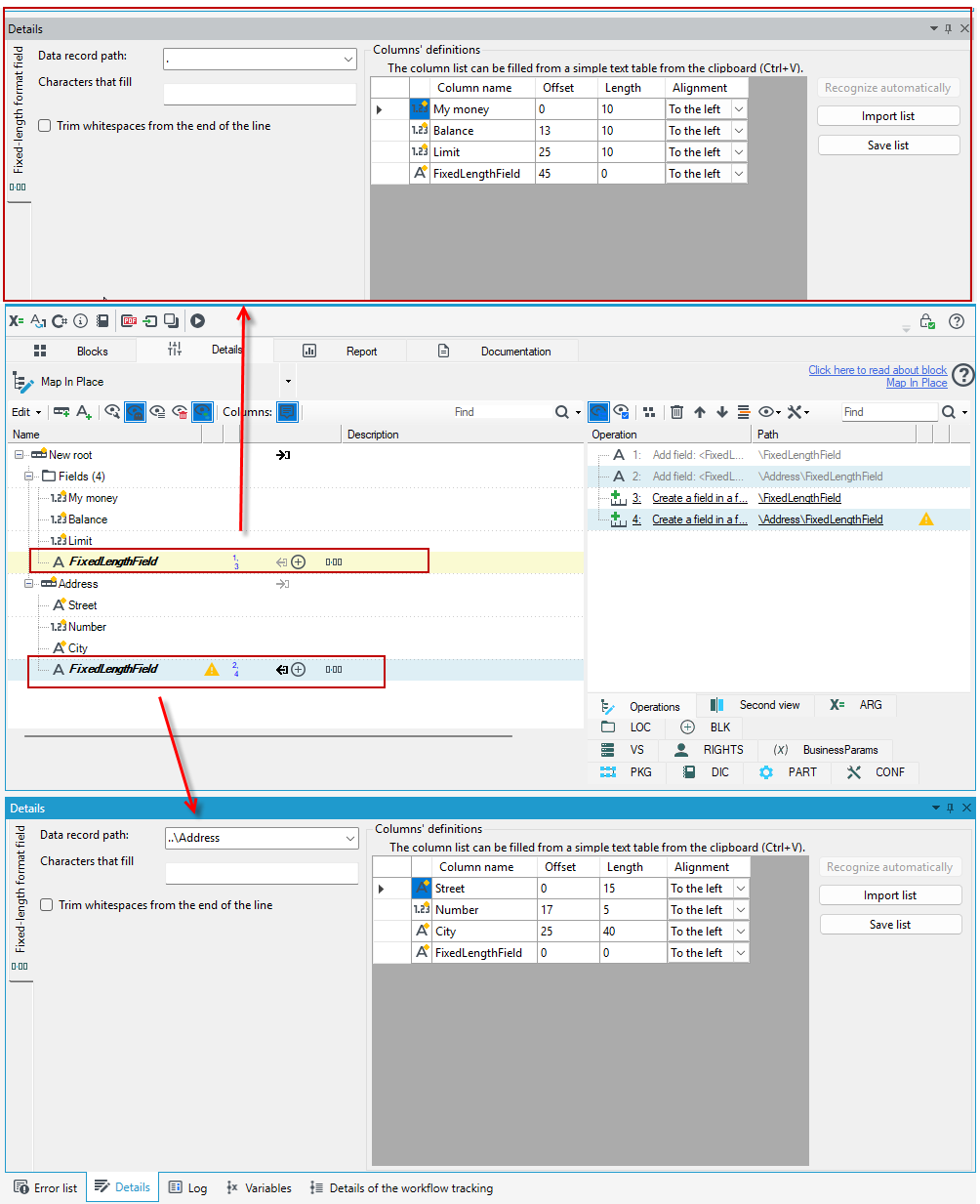
- On the Details tab, specify the length for the field and the offset value, as well as the alignment.
- You can also save the list or load it if you have a previously saved column definition for the fixed-position field.
When using annotations in processing packages, you can preview the data in the Browse Data block to see what the field looks like after applying the annotation.