Flattening structures
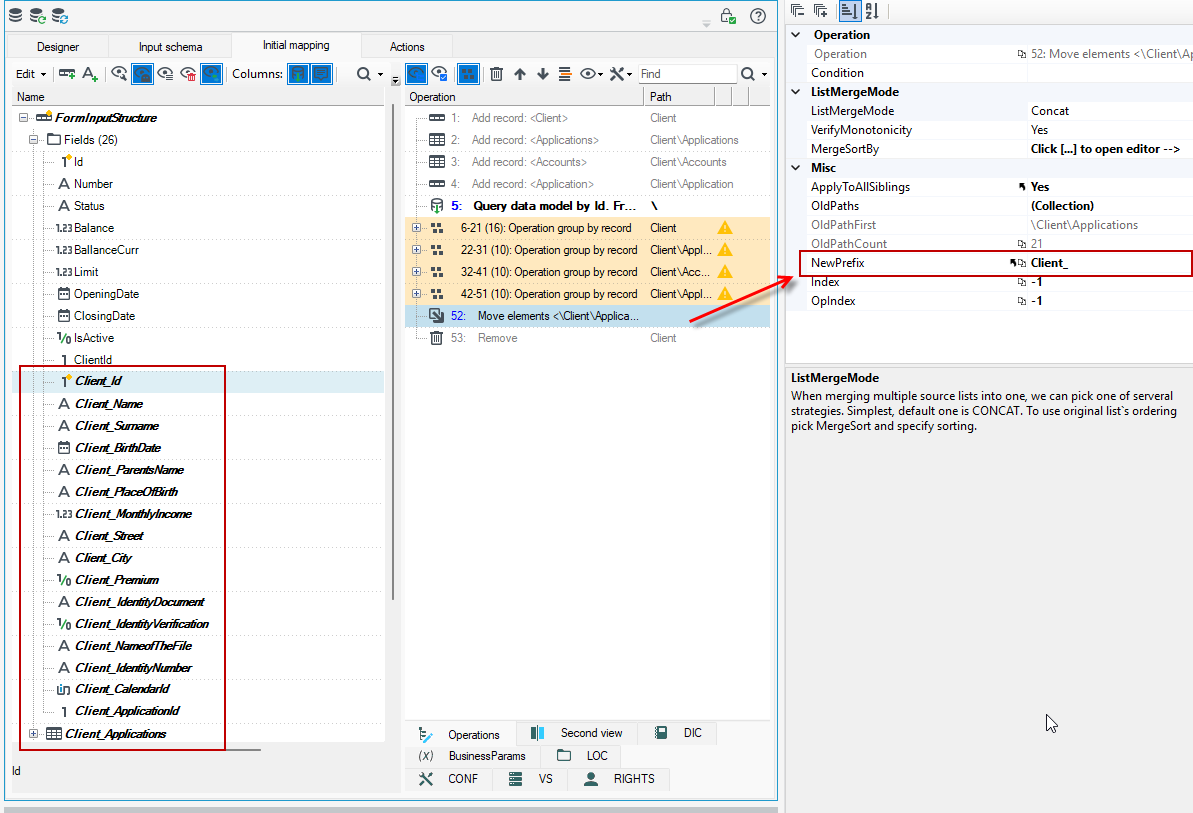
In the case of deleting a single record containing children, the designer will ask if we want to actually delete the record or just move it out of the high structure to keep the children - in that case, before the record deletion operation, an operation to move all children will be inserted with an additional insertion of a prefix that is the name of the element to be deleted.
Such functionality allows you to quickly go from a very elaborate but de facto flat structure to a form that is actually flat and suitable for saving, for example, in a database (without relations) or in a flat file.
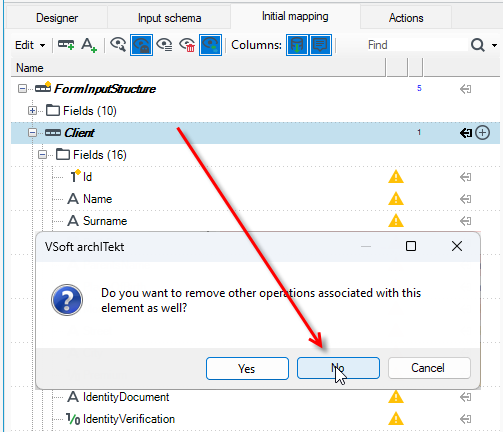
- Select a record and choose Remove from the context menu.
- Select No in the window for removing the record.
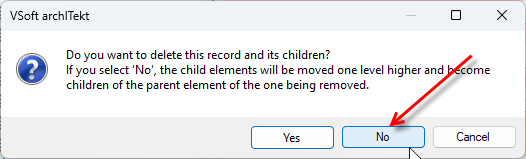
- Select No in the window for deleting the record along with its children.
Then select the move items operation (it comes before the delete operation), go to the Properties panel and in the NewPrefix field you can mass change the prefix for the selected fields.
For records that have been added on the Initial mapping tab and are not from the data structure or input schema, then when you select Remove, a standard dialog box will be displayed to confirm the delete operation. Select No then a target window will be displayed to flatten the structure.