Parse a fixed-length format file
Parse a fixed-length format fileoperation creates a record based on the selected field in fixed-length format.
Operation is used when a single record field contains much data stored in a fixed-length format. This is the opposite of a fixed-length format field annotation.
- A characteristic feature of such field is that the same data in each record is of the same length and is placed on the same offset.
- Operation can be added to the mapper by annotating parsed field with Parse a fixed-length format file annotation.
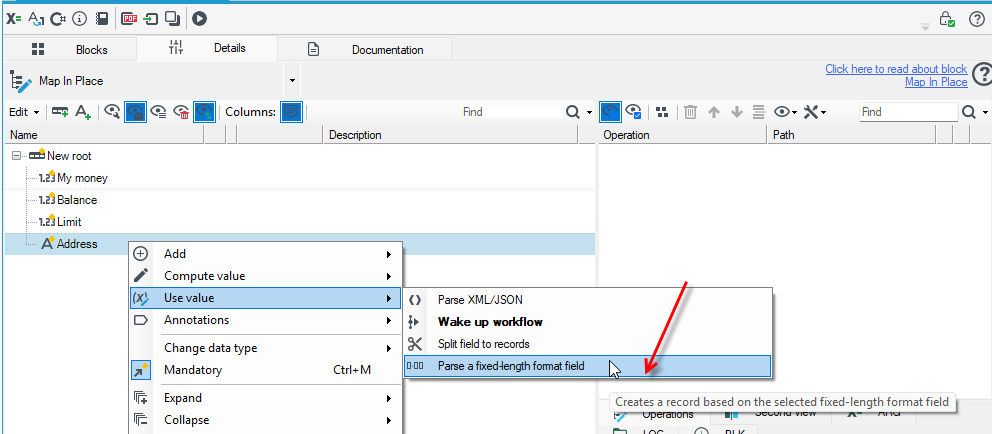
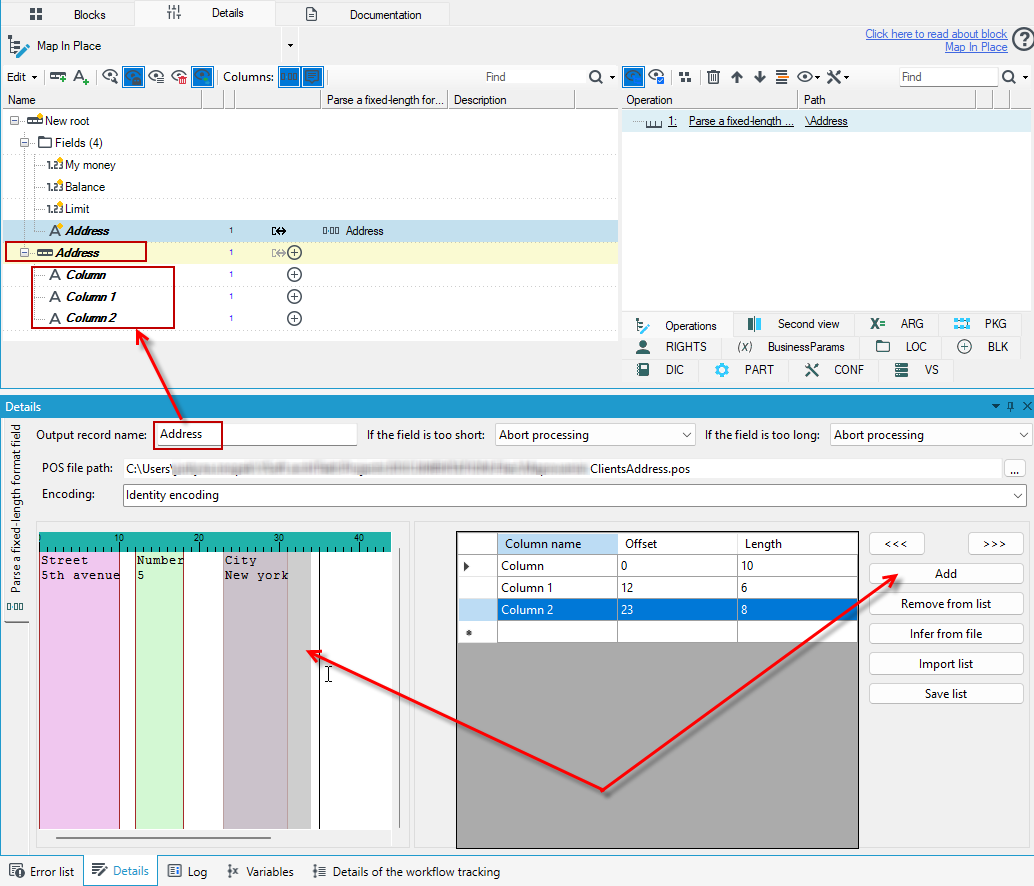
- Operation's details editor allows to define a template, according to which the selected field will be parsed.
- In the left part of the editor, a preview of a file with a similar structure can be displayed, which facilitate defining columns visually. You can load the file in the POS file path field.
- In the right part of the editor there is a table with fields' offsets and lengths of all defined columns.
- You can define data directly in the Offset and Length columns, or select the columns on the left and click the Add button. The column will then be added automatically with values for the length and offset of the field based on the selection on the left.
- Remove from list button allows you to remove the selected definition from the list.
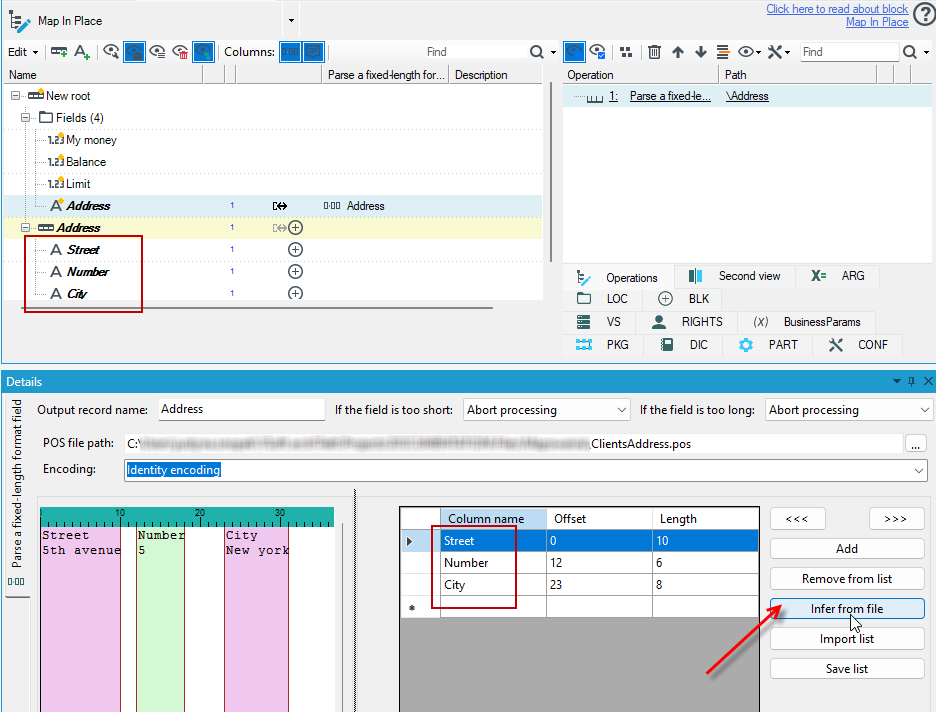
- The Infer from file button allows you to automatically determine the column lengths based on the header of the sample file.
- Import list button allows you to import a predefined list of columns.
- Save list button is used to save the defined list anywhere on the disk.
After defining fields, setting their lengths, offsets, and specifying output record's name, a new child-record holding the data will appear besides the parsed field.