Sort records
The Sort records operation enables sorting child records within one parent record.
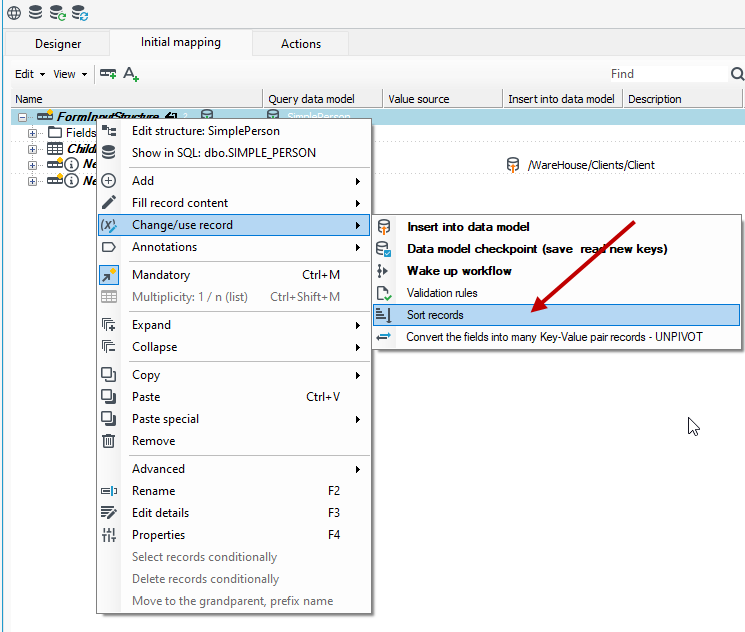
- To sort particular records in a schema tree, they should be marked with a Sort records annotation.
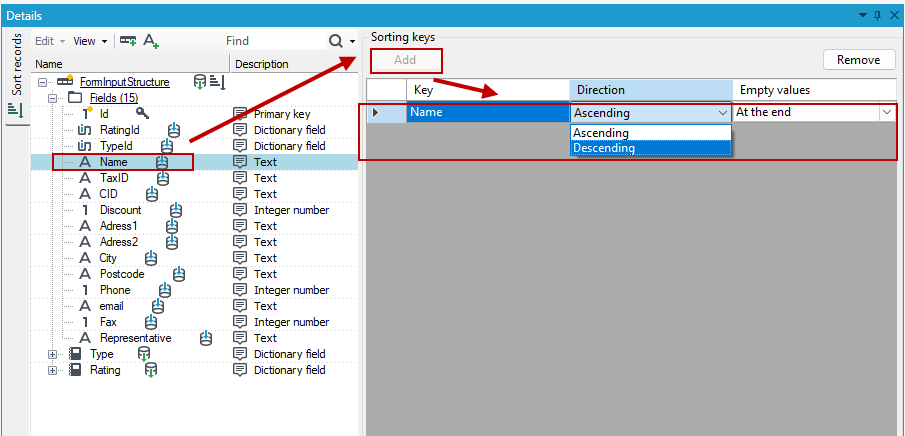
- Next, a key (field) should be selected according to which records should be sorted. A suitable editor will appear after selecting a record in the tab Details editor.
- After any field is selected in the record tree, it may be marked as a key by selecting Add.
- Sort order (Ascending or Descending) may be set for each key. Sorting fields with empty values is also possible.
warning
Key marking order is important, as the fields are sorted by the first key. The fields with the same values are sorted by the second key, etc.
An individual operation does not offer much possibilities but it is perfect for preparing records before the Remove multiplicity or Records selection operations are performed.