Split field to record
The operation Split field to records should be used when a single field aggregates several different data (e.g. PESEL number contains a birth date and a digit indicating sex). The function enables extracting particular data and creates a new record with fields which contain data extracted from the source field.
- In order to use the operation Split field to record you should mark the field of the type String with an annotation Split field to records into records.
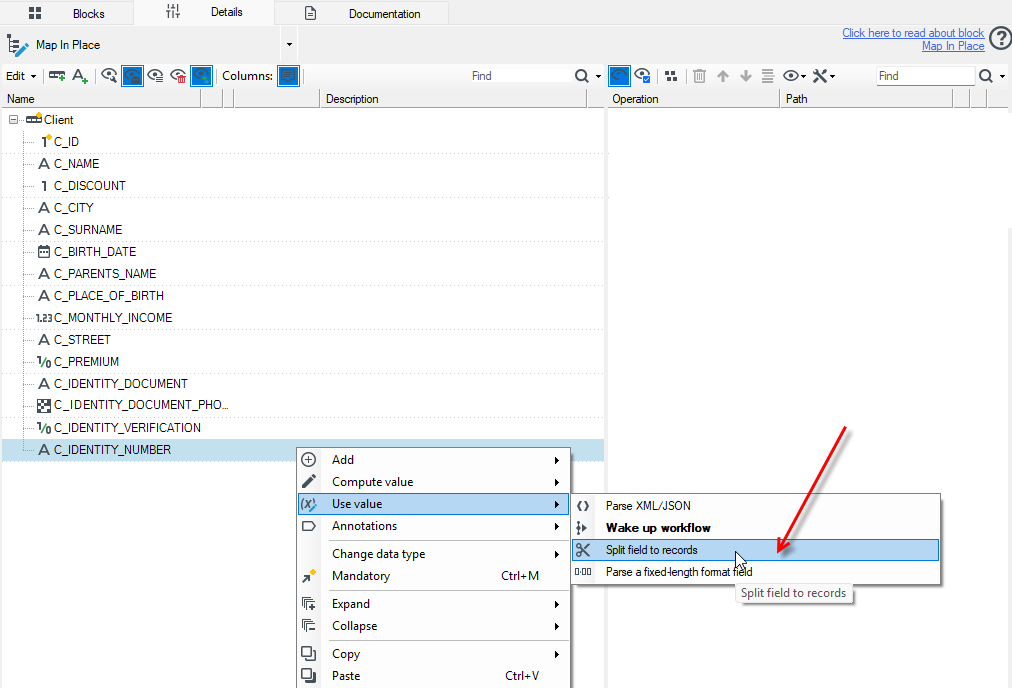
- By default, all operation options are available in the panel Details editor.
The following options should be set so that the operation works properly:
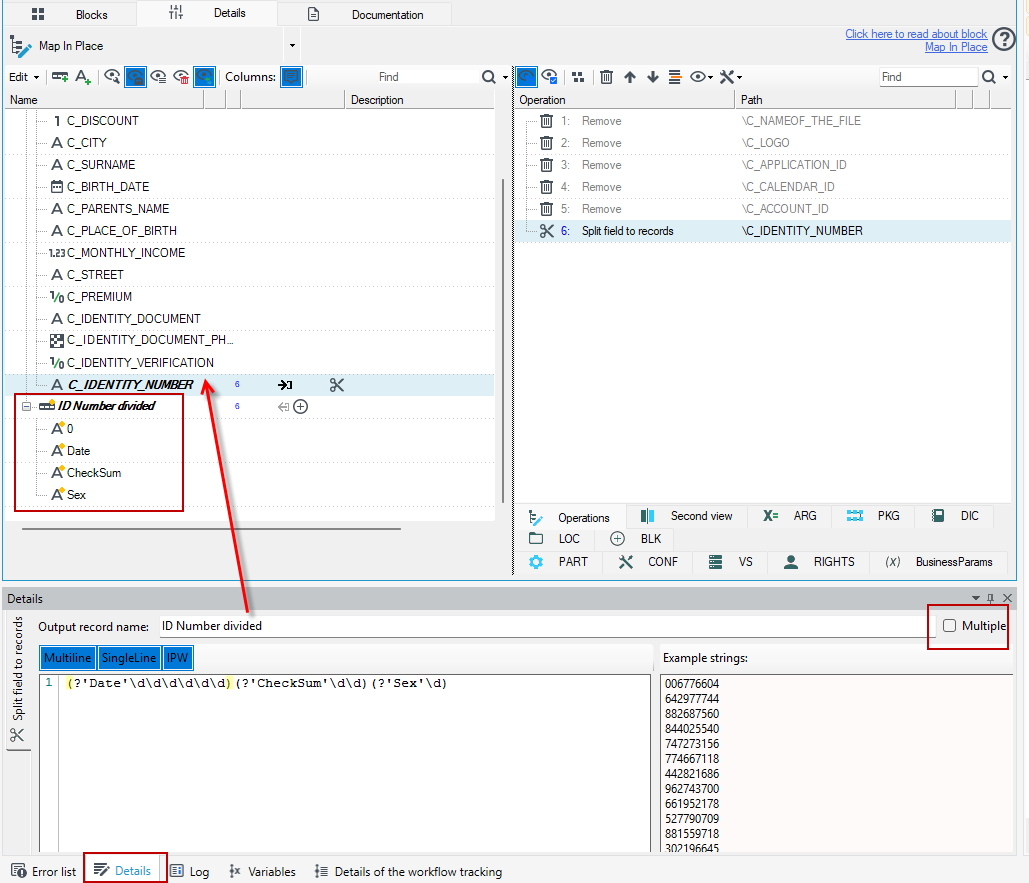
- Output record name that is the name of the record including fields with split data.
- Regular expression - a regular expression with named groups is used for extracting data from the source field; next the groups are changed into fields in an output record. Then, a source field is matched against a defined expression and the results of matching particular groups are saved to appropriate fields in an output record.
- Multiple - if an expression should be matched to a source field only once or until any matches exist.
Example
- There is a data record including the field Identity number
C_IDENTITY_NUMBERIn order to perform e.g. validation, this field should be divided into a date of birth, sex and checksum by adding an annotation Split field to recordsto the field. - The next step is naming an output record and defining a regular expression which divides the field
C_IDENTITY_NUMBERinto the appropriate fields in an output record. - Additionally, the option Multiple should be unchecked as only one output record may be created of the
C_IDENTITY_NUMBERnumber.
See also
Creating an XML field based on a record
Conversion of fields to many records in a form of Key-Value pairs - UNPIVOT