Creating an XML field based on a record
The XML field (string) from record operation allows writing an XML string created on the basis of the selected data record to a selected text field. Such record, with all fields and child records is transformed to a string in an XML format and written to a selected field.
- A string field in which an output XML should be placed should be marked with an annotation XML field (string) from record in order to be able to perform the operation described above.
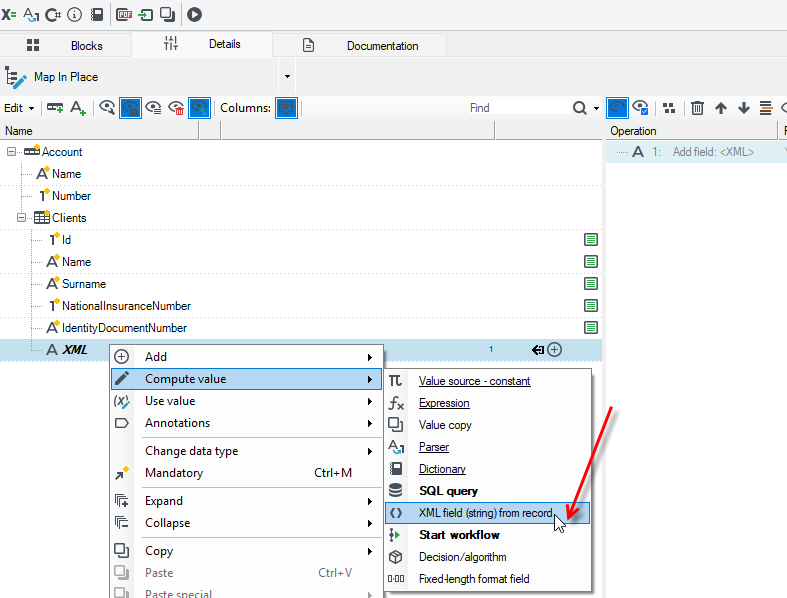
- For a field marked in such way, it is possible to set several additional options in the Details editor.
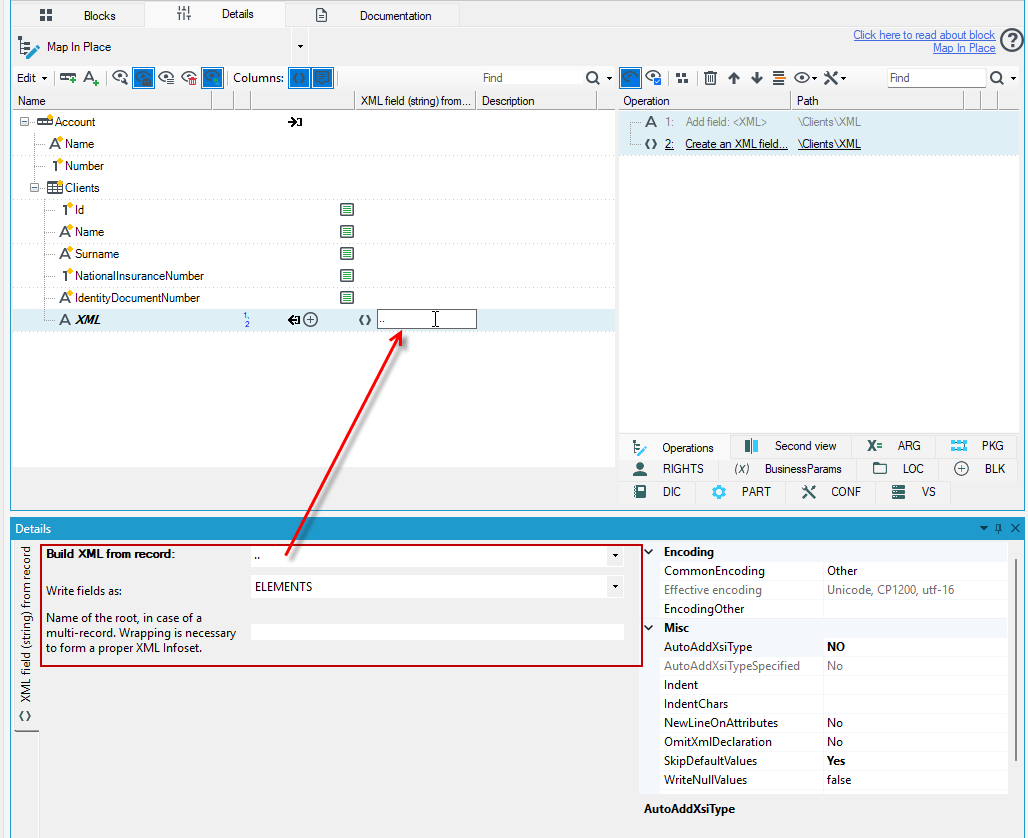
Particular options of creating an XML string from a record are described below:
- Build XML from record - a path to a record to be serialized to an XML string.
- Write fields as - allows deciding whether the fields in records are written to xml as elements or as attributes.
- Name of the root - if a record serialized to xml is a multiple record, the option allows determining an xml root (main element) name.
- Omit XML declaration - whether a heading (string
<?xml version=”1.0” encoding=”…” ?>) should appear at the beginning of each xml string.
In the following case, data for the XML field will be generated from the Clients record, from the same one in which the XML field is located, hence the path to the record is indicated as ..
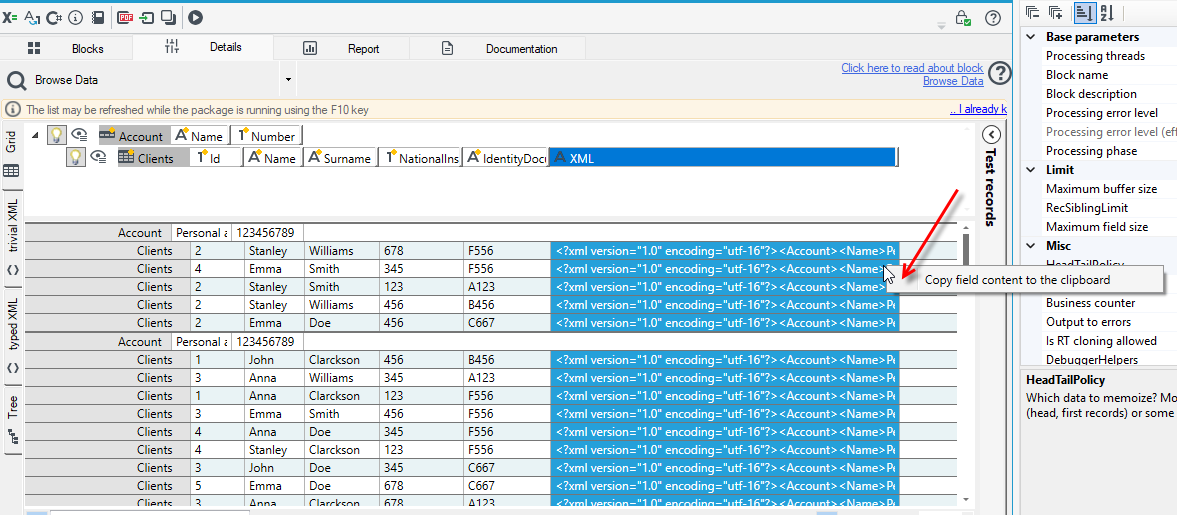
In the case of processing packages, you can see the generated XML in the field using the Browse Data block.