Required schemas validator
A mapping (Map in place and SMC) designer has a very useful function which enables validating a data schema according to a required schema. It facilitates working with elements which enforce a certain record schema, e.g.
- a table in a database has columns to which other fields cannot be entered if a schema has not been changed previously,
- the form of a record on XML output is usually defined by XSD schema.
In the above-mentioned situations, the required schemas validator is automatically activated. It may also be activated using a dedicated annotation in which the name of the required schema should be given. The schemas available may be defined in the panel Schemas, in the tab Required schemas. It is also possible to load a schema from a disk or a pattern (a special subdirectory with schemas).
For example:
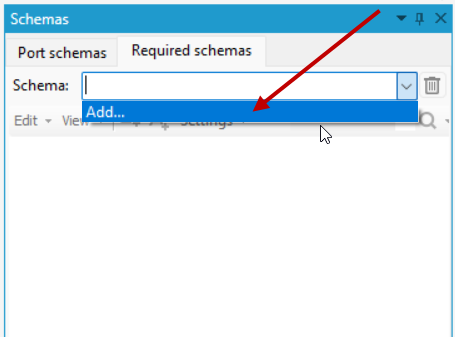
- Activate the Schemas panel (select Schemas from the View main menu) and go to the Required schemas tab.
- Expand the Schema field and select Add ...
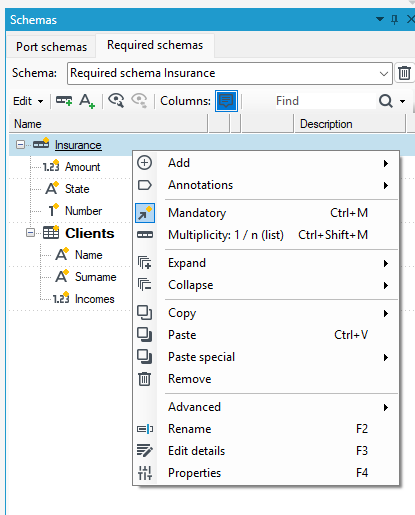
- Add fields, records, etc. to the data schema. Use the context menu. You can also add annotations to fields and records.
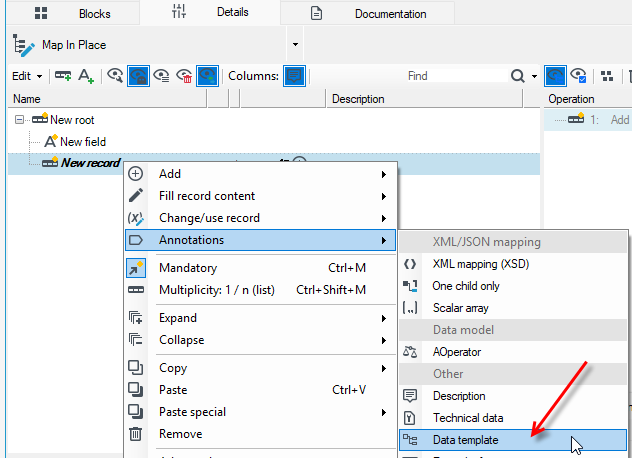
- Now go to the data schema example on the Map in place block and add some fields. Select a data record and from the context menu add an annotation for the record Data template.
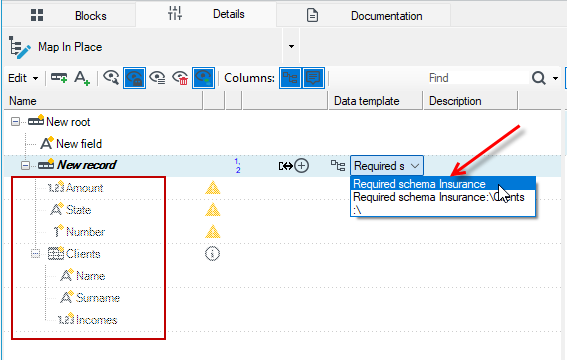
- After adding the annotation, select the required schema you want to use from the drop-down field. The schema will be added along with the fields that are missing from the block data schema relative to the required schema.
- Defined required schemas have their own settings. Pay special attention to matching elements not by common names, but by XML names (the contents of the Mapping to XML annotation), which should be enabled when building fragments of large XML structures created from XSD schemas.
The logic of required schemas offers:
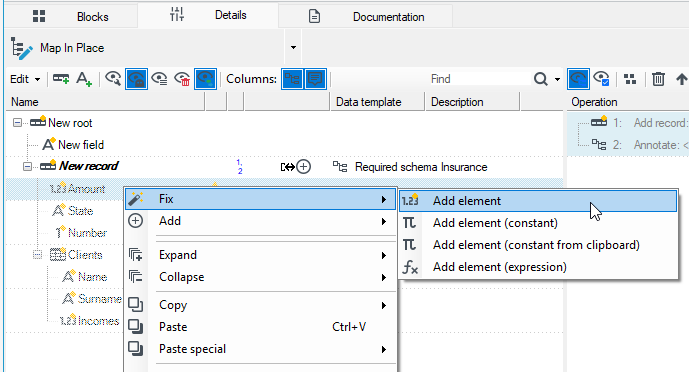
- drawing missing elements in the schema tree (ghost elements drawn as if they were behind a grey grid),
- a possibility of dragging existing fields on these elements and filling them in,
- Fix - a context menu element which offers correcting operations (deleting, changing a name into an allowed element, completing a required annotation),
- highlighting redundant elements.
A skillful use of the required schemas controller results in significant decrease of the number of clicks necessary for performing a task.