Entity Framework model integration checkpoint operation
The operation allows you to invoke on-demand synchronization with the EF model - saving the accumulated changes and getting the values of possibly newly created record keys.
The operation cooperates only with:Entity Framework data model query operation.
For example:
- Added a new record to the data schema by using the Insert operation to the data model. For more see: Inserting a record into the data model.
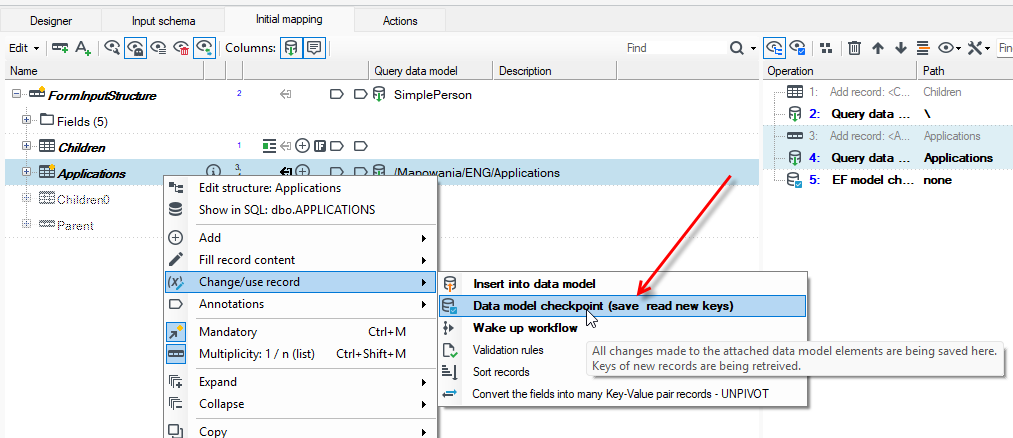
- Select the record and from the context menu, choose Change/use record>Data model checkpoint (save read new keys).
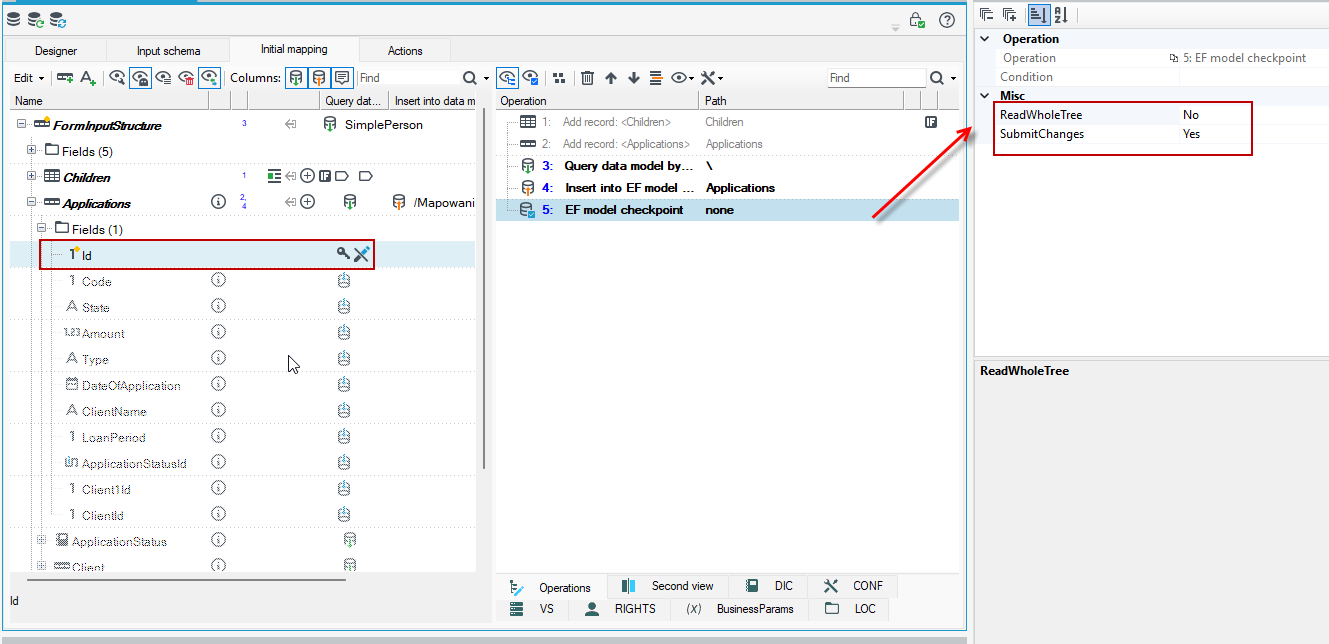
- As a result of the operation, the Primary key has been added to the data schema.
- In the properties of the operation, you can change the Yes/No options:
- in the ReadWholeTree field - specify that related records are physically read only the first time the values in them are used (lazy load).
- in the SubmitChanges field - a value of No will disable communication with the database at checkpoint - changes will only be pushed into the EF model without performing
UPDATE/INSERT/SELECT