Entity Framework data model query operation
The operation allows you to get data from the model and associate it with newly created records and fields.
Reminder: we define the elements of the data model in the data structure editor (EDMX). See Creating a new structure
The operation is placed on a data structure record and requires indicating the model structure to which we are directing the query. In our example, it will be SimplePerson.
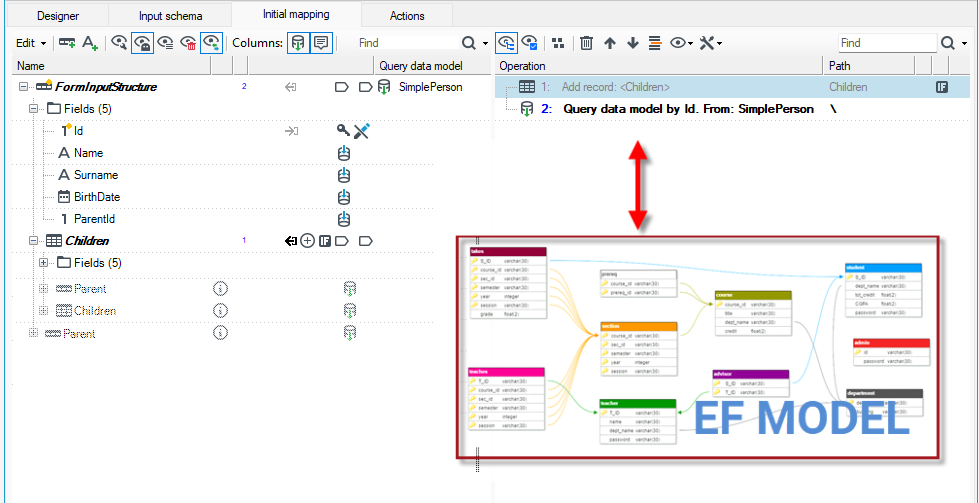
Schematically, the operation adds to our structure the fields occurring directly below the model structure (except for binary fields), as well as dictionary and substructure (group) records.
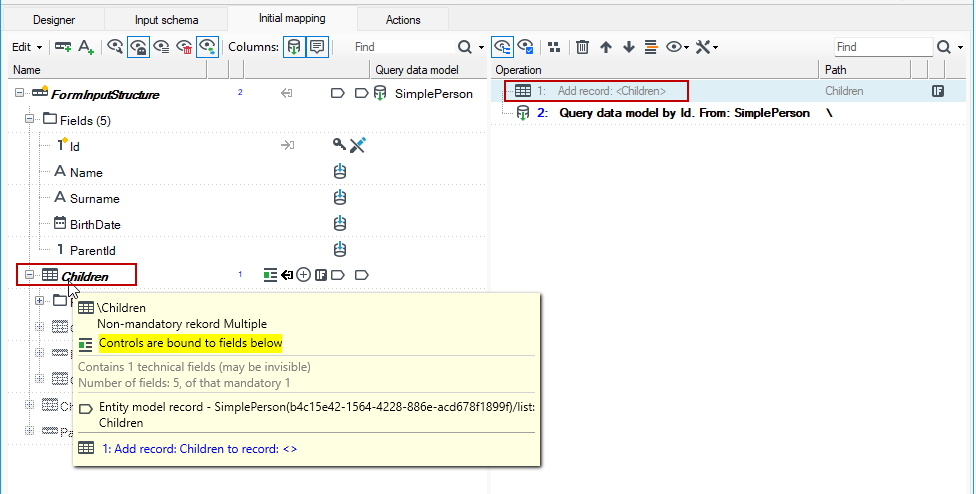
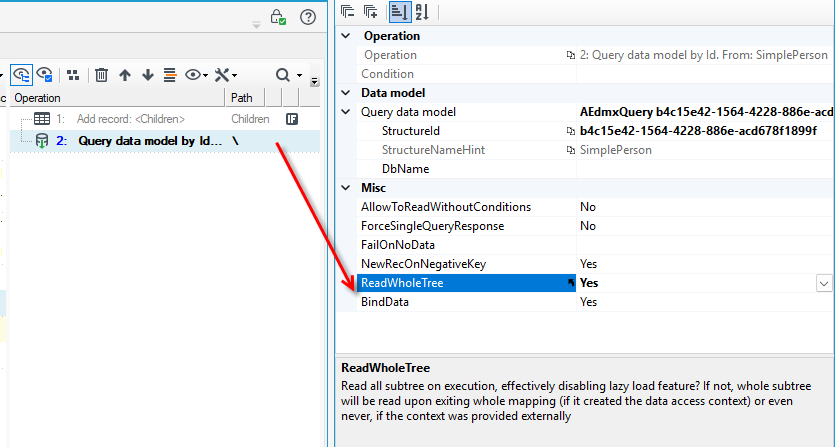
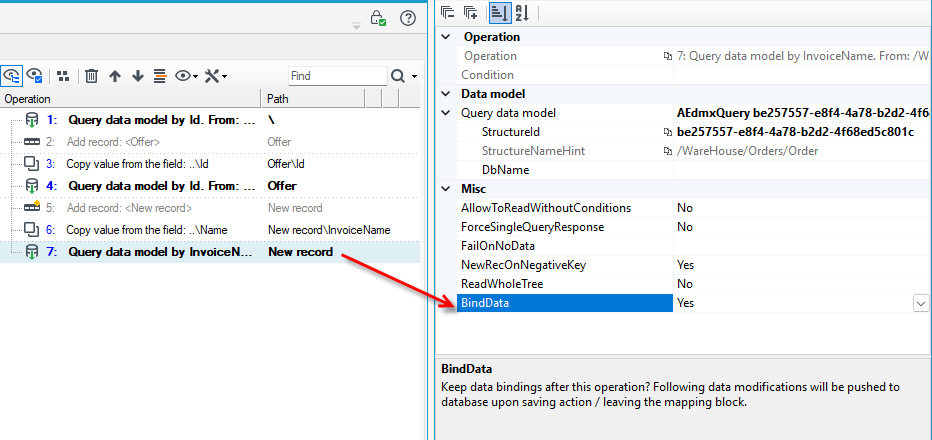
In the example below, the Query data model operation is placed second in the list of operations on the right. However, operation 1 adds an empty record, which requires the Query data model operation to also load a related list named Children. If we add such an available relationship record by right-clicking on some ghost record, it is automatically pulled out before the Query operation.
- Related records and binary fields appear as hints (ghosts) and to load them you need to add them in the context menu: Fix>Add element.
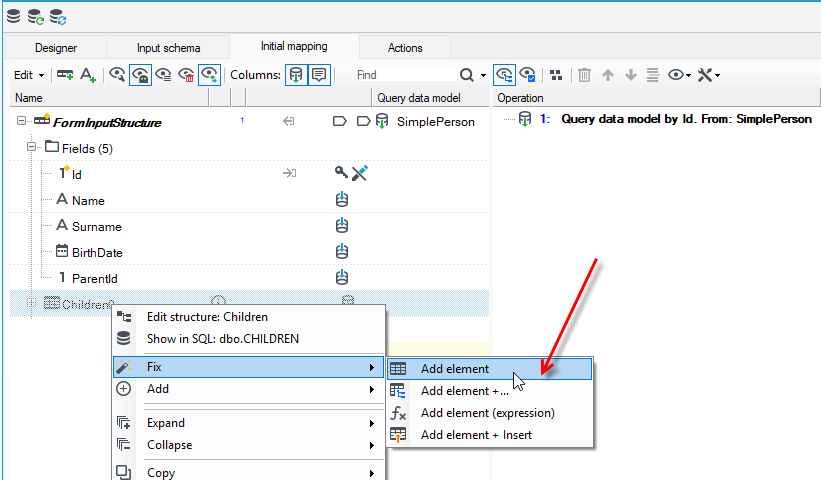
- This will move the operation of adding records/fields ahead of our Query data mode l operation, which will be interpreted as a command to append data at the time of reading - the Children record in the figure. For more on adding binary fields of lists and substructures, see Adding lists, relationships and binary fields.
Properties of operations
Related records are physically read only the first time the values in them are used (lazy load). This means that marking records to be read "out of the box" should not cause negative performance effects - they will not trigger unnecessary SELECT queries. The delayed loading described here can be turned off with an option in Properties - then the entire marked data tree will be loaded when the original operation is performed.
- Select the operations and on the Properties panel, select the Yes/No option in the Read WholeTree field.
During data processing, the operation performs a reading from the model according to the specified criteria. Most often it will read according to a single numeric field named "Id" which is a simple primary key in a SQL table. Exactly this form (a record with a single "Id" field) has the input data schema of the web form, which, combined with the read operation described here, leads to the desired result of reading a single record from the database. Therefore, it is important to specify a primary key when reading other tables from the database.
For example:
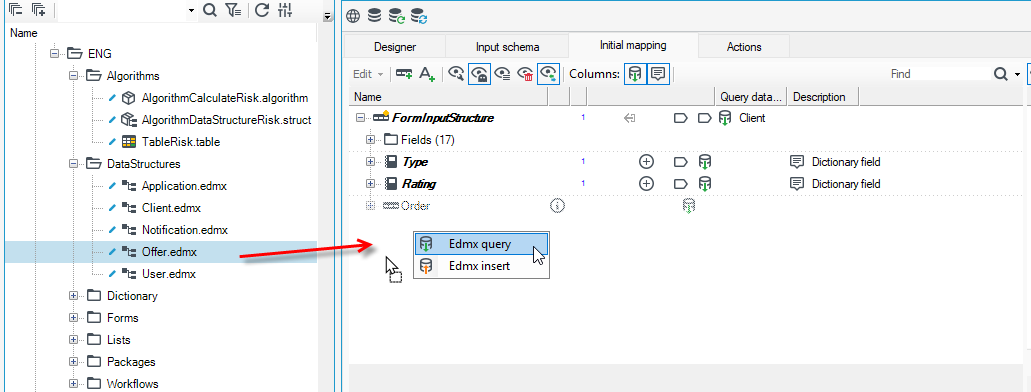
- Select a data structure from the version server and drag it onto a empty space in the data schema.
- Select Edmx query from the context menu.
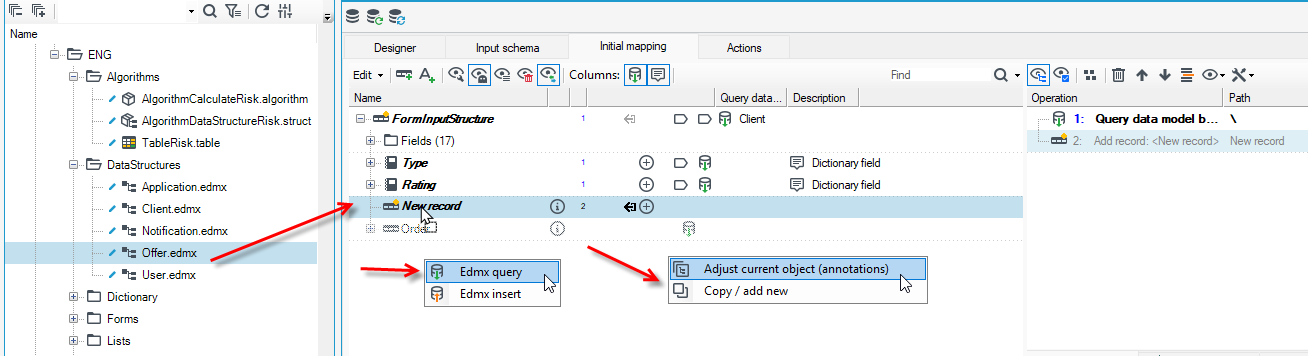
- If you created a new record and draged the data structure onto a record, then in the next command select one of the options:
- Adjust current object (annotations) - Changes only the annotations (or adds new operation), keeping the original name and type. NOTE: Allows simultaneous adjustment of several elements by a 'reserved' operation: drag the elements you want to change onto a template element (it can be either a real element or a 'ghost').
- Copy/add new - make a simple copy of one element and insert to another tree.
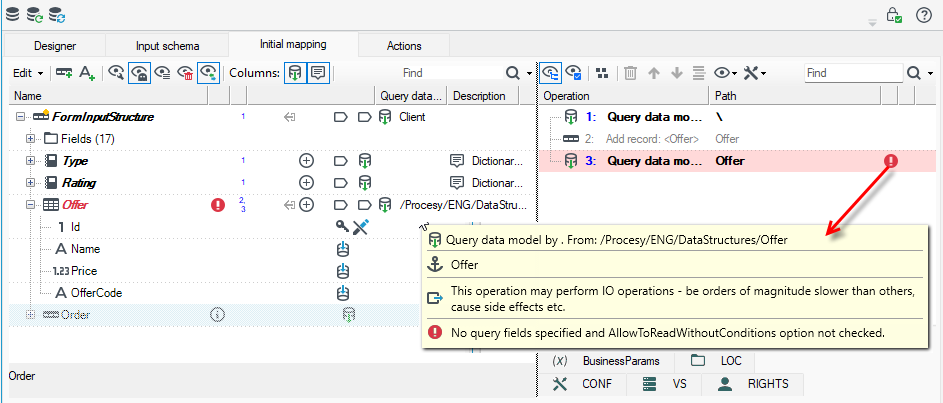
- In the list of operations, you will see a warning that no criteria have been specified for the query.
- Drag the Id field from FormInputStructure to the Id field from the table you want to read into the form. From the context menu, select Set as the value source.
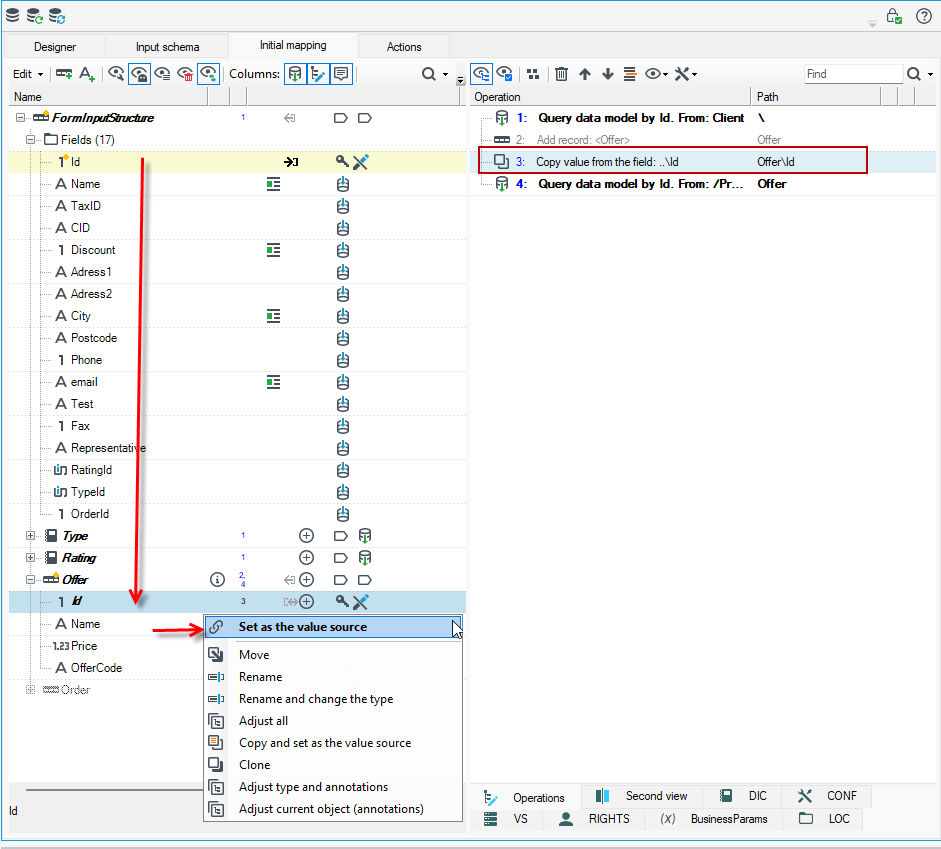
- After executing the action, an annotation has been added to the Id field to indicate the source of the value and the multiple record has been converted to a single record, as the Id field is a unique field therefore 1 record from the database will always be read.
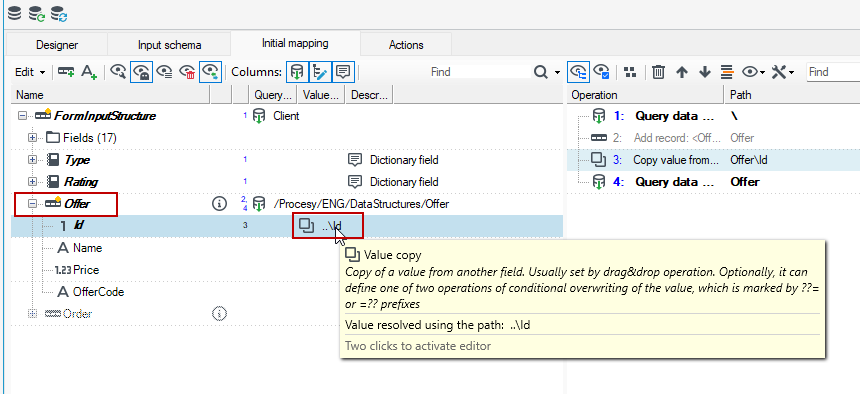
The search criteria can be changed and expanded by adding appropriate fields and possibly annotations Comparison. The model field existing before the read operation is interpreted as another field of the query predicate.
In the case of a primary key query, the operation "knows" that the tuple of the result will be "1". When using other criteria, querying by another field, the operation no longer has such certainty and the tuple of the record will be "many". If we are sure that always our operation will return no more than 1 record, we can declare this in the properties of our operation and save ourselves from having to handle the possible multiplicity further in the system logic.
For example:
- Add a new record in the data schema, load a table from the database.
- Set the search criterion on a field other than the Id field.
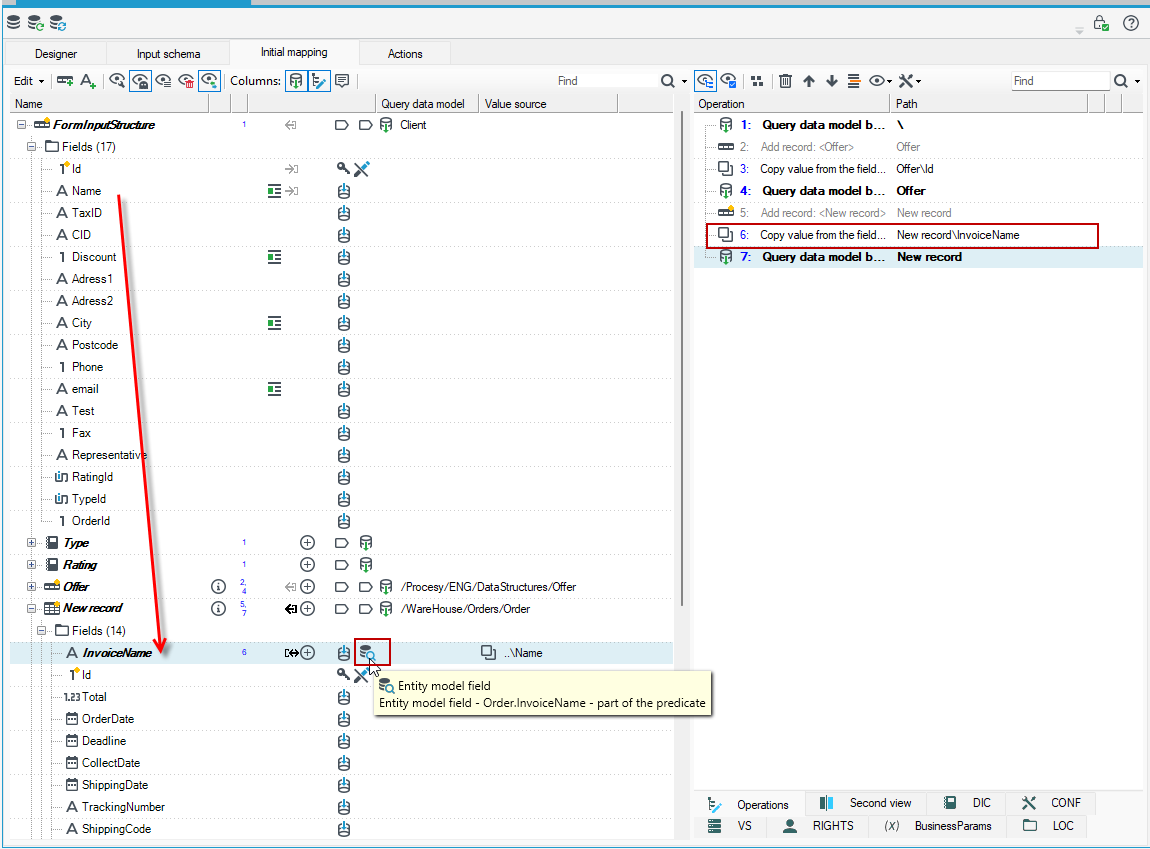
- Drag the Name field from FormInputStructure to the InvoiceName field and select Set as the value source from the context menu.
- The record will not be changed to a tuple and you will see an additional message (an icon with a magnifying glass) that this field is our search criterion in the database.
- The order of operations is also important. The operation that defines the data search criteria in the database comes before the query operation on the data model.
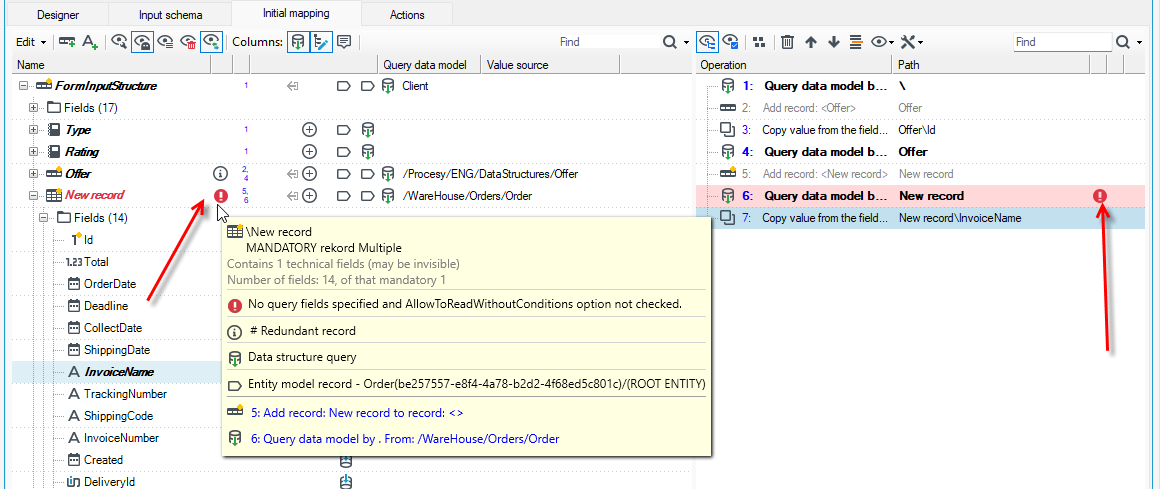
- If you change the order of operations, the system will report an error that the condition for selecting data from the database has not been defined, because according to the list of operations, the query is executed first (operation 6) and only then is the operation of defining the criteria for searching data from the database executed, which is an error. To correct the error, simply move the operation to the appropriate place on the operation panel.
- If you want to change the record's multiplicity, select the operation and on the Properties panel select Yes/No in the ForceSingleQueryResponse field.
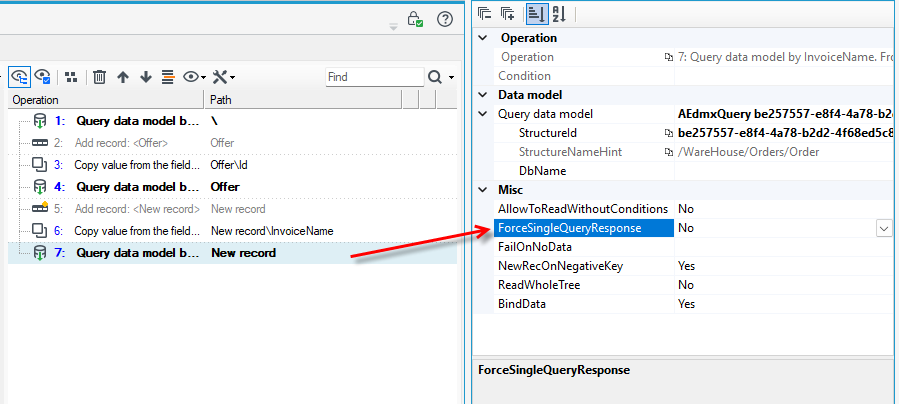
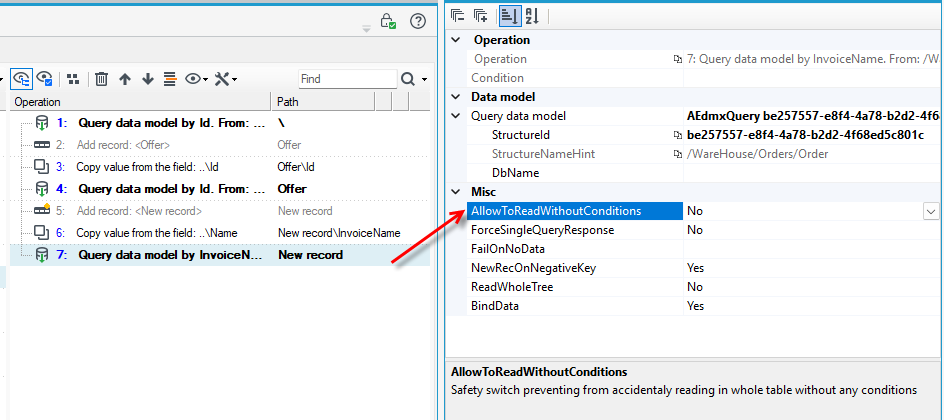
It is possible to query the data without any criteria. This is a rather heavy and dangerous operation for large tables, so such an operation requires enabling the option in Properties - a kind of confirmation by the designer that he definitely knows what he is doing.
- On the Properties panel, select the Yes/No option in the AllowToReadWithoutConditions field.
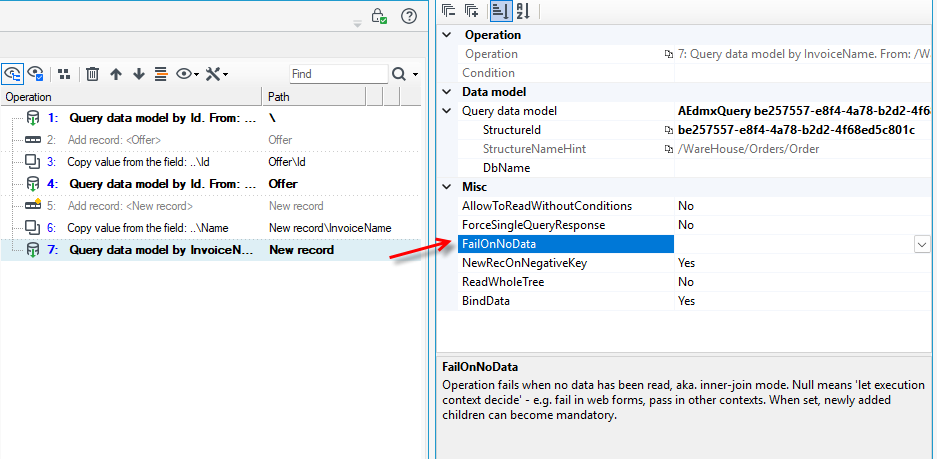
The requirement for the resulting record (or list) is disabled by default - the operation will not report an error if the data is missing. It is possible to change this behavior in the properties of the operation - the record will be required, but at the cost of an error during the operation if the record is not found.
- The option on the Properties panel FailOnNoData.
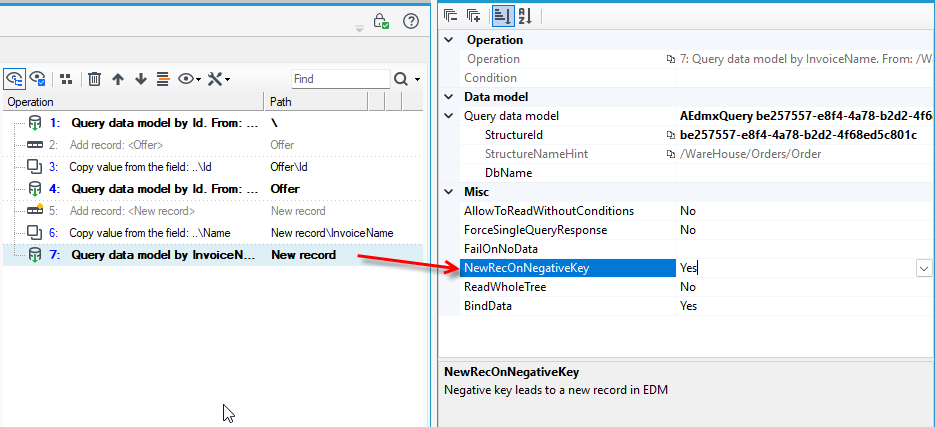
The basic scenario for the use of the described operation is web forms, in which a negative value of the primary key causes (at the time of saving the data) the execution of adding a record to the model (and, as a result, the relevant INSERT commands). This behavior is enabled by default, but can be disabled with an option in properties.
- The option on the Properties panel NewRecOnNegativeKey.
Two-way binding to the model
Data read by the described operation creates a short-lived two-way binding between the model and the records of the data structure. The scope of this binding is the entire request-response life-cycle (in the case of a form, including jumps in workflow and user code, if any). In the case of bulk processing blocks, this coverage includes a single mapping block. There is also a special EDMX checkpoint operation that causes a synchronization to be performed with the data model and retrieves the values of newly created keys. For more see Entity Framework model integration checkpoint operation.
The binding causes all changes to the bound fields to be written to the data model when a form data record is executed (or at the end of a "bulk" mapping block), which will trigger the appropriate UPDATE commands in the database. Such binding can be disabled in the properties of the operation, if necessary.
- You can change the option on the Properties panel in the BindData section.
Another method of getting data in a mapping operation is: SQL query operation.
There are other methods for reading complex data in processing packages, which have different requirements and operating characteristics:
- reading denormalized data with commands containing joins (JOIN) and subsequent normalization to trees,
- using query blocks and reading from the database (LoopJoin) or concatenation of sorted streams (MergeJoin).
Example:
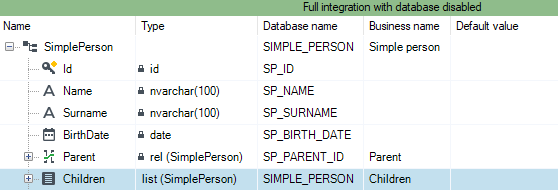
We have a simple, recursive data structure representing persons:
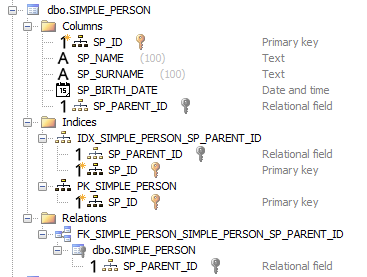
In the database, our structure will look like this:
Suppose we have several records in a table arranged conceptually into the following tree:

.. and we want to get a data structure and records looking more or less like this using the described operation:
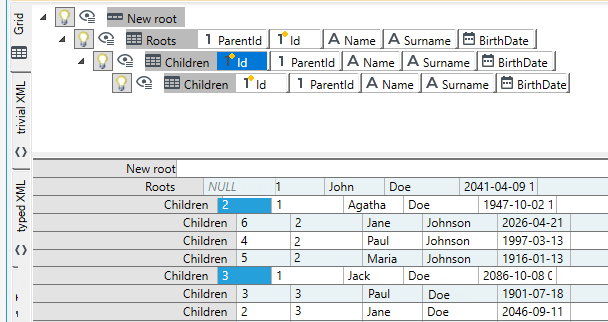
Let's also assume that we do not want to execute our query directly in the root of the structure (there is no obligation to do so), but one level lower.
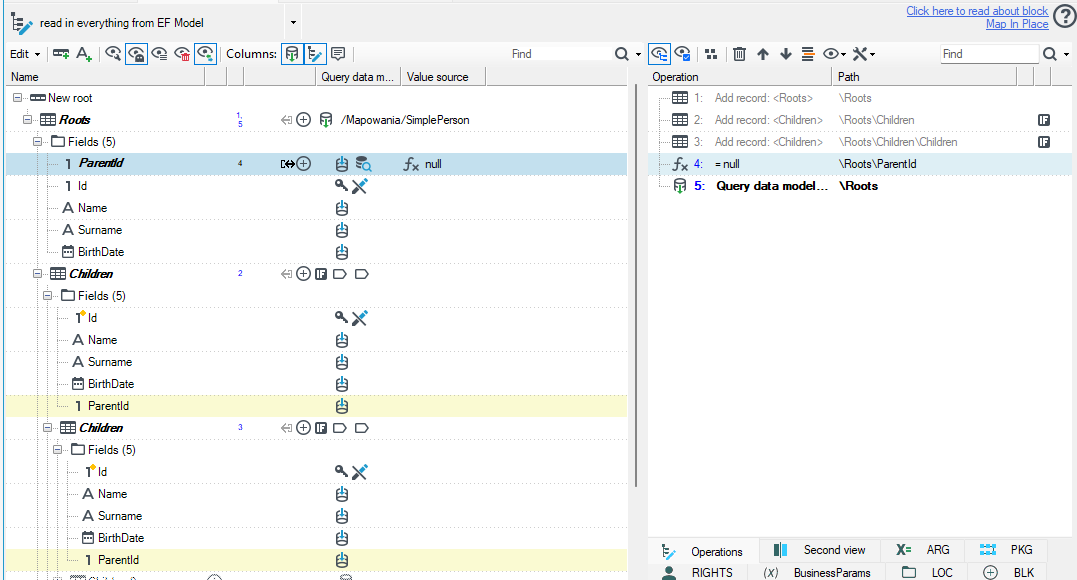
- To do this, we add a Roots record and attach to it the operation of querying the SimplePerson structure of the Entity Framework model. This can be done from the context menu of the record, you can drop our structure from the Version server and choose the query command.
- We then mark on the Children record prompts two levels to include for loading into our record.
- We also mark the ParentId field to exist and have an empty value (an expression), which will result in the root of our data containing only records with an empty value in the ParentId field.
We should get the following layout of the mapping operation: