SQL query operation
The operation allows querying any relational database with arbitrary SQL queries, which makes it possible to realize scenarios beyond simple bindings of records of the basic database model.
These queries can calculate any aggregates (e.g. COUNT, MAX, etc...), perform joins according to criteria beyond defined relations (foreign key type constraints), call procedures and functions, and so on. By applying a series of several SQL operations to different databases, we can, to some extent, achieve the effect of concatenation from different physical databases.
The operation is a combination and narrowing of the data read functionality available in the mass processing blocks titled Loop join and Database Reader (read data from the database) - it does not provide the possibility of using asynchronicity and additional threads.
By default, our operation is connected to the main database plaform DATA or CONNECT_STRING In the properties of the operation we can indicate another database.
- Go to the data schema add a new record, and then select the Fill record content>SQL query option from the context menu.
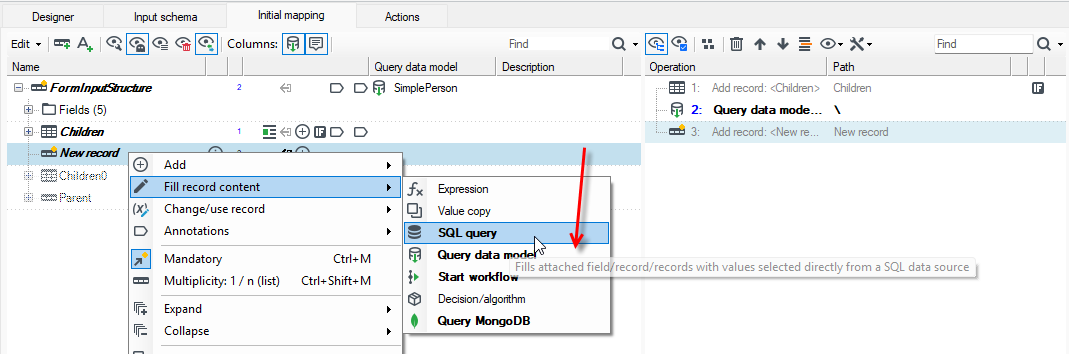
- The content of the query is specified in the Details panel. The editor is equipped with SQL content prompting based on the recognized database structure visible in the Databases panel.
- The fastest method of creating SQL is to frequently use Ctrl+Space to invoke another prompt.
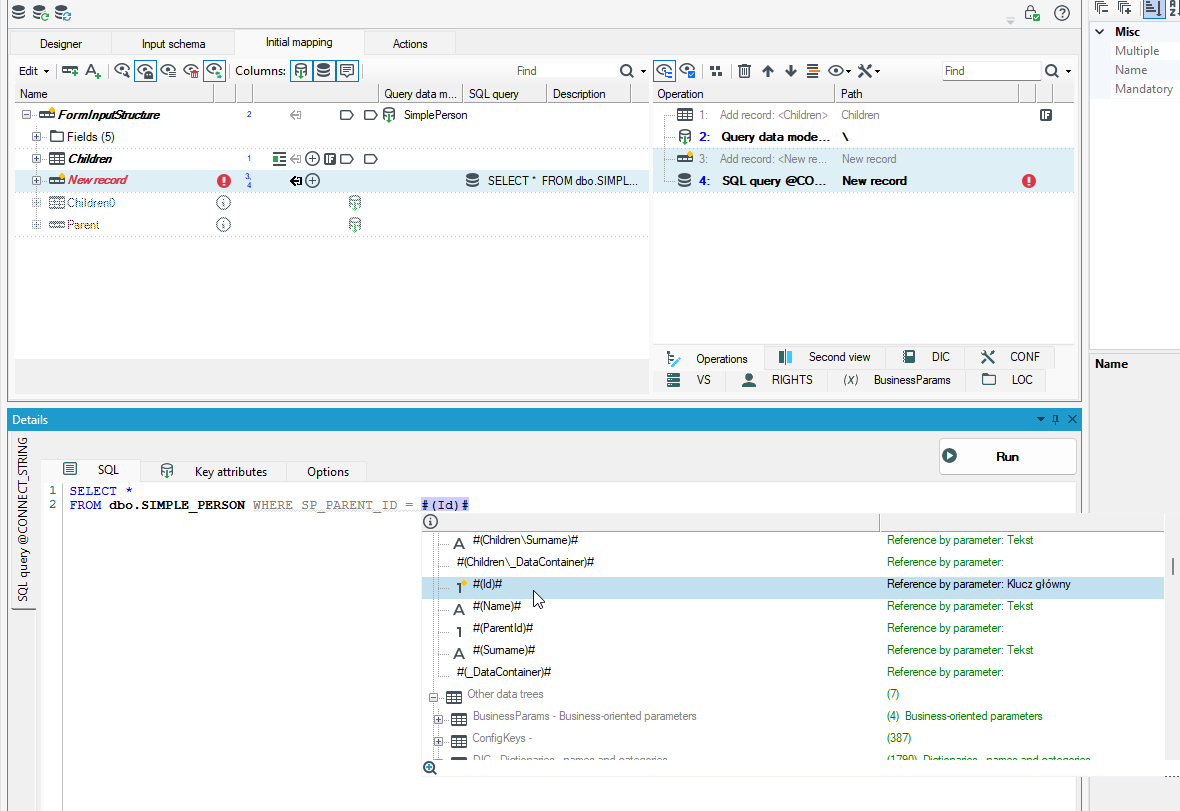
- As you can see in the figure, the query can be correlated to existing data in our structure.
- Referencing by "single hash" and parentheses will result in the use of a parametric, highly efficient, compiled SQL query and is recommended in most cases.
- Referencing by "double hash" will perform a textual substitution in the body of the query before it is sent, which makes it possible to parameterize, for example, a schema name, a part of a table name or inject other SQL fragments, such as hints.
- Any change to the query content requires selecting the Run action in the Details panel, which downloads the new result schema. Operations with changed query content without refreshing the schema will report a warning during design.
An SQL query operation can be connected either under a single field of a structure or under a record.
If connected under a field, our query must return a single value. Attempting to retrieve a result with multiple columns will generate an error at design time. Generating a result with multiple rows will lead to a runtime error (or warning).
Connecting an operation to a record allows us to query for multiple rows and columns.
A query operation can try to take control of the record to which it is connected if it does not contain any fields. Then the tuple of our record will change to "many" and the requirement will be disabled.
- If we are sure that our result will be limited to at most one row, we can enable in the properties of the operation the option to force a single result. This will result in a single record in the data schema.
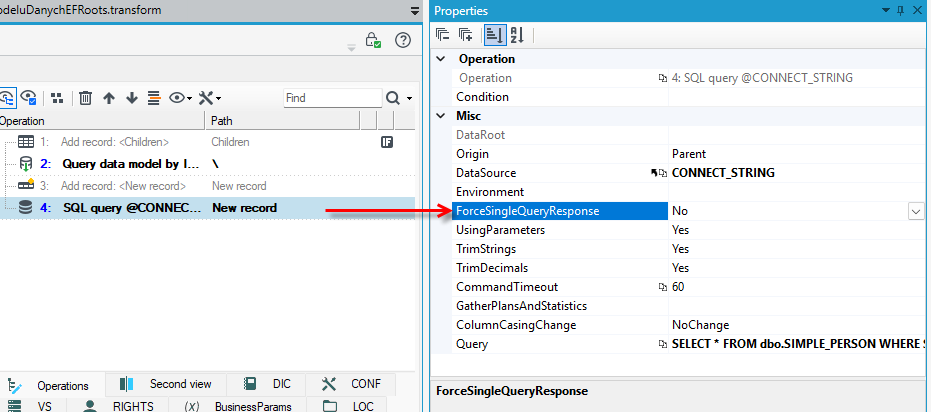
- By default, the operation associated with the record allows you to correlate the query content with the parent record of our structure (usually our record at this stage has just been added and does not contain any fields). This allows you to use “nice” paths that do not always start with an ‘up’ transition, i.e.,
..\ - However, if we want to load at most one row of results with a query and fill in the current data record with its columns (and correlate the data to the content of that record rather than its parent), we can do so by switching the Origin option of the operation from Parent to Here.
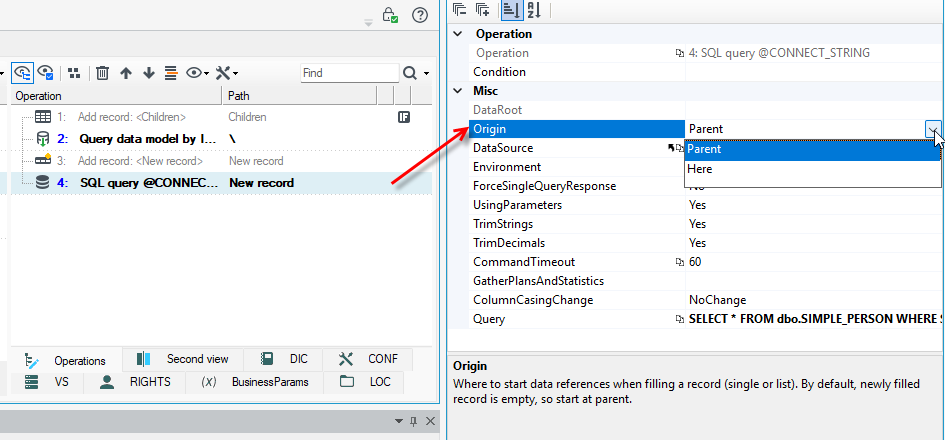
- If we suspect that our query may require tuning on the target data, we can enable the retrieval and logging of query plans (access plan / execution plan) in the options. This will log the expected plan and the actual plans for records 1, 10, 100, and 1000 (if they differ from the previously logged plans). Reading the logs later will allow us to optimize the query content very effectively.
- The other operation options allow you to simplify working with unusually behaving database engines – normalization of decimal numbers, trimming white characters from the beginning and end of strings, forcing lowercase/uppercase letters in the result schema.
Another method of retrieving data within mapping operations is: Query operation to the Entity Framework data model.
There are other methods of reading complex data in processing packages, with different requirements and operating characteristics:
- reading denormalized data with commands containing joins (JOIN) and subsequently normalizing it into trees,
- using query blocks and reading from the database (Loop Join) or merging sorted streams (Merge Join).
Example:
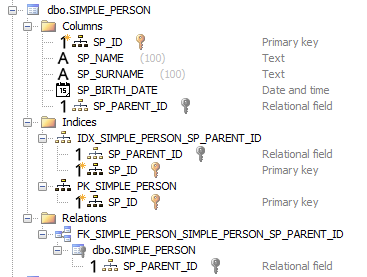
- We have a simple, recursive data structure representing people. In the database, our structure will look like this:
- Let's assume that we have several records in the table that conceptually form the following tree:

- Using the described operation, we want to obtain a data structure and records that look something like this (with accuracy to Children / direct children / grandchildren).
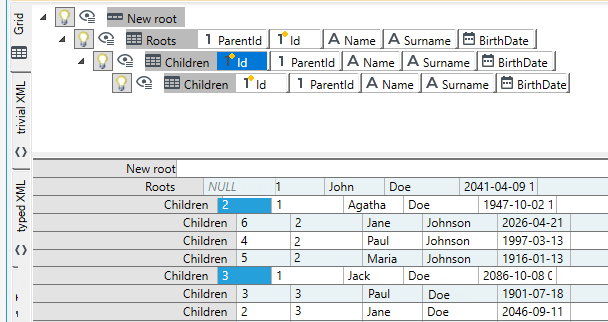
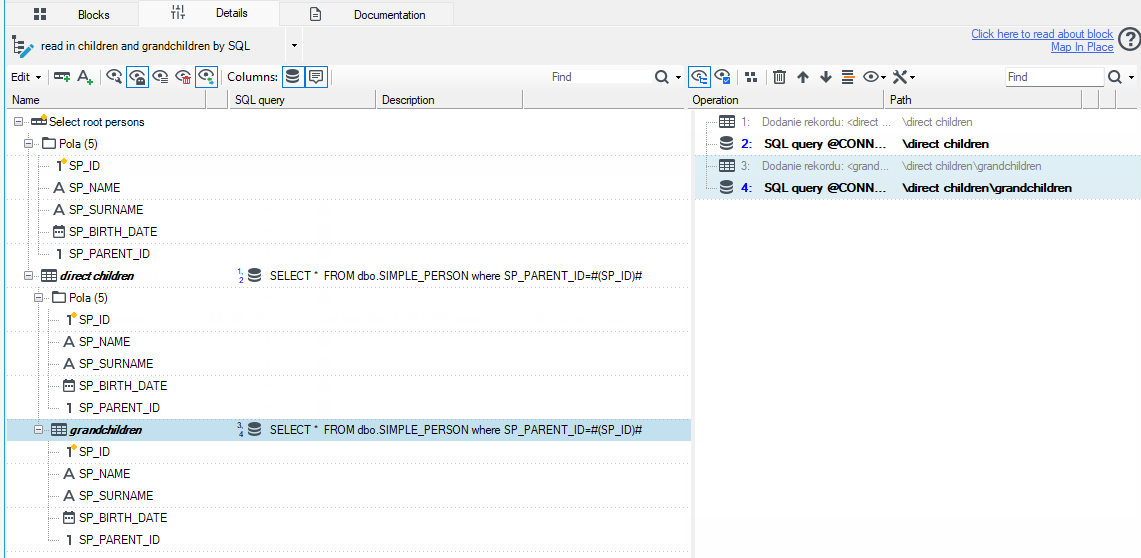
The operations of adding records and SQL queries leading to the desired result look like this: