MongoDB Query Mapping Operation
MongoDB query operation works similariliy to the SQL query operation or algorithm call. It allows us to read in certain documents and attach it to current location in our data tree.
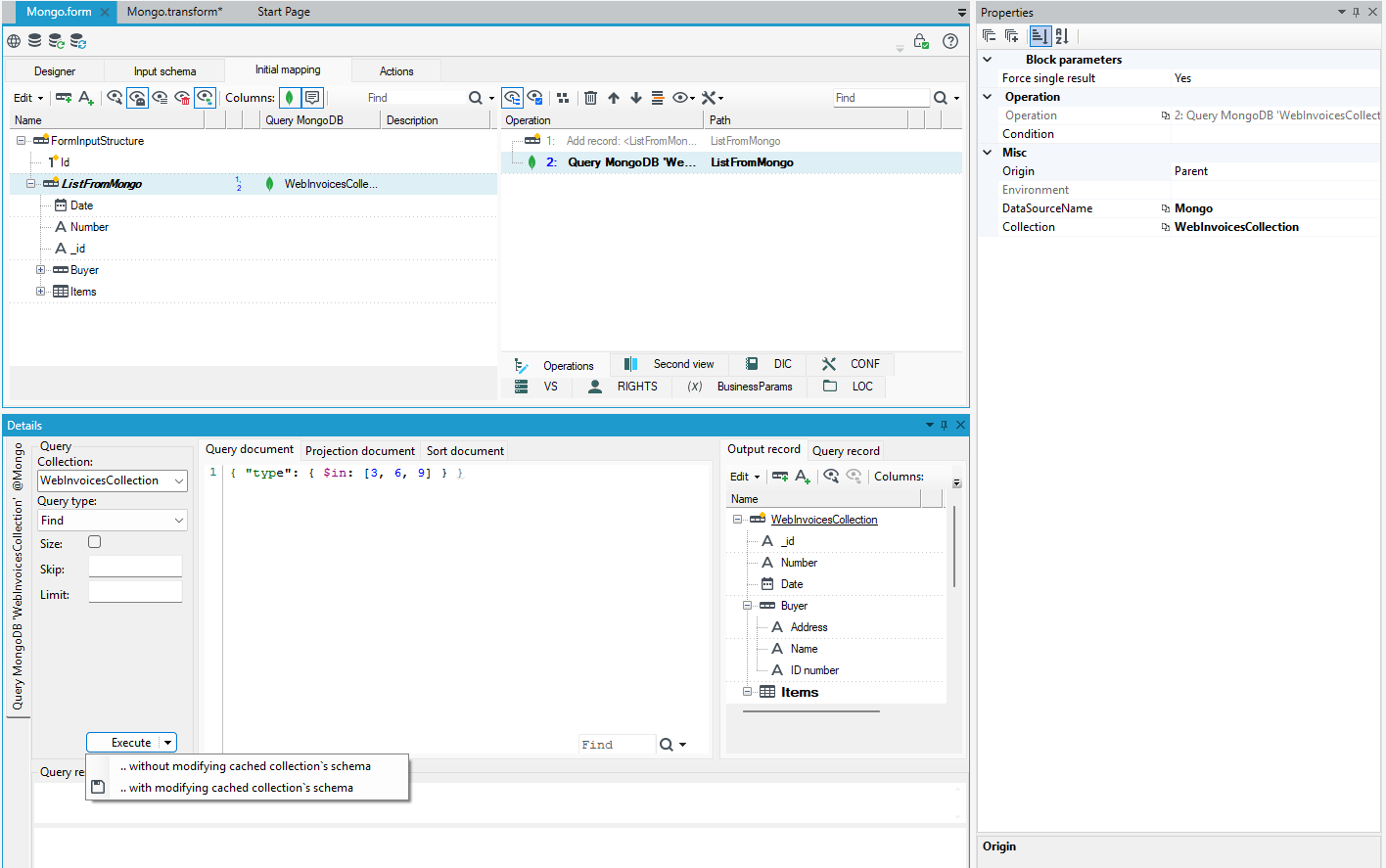
Main difference here lies in the structure of our result:
- It is no longer "flat" table, but a tree - MongoDB is a document database, not a relational one.
- Structure is frozen at design-time (tab Output record in the picture above). Any MongoDb collection may contain any data with any structure. There`s no guarantee, that retrieved documents will adhere to any schema known at design time.
Such a fundamental design decision of MongoDB needs a workaround in a statically-typed environment, such as ours. It works on a simple principle - at design time all anticipated document elements and fields must be either inferred from sample documents already present in the collection, or added (or imported) manually in the editor. All extra elements and fields actually present in the documents later, in run-time, will be discarded. All missing elements and fields will be, well, missing, empty-valued.
Another sad consequence of lacking good schema description mechanism is the absence of embedded documentation - put another way, there are no descriptions in the tree. Surely, this drawback will be fixed by MongoDB creators somehow in the foreseeable future, but for the time beeing, the only way to document collection contents is by doing this manually in the database panel.
Except for the fact, that Mongo DB query operation is a mapping operation and may work in-line in a mapping, attached to any, arbitrarily nested record, it operates pretty much like the MongoDB query block. We must pick a collection and specify the anticipated result in form of query, order and sort documents in JSON-like format. Please look it up in the original MongoDB reference (BSON, mongo query operators). Some most popular operators and query snippets are available in the autocompletion feature (Ctrl+Space).
Simple query filtering by the built-in _id field and referring to our data may look like this:
{ "_id" : #(myRequestedDocumentId)# }
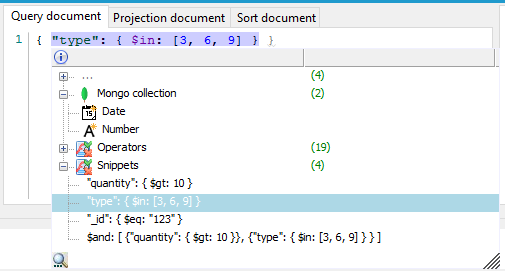
We may create the operation in the following ways:
- Decorate a record with the Compute value>MongoDB Query, from context menu, and then select the source collection (and perhaps data source name) in the operation`s property panel.
- Drag-drop a mongo collection from the Databases panel onto a record (which automatically sets data source and collection).
Then we should type in (using autocompletion) at least the query specification document (unless we want all the documents to be read in) and run our query. This will replace/supplement our cached output schema of this query. Our operation will produce only fields/elements "learned" at this stage.
The operation has an option (Force single result, just like in the SQL query operation) to return only the first document matching our criteria. There is no other way of telling the system, that our result must be unique. Without it, the resulting record will be a list, which may lead to complications later on. Although, in some scenarios, a list is exactly what we need.
Collection schemas
There is a substantial difference in how databases approach the "schema" problem. Most relational databases contain tables with rigid, well-known structure (list of statically typed columns) and all data rows must adhere to it. On the other hand most non-relational databases see this completely the other way around - data items (documents, entries) usually must have only some sort of ID, the rest may be completely arbitrary. In practice, all documents laying in the same collection are similar, if not identical. In such an environment there is no really good way to tell what data attributes we may use except for using some form of documentation for our collections (there is no standard here..) or examining every existing (or planned) document instance.
Our platform uses a mix of two approaches here.
- In order to display anything valuable in the "database panel" (that is, collections with some usable structure) we read in several hundred document instances and infer the structure by merging all detected partial structures.
- Collections may be also edited manually. All new fields/record are temporarily marked as new with the PLUS sign.
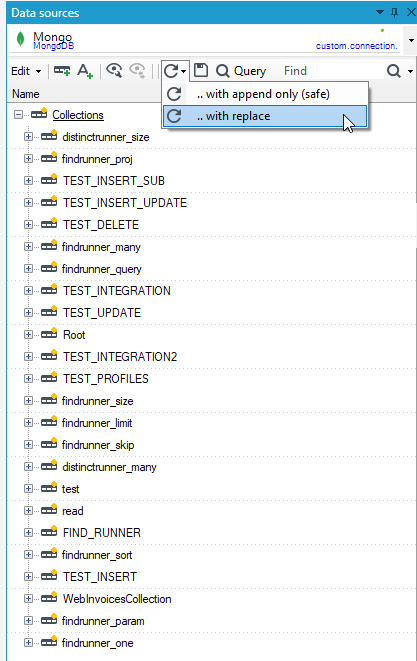
- The "structure fetch" button of a database by default works in a "safe" way, that is, it does not remove anything from our cached schema. There is also an option to fully replace our cache with freshly inferred structures from the connected MongoDB instance (just like in relational databases).
- Every MongoDB query control has the ability to extend our notion of our collection`s schema with newly detected fields and records - the Execute button has two options for this:
- without modifying cached collection's schema
- with modifying cached collection's schema
We may have different practical scenarios here:
- We are connecting to an already existing database full of documents adhering to some schema, structure inference will work OK and cache / display some usable schemas in the database panel.
- Our collections are missing some newly added fields/records and we must either add them manually or give some extra criteria (maybe high IDs, maybe newer dates) in some query documents in the editor and then extend our cache based on the newly fetched documents.
- We create collections completely anew. There is no notion of "create table …" in this technology, so simply writing a tree structure to a freshly named collection will do, despite the initial warning. Alternatively, we may import/type in a new collection in the database panel and start using it normally. Queries from this collection will return no actual data (until we insert something). No worries, in such case the result shema will be copied from our local cache.