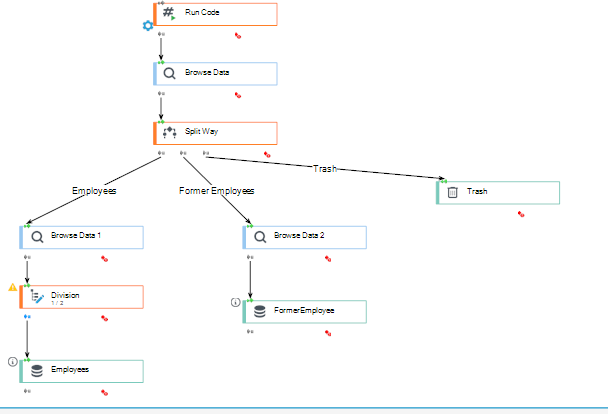
Integration with Active Directory
To integrate with AD, you need to do two things - configure a connection to AD and use it as part of a processing package.
Configurate the connection to the AD server
If you are connecting to only one Active Directory server within the application, you should use the already configured entry named ADConnectionString, the content of which is set using the value of the configuration parameter `common.connection.provider_ad**.
- Go to VSoft archITekt Launcher and to the project reconfiguration options. An example of such a config key is shown below:
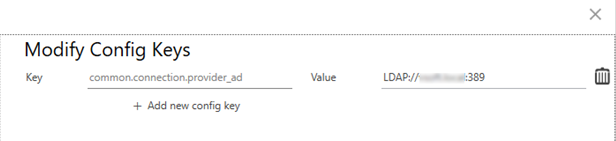
If you need to connect to more than one AD server, you need to add more entries to the ConnectionStrings section of the application - just as you did for the ADConnectionString entry.
For more on defining the connection to AD in the apllication, see: Preparation of infrastructure on the OnPremises environment.
For more on defining configuration keys and technical configuration, see the chapter: Technical configuration of the application.
Getting data from AD in a processing package
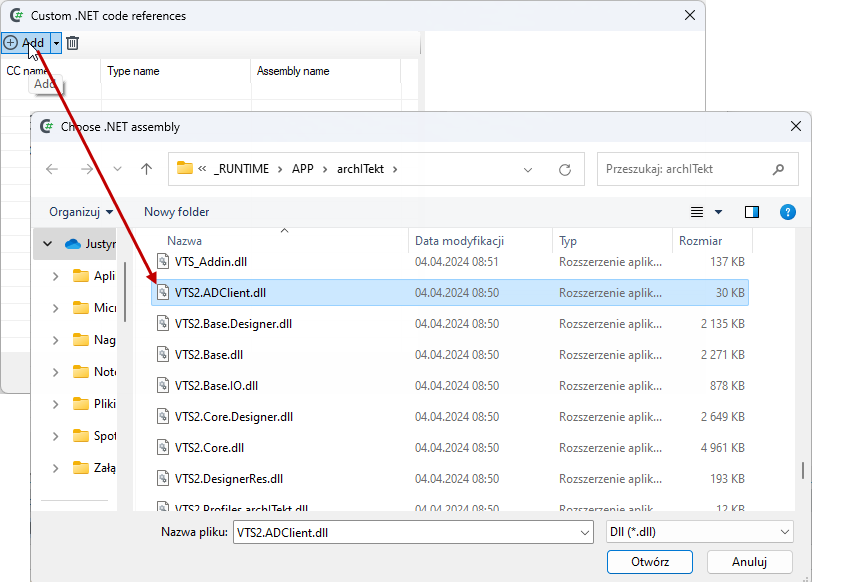
In order to download data from AD within the processing package, you need to register the VTS2.ADClient extension. It can be found in the VTS2.ADClient.dll file in the directory, for example, archITekt Studio of the current project.
- Go to the processing package and select an option from the External .NET Code (CC) menu.
- In the next window, load the
VTS2.ADClient.dllextension.
- Name the CC object and select the name of the .NET type name from the drop-down box.
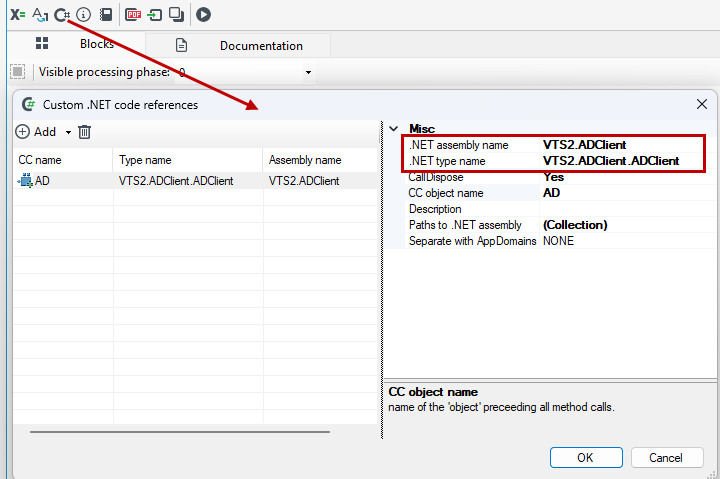
Using the extension is possible from the Run Code block, where you call the Query method:
AD.Query("ADConnectionString", "", "(&(objectClass=user)(objectCategory=person))")

The method has three parameters:
- (required) - the name of the key from the
ConnectionStringssection containing the connection to the AD server (the default isADConnectionString) - (optional) - a list of fields that we want to be returned or removed from the query: a list separated by commas or semicolons. The fields to be removed are additionally preceded by a - (minus) sign. An example of a field list that removes the
dcfield and adds theextraFieldfield:
-dc, extraField
- (optional) query that limits the scope of the returned data. The query must be constructed as an LDAP filter
LDAP data filtering
In order to build a filter that limits the range of returned data from a query to AD, a filter must be created in LDAP format. How to build data search filters is described at: https://learn.microsoft.com/en-us/windows/win32/adsi/search-filter-syntax
The LDAP download functionality uses the DirectorySearcher class mentioned in the previous paragraph, the filter must be of the form required by the Filter property of this class: https://learn.microsoft.com/en-us/dotnet/api/system.directoryservices.directorysearcher.filter
The default scope of the returned data
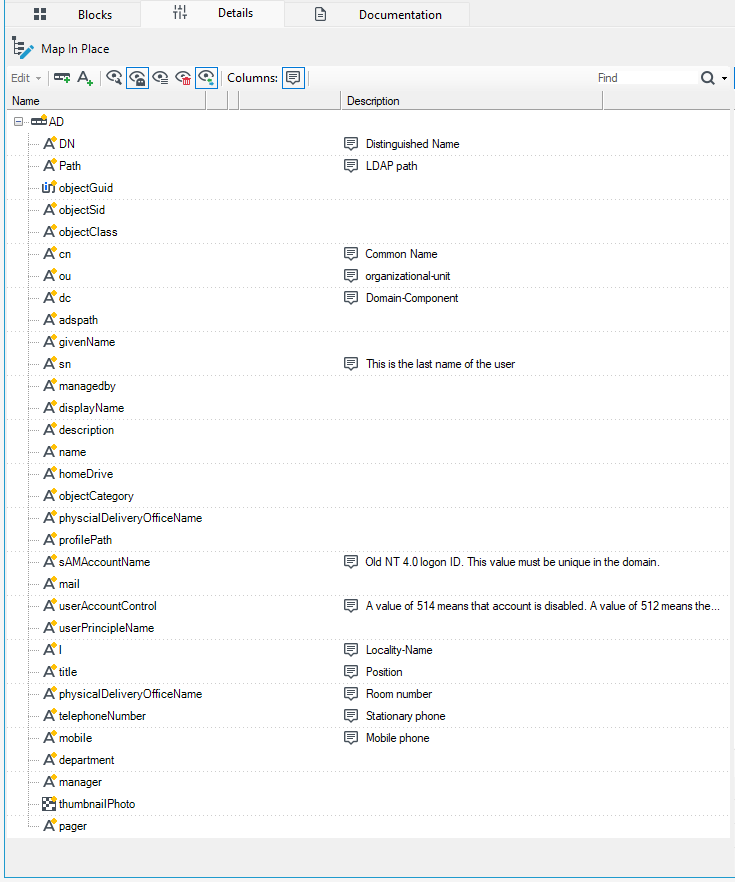
The response to a query to the AD server returns by default a list of fields shown in the following screen. If you want to use another, additional field, then you need to specify in the parameter a list of additional fields to return (or a list of fields to remove from the list below).
An example package might look as follows: