Migration packages generation mechanism
The platform has a configuration tool which allows creating a package or a task hierarchy which is used for migration of data between the source system and the target system with similar structure. Such package may be a starting point for the given migration or a tool for e.g. data archiving.
In order to run the configurator:
- Create a new, or open an existing, editable processing package.
- From the Tools menu, select Generate database migration package.
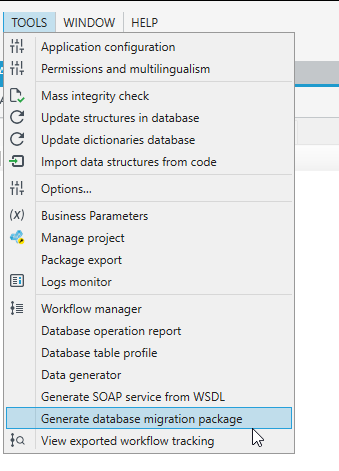
- After clicking on the menu, a window will be displayed to configure all options of the package for data migration.
- After accepting the selected options, the package will be completed with automatically generated flows performing data migration.
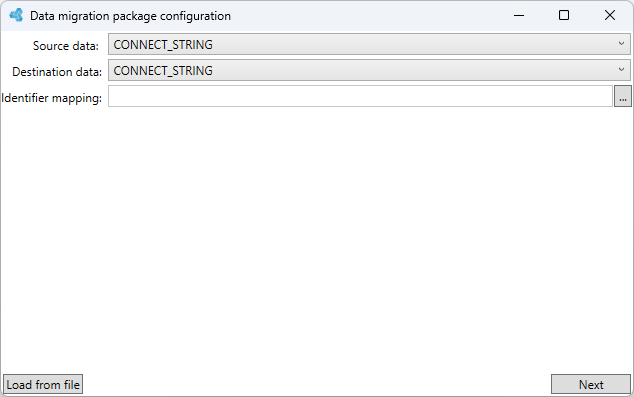
In the first panel, the source and the destination database should be selected. These databases should be defined earlier in the Databases panel. Additionally, if table names and source column names are not the same as the target names, a dictionary which will be used for mapping the names of the source structures to target structures may be selected.
As there is a large number of options available, the migration packages generator configuration may be saved to file and read from file next time it is run. It can be done using the Load from file button located on the left.
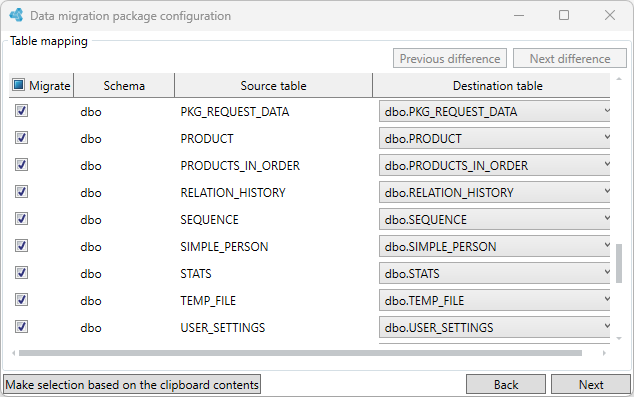
The next panel allows deciding which source tables match the target tables. The System attempts to match them automatically by their names - the matched ones will be marked green and will be automatically selected as the ones to be migrated.
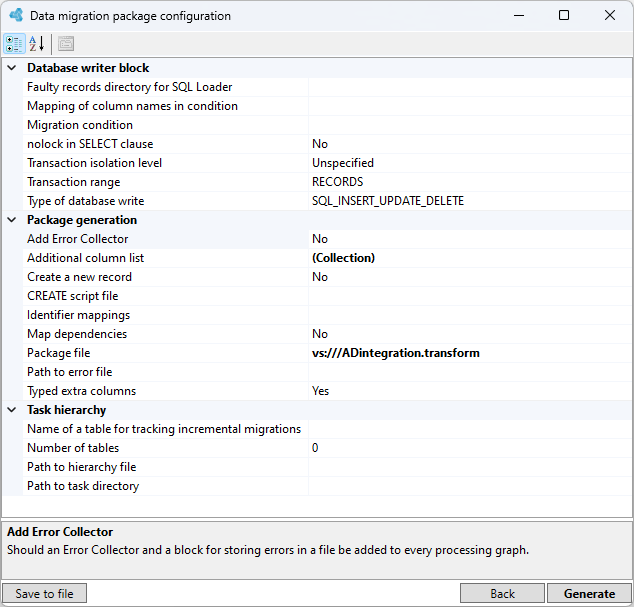
After selecting tables to be migrated, a panel with additional migration options will be displayed.
The panel with additional migration options will be displayed after selecting and indicating tables which should be migrated.
- The most important options are Package file and Path to hierarchy file which decide whether a single package or a task hierarchy with packages for migration of particular tables should be generated.
- If a hierarchy has been selected, the Path to task directory property to which particular hierarchy tasks will be written and the Number of tables property which specifies the maximum number of migrated tables to be placed in a single task (data processing package) should be completed. After selecting the appropriate options and clicking the Generate button, the migration package generation tool will be run. After generating has been completed, the package will be automatically opened in the System.