Release - version 21.14
The most important changes made in version 21.14 are described below.
Changes in the web application
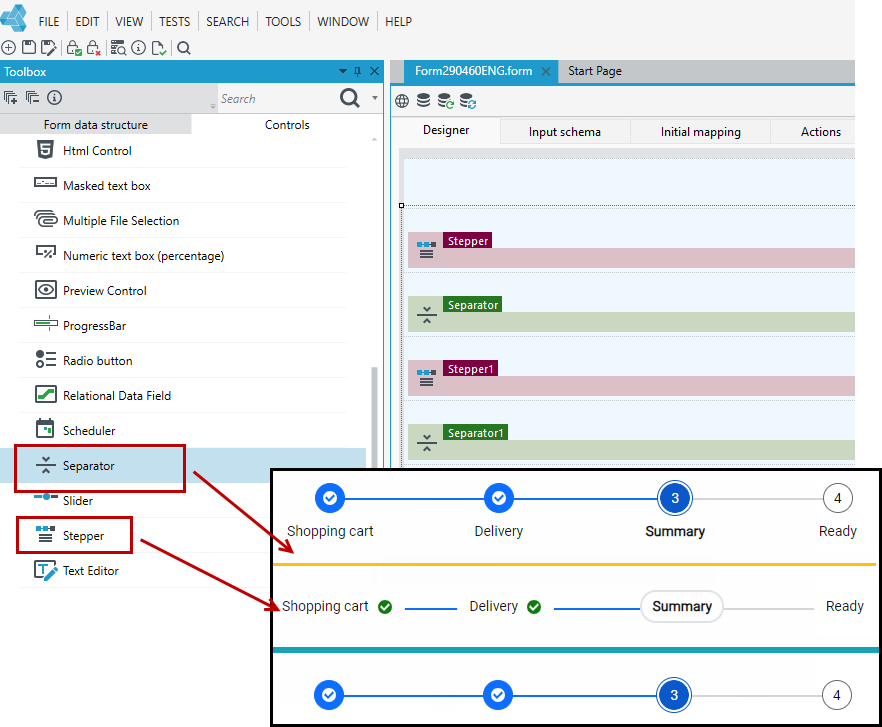
- New controls in the User Interface are available: Stepper and Separator.
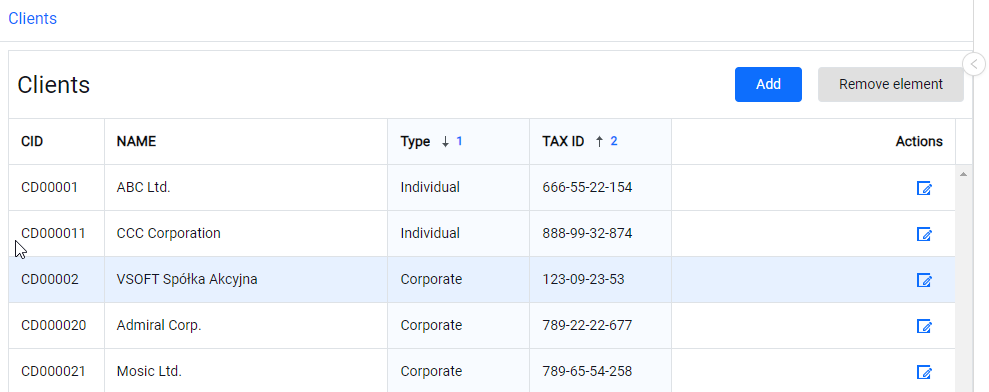
- The rows of the list can be sorted by multiple columns at the same time (hold the Ctrl key while selecting the sorting by selecting consecutive column headers).
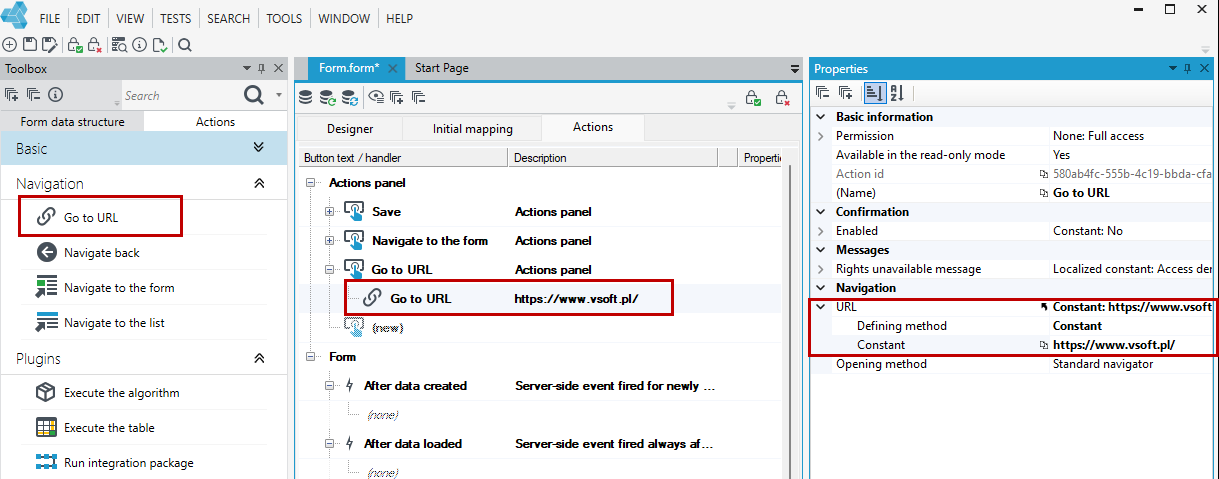
- A new action has appeared in the list of actions, allowing you to go to any URL.
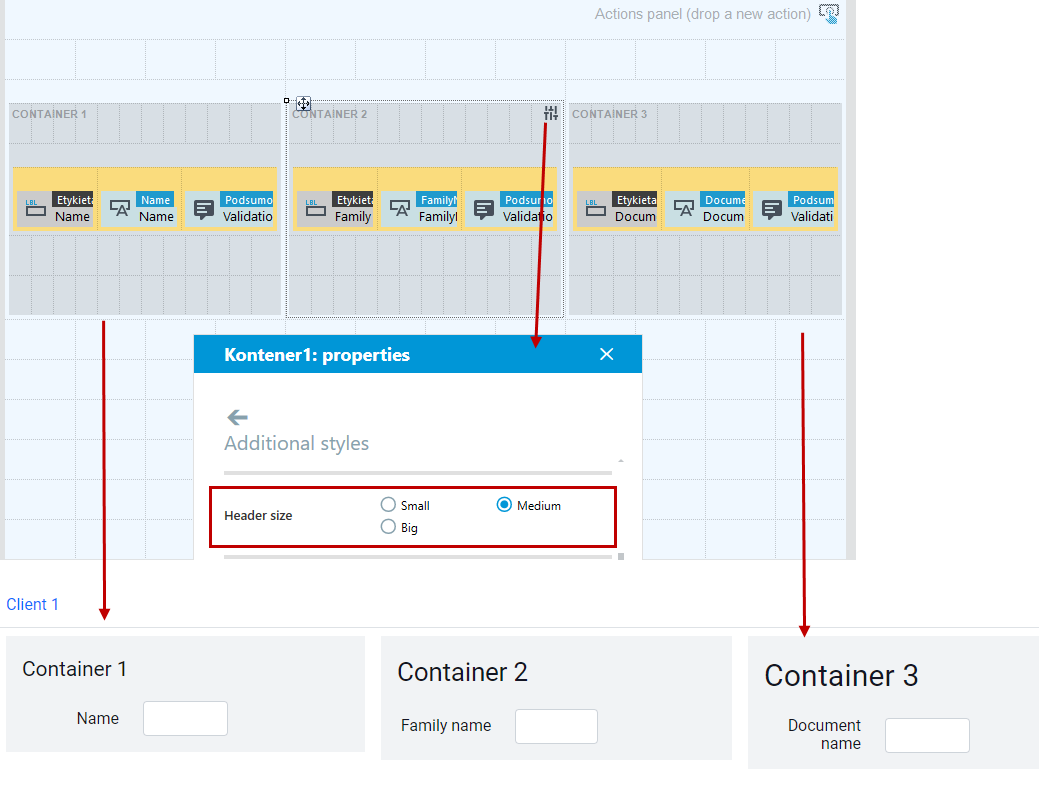
- The Additional styles property for containers has been expanded to include a group of options for header size.
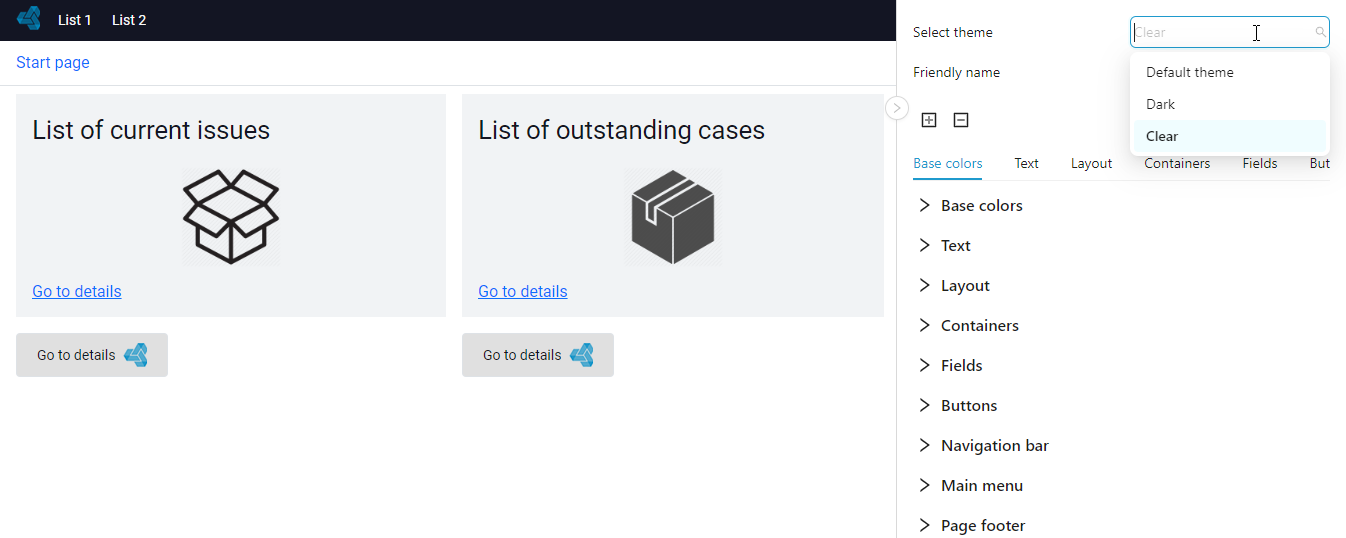
- The user has the possibility to select the application theme directly from the web interface.
UX changes
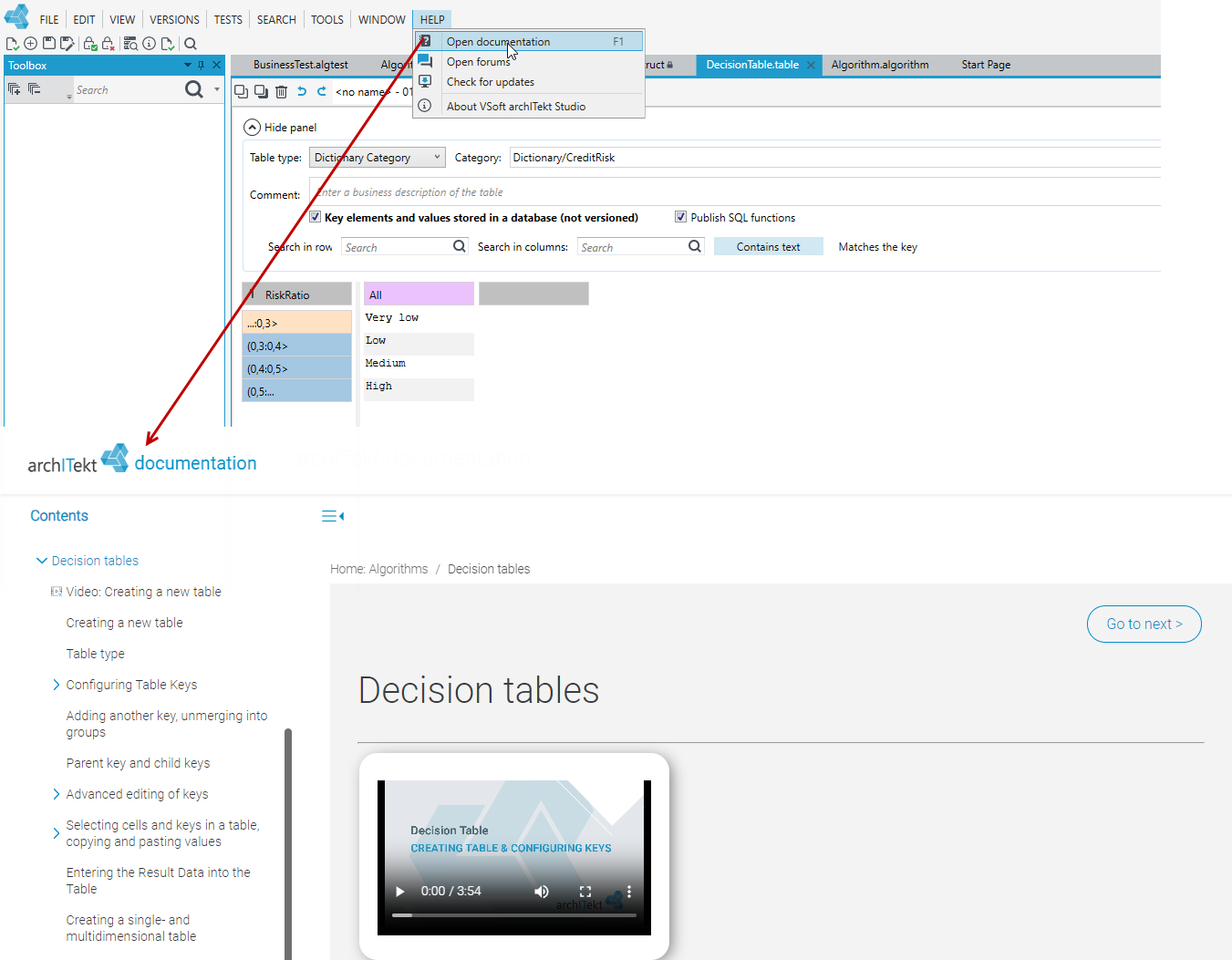
- Context help mechanism after pressing F1 or selecting the option from the main menu Help, available in areas:
-
archITekt Studio start page,
-
version server,
-
algorithms, decision tables, data structure for algorithms, business tests,
-
data structure and dictionary structure,
-
forms, initial mappings, actions, action mappings,
-
creation of lists and actions assigned to lists,
-
workflows,
-
menu,
-
processing packages,
-
Toolbox and Properties panels.
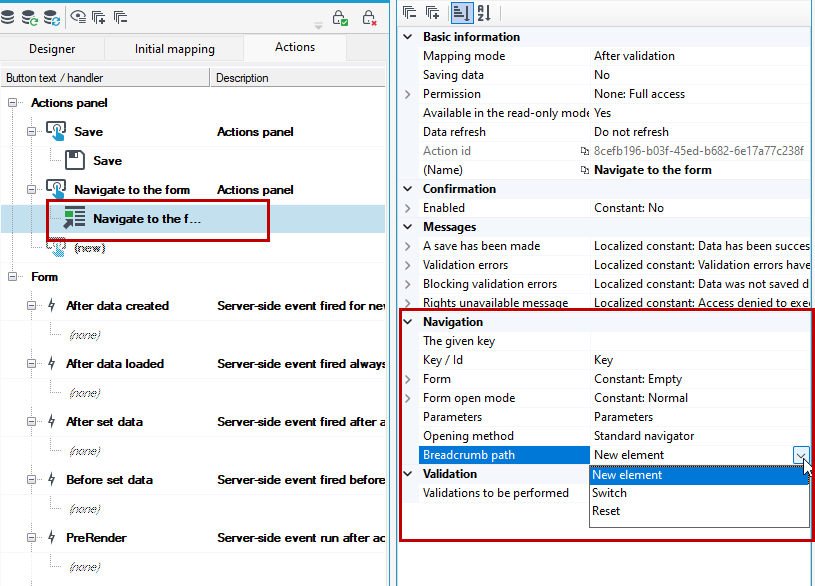
- Changed within the navigation action to a new form: a clearer way to specify navigation and navigation path behavior.
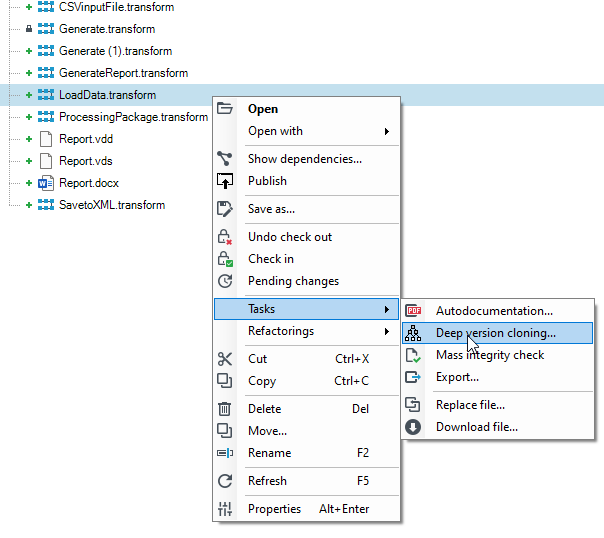
- Added cloning operation for configuration objects with optional cloning of dependent objects.
- Blocks in the task hierarchy designer are no longer bound by running items, deleting a block does not remove the bound item.
- Corrected scaling of icons in designers: icons are clearer even when zoomed in.
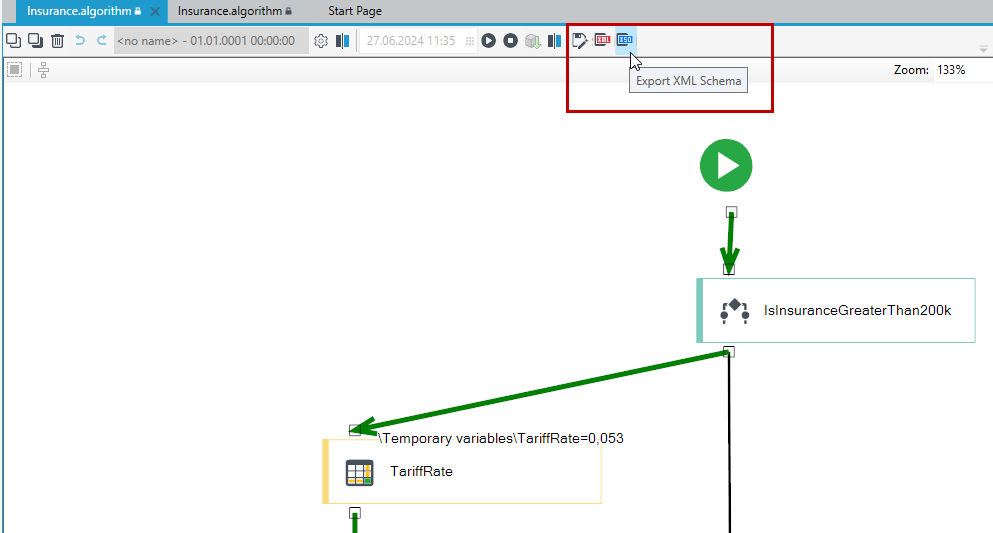
- More easily available options for saving the result of an algorithm test as a business test, XML or XSD (moving the action from the application's main menu to the algorithm designer's toolbar).
Other changes
- Adding an optional component to the installation - a driver for connecting to a MySQL database.
- archITekt Studio: faster process of loading large forms.
- Installation process automatically delivers already unpacked ZMQ components; no need to unpack components during application launching.
- Improved way of saving Workflow definitions in XML facilitating merging operations of changes made by different people.
- Processing packages in Request and Response blocks provide the ability to read HTTP headers for handled requests.