Release - version 21.16
The most important changes made in version 21.16 are described below.
Hyperlink tag in document templates
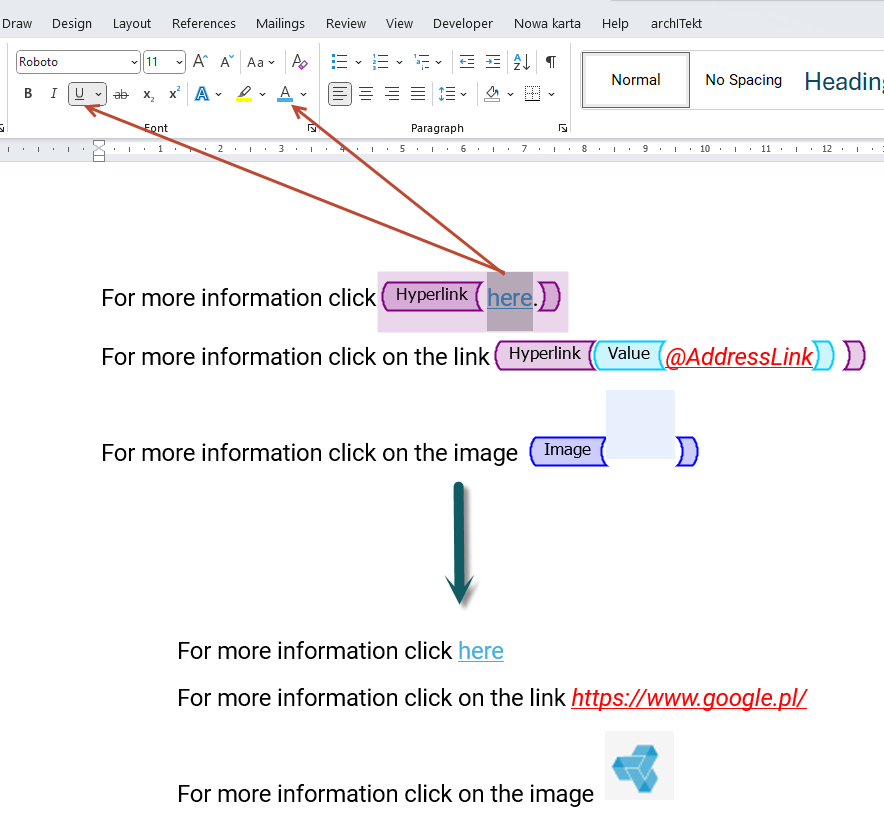
In the latest version of VSoft archITekt, the functionality of building a document template has been extended with a new Hyperlink tag. The tag allows you to insert hyperlinks into the document.
The user can configure how the hyperlink will be generated: hyperlinked text, full link address, hyperlinked image.
Permissions to start workflows
Added the ability to grant permissions to start workflows.
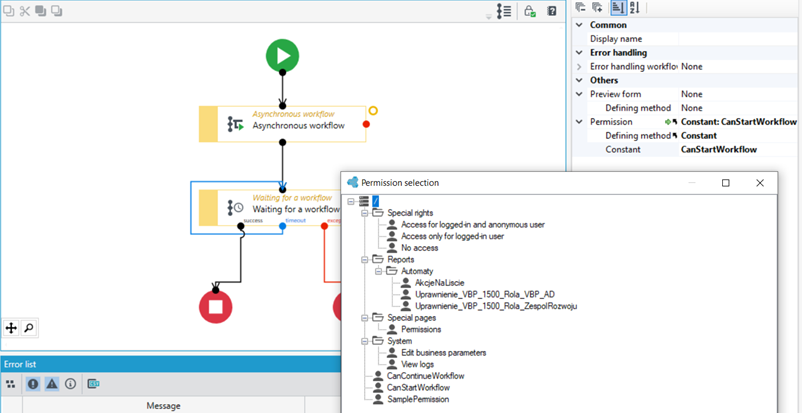
A new property has been added for workflows (and microworkflows) that allows the user to select a permission from the list of permissions defined in the application that should be verified when the end-application user tries to start the workflow. The default value (both for new workflows and for workflows that existed before this option was introduced) is the permission that allows all logged-in users to start the workflow, regardless of their role in the system.
Permissions to continue workflows
Added the ability to grant permissions to continue workflows.
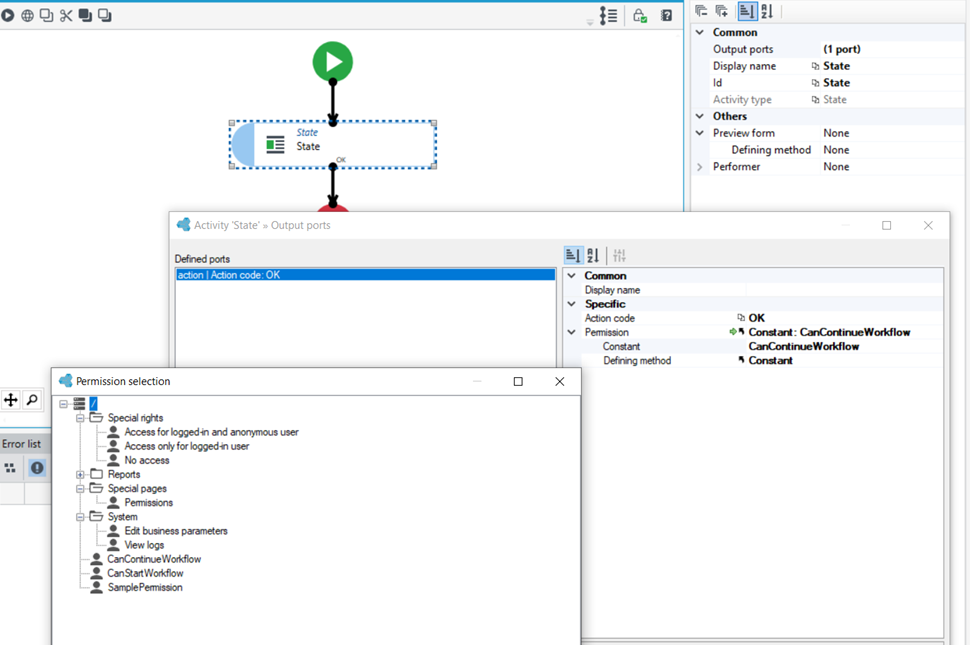
A new property has been added user action activity ports (available in workflow state activities) that allows the user to select a permission from the list of permissions defined in the application that should be verified when the end-application user tries to continue the workflow. The default value (both for new workflows and for workflows that existed before this option was introduced) is the permission that allows all logged-in users to continue the workflow, regardless of their role in the system.
Advanced list sorting options
Starting with the current version, sorting by a specific column can refer to any columns, even ignoring the data displayed in that column. .
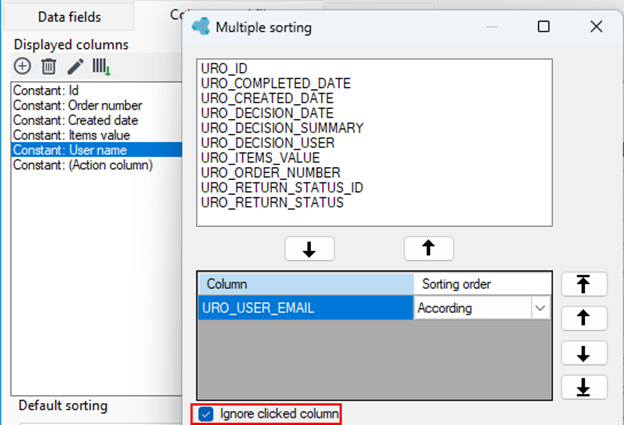
Example: sorting data after clicking on the header of the user name column will sort the data by the email address column.
Handling headers and response codes within built services
The Web services designer has been extended to allow comprehensive management of the content returned by a Web service (REST, WebService). It allows specifying the code of the returned response as well as adding any headers to the response.

UX changes
The existing ability to directly drag files from the version server tree to individual design areas has been expanded to include more items.
Dragging the following items is related to placing the associated element on the designer.
- Algorithm design: dragging Decision table and Algorithm.
- Designing data structures: dragging a Relational field and a Dictionary field.
- Designing processes: dragging Decision table, Algorithm, Workflow, and Form.
- Designing application menus: dragging Form, List, Workflow.
- Designing a processing package: dragging a Processing package.
Configuration of external data sources
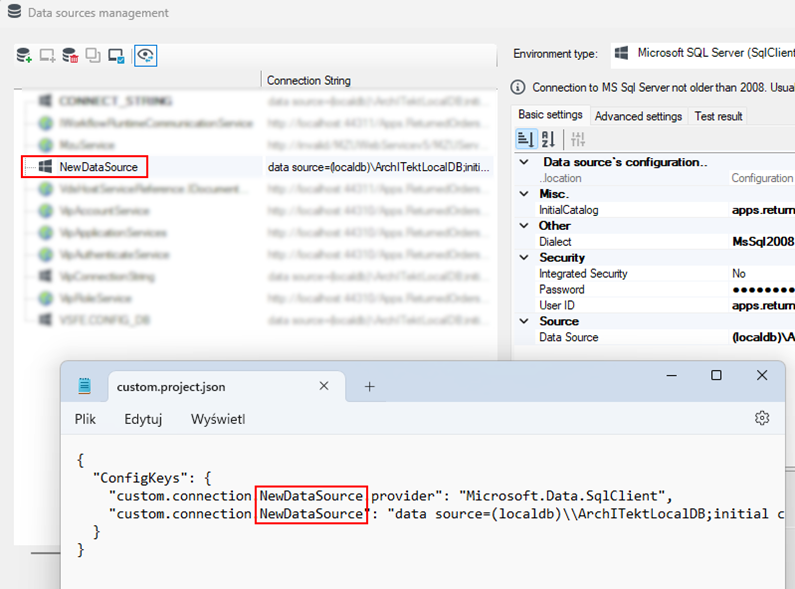
Operations of adding and modifying connections to external data sources no longer require additional manual updating of project configuration. archITekt Studio, after adding or changing an external data source, automatically:
- modifies the custom.project.json file
- updates the entries in the central system configuration.
Other changes
- New GetEnabledBySamAccountName function that retrieves the “Enabled” attribute from ActiveDirectory.
- New Split function to split strings into parts (in several versions).
- New GetFormAddress and GetListAddress functions for generating addresses to designated forms and lists.