Release - version 21.13
The most important changes made in version 21.13 are described below.
Building your own application theme
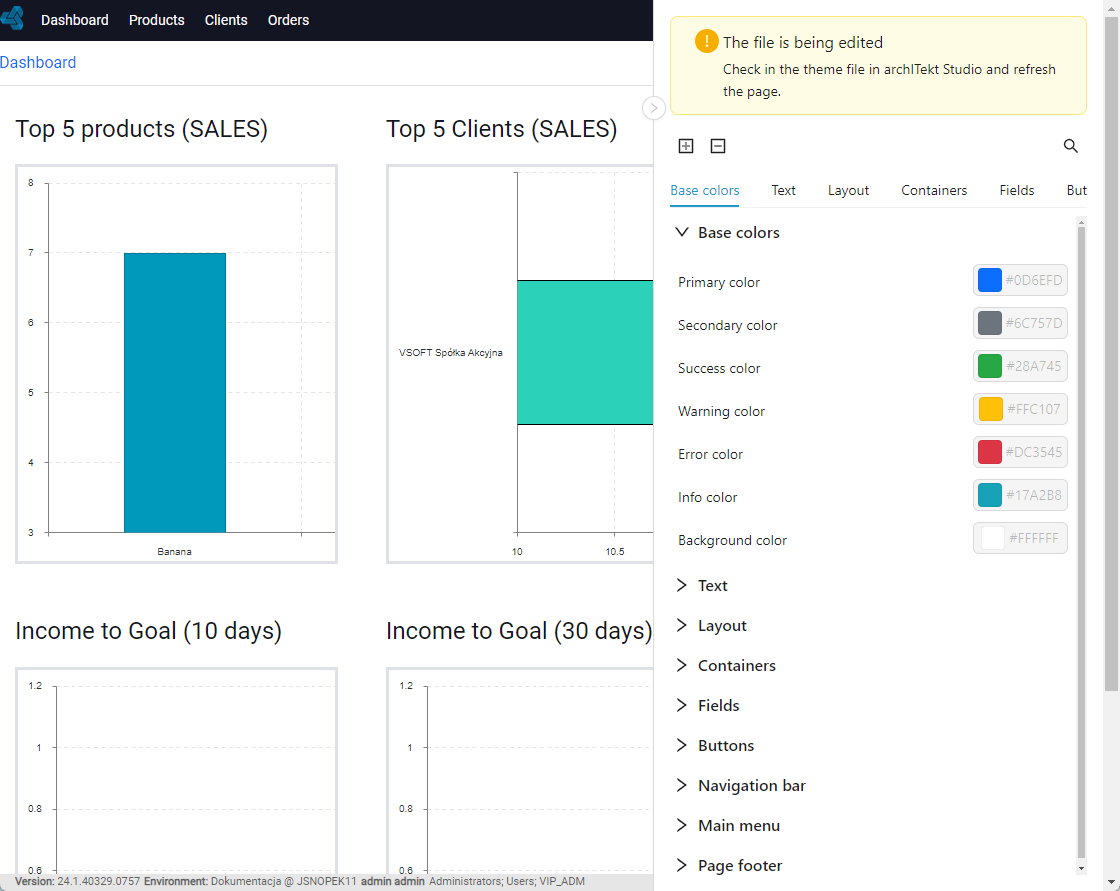
In the current release, a mechanism has been created to define your own application theme, allowing you to define it directly in the browser on any of the Web application screens using a graphical editor launched in the side panel.
The editor gives you the ability to modify such aspects of Web application styling as colors, fonts, margins, borders for different classes of components - both whole page, containers, headers, menus. Once the definition is saved, it is stored in the application configuration stored in the Version server.
Application settings editor
There is a new editor for application settings, which were previously defined in the application configuration files, and starting from the current version are directly in the application Version server. There are also sections in the editor for the ability to configure the appearance of the application added in this release.
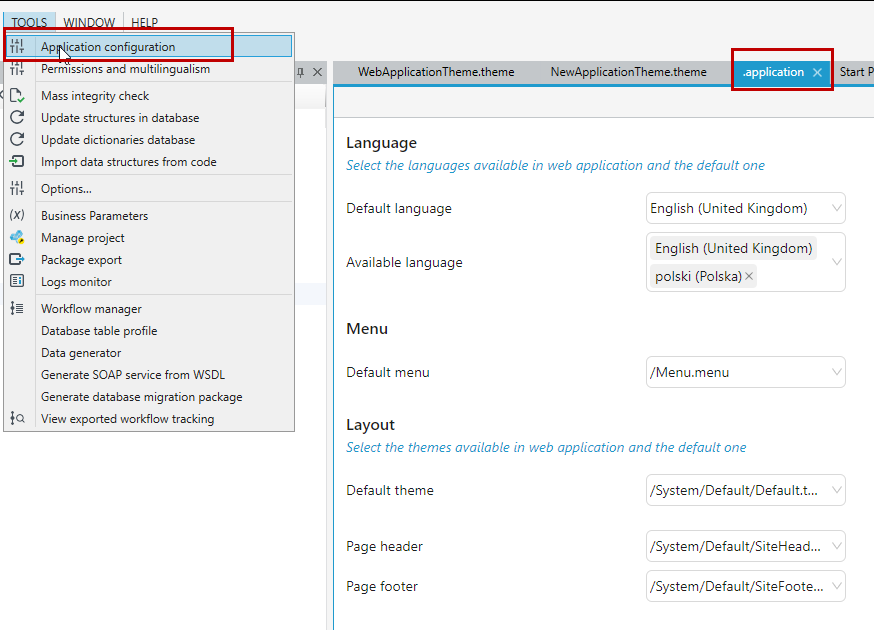
Greater application styling capabilities
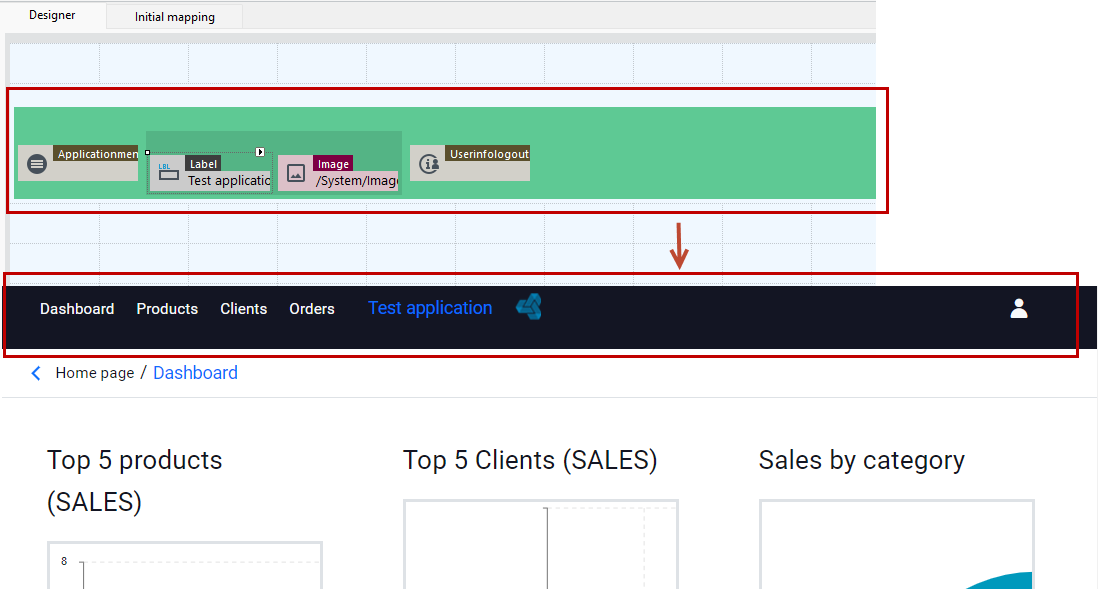
The mechanism for configuring the appearance of web applications has been expanded to include the following functionalities:
- ability to define the appearance of a custom header and footer in the application
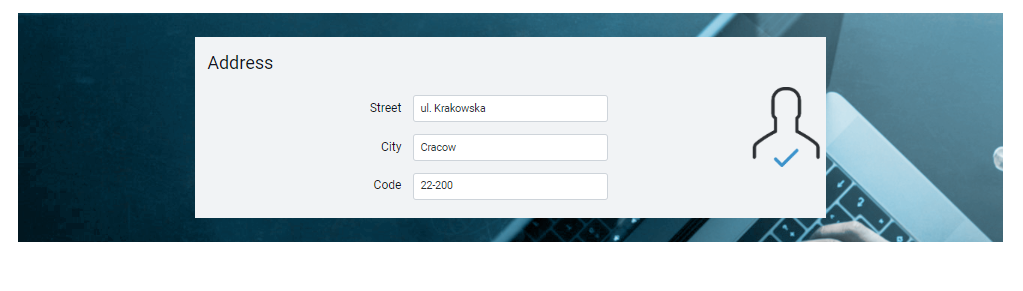
- possibility to choose an image as a background for the container
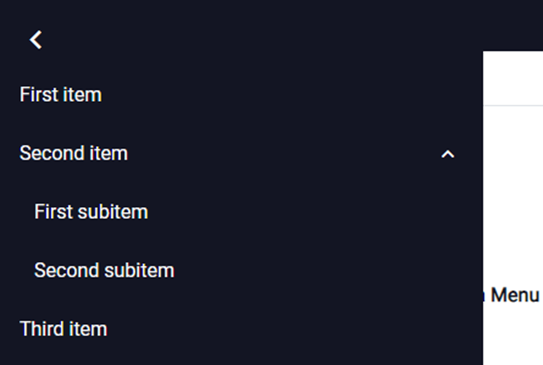
- better menu presentation on mobile devices
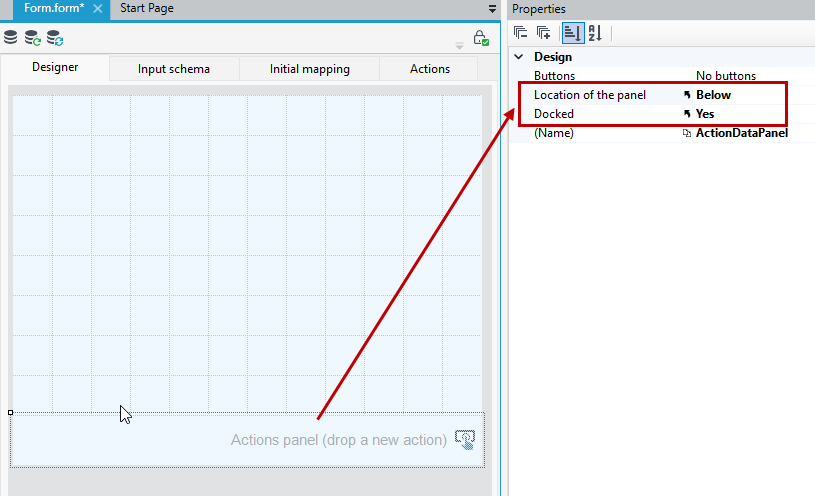
- ability to dock the action panel at the bottom or top of the page for forms and lists
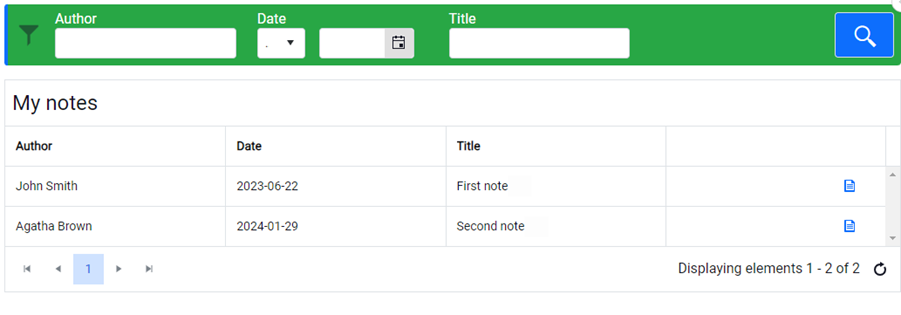
- possibility to change the style of the list filter panel
Added ability to specify style for header and filter panel for list
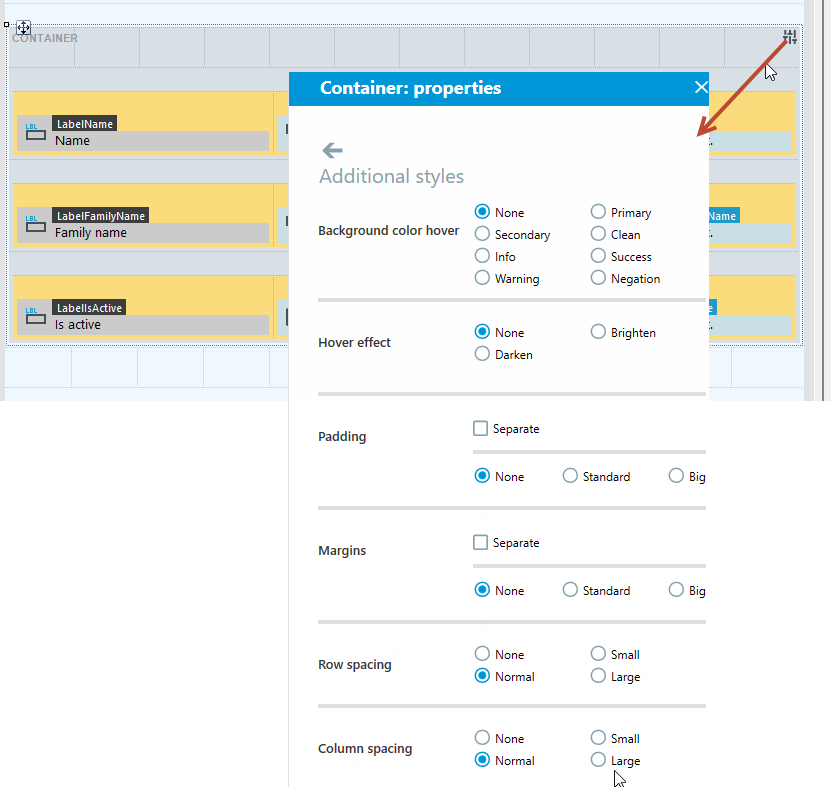
- more precise possibilities for specifying container styles
The mechanism for specifying style for containers has been divided into several additional categories, so you can separately manage different aspects of appearance: controlling spacing and margins, spacing between rows and columns of the container, specifying behavior when the cursor clicks on the container.
UX changes
- Word add-in gets a new set of icons

- We standardized the behavior of the tree / toolbox controls present in all Studio components covering aspects such as highlight color, row size, etc.
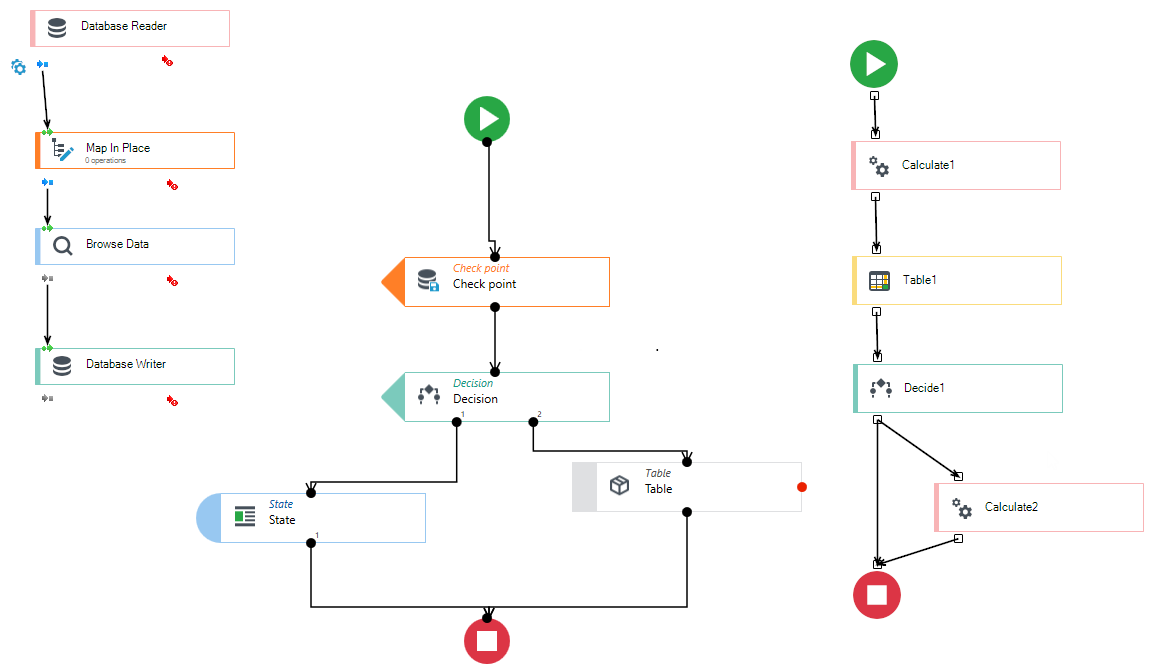
- We improved the readability of blocks in processing packages (eliminated the colored background for icons).
Changes in web application
Replaced Kendo UI Bootstrap to the Kendo UI Fluent, based on CSS variables, which allows the user to conveniently change the appearance of the application
- A new validation option has been added: "all except selected"
- The readability of the presentation of dictionary elements in the formula editor has been improved (now displays the name instead of the key value)
- Added the ability to set the popup window size as a percentage.
- Optimization of the placement of list filters for mobile devices (increasing the length of edit controls)
- Improved menu presentation on a mobile device
- Improved presentation of breadcumbs for the start page (no use of back latch)
- Added alternative way of presenting information about the logged-in user on a mobile device (side menu instead of a pop-up window)
- Improved readability of breadcumbs on a mobile device
- Added tooltips for list filters
- Image control now supports new parameter - Target URL
Other changes
- Blocked ability to rename or delete files in the system directory (System folder) in the Version server.
- Unified connection to the Oracle database - Oracle.ManagedDataAccess driver - in the 64-bit version for all archITekt components
- The process of releasing resources during shutdown of Transformation Services has been accelerated
- Configuration of new REST API service automatically recognize Open API version (2.0 / 3.0); Supporting of OpenAPI 3.0 standard (JSON/YAML): ability to automatically loading data schema and its operations list
- Installation scripts for the OnPremises environments have been extended with additional parameters: the ability to use a custom WebSite and to operate on, and the ability to specify other than default port numbers for services (80, 443)
- Added ability to store in logs execution statistics from invoked sub package in “package call block” in Data processing.