Release - version 21.21
The most important changes made in version 21.21 are described below.
OpenID Connect Authorization Server
In this version, the Identity Provider (OpenID Provider) has been released — a comprehensive authentication and authorization system responsible for managing user identities, controlling access to applications, and enabling Single Sign-On (SSO) across a multi‑application environment.
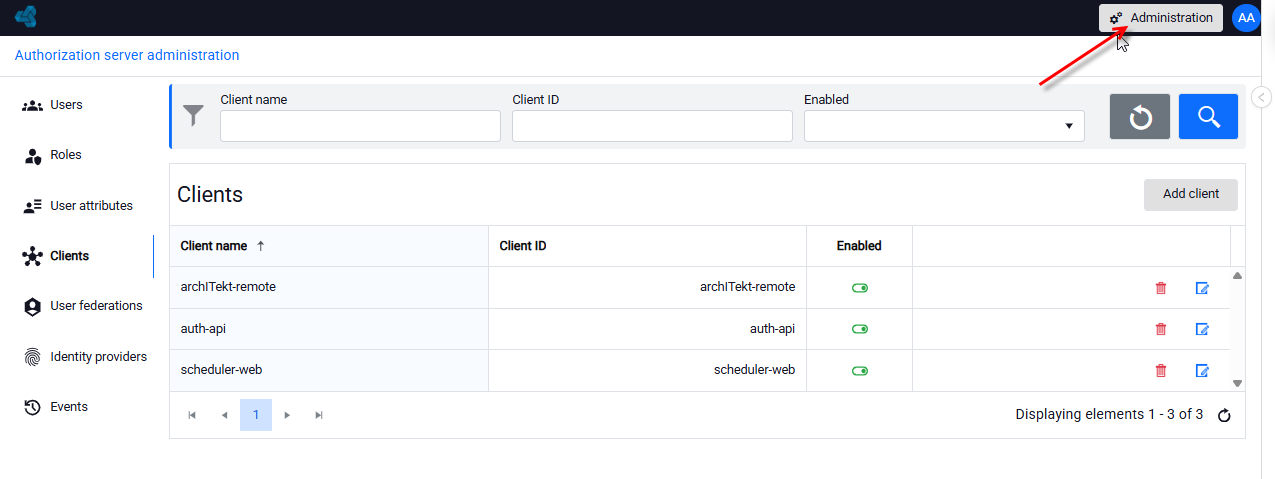
Access to the server is available to administrators after logging in to the application and selecting the Administration option.
Key capabilities
- User Authentication: Provides secure and standards‑compliant user verification.
- Identity & Access Management: Handles user accounts, roles, permissions, and attribute data.
- Application Access Control: Enforces authorization policies for applications and protected resources.
- Single Sign-On (SSO): Enables users to authenticate once and access multiple applications without repeated logins.
- Multi-Factor Authentication (MFA): Supports additional authentication factors to strengthen security.
- Federation With External Identity Providers: Integrates with third‑party IdPs such as Google, Microsoft, and others.
- Security Auditing: Maintains comprehensive audit logs of authentication and authorization events.
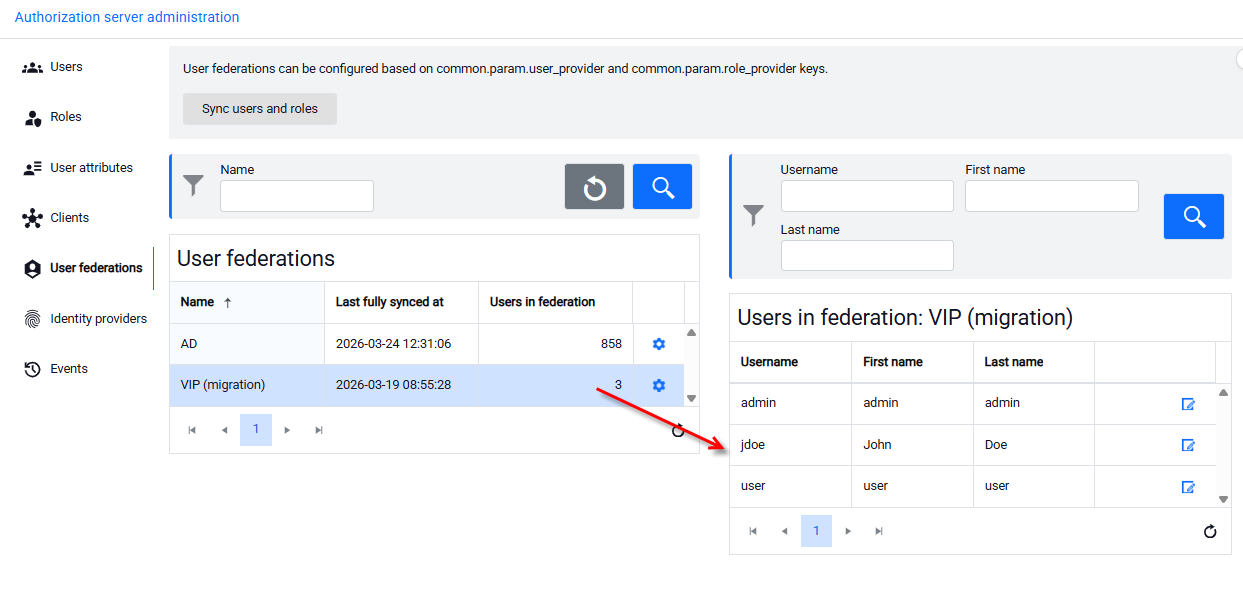
The new solution replaces the previous VIP user management system. After updating the archITekt Studio version and upgrading the project, users and roles will be automatically migrated from the old system to the authorization server. For more see Więcej informacji patrz: Authorization Server.
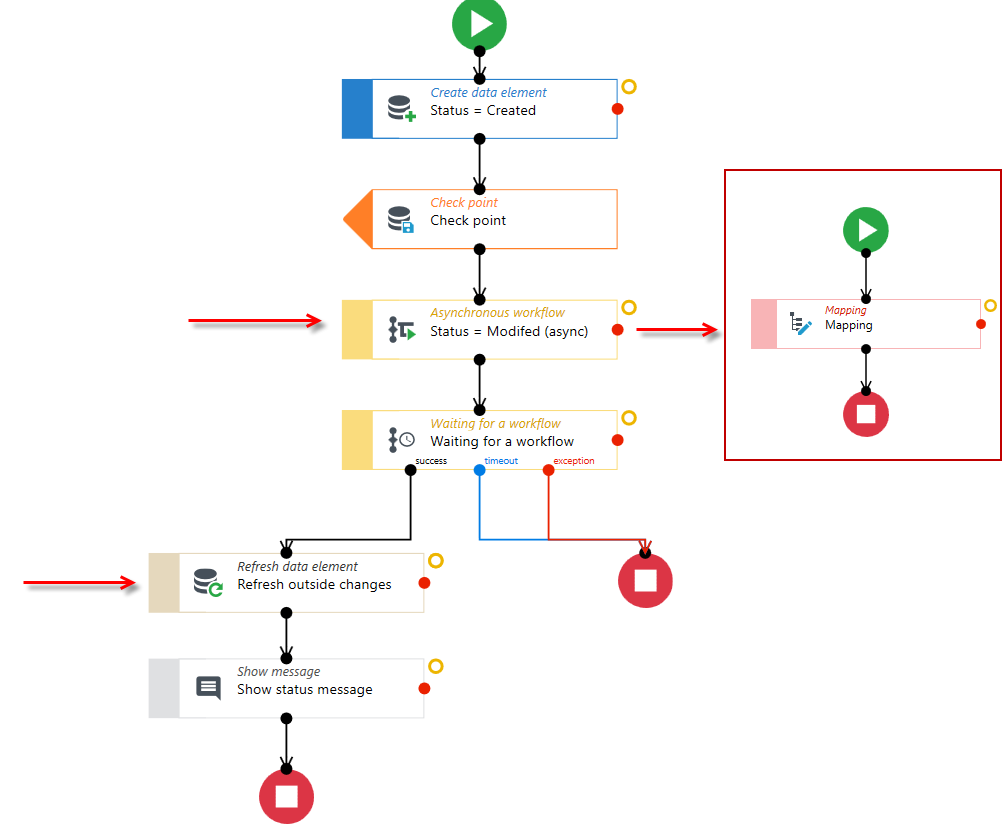
New activity: Refresh data element in Workflow
This activity allows you to refresh a data element for a selected variable or data structure. It is particularly useful when another asynchronous workflow operating on the same data is running in parallel within the workflow, or when a batch or external service that modifies the same data record is being executed. For more see: Refresh data element..
Changes in Document Generation functionality
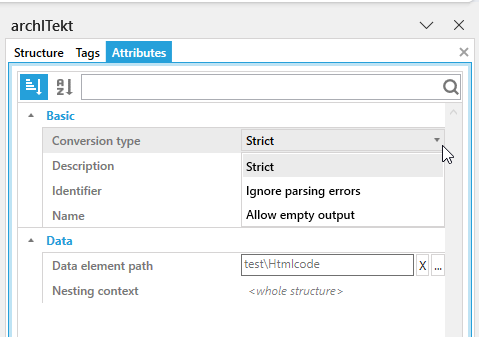
New HTML tag
This tag allows you to add text formatted using the advanced Text Editor control on the form to generated documents. Since the control saves formatted text as HTML, the tag can also be used to convert any fragment of HTML code into text formatted in MS Word, PDF, or MHTML. For more see: HTML.
Changes in VSoft archITekt Launcher
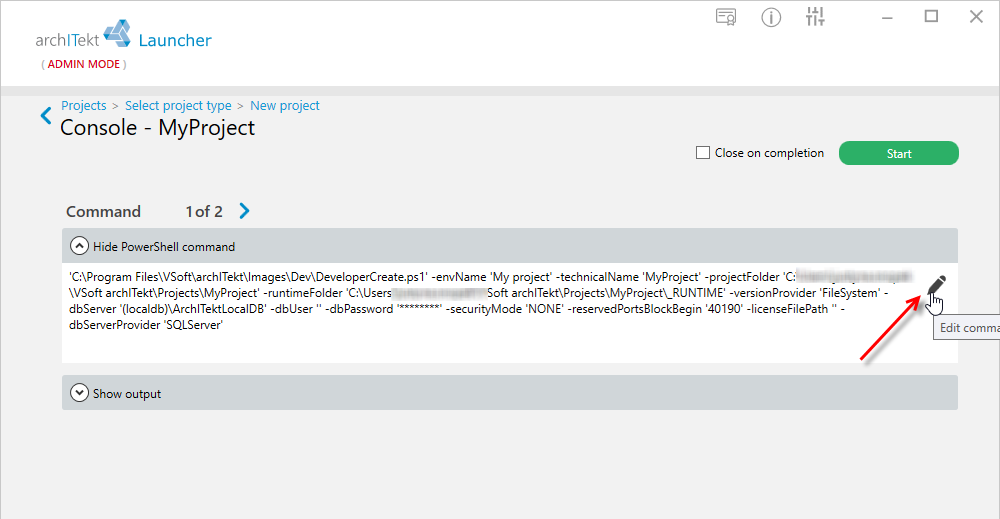
Running a list of PowerShell commands
The new functionality allows you to:
- execute multiple PowerShell commands sequentially, one after another, with automatic status checking (success/error)
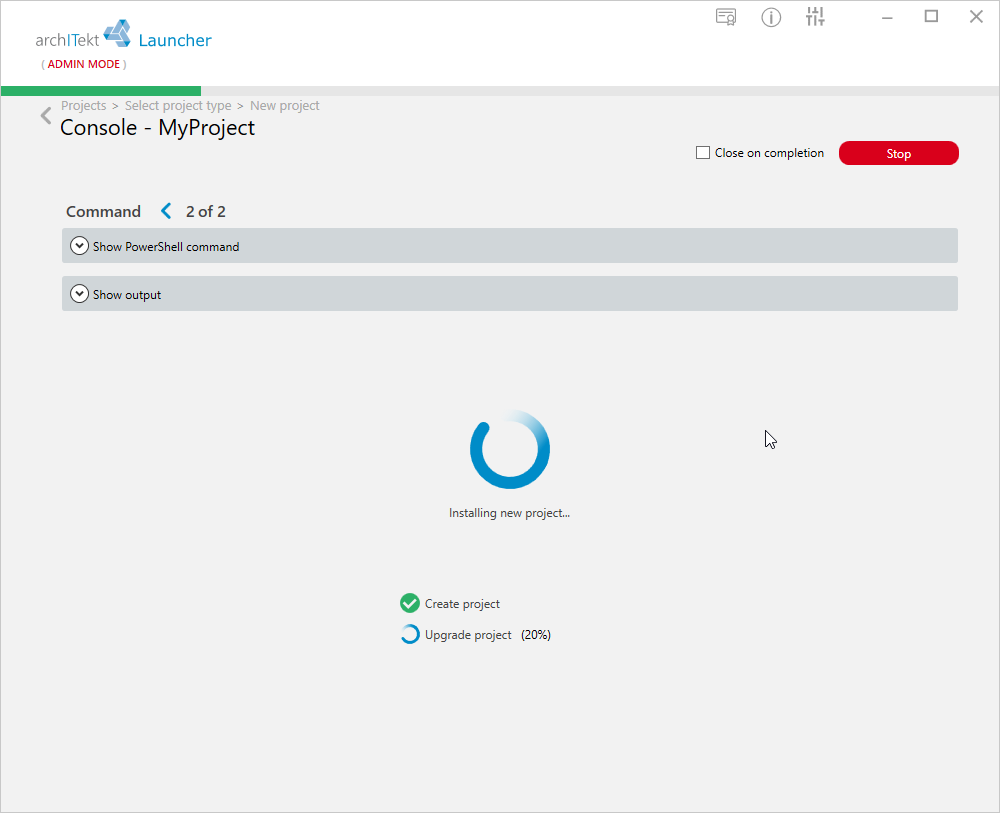
- view logs in the console
- manually edit each command in the advanced view, with a separate editing field for each one.
Changes in algorithms
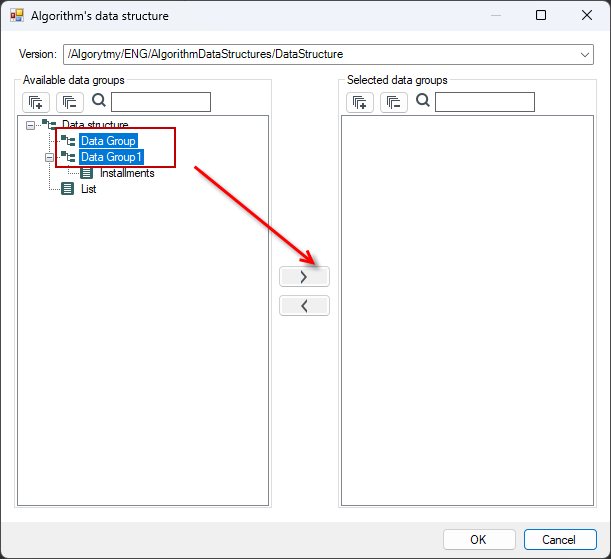
Ability to select data structure elements in groups
For complex data structures, you can select only the specific elements needed to build the algorithm by holding down the Ctrl or Shift key.
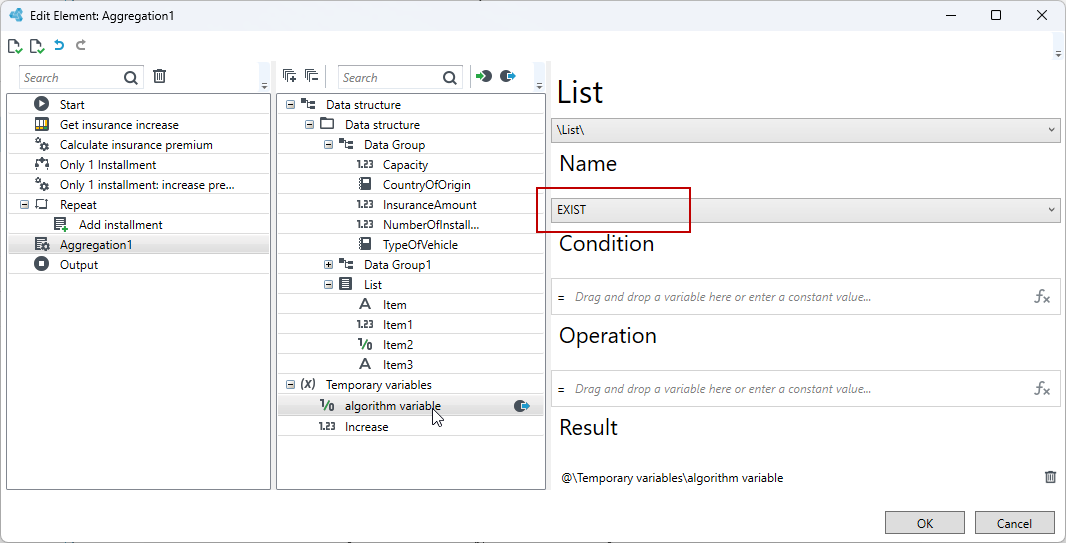
New EXIST function
A new EXIST function has been added to the Aggregation calculation element used in algorithms. The EXIST function allows you to immediately stop iterating through a collection as soon as the first element meets a specified condition. This provides a significant performance gain in cases where the element being searched for is at the beginning of the collection.
Changes in the User Interface
Changes in the Checkbox control
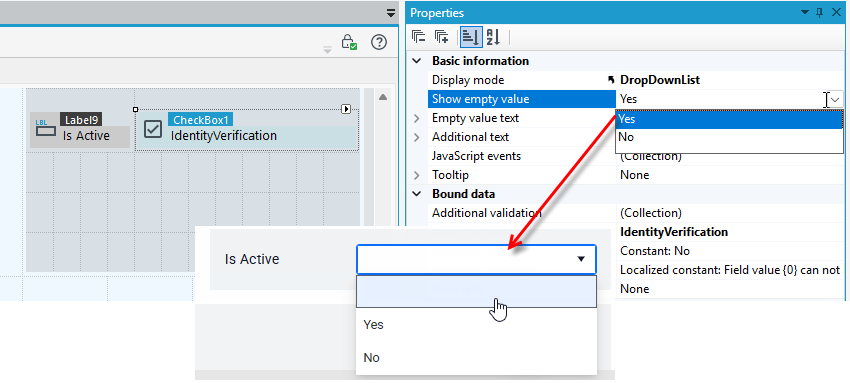
The ability to disable the display of empty values has been added to the Checkbox control. This option is available when the Display mode for the bit field is set to Drop-down List. When enabled, the list will not contain an item representing an empty value (no selection).
Home Page for Anonymous Users
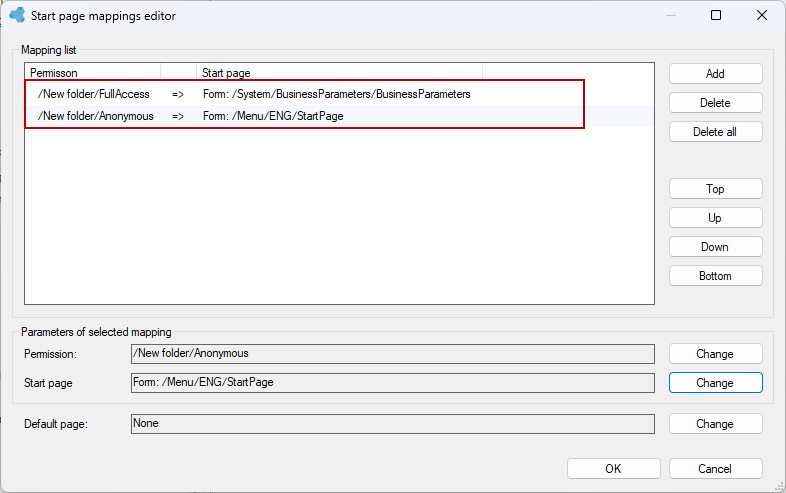
In this version of the platform, the ability to set a home page from the user menu for anonymous users has been added (an unlogged-in user will be automatically redirected to the specified page instead of the login page).
Changes in the dictionary filters in the list
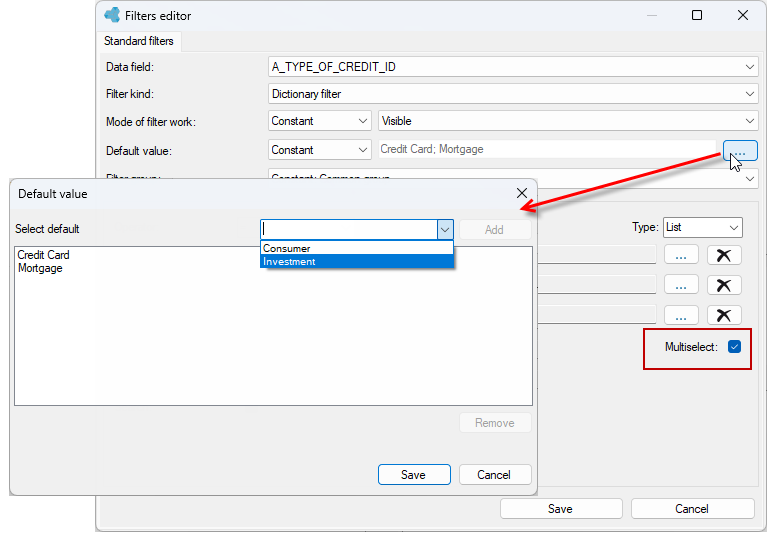
The ability to select multiple default values for dictionary filters has been added. If a dictionary filter allows for the selection of multiple items, the system now lets you specify more than one default value, which will be automatically selected when the view is opened. Defining multiple default values for dictionary filters is possible when the Multiselect option is enabled in the filter.
Changing the application language from the user profile
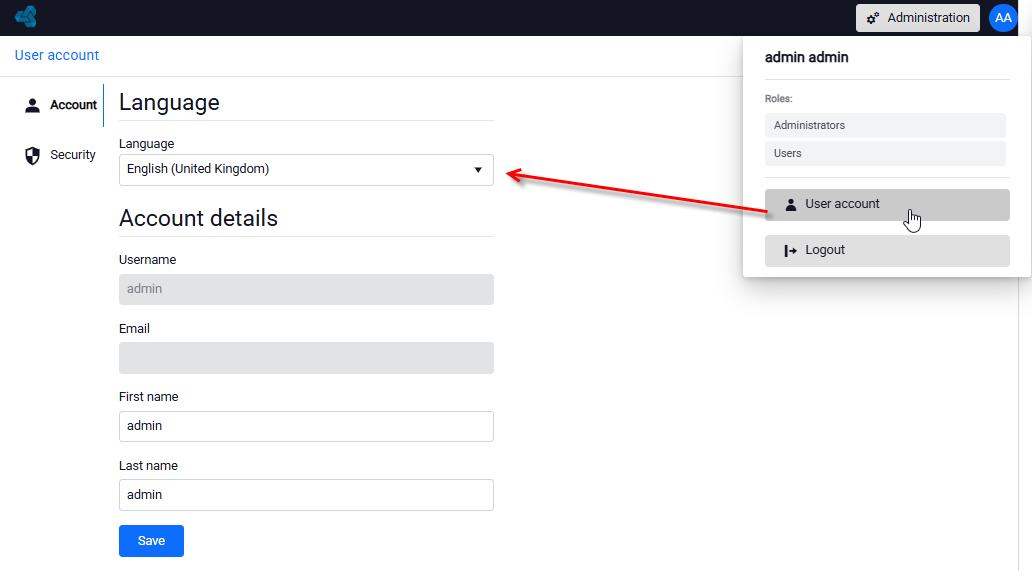
The ability to change the language has been added to the user profile.
Other changes
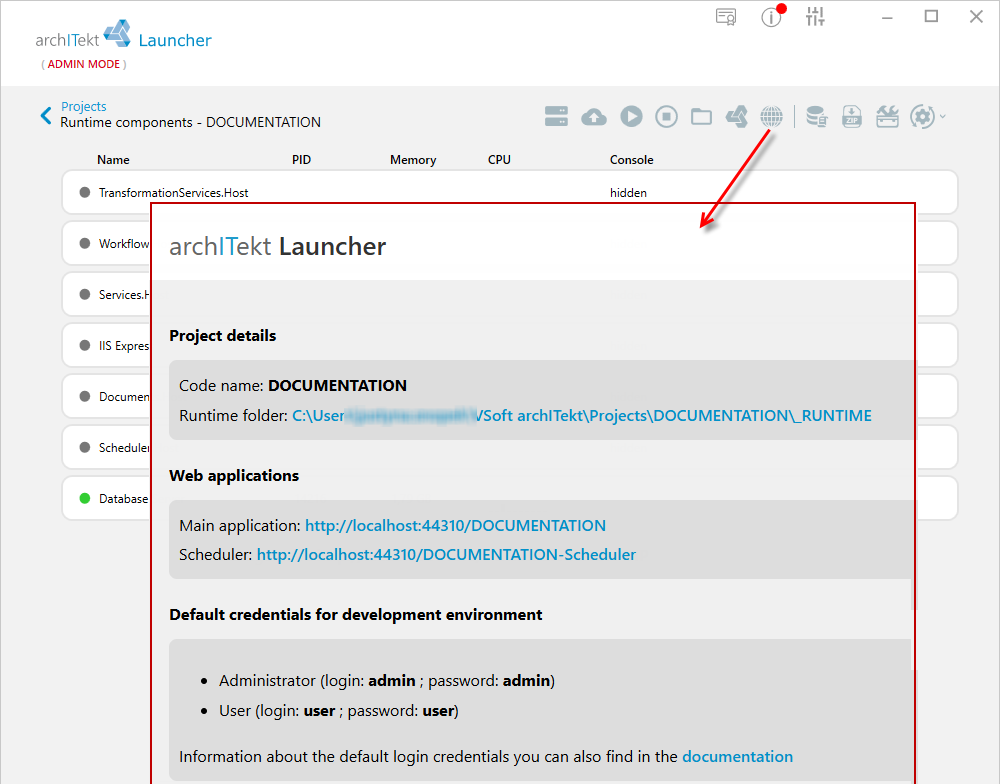
- Displaying standard web application logins and passwords on the web homepage, accessible from the Launcher (in the development environment only).
- An update to the LibreOffice package has been implemented to patch the security vulnerability designated as CVE-2025-1471. The update improves application security by eliminating a vulnerability that could have been exploited for unauthorized code execution or attacks on the user’s system.
- Addition of the LoadUserProfile parameter. In IIS server environments, the LoadUserProfile = True parameter has been enabled in the configuration of the relevant application pools, causing IIS to load a separate, stable user profile for the application pool, which eliminates conflicts resulting from other users logging in and out.