Release - version 21.22
The following describes the most important changes made in version 21.22.
New version of the archITekt platform documentation
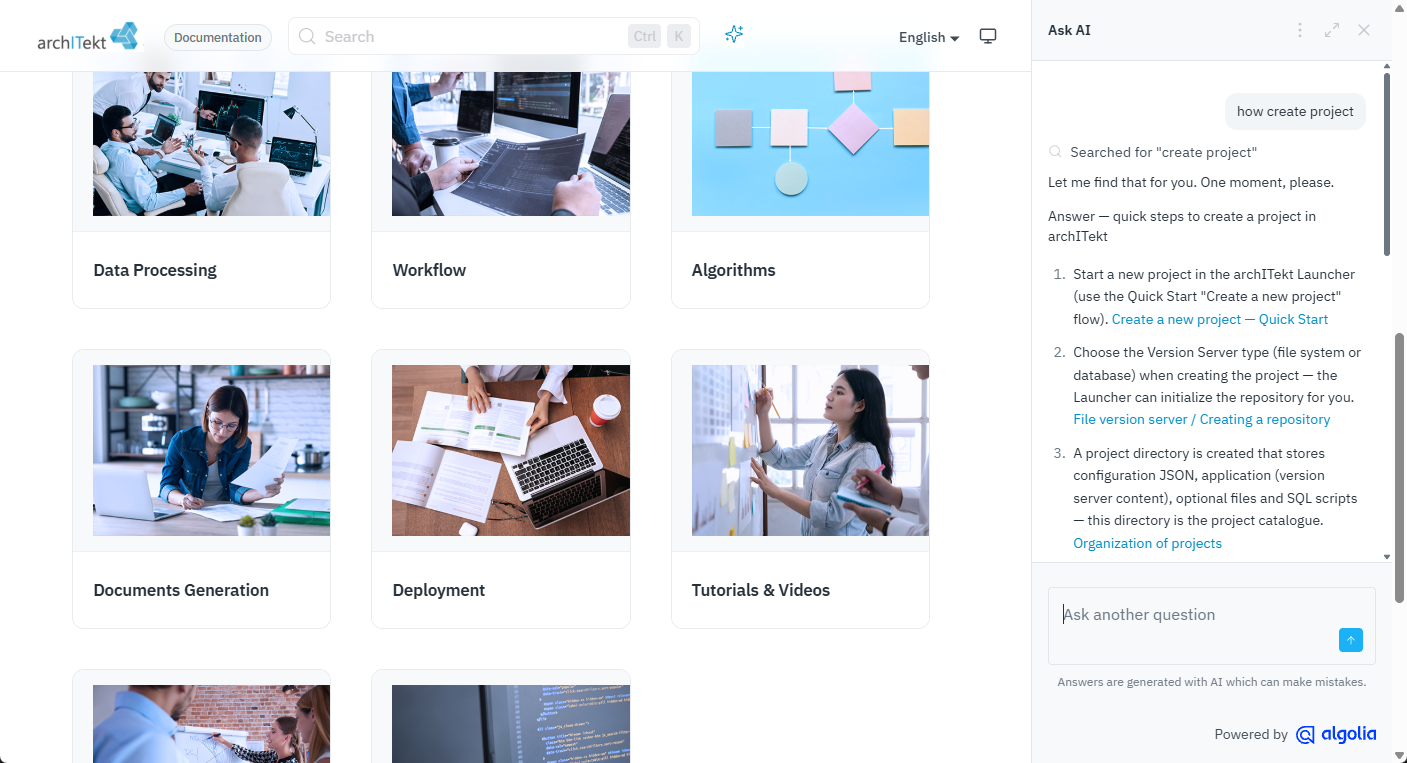
A pilot version of the archITekt platform documentation based on Docusaurus has been released. The documentation is available in two language versions: Polish and English.
The new version facilitates machine-readable access to information (it uses the Markdown standard) and improves the readability and navigation of the documentation. The Algolia DocSearch search engine enables fast, full-text search across the entire documentation instead of browsing through chapter after chapter. AI Assistant (Ask AI): you ask your question in plain language, e.g. "how do I save a generated document in a processing package". The assistant replies with a description of the solution, suggested steps and links to the relevant documentation pages. You can ask follow-up questions and enable suggestions for further questions. This is a good starting point, especially for people who are just getting to know the platform.
The documentation is available at: https://architekt.vsoft.pl/docs/
Changes in VSoft archITekt Launcher
Configuration of an external authorization server
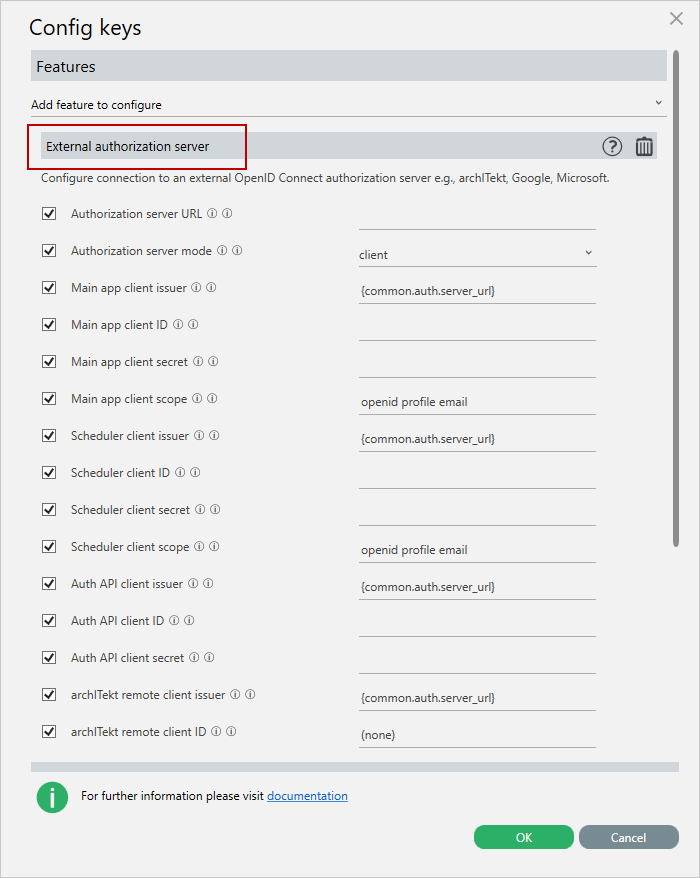
The ability to configure a connection to an external OpenID Connect authorization server (e.g. archITekt, Google, Microsoft) has been added directly from the Launcher options.
This allows the user to set all required credentials without the need to manually edit configuration files.
The new functionality provides configuration fields for:
- the authorization server address,
- the authorization mode,
- client data (issuer, client ID, secret, scope) for:
- the main application,
- the scheduler,
- the authorization API,
- remote archITekt clients.
For more information see: Configuring a connection to an external server.
Changing the order of projects
The ability to change the order of projects in the Launcher list using drag & drop has been added.
Previously, the project list was displayed in a fixed order, which made it difficult for users with a large number of projects. The new functionality allows easy reordering of the list and quick access to the most frequently used projects.
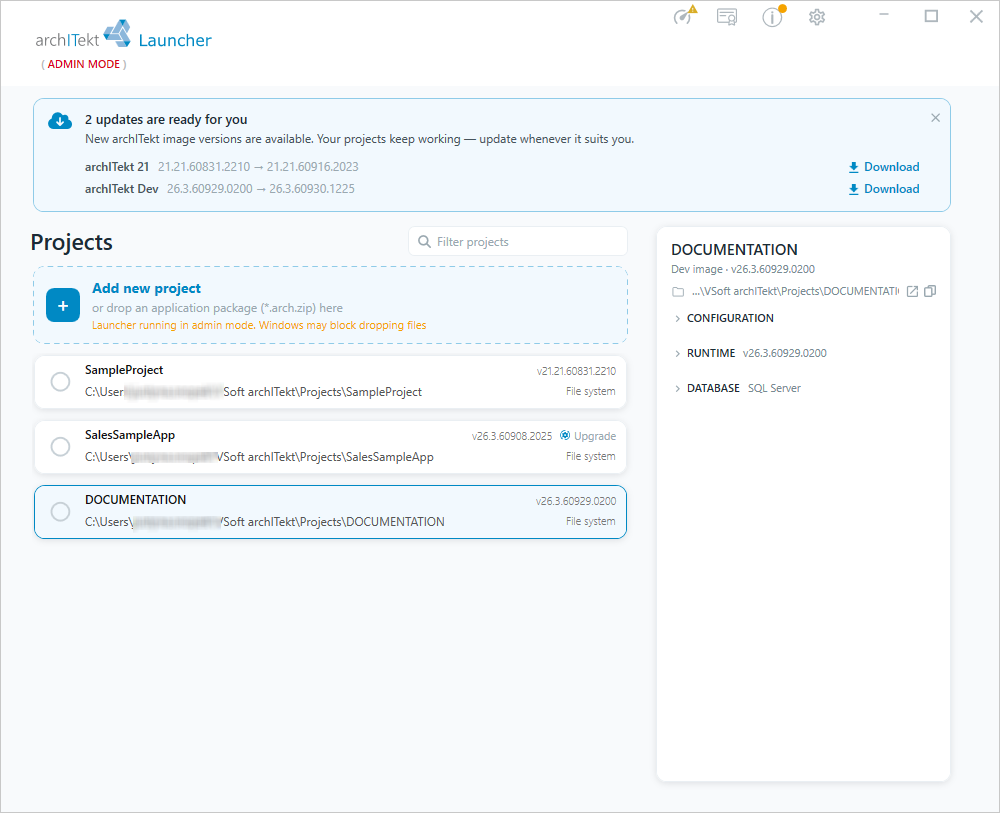
New VSoft archITekt Launcher interface
The look and layout of the Launcher interface have been refreshed, aligning it with the new, consistent visual style of the archITekt platform. The changes include an updated color scheme, a clearer arrangement of elements and streamlined navigation, resulting in more convenient and intuitive work with the application. The new interface retains the Launcher's existing functionality, focusing on improving the aesthetics and ergonomics of the user's work.
Changes in document generation
Changes in the Table tag
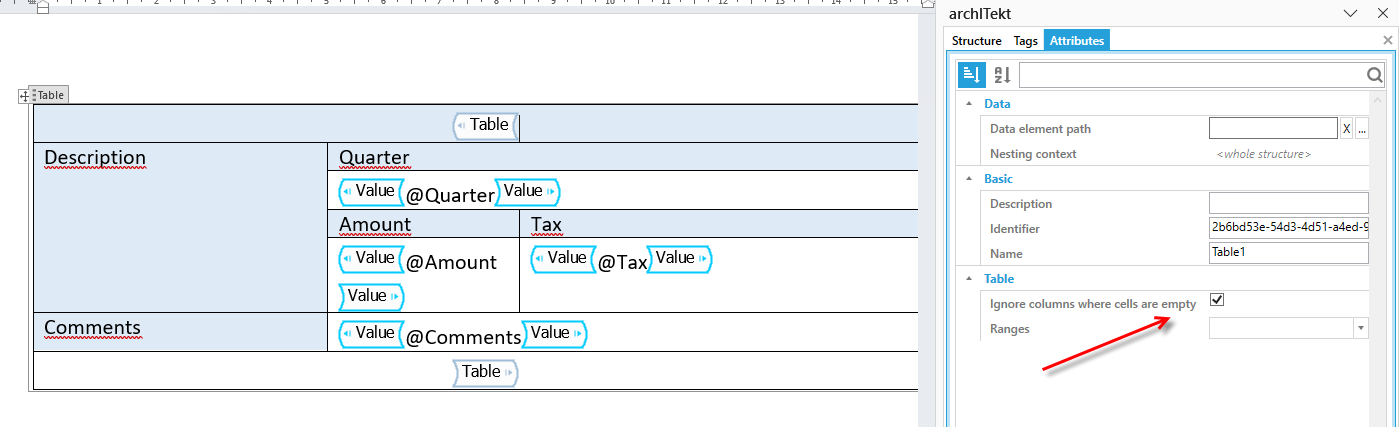
The ability to hide selected columns in tables via the Table tag attributes has been introduced. The new option: Ignore columns containing empty cells allows better customization of data presentation to the user's needs and the document context. For more information see: Table tag.
Accessibility – WCAG support
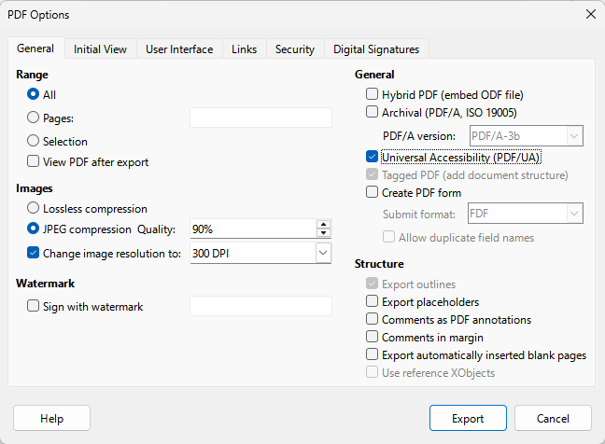
Support for WCAG (Web Content Accessibility Guidelines) has been added — generating PDF documents compliant with WCAG and the PDF/UA accessibility standard (ISO 14289).
The change is aimed at bringing the system into compliance with applicable accessibility standards.
For more information see: Generating PDF Documents Compliant with WCAG and PDF/UA.
New Pivot Table tag
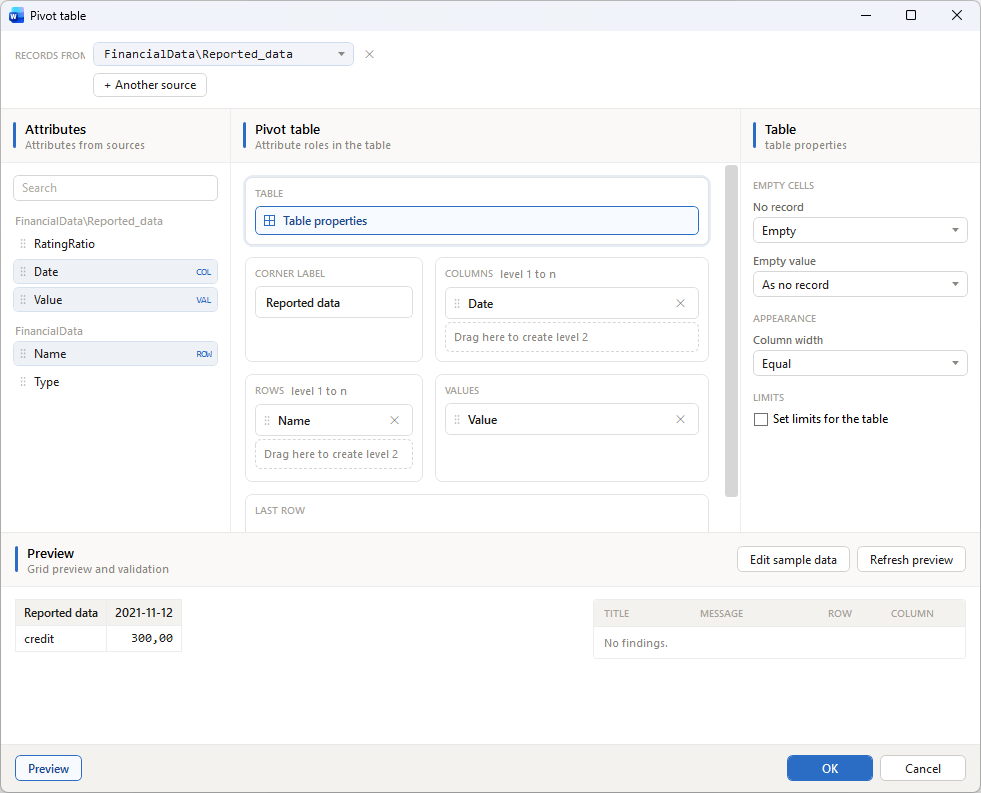
A new Pivot Table tag has been introduced, allowing documents to include tables that work on the principle known from spreadsheet pivot tables. The tag allows dynamic grouping and aggregation of data by selected columns (rows, columns and values), making it easier to present and analyze larger data sets directly in the generated document — without the need to manually prepare summaries.
Workflow Designer - comprehensive refresh of the interface and work ergonomics
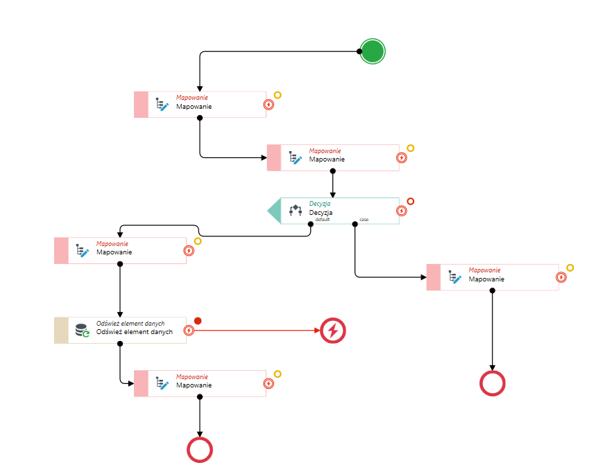
The latest version introduces changes that significantly improve workflow modeling, increase diagram readability and reduce the number of manual operations required during design. Automatic element layout and connection management mechanisms help maintain a clear process structure even for large, complex models.
Key changes
- Improved connection routing. Connections between activities can now be routed from the top and bottom edges as well as from the sides of elements. This makes for clearer diagrams and reduces the number of crossing lines in complex processes.
- Automatic insertion of activities into an existing flow. Dropping a new activity onto an existing connection automatically inserts it into the process, without the need to manually recreate connections.
- Process continuity preserved after removing an element. Removing an activity no longer breaks the flow. The designer automatically connects the neighboring elements, keeping the process consistent.
- New Throw Error activity. A dedicated activity for raising errors has been added, corresponding to the end error event in BPMN notation. It allows defining custom error messages and replaces the previous workaround based on deliberately generating errors in mapping activities. The mechanism also supports subprocess scenarios, allowing errors to be propagated to and handled in the parent process.
- New BPMN-compliant output markers. More intuitive graphical markers for outputs have been introduced:
- the error output is marked with a BPMN symbol with a highlight effect on hover,
- the timeout output is marked with a clock icon,
- activities with multiple output types use consistent color coding to make execution paths easier to identify.
- Better handling of activity resizing. When resizing an element, the position of the connection points is automatically adjusted, ensuring lines are routed correctly and neatly.
- Reorganized context menu. The context menu has been redesigned for usability. New icons, a clearer command layout and improved performance have been introduced.
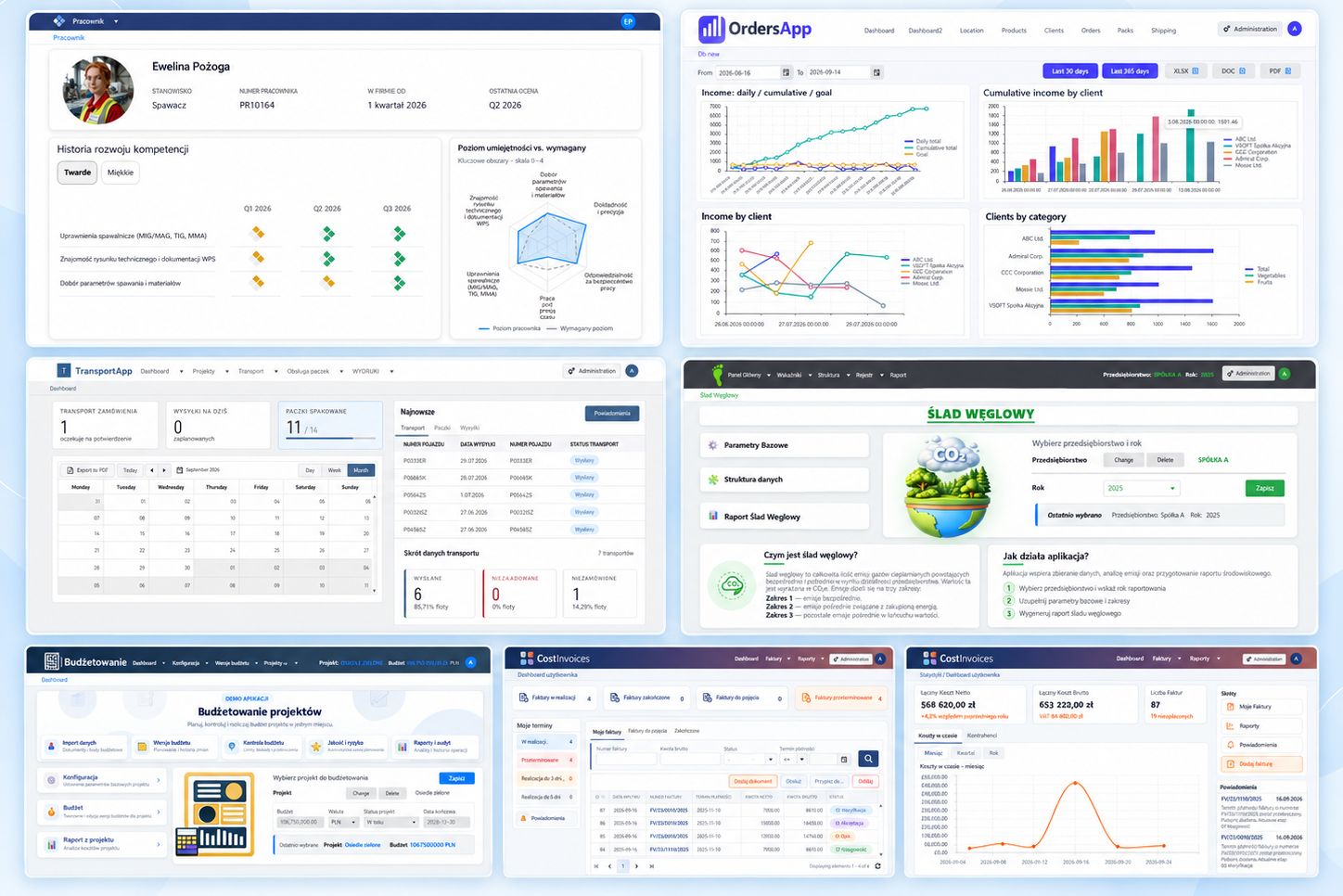
Sample applications refreshed
The sample applications available in the Launcher have been comprehensively refreshed. The update covered both the visual layer and the content of the presented data, so the applications now better reflect the platform's current capabilities and provide a more consistent user experience.
- Modern user interface – the applications' look has been refreshed, aligning them with current design standards and the latest platform changes.
- Updated demo data – the sample data has been refreshed and organized to better represent real business scenarios.
- Improved processes and configuration – the application configuration and sample processes have been updated to reflect new functionality and recommended practices.
- Greater consistency and readability – naming, element layout and data structure have been unified across the demo applications.
For more information see: Sample applications.
Switching to the new Ribbon interface
archITekt Studio has gained a new, optional interface based on a Ribbon, familiar from Microsoft Office and Visual Studio applications. All the most important commands have been gathered in one place and grouped by topic, making it easier to find functions and speeding up everyday work.
- New Ribbon bar – commands previously available in the menu and on various toolbars have been organized into clear tabs.
- Ability to switch interfaces – the user can turn the Ribbon on or off at any time and use their preferred way of working.
- Contextual designer tabs – tools related to the currently open designer are presented on a dedicated tab, whose content automatically adapts to the current context.
- Dedicated Version Server tab – functions such as check-in, check-out, version search and versioning information have been gathered in one place.
- Ability to minimize the Ribbon – the bar can be collapsed when needed, freeing up more workspace without losing access to functionality.
- Better organization of the workspace – when the Ribbon is enabled, duplicated interface elements are hidden, resulting in a clearer application.
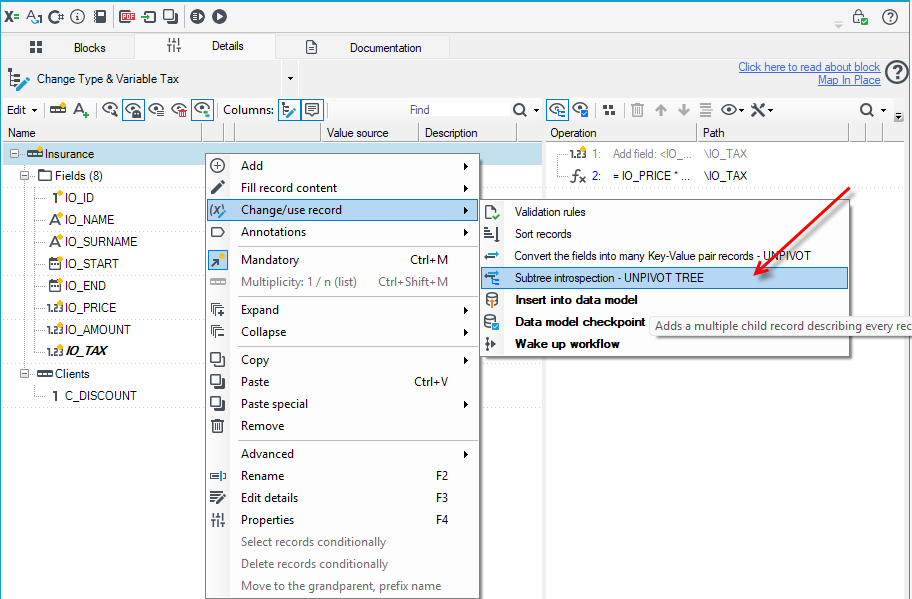
New mapping operation: Subtree introspection – UNPIVOT TREE
The Subtree introspection – UNPIVOT TREE mapping operation turns a subtree of records into a flat list of records describing that subtree. The result is an introspection: the subtree's structure, its fields, annotations and mappings become available as regular data in records, instead of metadata. This is an extended version of the Unpivot operation. Unpivot turns the columns of a single record into rows, while UNPIVOT TREE does the same for an entire subtree, together with its child records.
For more information see: Subtree introspection – UNPIVOT TREE.
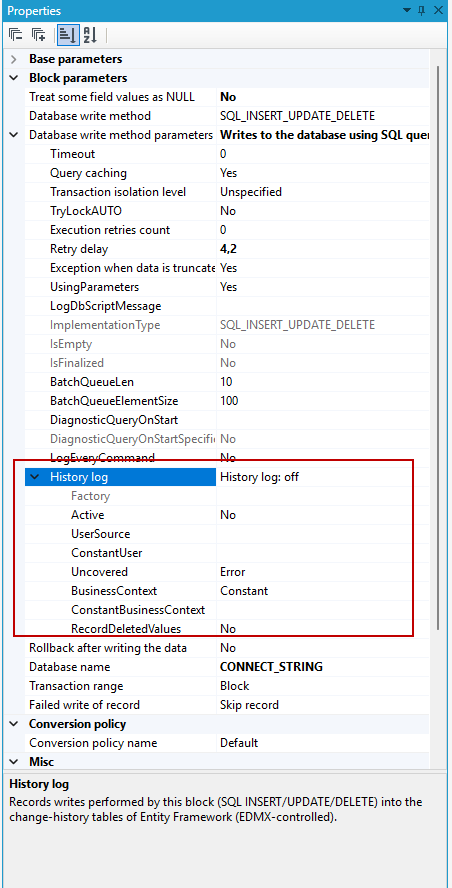
History log – change history when writing via a package
The History log option has been added, thanks to which a database write performed in a processing package records the change history of records in archITekt's historical tables — the same way a write performed via forms does. Previously, changes made by packages were not recorded in the history, so a record's history was incomplete if part of the operations on it were performed by packages — e.g. operations too complex to implement in a form. Once the option is enabled, the write still uses the standard mechanisms (AUTO_InsertUpdate, InsertOnly, Update, etc.), and additionally the changes are passed via Entity Framework to the historical tables.
For more information see: History log.
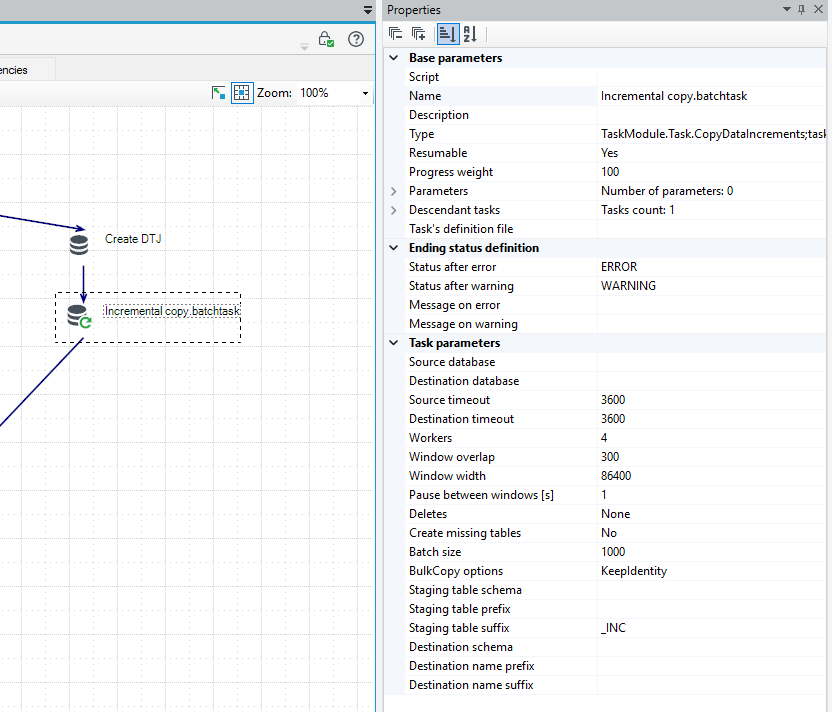
Task hierarchy new task: Incremental copy
A new task, Incremental copy, has been added to the task hierarchy. It maintains an up-to-date copy of one or more tables in another database — without the need to write your own synchronization mechanisms or install anything on the source or target side. On every run, the task copies only the rows that have changed since the previous run — based on the specified increment column (a timestamp, a growing numeric key or a SQL Server rowversion) — and merges them into the target table by its primary key. This means the full load of a large table remains safe for both the source and destination databases, and a run interrupted halfway through can be safely resumed without risking data loss or duplication.
For more information see: Incremental copy.
Other changes
Release notes and changelog directly in archITekt Studio
Information about changes in archITekt will now be available where the user works every day — in archITekt Studio. After installing or updating to a new version, Studio will show what has changed on its own. There is no longer a need to look for release notes on the website or in the documentation. Release notes open in a separate tab next to the start page. On subsequent launches, the tab no longer opens automatically. It will appear again only after the next update to a new version. Additionally, new commands are available in archITekt Studio:
- Show release notes: reopens the release notes for the current version, e.g. after closing the tab.
- Show changelog: opens the full archITekt changelog on the architekt.vsoft.pl website, with the change history for all versions.
The full, detailed Changelog of all technical changes is also available in the documentation.
Linux support (application layer)
The platform's components have been rebuilt so that archITekt can run on the latest versions of the .NET platform (10+), on both Windows and Linux, including containerized deployments managed under Linux. The changes covered the way modules communicate, which is now based on the REST standard instead of WCF technology, as well as the process startup model and how the platform's services operate.
Thanks to these changes, archITekt supports a wider range of deployment scenarios, including containerized and cloud environments. The modern technology architecture increases scalability, simplifies platform maintenance and eliminates the risk associated with the end of support for older .NET Framework versions.
In line with the development roadmap, work continues on migrating the web layer to the latest version of the .NET platform.
Unified layout of fields in the Properties panel
The layout of fields in the Properties section has been unified, improving readability and interface consistency.
Properties related to navigation for navigation actions in forms and lists have been reorganized — all parameters are now easier to find and maintain a consistent layout regardless of the action type.
Interface improvements – tab scrolling
The ability to scroll the list of tabs when there are many of them has been added, improving usability and interface readability.
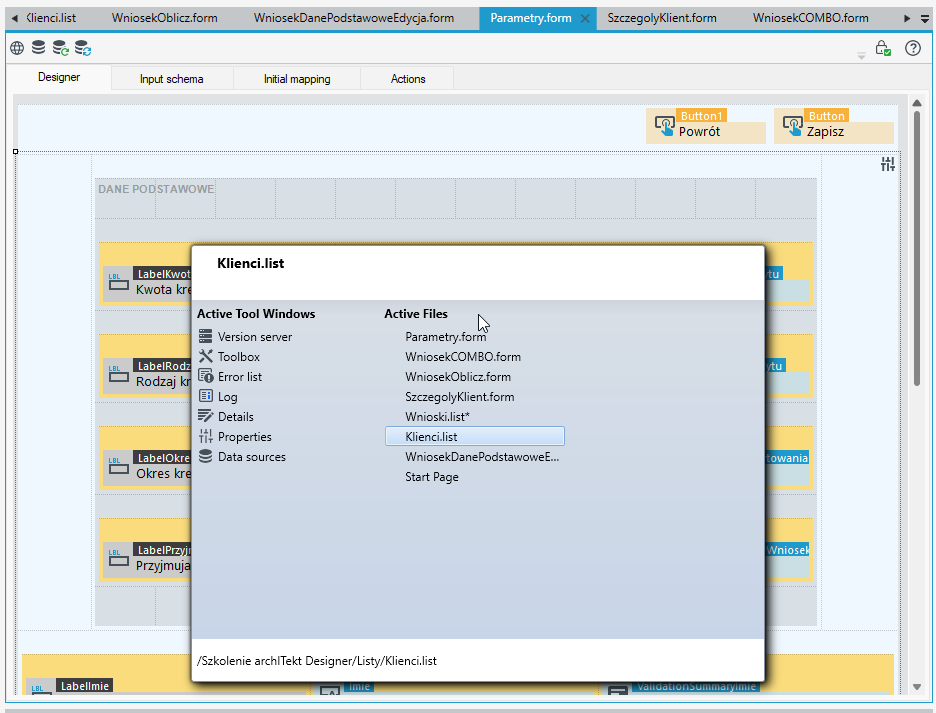
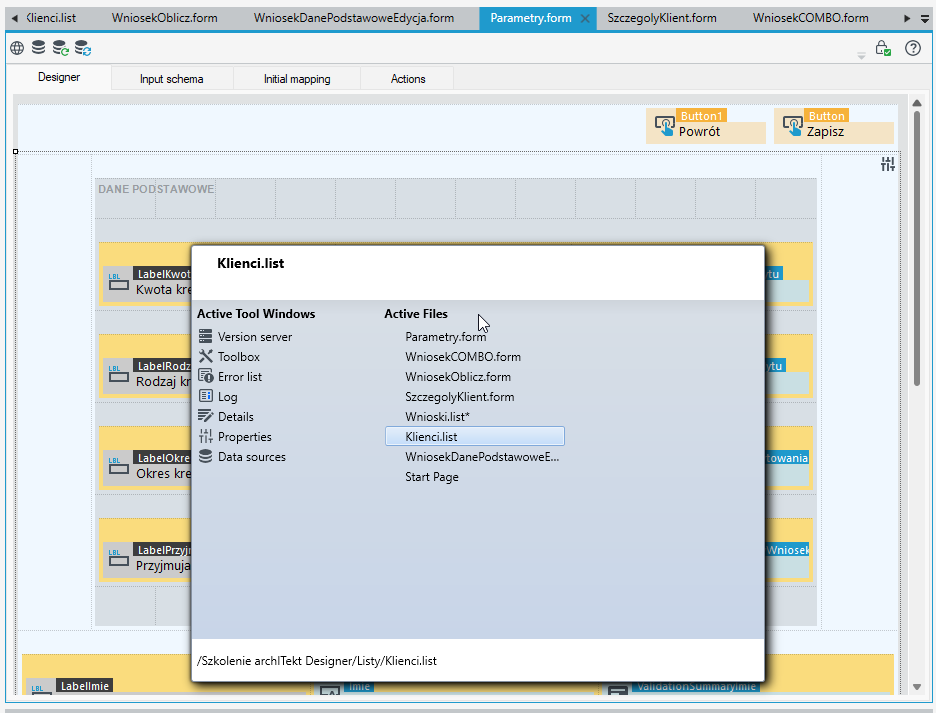
Additionally, the Ctrl + Tab keyboard shortcut can be used to quickly switch between open tabs and panels, significantly speeding up navigation.
Useful tooltips for technical information
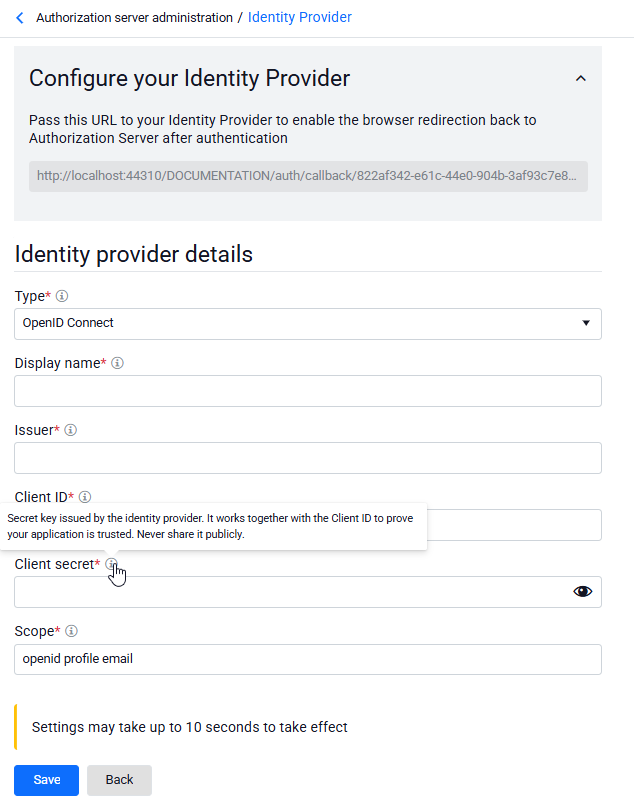
User-friendly tooltips explaining technical information have been added to the Authorization Server feature.
The new functionality makes it easier to understand more advanced settings and parameters without the need to consult the documentation.