SDO Group
SDO gives you the ability to group previously created transformations into sets. There are many possibilities to configure the group. It is possible to select several transformations that will best fit the set criterion. This will result in a high efficiency of functionality.
Single definitions can use the results of other transformations, those of subsequent ones and so on. The calculation engine can arrange the transformations in the correct order resulting from the dependencies, narrow down the input structures only to the actually needed elements. When building a data group, we choose the conversions belonging to it in such a way as to adjust both the range of input data and the required calculations to what we need.
When building a group, we can choose from all the transformations created in a given space, regardless of the method we used to create them (multidimensional array, etc.).
To create a group:
- In the main window, select the add icon in the upper left corner or from the main menu File>New or from the context menu of the version server New element.
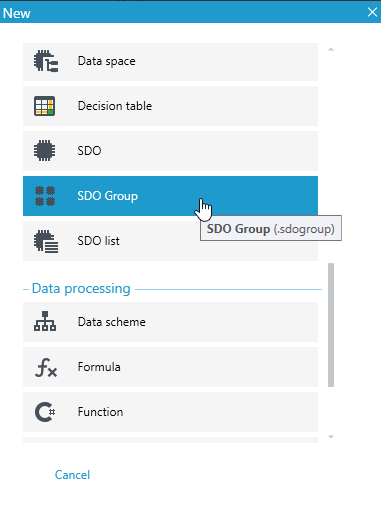
- Then select SDO Group in the popup window.
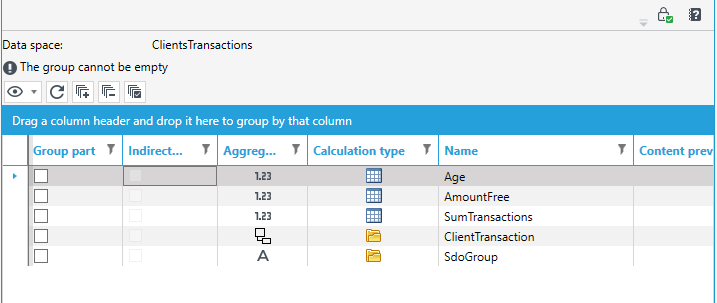
A list of defined transformations (aggregates) will appear - if previously created.
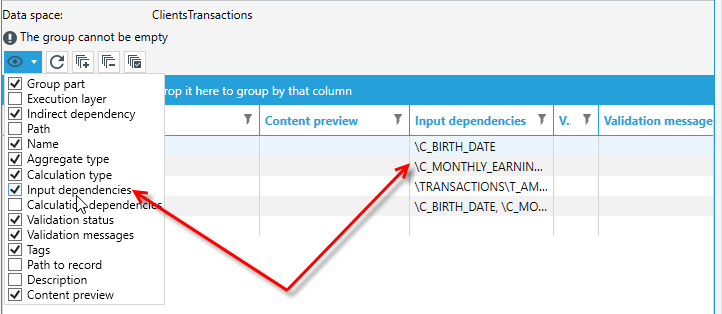
After expanding the icon  you can select the columns that will be visible in the table with transformations.
The most important columns:
- Group part - here you should mark the transformations you want to use in the group.
- Execution layer - an automatic marking showing us in which layer the transformation is located.
- Indirect dependency - is automatically marked when other aggregates are defined in the selected transformation on the input.
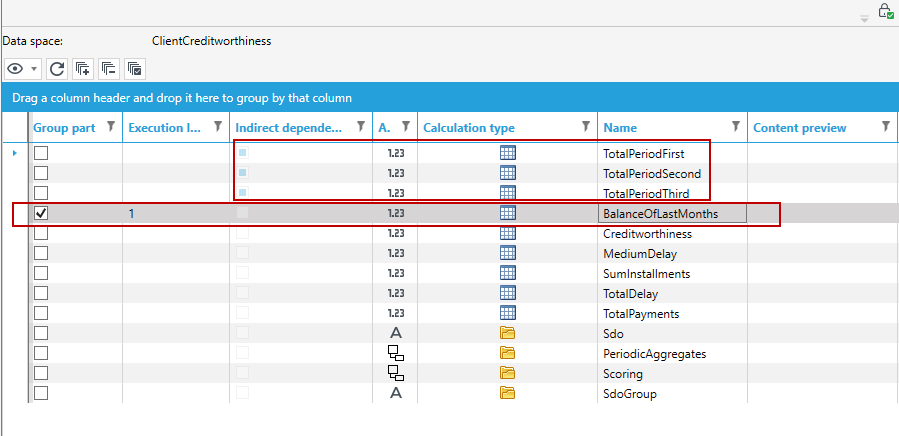
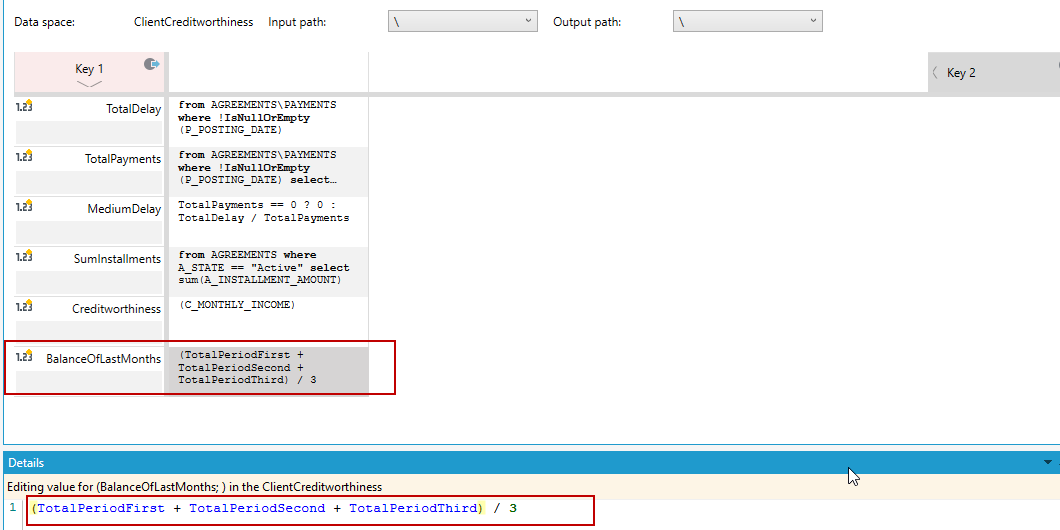
If we look at the above, 3 other transformations are used in the transformation BalanceOfLastMonths: TotalPeriodFirst, TotalPeriodSecond and TotalPeriodThird. This can be seen because the 3 squares in the indirect dependency have been filled in. If we go to the table with these transformations, we can see that the other 3 are used in the aggregate.
If TotalPeriodFirst, TotalPeriodSecond and TotalPeriodThird are not selected in Group part, an error will be generated when running the processing with the SDO block.