Logging of errors
While working on the application, the user can refer to logs in several places in the platform.
Application logs are saved:
-
in the
{environment}_CONFIGdatabase, in theLOGStable, -
in a file in the
LOGSdirectory - in the application directory, -
and in the Event Log, in the Application log.
-
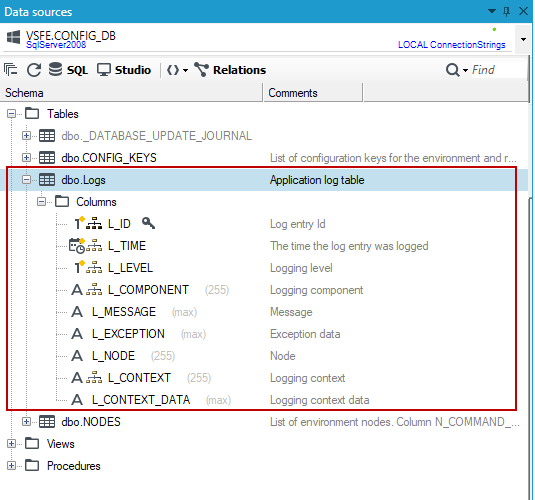
Go to the Data sources panel and select the
CONFIG_DBdatabase.
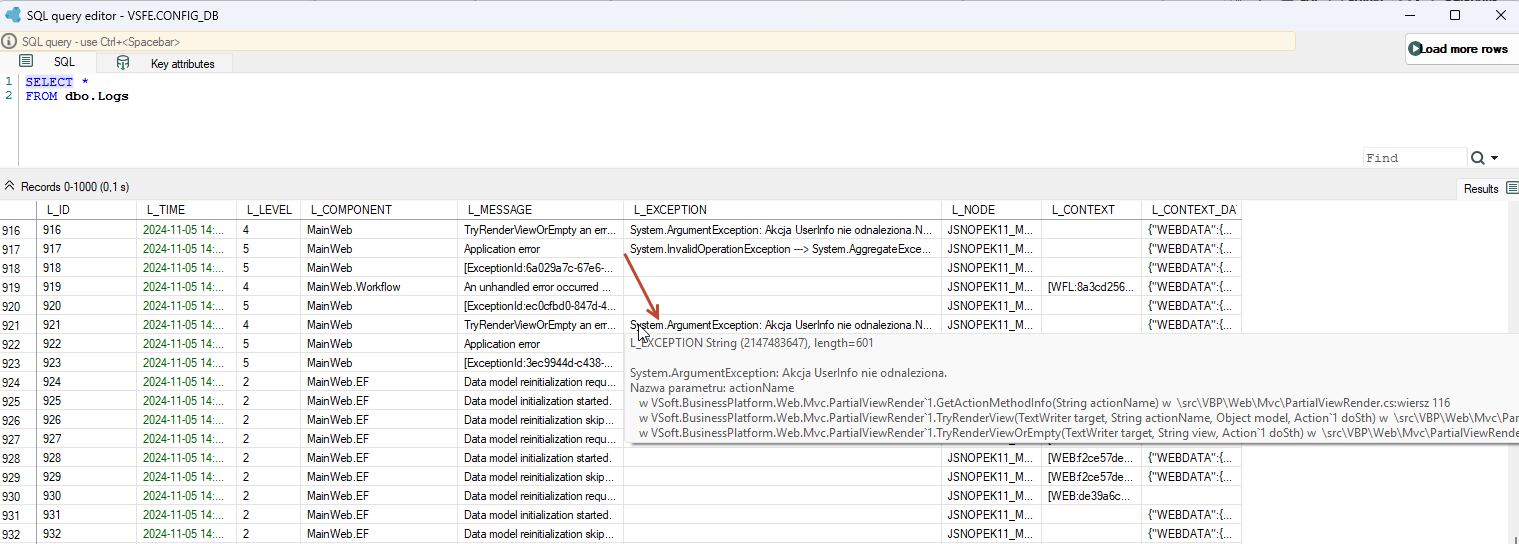
- In the Logs table you will find information about the contents of the exception, if it occurred. Hover over the column or copy the contents of the error.
You will also find the logs in the project file directory.
- Go to VSoft archITekt Launcher, hover over the given project in the projects list, expand the Open button and, in the PROJECT section, select Project folder to navigate to the location where the project files were placed when the project was created.
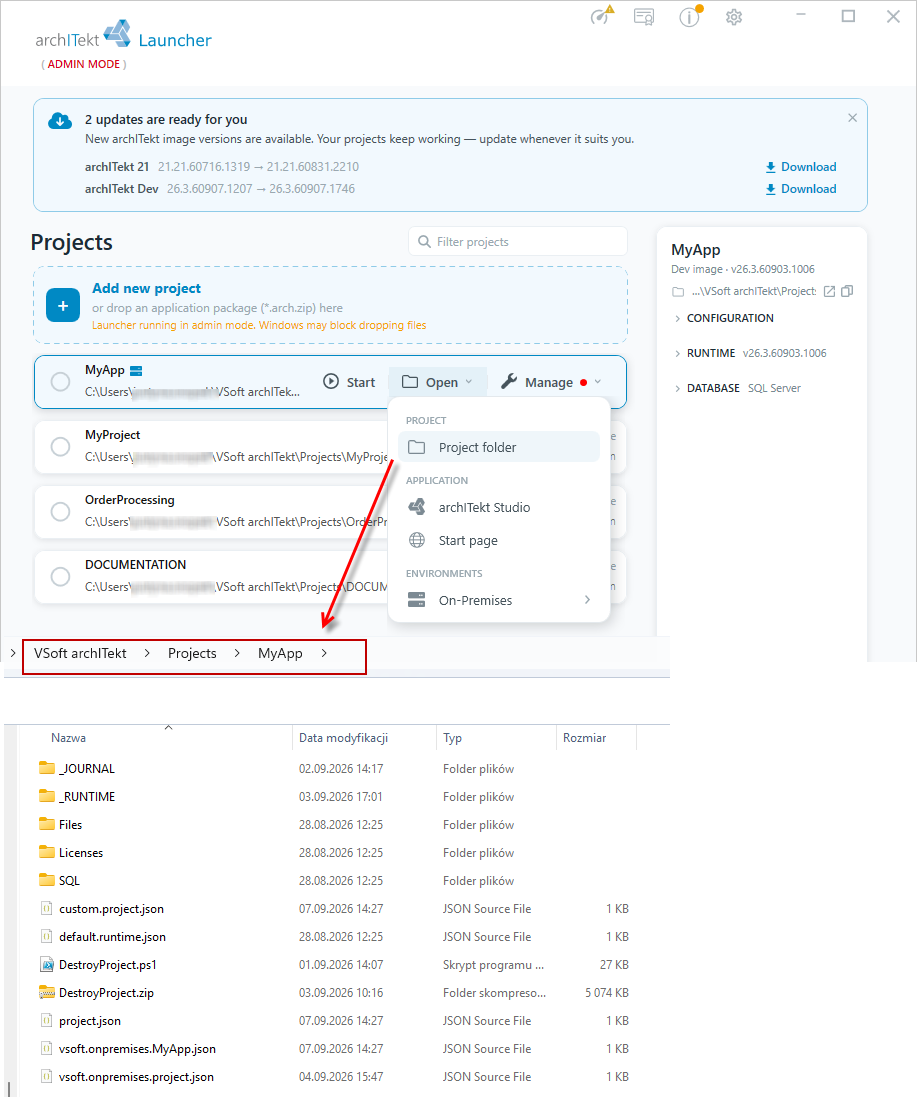
- When you navigate to the
_RUNTIMEdirectory, the logs are stored in theLOGSdirectory.
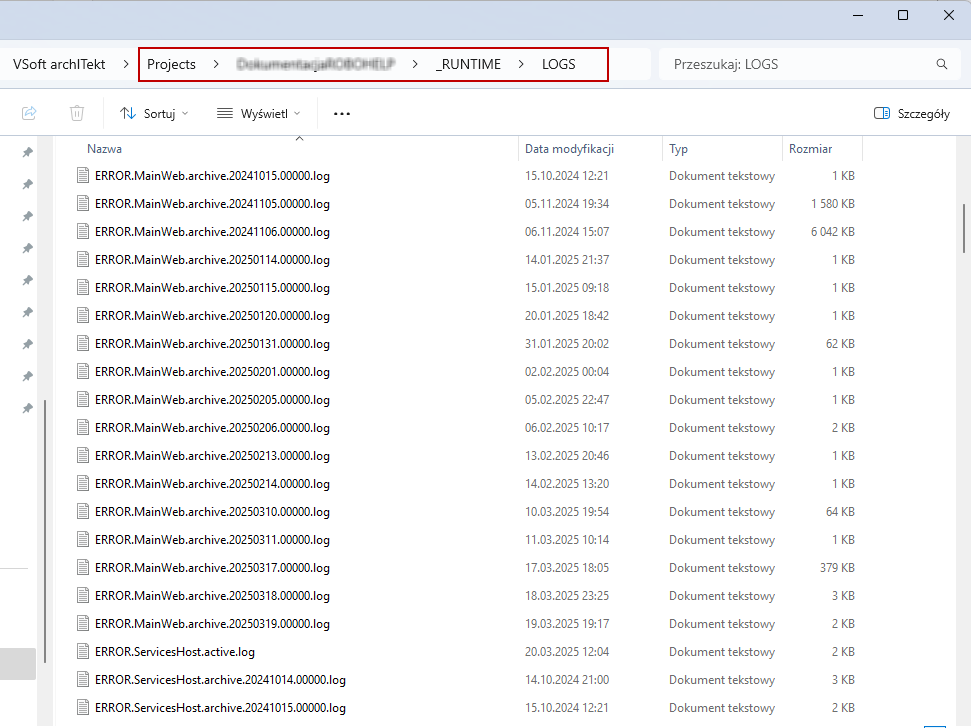
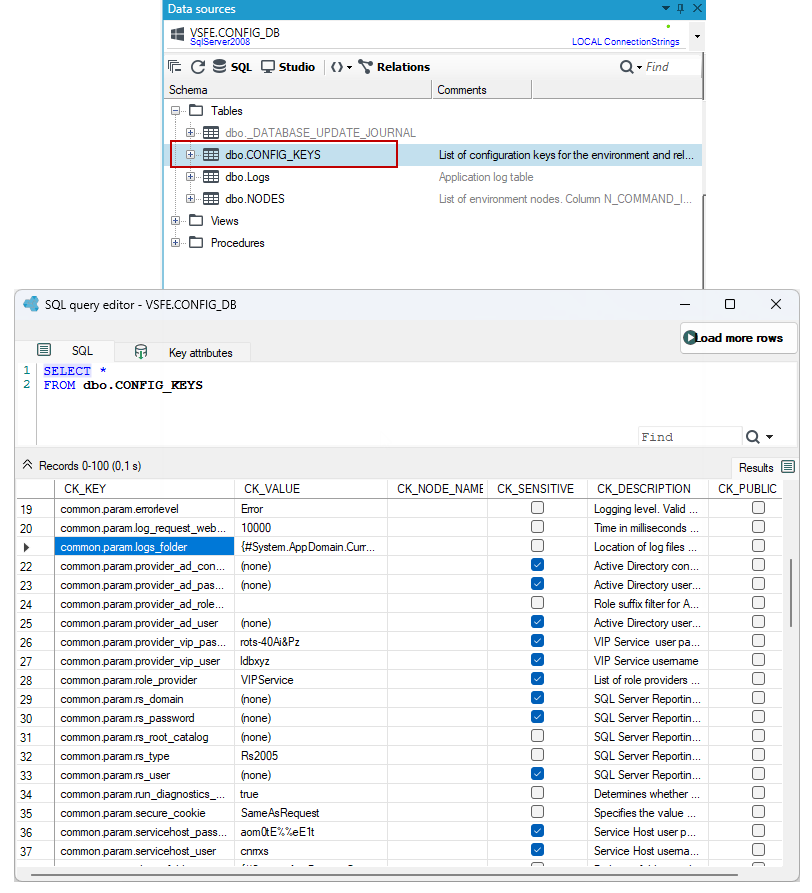
- The location of the directory where the logs are stored is set in the project parameter
common.param.logs_folderAll project parameters are stored in theCONFIGdatabase in theCONFIG_KEYStable.
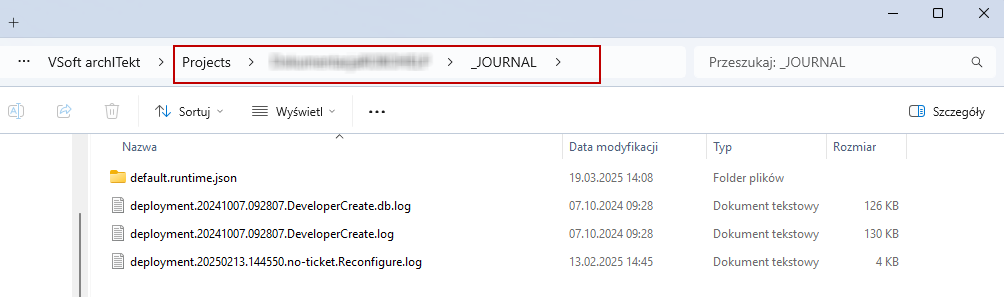
- In the project files in the
_JOURNALdirectory you will find logs from the execution of administrative scripts on the project / environment.