Searching an XML file
You can open each file in the Version Server with an XML editor, and then use the search engine to search for parameters in the file.
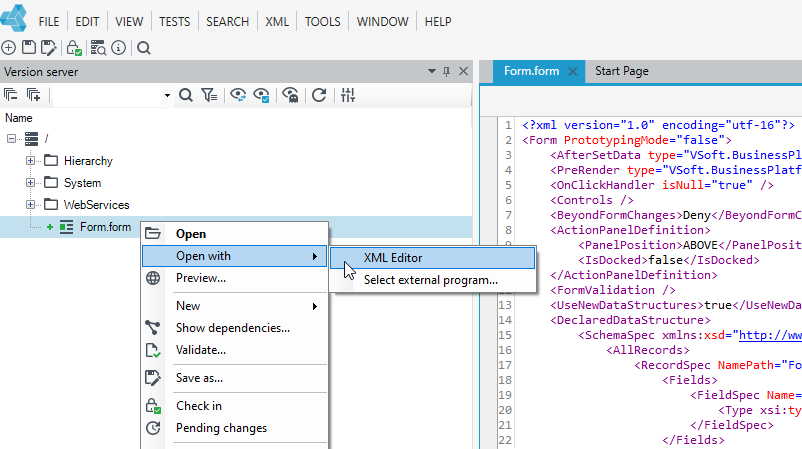
- Go to the Version server panel, right-click the file and select Open with>XML Editor from the context menu.
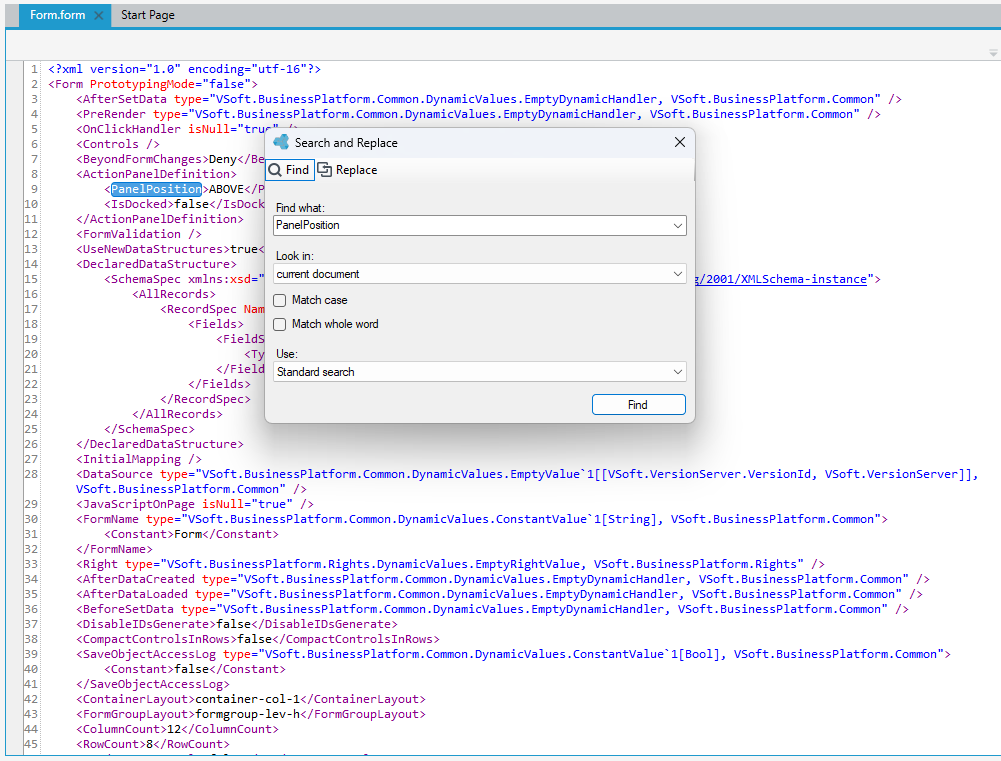
- Select Find from the Search main menu.
- Specify the file search parameters and select Find. The search results will be highlighted in the XML file.
tip
Go to the Replace tab to quickly replace found items one by one or all at once.