Application configuration
In archITekt Studio, you can specify basic application settings.
- To access the application configuration, select Application configuration from the Tools menu.
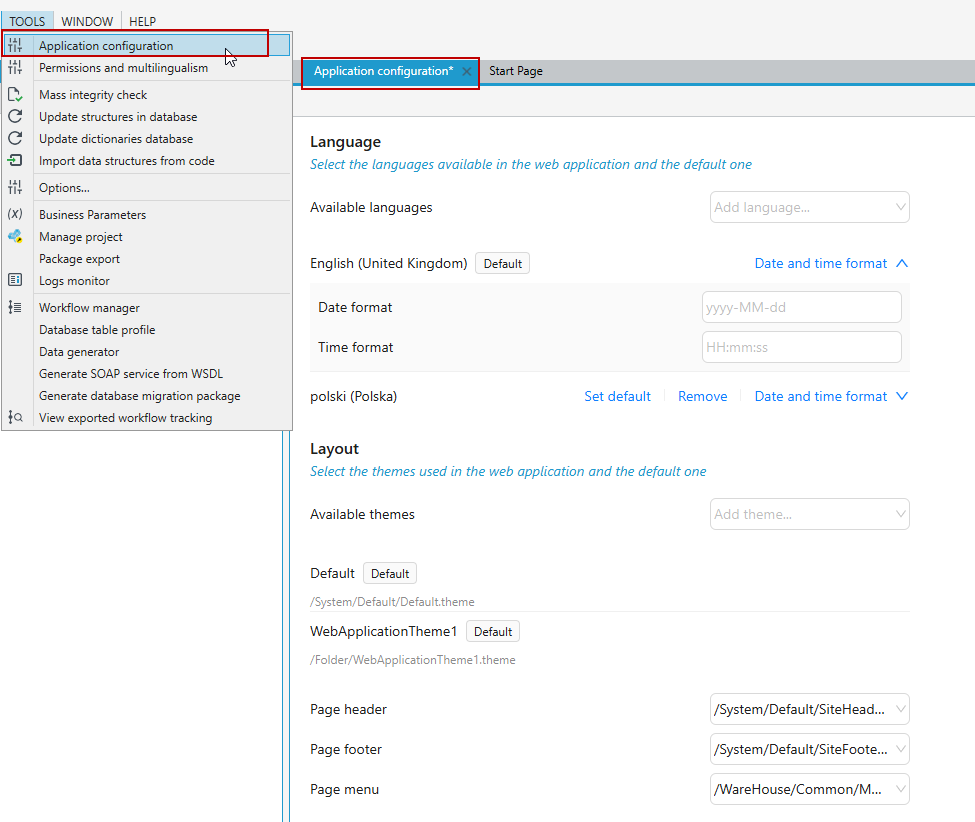
- You can select the default and available languages in the final application, indicate which menu is the default menu for the application, and select the default theme for the application and the header and footer. For more on defining an application theme, see Defining the style of a web application. For defining a custom header and footer see Create a custom header and footer for application site.
- In addition, here you can define a custom date and time format for the selected language.
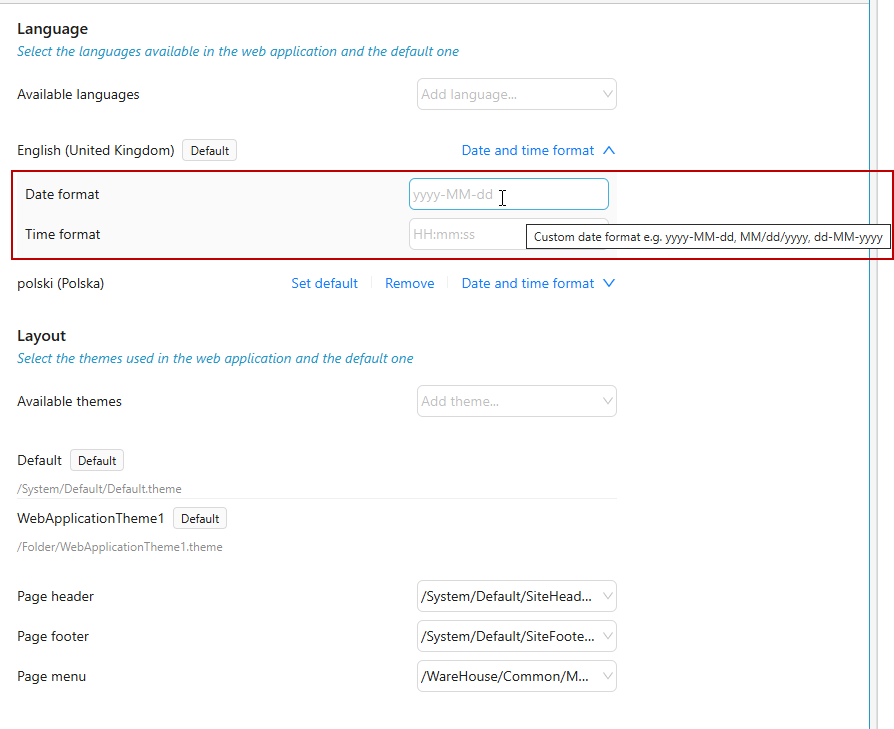
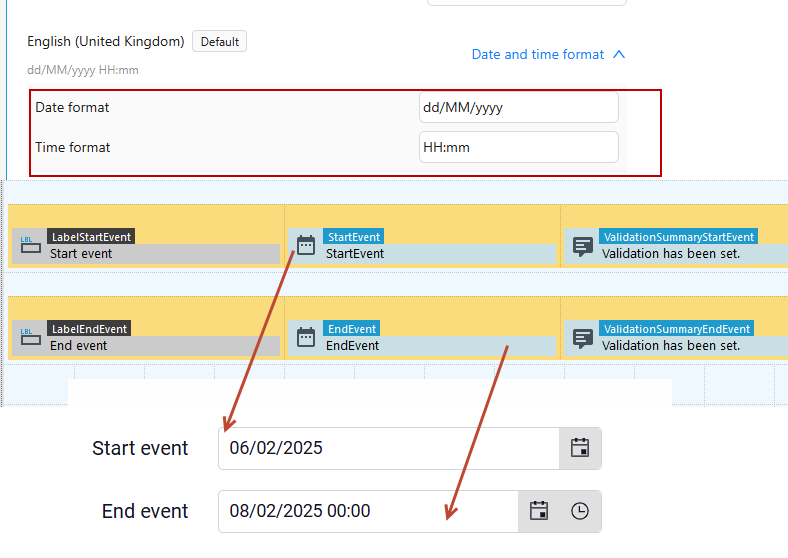
- After you enter the data, this format will be used as the default for displaying the date and time in the Date Picker and Date Time Picker controls. You can change this setting globally in the application configuration file above, or in the properties of the given control on the form see Date Picker and Date Time Picker.
- After selecting a language in the Available languages option and a theme in the Available themes parameter, you can choose the options to set them as default for the application you are creating, or remove them from the list: Set default or Remove.
- Once you have entered the data, save the changes to the Application configuration file and finish editing the file.