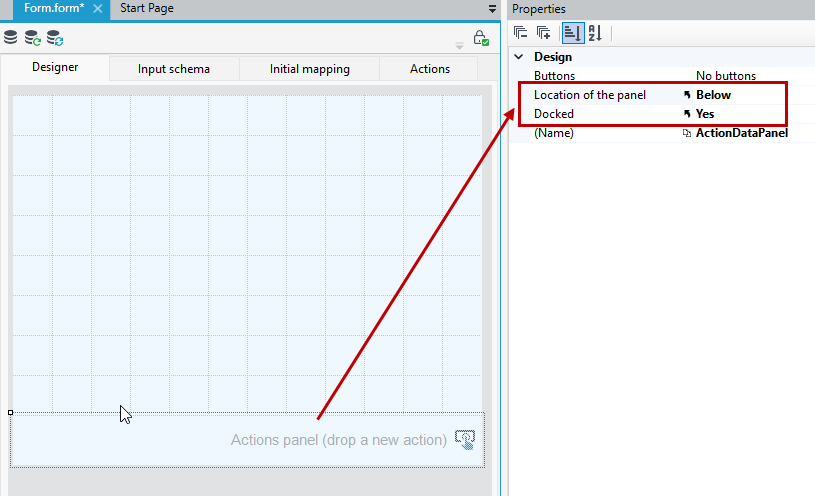
Action panel
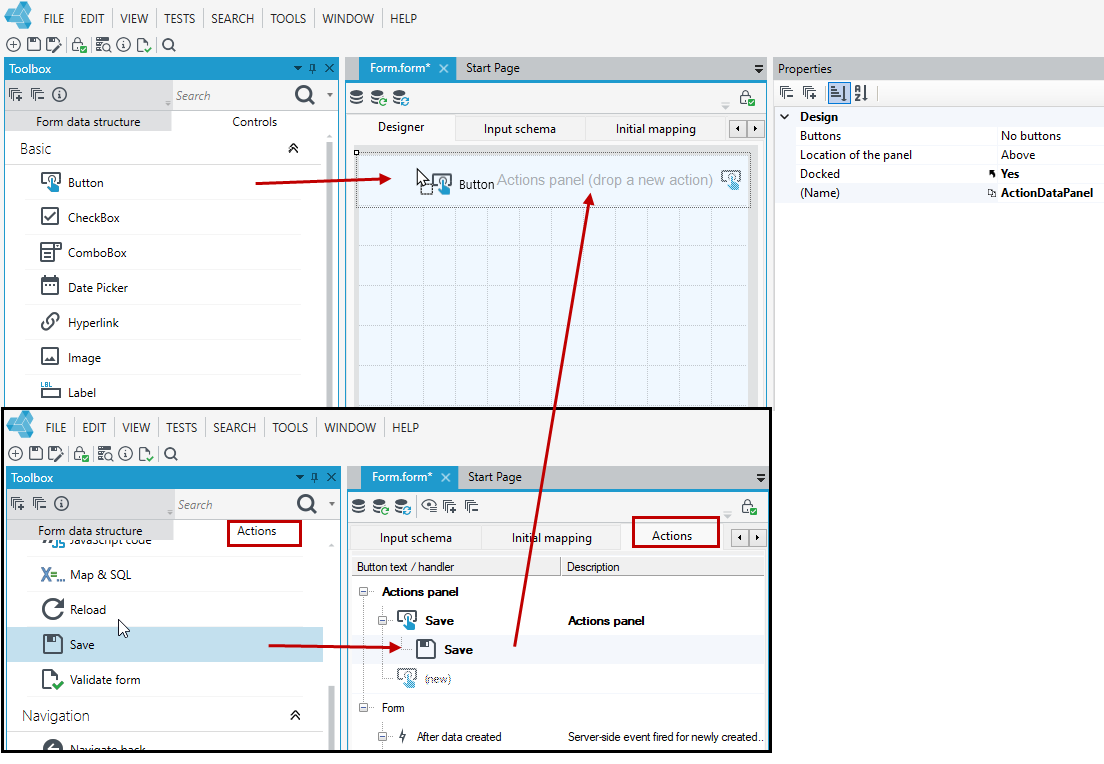
You can place actions anywhere on the form or containers, as well as on the action panel.
- Drag the Button control onto the Action panel on the form. Next, add an action to the button on the Properties panel or on the Actions tab.
- You can also go to the Actions tab and add the button with the attached action to the Action panel section.
You can define whether the action panel should be placed Above or Below relative to the main page element and whether the action panel should be docked.