Input schema and Initial mapping
Input schema
The Input schema tab contains the data structure that is passed on to the start of the form. In most cases, only the Id will be there, but the structure may contain something more and act as local variables for form processing. Initial mappings are performed on this data schema.
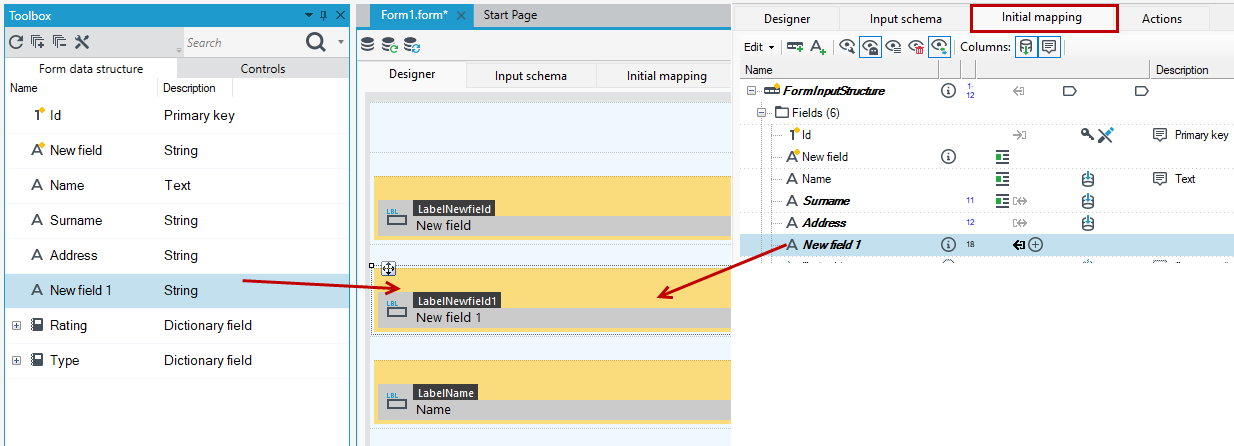
For example, you can add a field to the input schema if it is not in the data structure.
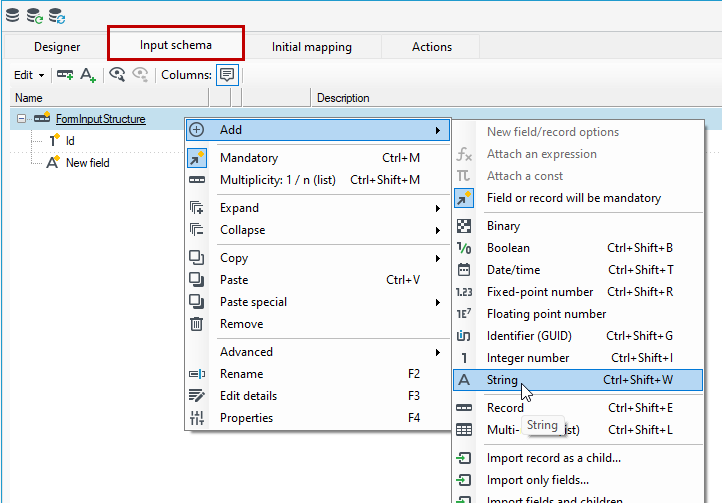
Then you can use the field on the form.
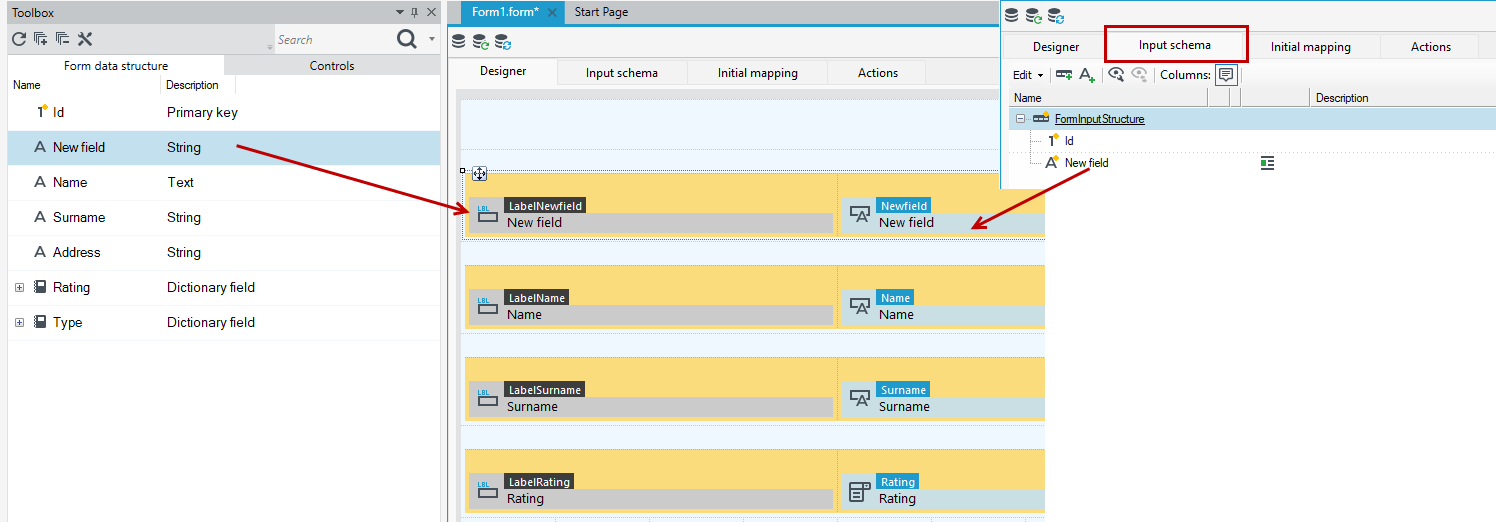
The field is also available on the Initial mapping tab where you can use annotations and value assignments for the field, etc.
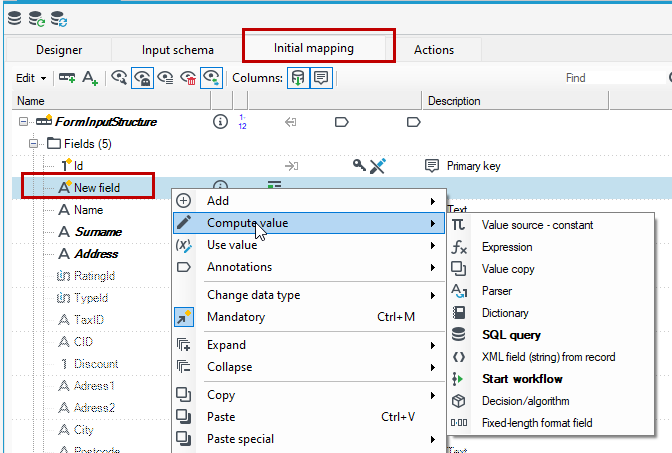
Initial mapping
The Initial mapping tab uses the logic of the Mappings, which is used in many places in the VSoft archITekt platform. Hence, some of the functionality you can perform in the forms on the Initial mapping tab is analogous to that which you can also perform in the processing packages. For more information, see Mappings.
Initial mapping is always performed at the beginning of the form life cycle. On this tab you can specify mappings relating to individual records or fields by using a number of available operations, after expanding the context menu.
The mapping editor consists of two panels:
Left - presents only the data schema. The data schema is organized in the form of a tree. – For more information, see: Data Schema.
Right - contains tabs:
- Operations - for more see Operations.
- Second view of the data schema (useful for avoiding content scrolling in case of large schemas),
- DIC: list of available dictionaries with columns,
- CONF: Configuration keys accessible from the main configuration (appSettings), .ini file and other technical configuration sources. A comment for each item indicates the source of the key.
- VS: A tree with the contents of the version server along with the GUID of each version.
- BusinessParam: tree of business parameters if defined - about defining business parameters see Business parameters
- RIGHTS: list of special pages defined in archITekt Studio and system pages.
- LOC: list of local variables defined in archITekt Studio.
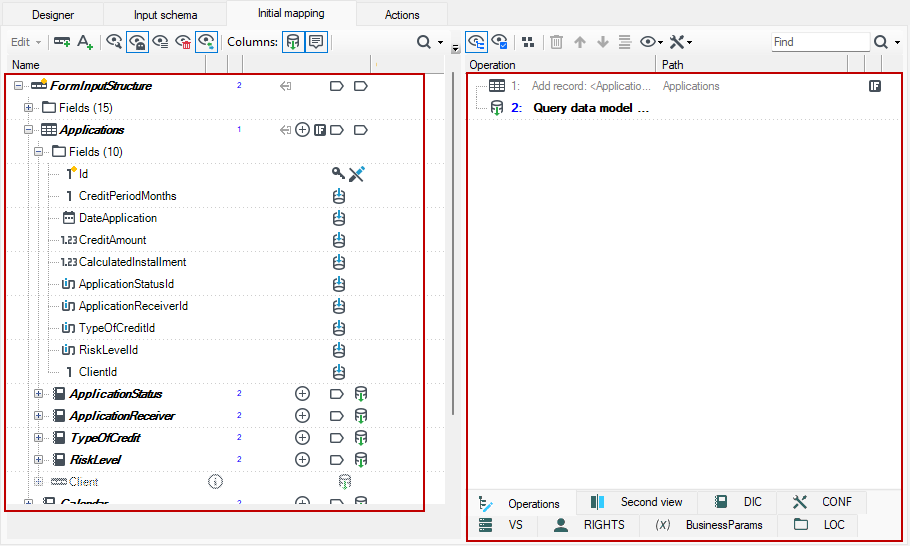
If you have created a form based on a data structure:
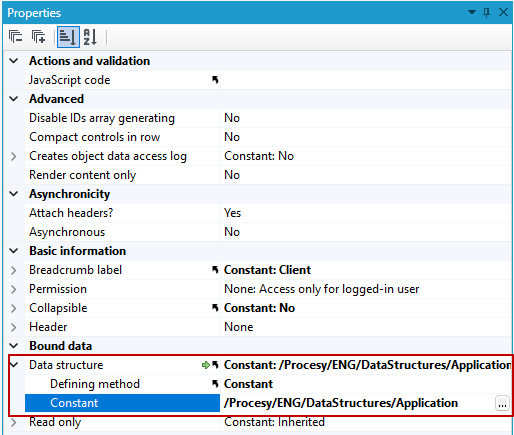
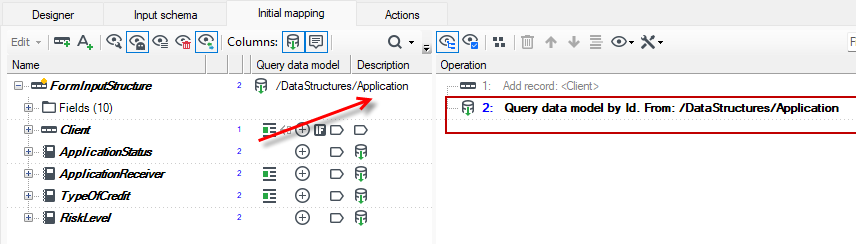
In Initial mapping, in the root of the data structure you will see by default 1 operation - mapping: (Query data model), which informs you to query the database for the data structure on which the form is based. For more about the operation, see: Entity Framework data model query operation.
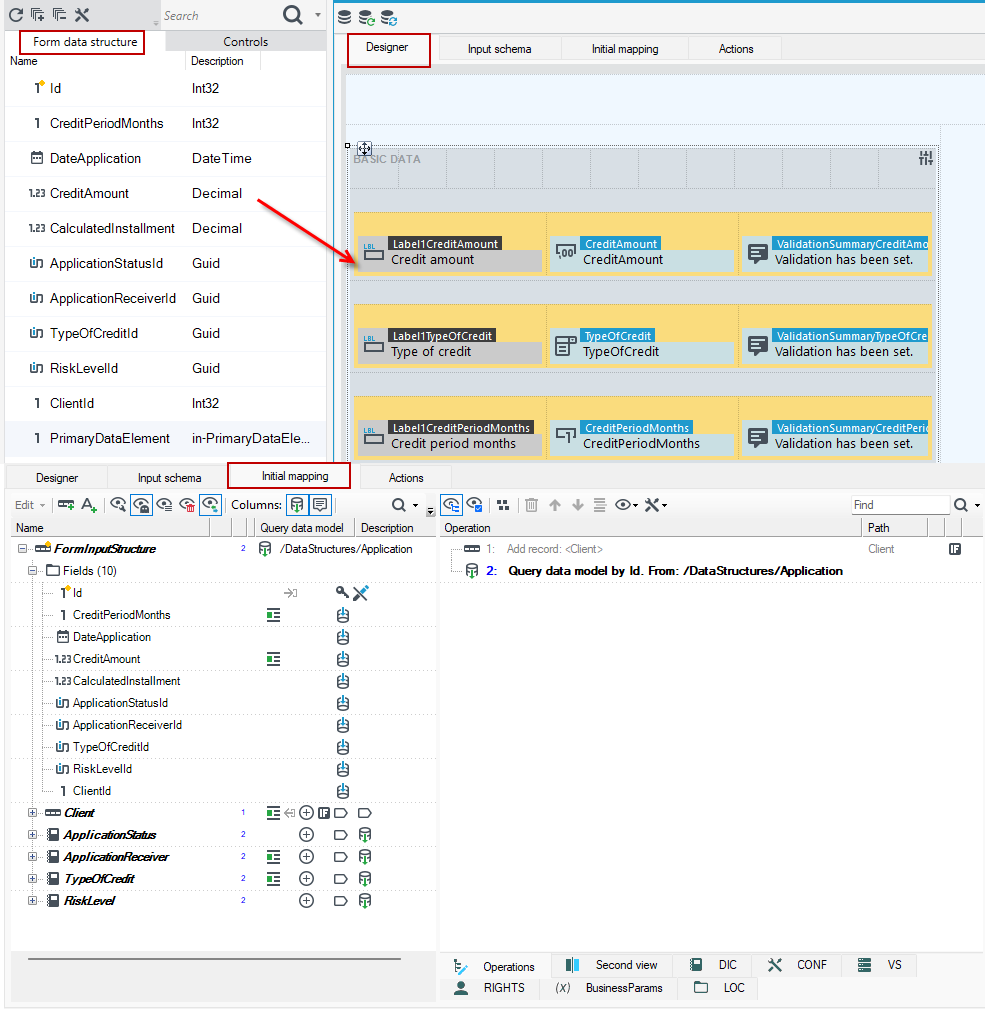
- Fields from the data structure are used as the key to query the data model.
- The Id field is always in every data model (data structure) created in archITekt Studio. In Initial mapping, the Id field is treated as the Primary Key by default.
- Fields loaded from the database are visible on the Form data structure tab of the form from where you can drag & drop them to the workspace.
Similar to the Input schema here you can also add fields to the data schema that are not in the data structure. Then you can use them on the form or for other mappings you need to perform. Use the appropriate annotation/option from the context menu.
Remember, added fields are treated as local variables, they exist only for the time of displaying the form, and if you do not save them to the database, then the data from the fields (entered by the user or performed calculations, mappings, etc.) will be lost, when you move on to the next element of the application.
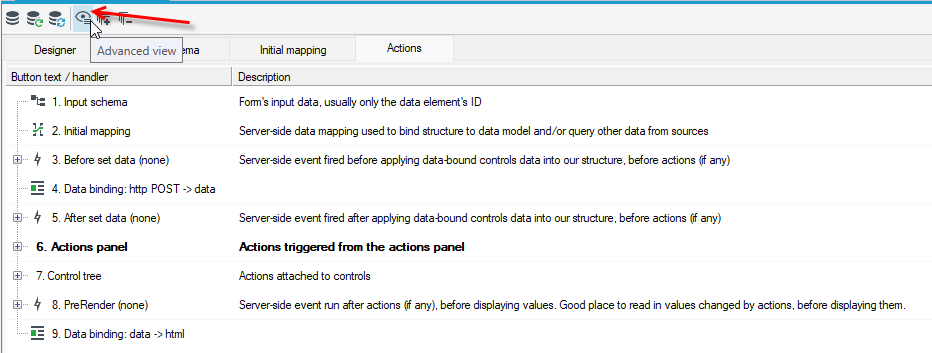
Go to the Actions tab on the form, and then select the option to switch the view to advanced, where you will see the order of the steps and compilation of the form.