Complex action
The complex action is a special type of action where we can combine any number of actions. Using a button with a complex action will result in execution of all actions configured for it.
An example of a complex action can be an action that first executes a mapping (on a selected list item) and then launches a process on the same item.
You can add a complex action in 2 ways:
- drag the Complex Action control from the toolbox or drag multiple actions one below the other, then a single action will automatically be converted into a complex action if a second and subsequent actions appear below it.
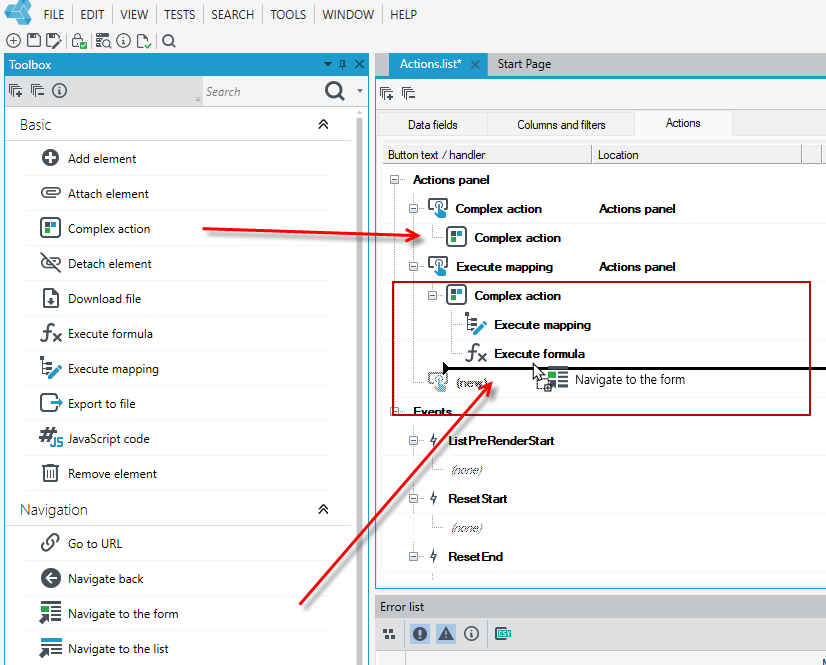
- If you have added a complex action by dragging a control from the toolbox, then you need to specify the other actions to be performed under the complex action. You can drag the actions to be included in the complex action directly under the complex action and so each subsequent action.
tip
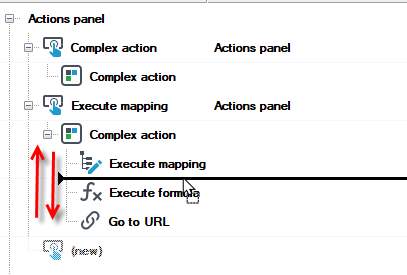
The order of actions corresponds to the order in which they are executed by the system when you use a button with a complex action. Each new action is added to the end of the list.
You can move actions up and down in the tree.