Adding a home page
The element named Menu is the root element of the menu, from which the others are derived. It has the main properties:
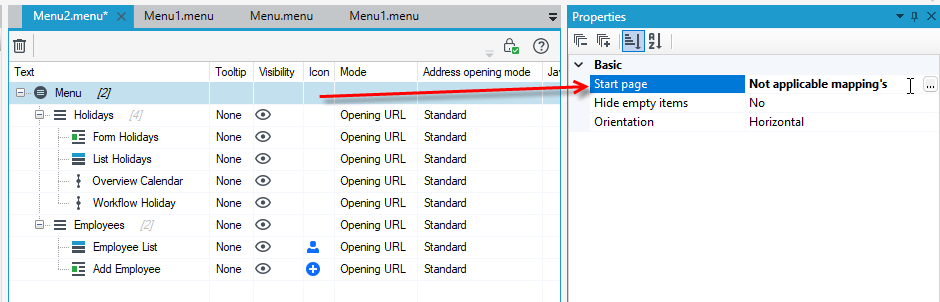
- Start page - allows you to indicate the page that will be displayed to the user in a web browser after logging into the application. It can be a page with a particular list, form or system report. You can also indicate the process that will be started immediately after logging in. Regardless of the page to which the user is redirected, the redirection uses a mapping mechanism, so it is possible to configure the displayed start page for different groups of users. If no mapping is defined, then all users logging into the Application will be directed to the default page defined when configuring the Application. For more information, see: Sample home page.
- Hide empty items - allows you to configure the visibility of so-called empty elements, i.e. elements that:
- are not containers for menu subitems,
- are containers but do not have any elements (e.g. their children - menu items have been hidden due to lack of permissions).
The property value is set to Yes by default. Changing the value of the Hide items property to No will cause that the empty items will not be visible in the menu on the application screen for the logged user.
Defining a mapping for the Start Page
- In the Basic section, go to the Start page field.
- Select the Change button next to the Default page field and select the file address to be displayed when the User logs into the application.
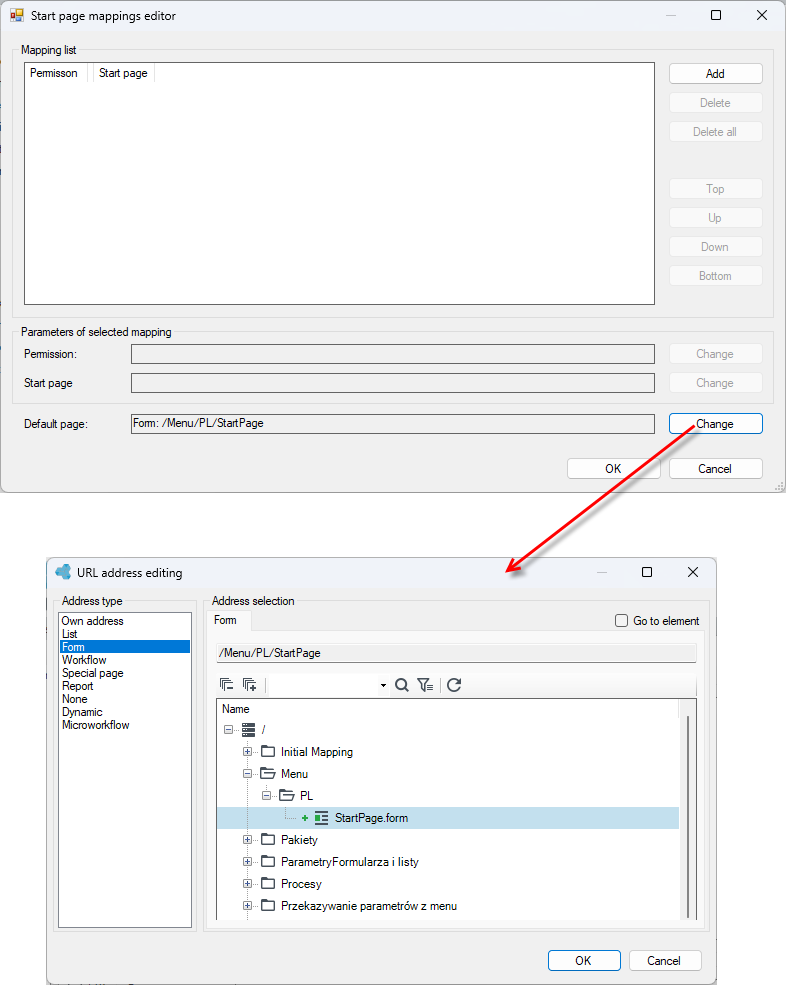
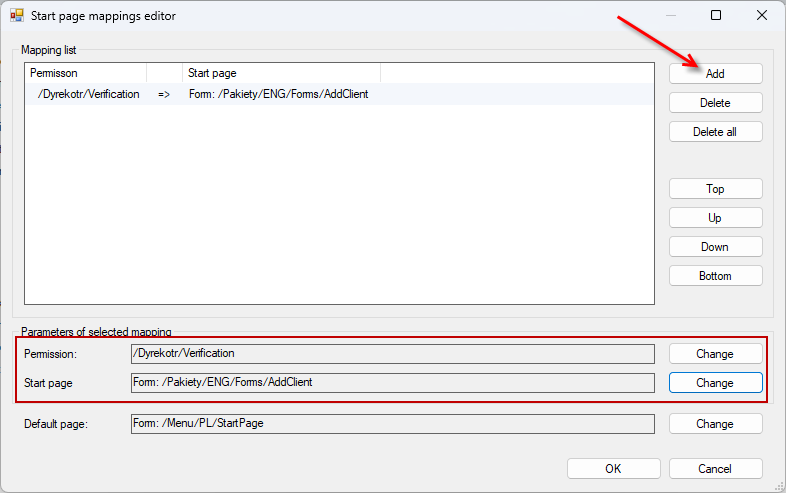
- You can specify different start pages for users with a specific set of permissions. After going to the Start page mappings editor, select Add and create a new mapping that will appear in the Mapping list, then configure the variables.
- Select the Change button next to the Permission field and select the permission for which the start page is assigned from the list.
- Select the Change button next to the Start page field and select the address of the file to be displayed after the user logs into the application. The Edit URL window will appear, similar to the one used for configuring menu items.