Specifying menu visibility for different permissions
You can define whether a given menu item should be visible for the corresponding role that the application user has.
Defining roles and permissions in the system is done in Authorization server. Configuration of application permissions (based on roles) can be added in archITekt Studio in Tools>Application properties menu. For more information see: Permissions in archITekt Studio.
Specifying the visibility of menu items
- Select a menu item and go to the Properties panel.
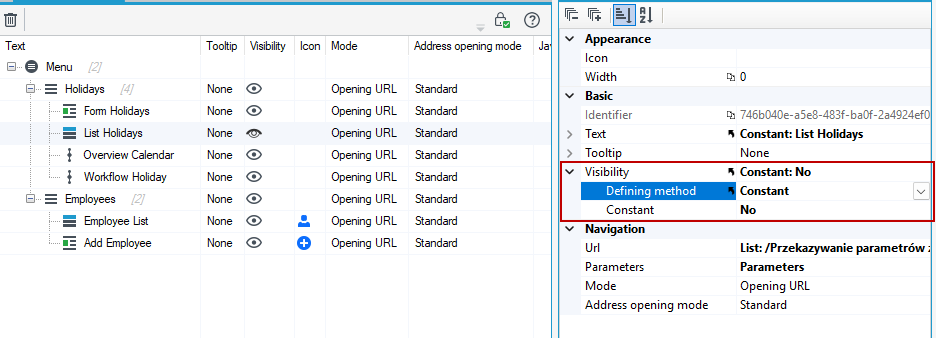
- In the Visibility section, select the option to specify the permission as constant and indicate Yes or No depending on whether the menu items should be visible or not. This option is useful if you want to test whether a menu item is visible or if you want to hide a menu item for a certain period of time.
Specifying visibility of menu items based on permissions
- If you do not select any option in the Visibility property then the default is set to Visible to all.
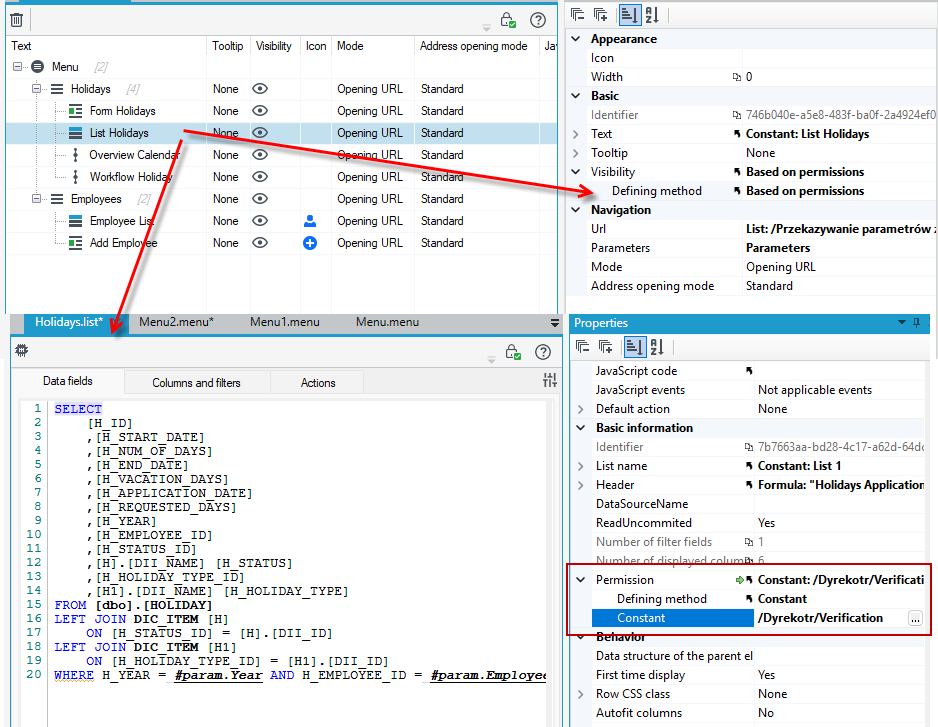
- If you select the option Based on permissions in the Visibility section then individual menu items will be visible depending on the permissions you have defined on the list, form or process to which they relate.
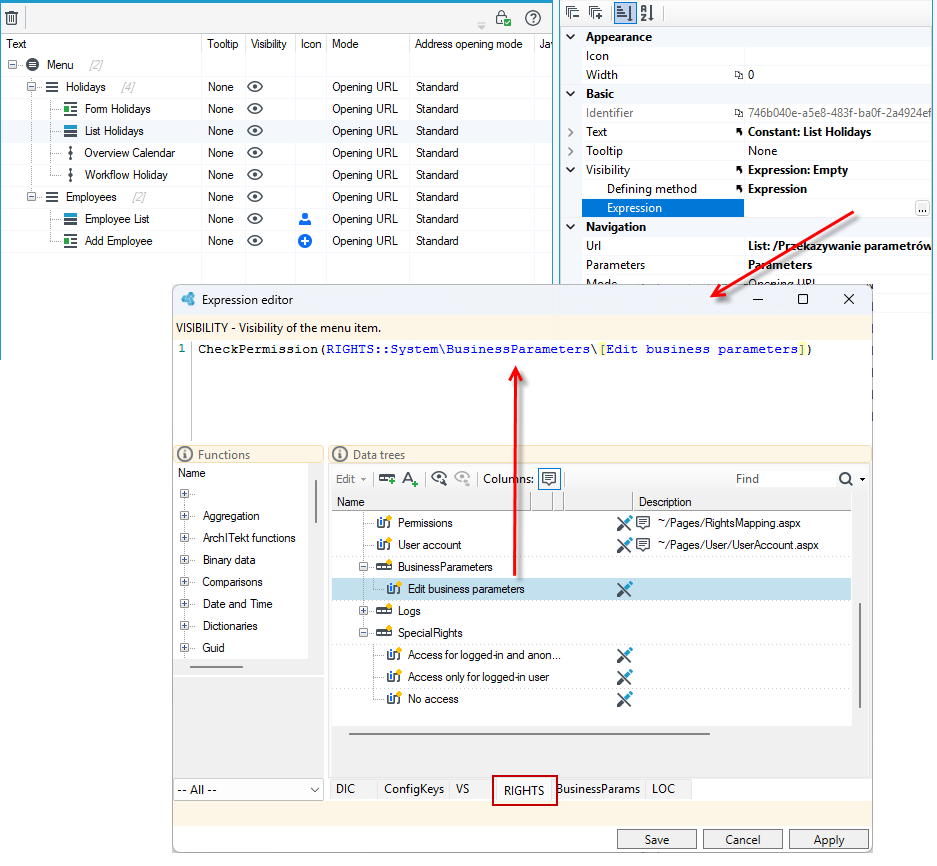
- You can also use the expression and the
CheckPermission()function. In the expression editor, all permissions defined in archITekt Studio are available on the RIGHTS page.