Document validation
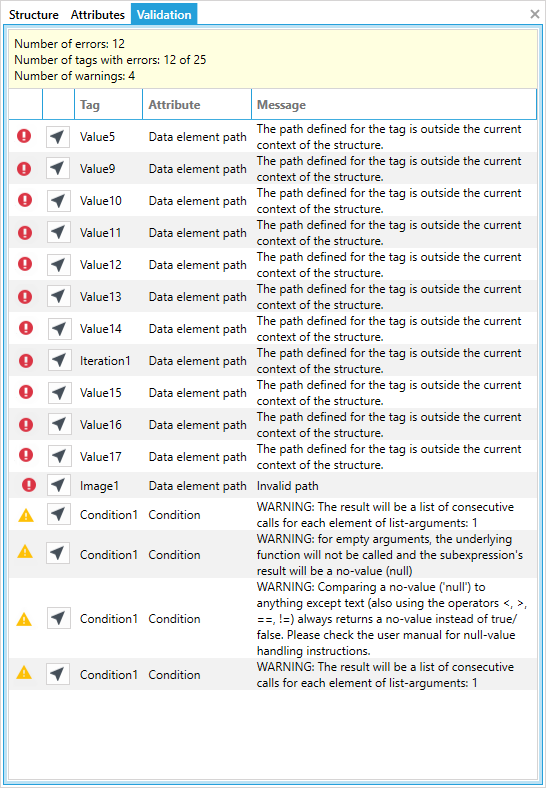
After the tags have been inserted and configured, you can check that all tags are correctly configured and that the document does not contain errors or warnings. The Documents generation provides a validation mechanism for the entire currently open document. To verify that the tags are configured correctly, select Check from the Actions section.

Selecting the button will automatically open the validation panel with information about the number of errors and warnings in the document. Correct any tag configuration errors, and then save the document.
tip
Warnings do not prevent the document from being generated.