Importing documents into archITekt Studio
After creating the document template in MS WORD, save the document and its structure.
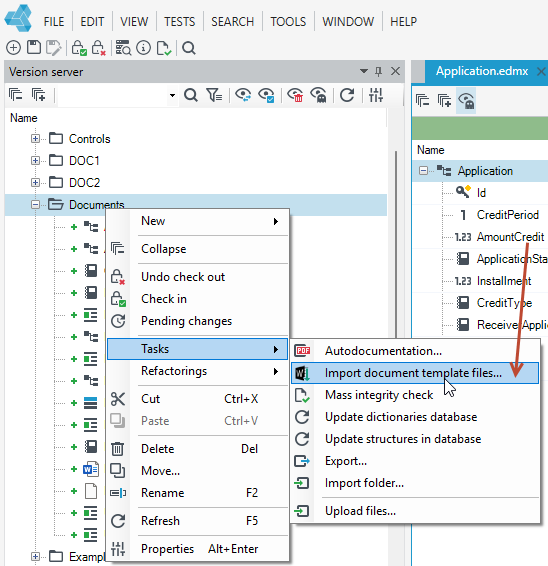
- Open archITekt Studio and import the files to the release server. Right-click where you want to import files and select Tasks>Import document template files from the context menu.
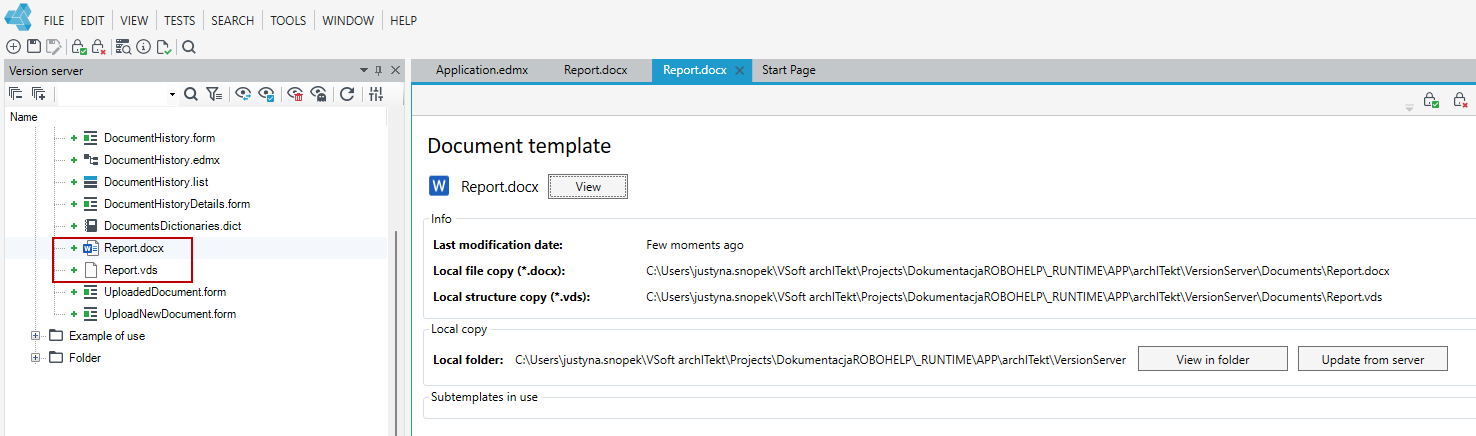
- After importing the documents, you can view the template and also navigate to the directory where the local copy of the document was placed.
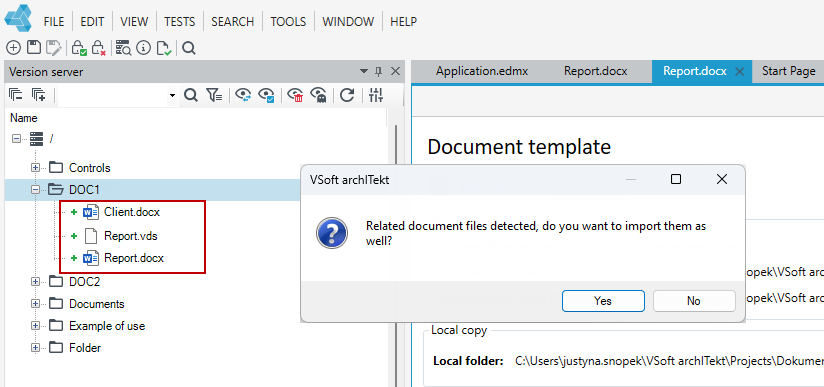
If you indicate only a document for import, without a sub-template, if it is used in the main document, then during the import you will be asked whether to import the related files as well (in this case, it is the sub-template Client.docx). The document data structure is always imported automatically even if you don't indicate it when importing.