Components of the Task Scheduling
The Task Scheduling operates on the basis of two components:.
- A Windows system service responsible for running tasks according to a defined schedule and monitoring the appearance of files that control the start of processing.
- A web application, thanks to which the user can define a schedule for running tasks and monitor the current operation of the system.
Technical architecture
The Task Scheduling is a configurable platform for running tasks. It offers:
- running scheduled tasks,
- file processing,
- running the Processing data tasks (see: Task Hierarchy).
The Task Scheduling allows you to run tasks handled by the modules.
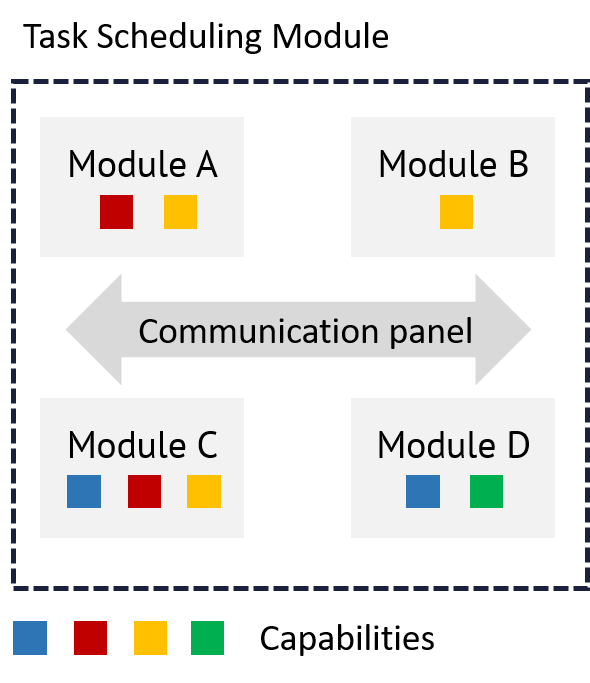
Modules can be:
- created by programmers for specific applications (then they contain a code specific for a given application),
- ready-made solutions provided as part of the archITekt platform (the ability to run the Data processing Task Hierarchy).
The Task Scheduling perform their tasks based on capabilities. The capabilities are the basic construction blocks for building the functionality of the Task Scheduling. Examples of the capabilities include hosting WCF services.
Currently, there are three modules of the Task Scheduling:
- TaskHierarchy - Allows you to run tasks and hierarchy of Data processing tasks.
- CodeTasksModule - Allows you to run specific tasks of a given application (programmed by the programmer).
- NotificationModule - Allows you to send notifications via e-mail.
The diagram below shows an example of an operational configuration of the Task Scheduling.
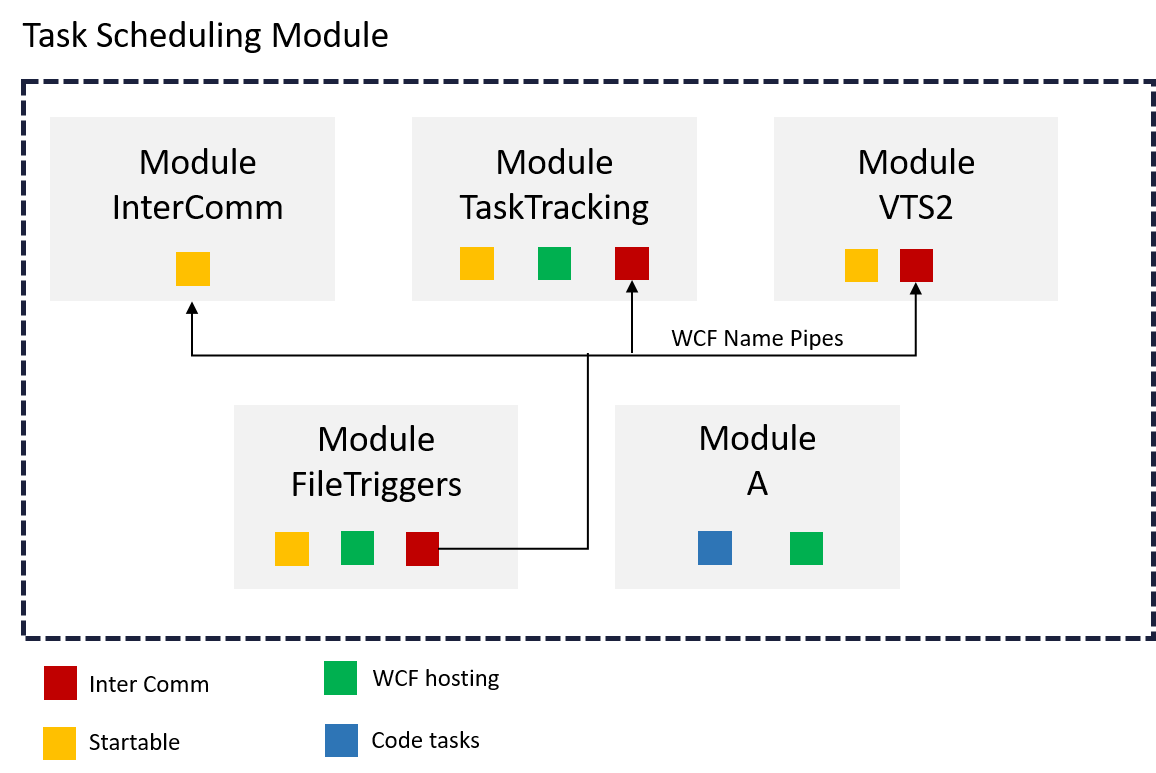
The functional requirements met by the Task Scheduling in the sample configuration presented above are:
- activating the user code (Module A),
- sharing services in WCF technology (Module A),
- file system monitoring and file processing (FileTriggers module),
- tracking, monitoring and diagnosing the task execution (TaskTracking module).
The diagram also shows what capabilities are used by each module.
In addition, the Task Scheduling also allows you to run the tasks according to a schedule.
Task Hierarchy
Scheduling allows you to run the Task Hierarchy defined on the VSoft archITekt platform. The Task Hierarchy itself and its tasks are defined, using the Data processing functionality. More information see: Data processing.
The purpose of the task launch mechanism is to break down long-running task processes into smaller functional blocks. This means that the user can divide the usually complicated and time-consuming processing into several smaller tasks. This division of the task into shorter fragments makes the implementation process more orderly, more transparent and easier to control. In the case of a failure of any of the sub-tasks, it is possible to restore the process to operation directly from the point of failure, where the problem occurred. This significantly facilitates the process management and shortens the time of its implementation, as it does not require restarting the entire process from the beginning, but only from a certain point
Functions of the Task Hierarchy are:
- controlling tasks in a dependency graph, maintaining the status and resuming after a failure,
- mass data updates,
- copying and downloading files (to/from databases, FTP, and disks),
- fast (BULK) loading of data from files or databases,
- reporting big data sets,
- invoking data transformation packages.
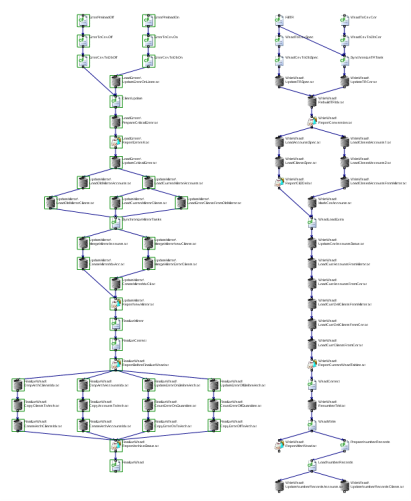
The figure below shows an exemplary graph (task hierarchy) with two starting points (launched as a result of the appearance of two groups of input files).
Tasks represented as individual blocks will be run when the tasks directly preceding a given are completed. As can be seen in the figure below, using the Task Hierarchy, it is possible to parallelize the execution of parts of the process, which speeds up the overall execution time of the processing.
Code tasks
The code tasks is the second way in which a task run by the Scheduling can be defined. In this case, the developer has to provide DLL files that perform a specific task of a given application.
Ypu can run tasks created in the form of classes, implementing the ICodeTask interface:

The code tasks allows you to pass any parameters to the task; the parameters of a given task are presented to the business user in the WWW application during the configuration of the call for this particular task.
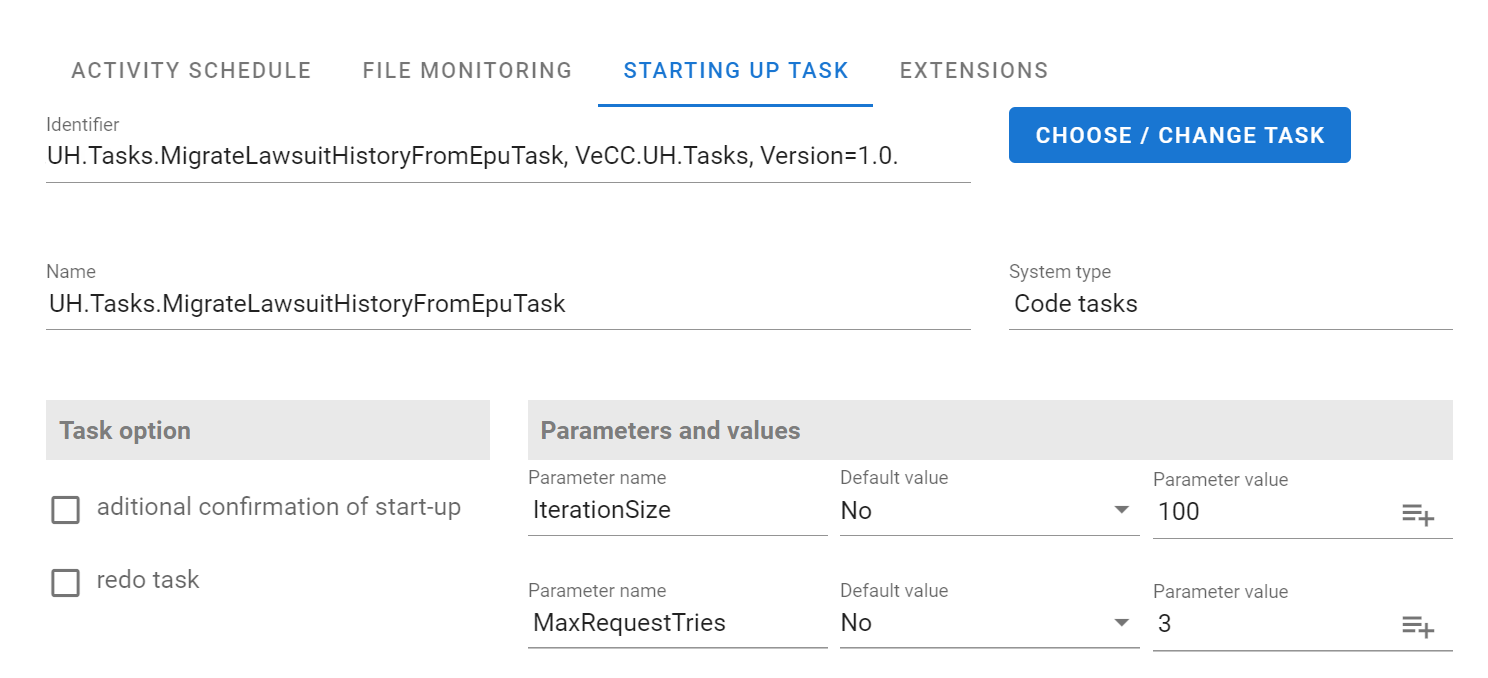
A code task can also return the results of its operation. The results are interpreted as a list of messages, each containing a name and description, presented to the business user in the WWW application.
When a task returns results from code, they are displayed on the GUI in the Task Details section of the History tab. See: History of completed tasks.
Extensions are additional classes loaded and executed by the Scheduler, used to modify the behavior of the task execution mechanism.